

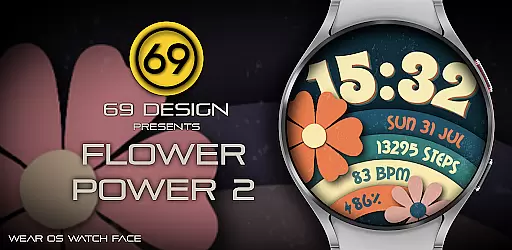
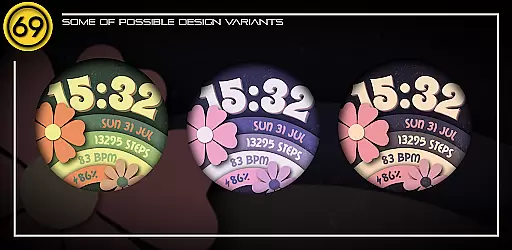
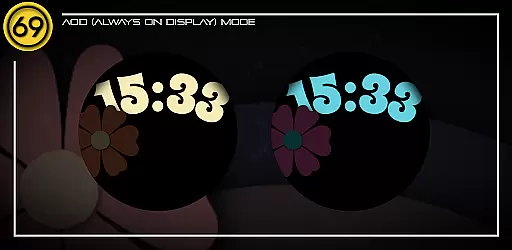
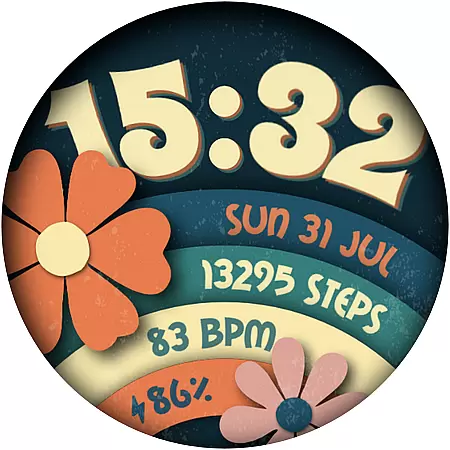
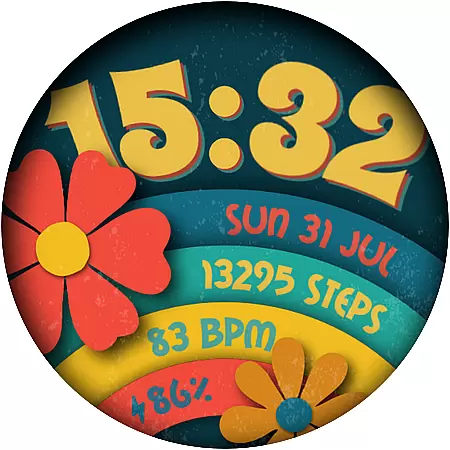
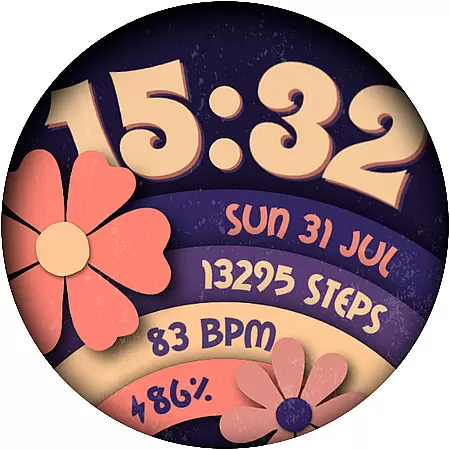
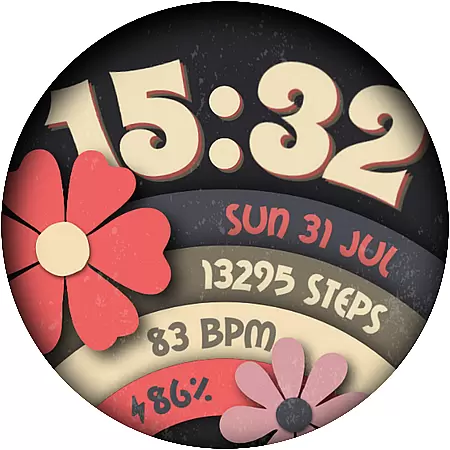
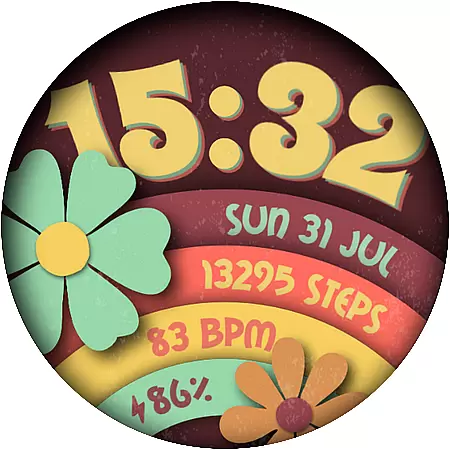
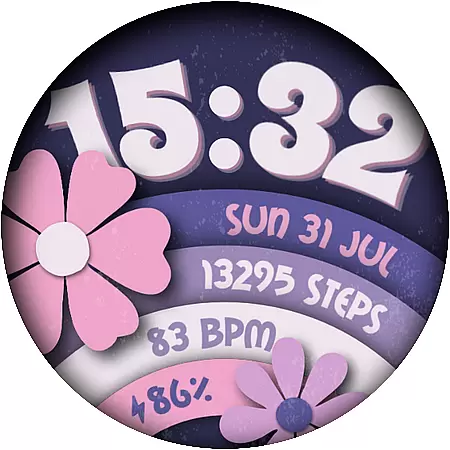
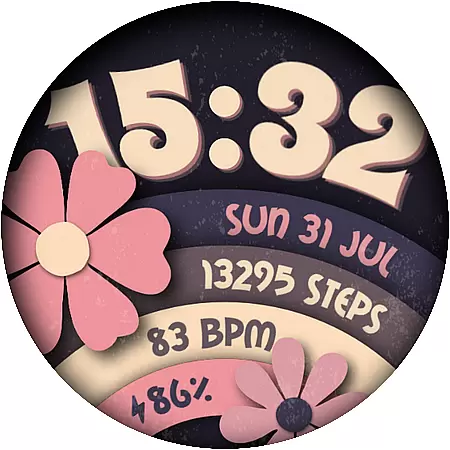
Flower Power 2 is a customizable digital watch face designed specifically for Wear OS devices. This application allows users to personalize their smartwatch display with various design elements, making it both functional and visually appealing.
The watch face offers an impressive range of features including multiple color combinations, battery level display, application shortcuts, and health tracking metrics like step counting. With support for both 12 and 24-hour time formats, date display, and complications, Flower Power 2 ensures that users have all the essential information at a glance while enjoying a unique aesthetic tailored to their preferences.
Ideal for users who want both style and utility on their wrist, this app transforms a simple time-telling device into a personalized gadget that reflects individual tastes and needs.
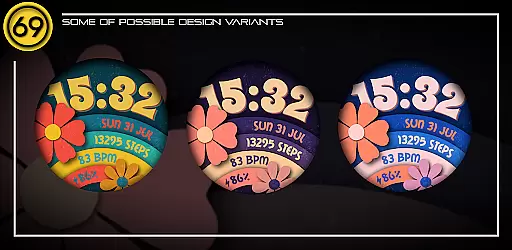
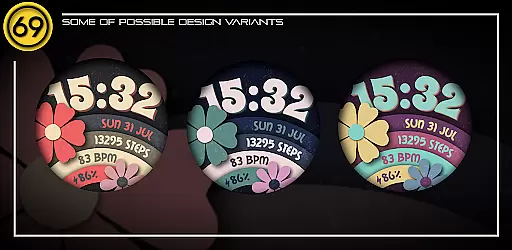
Flower Power 2 stands out with its extensive customization options. Users can choose from 20 different color combinations, ensuring that there's a style to match every mood or outfit. The inclusion of practical features such as battery level indicators and application shortcuts enhances the usability of your Wear OS device.
Health-conscious users will appreciate the integrated step counter, which encourages an active lifestyle by tracking daily movements. Additionally, the watch face supports both 12 and 24-hour time formats and displays the current date, catering to user preferences and regional standards. A dedicated complication area further extends functionality by allowing additional information overlays.
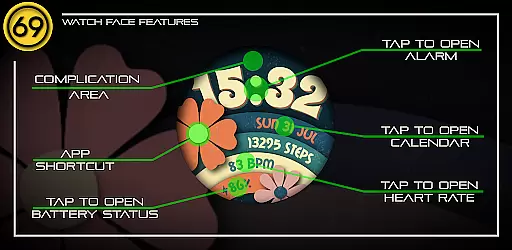
Compatibility is optimized for newer Wear OS devices running the latest software versions, ensuring smooth performance and reliable operation. Detailed configuration instructions are provided via graphic images, guiding users through the setup process for an optimal experience.
Customization is at the heart of [69D] Flower Power 2, allowing users to tailor their Wear OS watch face to match their personal style. With 20 color combinations available, this app ensures that your watch face is as unique as you are.
The app provides a range of customizable elements including battery level display, application shortcuts, and the choice between 12/24 hour time formats. These features give users control over both aesthetics and functionality, ensuring that the most important information is always at hand.
Additionally, users can track their daily steps and view the date directly from their watch face. The inclusion of a complication area further enhances personalization by allowing additional information to be displayed, making it not just a watch face but a personal assistant on your wrist.
[69D] Flower Power 2 excels in theme compatibility, designed specifically for Wear OS devices. This ensures that no matter which Wear OS device you own, you can enjoy a seamless integration with your device's existing themes and settings.
While the app runs best on newer devices with the latest Wear OS software, it maintains compatibility with most Wear OS watches. This broad compatibility means that whether you have an older model or the latest release, you can expect smooth performance and visual consistency across devices.
Some functionalities, like app shortcuts, may vary depending on the specific Wear OS device. However, this app is crafted to maximize utility without compromising on design, ensuring that every user enjoys a personalized yet cohesive experience tailored to their device's capabilities.
Highly customizable
User-friendly interface
Multiple color options
Integrated health tracker
Regular updates
Limited to Wear OS
Some features device-dependent
No advanced complications
Premium features may cost extra
Initial setup can be complex

Stunningly Different look with Line Icons and Neon Colors
 4.60
4.60
Unique Android Launcher
4.60
Add cute Shimeji pets to screen, interact with them and relax with cute motions
4.60
App Icon Changer & Shortcut Creator. Customize your icons without any watermarks
4.30
Nothing Icon pack with more than 3750+ highly crafted icons.
4.70
Adaptive Dot Style IconPack with Light & Dark Theme.
3.70
Transform your phone with stunning video wallpapers and a unique, personal touch
3.80
set a new experience for the Android mobile phone
4.20
Fast SMS & group chat - use GIFs and emojis from your home screen launcher.
4.50
Only for Wear OS devices!
4.90
Wallpaper HD 4K Live - Thousands of high-quality Anime backgrounds for you.
4.80
300+ Stunning and well-designed widgets inspired by NOTHING.
4.70
Glass style colourful icons with a One UI look and feel
4.60
Ultra realistic high quality analog watch face for Wear OS.
4.60
Handcrafted pixel art icons, widgets & wallpapers
4.60 4.50
4.50
Realistic animated snow on your wrist, with 10 images landscapes to choose from
4.00
HappyLighting is a Bluetooth lamp control software.
3.40
Struggling to find apps? Use this app to locate and open any app on your phone!
2.20

User Reviews