

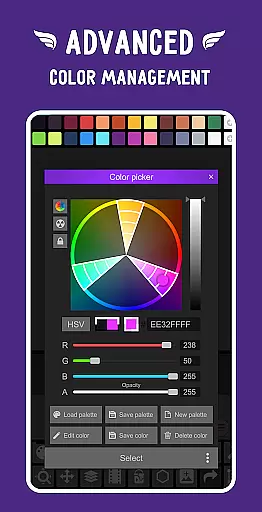
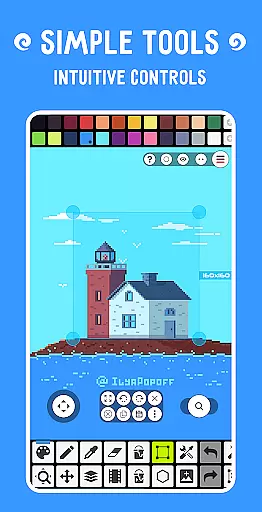
Pixel Studio PRO is a premier pixel art editor tailored for both artists and game developers. This special edition comes without ads or in-app purchases, offering all PRO features unlocked. With over 5 million downloads globally and support for more than 25 languages, it stands as a versatile tool for creating pixel art anywhere. The app supports layers, animations, and even allows adding music to animations with MP4 video export.
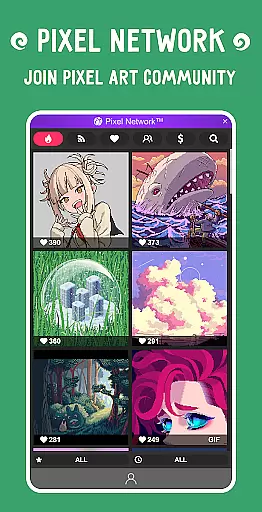
The application provides an intuitive user interface that caters to both beginners and professionals. Users can sync their work across devices using Google Drive and join Pixel Network™, a dedicated pixel art community. With support for various formats including PNG, JPG, GIF, BMP, TGA, PSP, PSD, EXR, and advanced tools like shape and gradient tools, Pixel Studio PRO ensures comprehensive functionality for all pixel art needs.
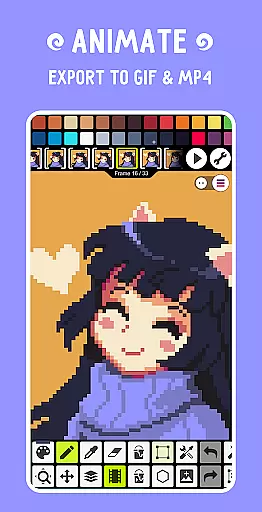
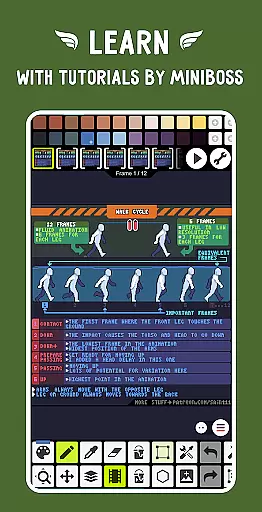
Pixel Studio PRO boasts an extensive array of features designed to enhance the pixel art creation process. It includes advanced tools such as layers for complex artwork, frame-by-frame animation capabilities, and exporting animations to GIF or sprite sheets. Additionally, users can extend animations with music and export videos in MP4 format, providing a multimedia approach to pixel art.
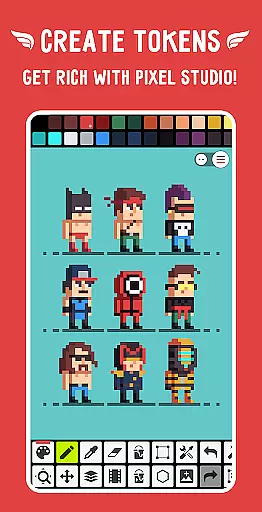
The app offers customizable settings, including toolbars and different modes optimized for mobile and tablet use. It supports professional input devices like Samsung S-Pen, HUAWEI M-pencil, and Xiaomi Smart Pen. With autosave and backup functionalities, users can ensure their work is always protected. Furthermore, the inclusion of a Pixel Network™ community and NFT creation capabilities adds a modern twist to traditional pixel art tools.
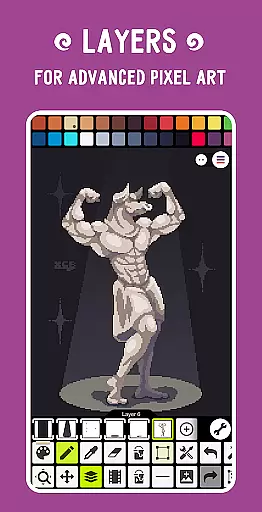
Pixel Studio PRO offers an extensive suite of creative tools that cater to both beginners and professional artists in the pixel art space. The application supports layers, animations, and a variety of useful instruments such as shape tools, gradient tools, and built-in/custom brushes.
Users can create frame-by-frame animations and save them as GIFs or sprite sheets. Additionally, they have the ability to extend these animations with music and export their projects as MP4 videos. This versatility ensures that all your creative needs are covered within a single platform.
The app also provides advanced features like symmetry drawing, dithering pens for shadows and flares, text tools with different fonts, and even a Dot Pen for precise cursor-based drawing. These comprehensive tools allow users to explore various artistic techniques without limitations.
Furthermore, Pixel Studio PRO supports all popular image formats including PNG, JPG, GIF, BMP, TGA, PSP, PSD, EXR, along with additional PRO-exclusive formats like AI, EPS, HEIC, PDF, SVG, WEBP, ensuring compatibility across multiple platforms and extending its utility beyond just pixel art creation.
One of the standout features of Pixel Studio PRO is its canvas and format flexibility, which empowers artists to work on projects of any size and complexity. With support for unlimited canvas sizes, users can create everything from small sprites to large-scale pixel artworks without worrying about constraints.
In addition to flexible canvas dimensions, the app allows for easy resizing and rotation of the canvas itself. Users can customize background colors and grids according to their preferences, providing a personalized workspace tailored to individual workflows.
Pixel Studio PRO also excels in format compatibility. It not only handles standard image formats but extends this capability by supporting specialized formats used in game development and graphic design industries. Formats such as Aseprite files (import only), JASC Palette (PAL), and Adobe Photoshop files ensure seamless integration into existing pipelines.
This level of flexibility makes it easier for artists and developers to switch between different devices and platforms while maintaining consistency in their work. Whether you're creating simple graphics or complex animations, Pixel Studio PRO adapts effortlessly to meet diverse project requirements.
User-friendly interface
Extensive format support
Advanced animation tools
Active pixel art community
Professional input device support
High system requirements
No free version available
Limited cross-platform sync
Premium price point
Complex for beginners


Vidu is an AI video generator made for creators and aspiring makers.
 3.30
3.30
AI generated images & photos, turn your words into drawing, painting & pictures.
4.30
Create stylish invitation cards using templates for weddings, birthdays & RSVP.
4.20
Remove Background, Magic Eraser, Photo Enhancer, Story Templates, Collage Maker
4.30
Create color palette from Image, RGB & RYB Color wheel harmonies, Color Scheme
4.50
Create stunning video, photo & magic from text with FlixAI GPT video generator.
3.10
Get creative and make art with your Sesame Friends!
4.00
Get an overview over all your embroidery threads, projects and more.
4.60
Unleash the artist in you with our AR drawing and tracing tool for photo drawing
4.10
Make your phone cooler and have a fantastic experience
4.80
Painting, drawing, & sketching
4.50
Kling AI is an image and video generation and editing studio powered by AI.
4.50
Trace, draw, and create art with AR - from memes to masterpieces!
4.30
Beauty Camera - Selfie Camera is the ultimate beauty camera and selfie app
4.30
OneUI 8.5 icons ✨ Smooth, modern & based on the latest Play Store design ??
4.10
AI Assistant, powered by ChatGPT GPT-4 & GPT-4o. Your intelligent companion.
3.50
Pose and morph realistic male and female models! 3D poser app
3.00
Transform photos into amazing monochrome dither art with professional algorithms
4.4
Art of Combination Wear OS Watch faces
4.4


User Reviews