

X Launcher Pro is a premium launcher app designed for users seeking an ad-free, highly customizable home screen experience. Based on flat design principles, it transforms the entire appearance and operation of your phone, offering a sleek and modern interface.
The app provides advanced features like App Manager for organizing local apps, Control Center for quick settings access, and a rich Theme Store with various themes and wallpapers. Its customization options allow users to modify app icons and names, change grid layouts, and create flat-style folders. With functionalities such as app hiding and no ads, X Launcher Pro delivers both aesthetics and practicality.
Ideal for users who want an iOS-like experience on Android, this launcher is perfect for personalizing your device while maintaining optimal usability. The combination of beautiful design and powerful features makes it a top choice in the Art & Design category.
X Launcher Pro stands out with its comprehensive feature set tailored for customization enthusiasts. The App Manager allows users to quickly organize and place apps on the desktop through simple swipe gestures, enhancing productivity.
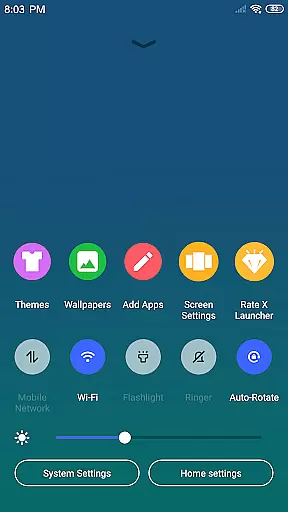
The Control Center provides instant access to essential phone functions like WiFi, brightness, and volume controls. This centralized access point streamlines daily operations. The Theme Store offers a wide selection of visually appealing themes and wallpapers, ensuring users can find styles that suit their preferences.
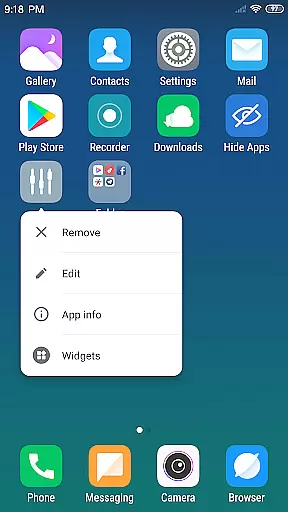
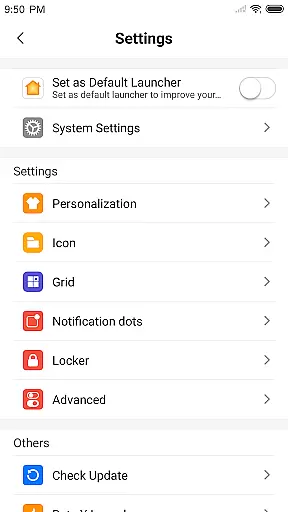
Advanced customization options include icon and app name changes, grid layout adjustments, and the ability to use local images as app icons. The flat-style folder system simplifies app organization, while the hide apps feature maintains privacy. These robust features collectively create a personalized and efficient mobile experience.
In the realm of Art & Design, X Launcher Pro stands out with its comprehensive suite of creative tools. The application offers a rich library of icons and the latest wallpapers, ensuring that users have everything they need to personalize their device's appearance.
With the App Manager feature, users can swiftly organize and access local apps, enhancing productivity and ease of use. This functionality not only simplifies app management but also allows for quick placement of app shortcuts on the desktop.
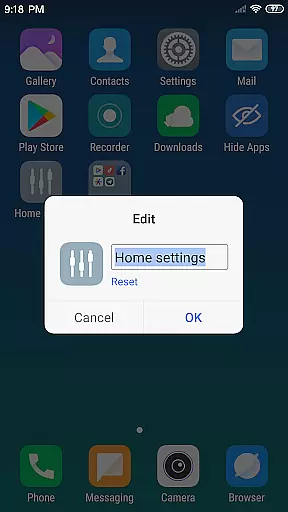
The Customizable aspect of X Launcher Pro enables users to modify both the icon and name of applications. By choosing local images and cropping them to fit, individuals can craft unique app icons that suit their personal style, further expanding the creative possibilities.
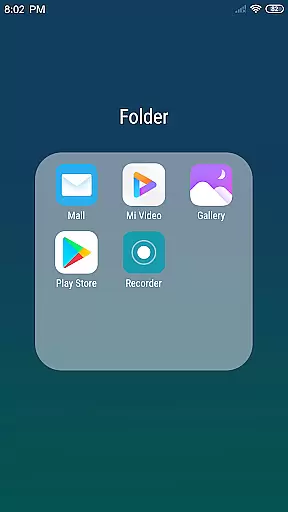
Moreover, the inclusion of various themes and a flat style folder system ensures that users can adapt the launcher to their aesthetic preferences while maintaining an organized and visually appealing home screen.
X Launcher Pro excels in providing canvas and format flexibility, crucial for users interested in Art & Design. The ability to change the number of rows and columns within the launcher allows for a highly personalized layout that can be tailored to individual needs and preferences.
Swipe gestures open up a world of convenience, with the Control Center accessible via a downward swipe, allowing users to quickly adjust settings such as WiFi, brightness, and volume. This intuitive control scheme adds another layer of customization over how users interact with their device canvas.
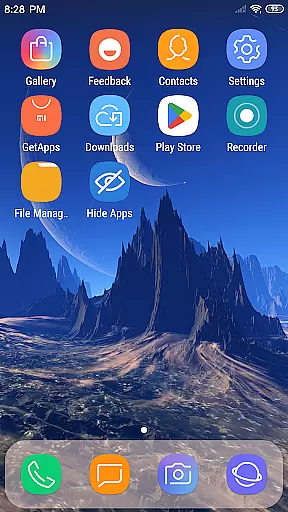
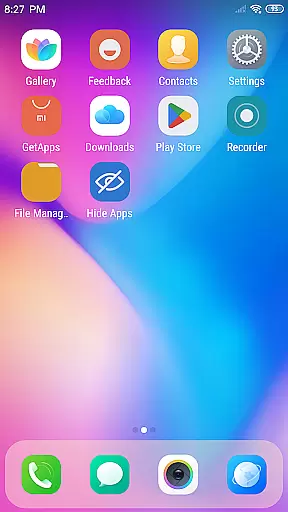
Furthermore, the Theme Store designed within the app provides various adaptive themes, offering users a smooth experience when altering their device's visual format. These themes ensure that aesthetic changes are not only superficial but also functional and seamless.
Lastly, the option to hide apps that users prefer not to display in the launcher adds an additional element of personalization, giving users complete control over their deviceu2019s appearance and format presentation.
Completely Ad-Free
Highly Customizable Interface
Intuitive Control Center
Variety of Themes Available
Powerful App Management
Storage Permission Required
May Use More Resources
Complex for Beginners
Limited Default Icons
Premium Only Features

Transform photos into amazing monochrome dither art with professional algorithms
 4.0
4.0
Meet the magic aı 3d photo generator and smart AI video generator app.
3.20
AI Assistant, powered by ChatGPT GPT-4 & GPT-4o. Your intelligent companion.
3.50
Art of Combination Wear OS Watch faces
4.3
Draw anime easily with AR guidance, sketch templates & trace tools!
3.10
Nano Banana AI Image Generator, Anime Filter, AI Portrait, AI Photo Generator
4.30
Get creative and make art with your Sesame Friends!
4.00
Multiplayer Drawing game, Coloring, Painting・Sketch, Handwriting・Paint, draw
4.30
All-in-One art, logo & collage maker. Design photos and edit video backgrounds
4.80
Passport size photo maker, create ID photo and visa photo in seconds
4.80
Photo editor for art, avatars, filters & fun transformations.
4.60
Kling AI is an image and video generation and editing studio powered by AI.
4.50
Everything you need to create hand drawn animation, anywhere you go!
4.40
AI generated images & photos, turn your words into drawing, painting & pictures.
4.30
Bring One UI 8.5 Icons to life -elegant dark icons with a modern, premium touch.
4.30
Sketch, plan, take notes and illustrate on an infinite canvas.
4.20
Turning simple sketches into captivating tales filled with life and motion
3.90
Your homescreen as an elegant glass with customized blur, lighting, and visuals.
3.70
Premium version of Shimeji-ee app with no ads & no limit active shimeji
4.4
User Reviews