

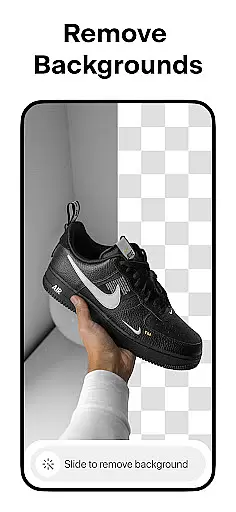
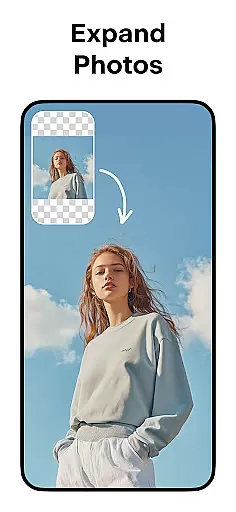
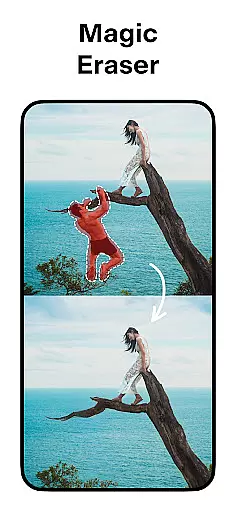
Pixelcut AI Photo Editor is a powerful all-in-one design tool that empowers users to create professional-quality images with minimal effort. The app's core functionality revolves around its advanced AI-powered features, enabling users to remove backgrounds, erase unwanted objects, and generate product photos effortlessly.
Beyond basic photo editing, Pixelcut offers specialized tools for e-commerce professionals and social media creators. Users can access thousands of customizable templates, add artistic text overlays, and experiment with various background options including solid colors and creative designs. The Magic Writer feature provides AI-generated copywriting assistance for product descriptions and social media content.
This versatile application proves especially valuable for online sellers and small business owners who need to produce high-quality marketing materials. By combining multiple design tools into one platform, Pixelcut streamlines the process of creating engaging visual content for platforms like Instagram, Shopify, and Poshmark.
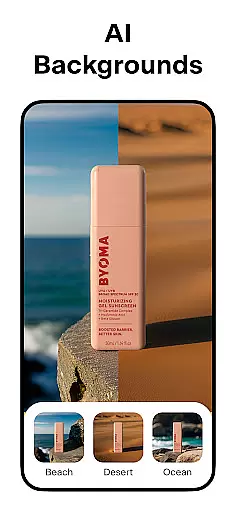
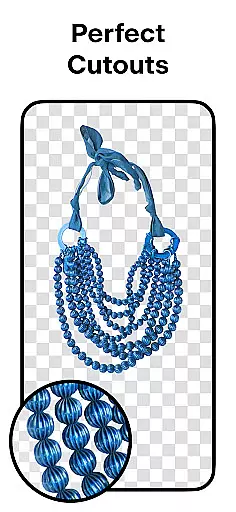
The application distinguishes itself through an impressive array of AI-driven features. Its Background Remover tool delivers precise cutouts with a single tap, while the Magic Eraser allows for seamless object removal from photos. The AI Photoshoot function revolutionizes product photography by generating unlimited variations of product images optimized for e-commerce.
Pixelcut's creative capabilities extend to its comprehensive template library featuring thousands of professionally designed layouts. Users can enhance their designs with hundreds of font styles and customize their creations with various shadow effects and color options. The Reels Maker tool enables quick video production, complementing the app's still image capabilities.
Advanced features include the Magic Writer, which leverages AI technology similar to ChatGPT for generating marketing copy, hashtags, and captions. The app also supports creative collages and provides community-driven templates for various digital platforms. These features collectively enable users to produce diverse content types while maintaining brand consistency across different marketing channels.
Pixelcut AI Photo Editor offers a comprehensive suite of creative tools that cater to both amateur and professional designers. The application includes features such as background removal, magic eraser, AI photoshoot, and text styles which collectively ensure that users have everything they need for image editing at their fingertips.
The app's powerful AI-driven functionalities allow users to generate product photos, remove unwanted objects, and create stunning collages with ease. With the inclusion of templates specifically designed for shopping, Pixelcut ensures that e-commerce store owners can produce high-quality visuals without needing extensive design experience.
Moreover, the availability of different text styles and the ability to overlay text on images enables users to turn quotes into art and enhance their visual content. This complete set of tools empowers creators to stand out on platforms like Instagram, Poshmark, and Shopify by crafting unique and engaging posts and stories.
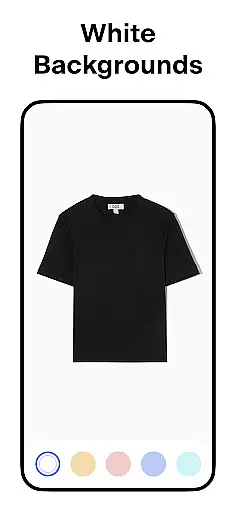
Flexibility in canvas and format options is crucial for accommodating diverse design needs, and Pixelcut excels in this area. Users can place their products on simple white backgrounds or choose from a palette of stunning colors and backdrops, providing versatility in how images are presented.
In addition to varied background options, Pixelcut supports creating videos for business purposes through its Reels Maker feature. This allows users to expand beyond static images and explore dynamic content creation, catering to modern social media trends.
Furthermore, the app facilitates control over shadows on products, ensuring realistic presentation across different formats. Whether it's designing for YouTube channels, podcasts, or storefronts, Pixelcutu2019s flexible canvas and formatting capabilities enable users to adapt their creations to various platforms while maintaining professional quality.
User-friendly interface
Powerful AI tools
Comprehensive template library
Versatile design options
Time-saving automation
Premium features locked
Subscription required
Advanced tools complex
Occasional glitches
Learning curve present


Discover Cartoon Dream : Unleash Your Creativity with CuttingEdge AI
 4.50
4.50
Stylish letters, Stylish Keyboard, Symbols, Emojis, Cool nickname
4.40
Logo Generator powered by AI: Create stunning logos effortlessly!
4.70
See Color, Paint Color
4.90
Mobile pixel art editor. Simple. Fast. Portable.
4.80
Get an overview over all your embroidery threads, projects and more.
4.60
Android 14 style widgets and wallpapers app.
4.4
Kling AI is an image and video generation and editing studio powered by AI.
4.50
Draw, make movies & animate cartoons easily with our 2D animation maker app
4.40
Novices can also easily complete diamond painting masters
4.70
Castle is social media for creating and playing games!
4.60
Turn your drawings into flipbook-style animations with simple creative tools
4.60
Video AI: Revolutionize Your Content Creation with Advanced Video Generation
4.50
Sketch, plan, take notes and illustrate on an infinite canvas.
4.20
Custom Character Creator & PFP Maker!
4.20
Unleash Your Creativity with Draw Cartoon - AR Drawing App
4.10
OneUI 8.5 icons ✨ Smooth, modern & based on the latest Play Store design ??
4.10
Your homescreen as an elegant glass with customized blur, lighting, and visuals.
3.70
AI Assistant, powered by ChatGPT GPT-4 & GPT-4o. Your intelligent companion.
3.50


User Reviews