

AR Drawing Sketch Painting App is an innovative mobile application that combines augmented reality technology with traditional drawing techniques. This app allows users to trace drawings, create meme art, and learn to draw step-by-step directly on real paper using their phone's camera. Whether you're a beginner or a professional artist, this app helps you create stunning artwork and jump on the latest meme trends with ease.
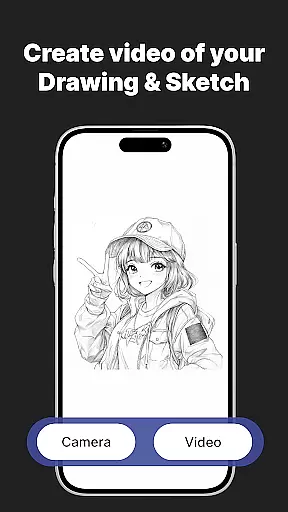
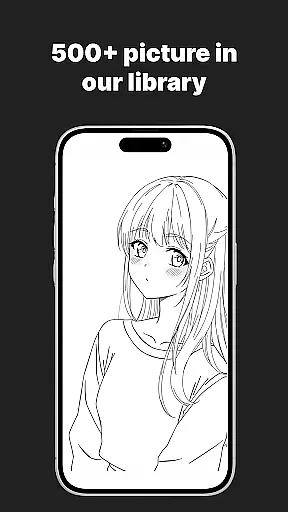
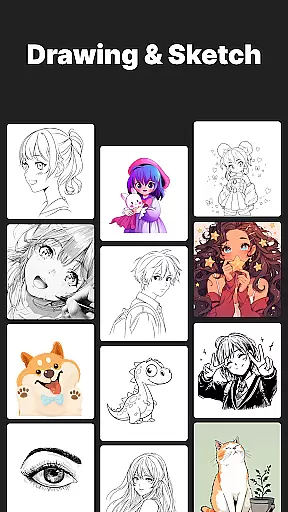
The app features a massive template library with thousands of templates including anime, portraits, animals, cars, flowers, tattoos, icons, trending memes, and more. It also offers customization tools to adjust opacity, zoom, rotate, and enable flashlight for better visibility. With AR Drawing Sketch Painting App, users can save and share their artwork by capturing time-lapse videos of their drawing process and sharing them instantly.
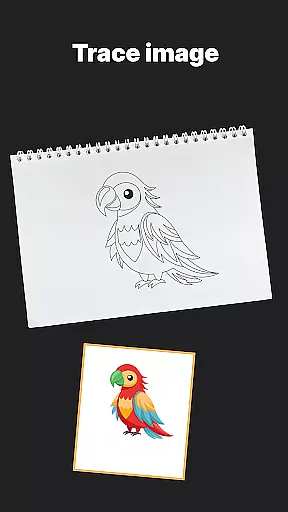
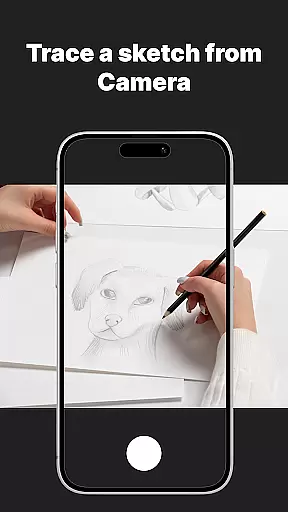
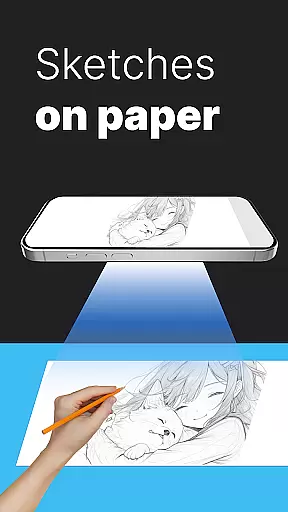
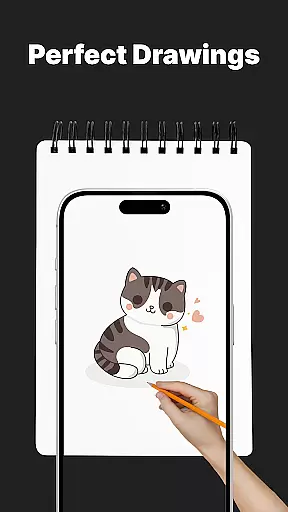
One of the standout features of AR Drawing Sketch Painting App is its AR Trace Drawing capability. Users can select a template, place their phone on a stand, look through the camera, and trace the lines onto paper. This feature is complemented by step-by-step drawing lessons that help improve skills for all levels. The app also includes a Meme Mode with exclusive meme collections, making it easy to create fun and trendy artwork.
In addition to these core features, the app provides weekly updates with fresh templates to keep users inspired. Customization tools allow users to adjust opacity, zoom, rotate, and enable flashlight for better visibility while tracing. The ability to save and share time-lapse videos of the drawing process adds a social element to the app, encouraging users to showcase their creativity and progress over time.
When it comes to creating digital art, having access to a comprehensive set of creative tools is essential. The AR Drawing Sketch Painting App offers an impressive suite of features that cater to artists of all levels. With its massive template library, users can choose from thousands of templates spanning various categories such as anime, portraits, animals, and even trending memes.
The app's AR Trace Drawing feature allows users to select a template and project it onto paper via their phoneu2019s camera, enabling them to trace the lines accurately. This functionality bridges the gap between traditional and digital art forms, providing a unique way to create artwork. Additionally, customization tools within the app let users adjust opacity, zoom, rotate, and enable a flashlight for optimal visibility while tracing.
For those looking to improve their skills, the app provides step-by-step drawing lessons suitable for beginners and professionals alike. These guided tutorials cover a wide range of subjects and techniques, ensuring that users can continually learn and grow as artists. By offering weekly updates with fresh templates, the app ensures that creators never lack inspiration or new ideas to explore.
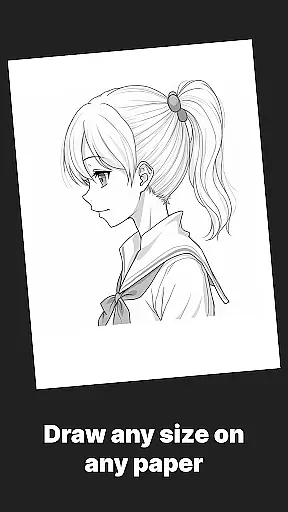
Flexibility in canvas and format options is crucial for artists who wish to express their creativity without limitations. The AR Drawing Sketch Painting App understands this need and offers versatile solutions that adapt to different artistic styles and preferences. Whether you're interested in realistic portraits or whimsical meme drawings, the app supports multiple formats to suit your vision.
One of the standout features of this app is its ability to work seamlessly with real paper, allowing artists to use their preferred materials while still benefiting from augmented reality guidance. By placing your phone on a stand and using the camera to project templates, you can draw directly onto any surface or medium you choose. This approach not only preserves the tactile experience of traditional drawing but also opens up possibilities for mixed media projects.
Furthermore, the app facilitates sharing your creations by capturing time-lapse videos of the drawing process. This feature is perfect for showcasing your artistic journey or simply sharing your work with others. With support for saving and sharing your final masterpieces, the AR Drawing Sketch Painting App empowers artists to document and disseminate their art effortlessly.
User-friendly interface
Extensive template library
Augmented reality tracing
Step-by-step tutorials
Regular content updates
Requires stable phone positioning
Limited free templates
Premium subscription needed
Occasional bugs
Learning curve for beginners

Floor Plan Creator lets you create, edit and share floor plans.
 4.00
4.00
Logo Generator powered by AI: Create stunning logos effortlessly!
4.70
Make your phone cooler and have a fantastic experience
4.80
Draw beautiful mandala's very easily
4.60
Photo editor for art, avatars, filters & fun transformations.
4.60
Turn your drawings into flipbook-style animations with simple creative tools
4.60
Resize photos and print photos in exact size with our powerful photo printer!
3.80
OneUI 8.5 icons ✨ Smooth, modern & based on the latest Play Store design ??
4.10
Video AI: Revolutionize Your Content Creation with Advanced Video Generation
4.50
See Color, Paint Color
4.90
Your AI soulmate — meaningful chats, and unique emotional moments
4.70
Draw, fidget, and spin glow art! Relax and express your creativity with a finger
4.60
AI Tattoo Generator: Create Tattoo Designs & Get Ideas! Ink & Stencil Maker
4.50
Just trace a projected picture on paper and color! Draw & Paint with AR drawing
4.40
Nano Banana AI Image Generator, Anime Filter, AI Portrait, AI Photo Generator
4.30
Unleash the artist in you with our AR drawing and tracing tool for photo drawing
4.10
Experience next-gen icons with a modern liquid glass look.
3.60
Pose and morph realistic male and female models! 3D poser app
3.00
Transform photos into amazing monochrome dither art with professional algorithms
4.4

User Reviews