

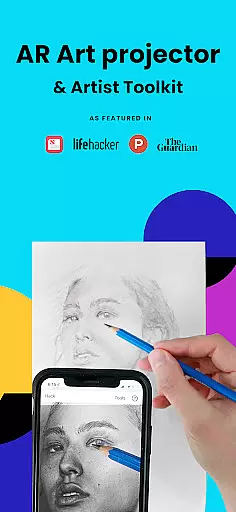
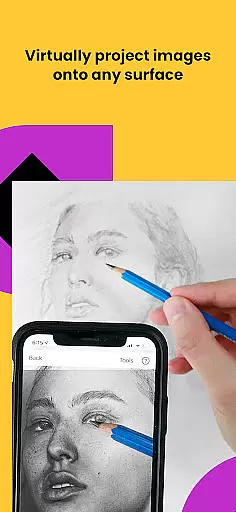
Da Vinci Eye's AR Art Projector is a revolutionary tool designed to enhance drawing and sketching skills. This app utilizes augmented reality technology to project images onto your canvas, allowing precise tracing and detailed artwork creation. With features like strobe for hyper-realistic drawings and layer separation by color value, it caters to artists of all levels.
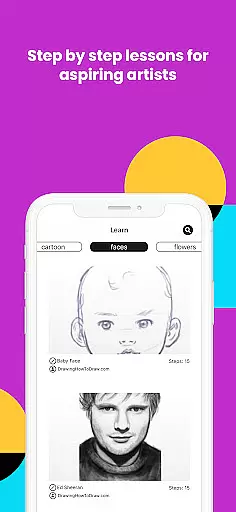
The app offers video tutorials, step-by-step drawing lessons, and an engaged community for sharing artwork. Whether you're a professional illustrator or hobbyist, Da Vinci Eye supports various art forms including cartooning, tattoo design, and more. Its unique learning method ensures quicker skill acquisition compared to traditional techniques.
Perfect for both beginners and experts, this app transforms any photo into a detailed drawing lesson. By anchoring images in real-world space through AR mode, users can easily adjust their work area while maintaining alignment. The result is an innovative digital art experience that elevates your creative process.
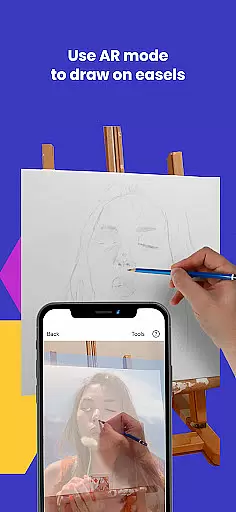
Da Vinci Eye stands out with its advanced AR tracing capabilities. Users can anchor images to objects in the real world, ensuring accurate placement during sketching sessions. The app also allows zooming in for micro-details, making it ideal for intricate designs such as nail art or animation.
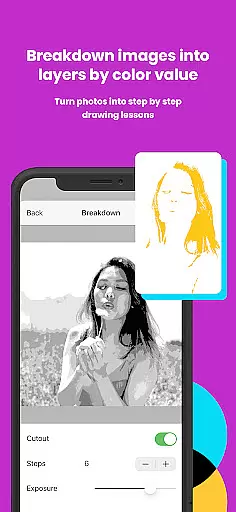
With video tutorials and step-by-step instructions, learning becomes accessible. Filters simplify the drawing process, while time-lapse recording captures artistic progress. Additionally, separating images into layers based on color values helps artists understand light and shadow dynamics better.
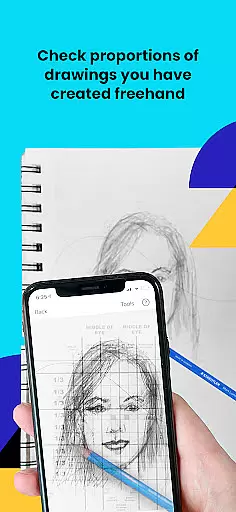
Customer support is notably responsive, providing assistance when needed. The app's versatility extends beyond tracing; it includes comprehensive tools for shading, proportion recognition, and stroke refinement. These features collectively contribute to a robust platform that nurtures artistic growth.
In the realm of digital artistry, having access to comprehensive creative tools is paramount. AR Art Projector offers an extensive suite of features that cater to artists across various disciplines. From bakers to animators, this app provides functionalities such as the ability to separate images into layers by color value, which can then be viewed on your canvas. This feature alone revolutionizes how artists perceive and apply light and shadow in their work.
Moreover, the app includes a unique patent-pending learning method with video tutorials and lessons designed to enhance drawing skills. The inclusion of step-by-step shading drawing lessons generated from any photo using the AR tracing tool adds another layer of depth to the learning experience. These capabilities ensure that users not only replicate images but also understand the underlying techniques, making it an invaluable resource for skill development.
The integration of augmented reality (AR) technology further elevates the creative process. By anchoring images to real-world objects, artists can move their canvas or device while maintaining alignmentu2014a feature particularly beneficial when working on easels. Additionally, the app's support for zooming in to capture micro-details ensures precision in every stroke, empowering artists to take their creations to new heights.
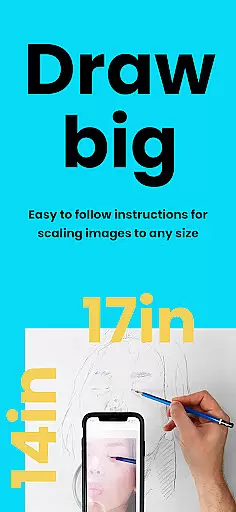
Flexibility in canvas and format options is crucial for artists seeking to express their creativity without constraints. AR Art Projector excels in this area by offering versatile solutions that adapt to different artistic needs. Whether you're sketching a quick doodle or embarking on a detailed portrait, the app accommodates various surfaces and sizes, ensuring that your vision is never limited by technical restrictions.
One standout feature is the Classic mode, which functions similarly to a traditional art projector. While moving the canvas or phone may disrupt alignment, this mode achieves consistent results for most projects. For those requiring more advanced capabilities, AR tracing mode anchors the image to real-world objects, allowing for dynamic adjustments without losing perspectiveu2014an advantage when painting on an easel or tackling complex compositions.
Furthermore, the app supports high-quality rendering and updates, thanks to its compatibility with new and high-end devices. This ensures smooth performance even when handling intricate designs or large files. With fast processors and GPUs, artists can seamlessly transition between layers, filters, and zoom levels, capturing every detail with accuracy. Such robust flexibility empowers creators to experiment freely, pushing the boundaries of their artistry.
User-friendly interface
Innovative AR technology
Comprehensive learning resources
Vibrant artist community
Responsive customer support
Requires high-end device
AR mode may be complex
Subscription fees apply
Limited offline functionality
Occasional rendering issues

The ultimate tool for creating animations
 4.60
4.60
Stylish letters, Stylish Keyboard, Symbols, Emojis, Cool nickname
4.40
Create neon drawing with magic doodle and fun doodle art effects!
4.50
Passport size photo maker, create ID photo and visa photo in seconds
4.80
Draw beautiful mandala's very easily
4.60
Create stunning art with AI.
4.80
Draw glowing spinners, relax, and spin your creative art
4.60
Art of Combination Wear OS Watch faces (for Wear OS 5+ devices)
3.90
How to draw anime step by step for beginner easily by AR drawing sketch & paint.
3.60
Learn how to draw with step-by-step tutorials, fun lessons & multiplayer drawing
4.70
Photo editor for art, avatars, filters & fun transformations.
4.60
Turn your drawings into flipbook-style animations with simple creative tools
4.60
Digital illustration drawing & painting pad app to paint Anime and Manga art
4.50
Remove Background, Magic Eraser, Photo Enhancer, Story Templates, Collage Maker
4.30
Digital Drawing: Draw & Paint
4.10
Paint with oils and sketch with natural tools on a realistic virtual canvas.
3.80
AI Art Generator transforms your words into AI generated art & paintings.
3.70
Create cute cat emojis & PFPs! Fun, custom avatars for cat lovers.
3.70
Art of Combination Wear OS Watch Faces
4.3


User Reviews