

Sun Surveyor is an advanced photography planning tool that provides detailed information about the sun, moon, and Milky Way. It helps photographers, filmmakers, and solar industry professionals plan their shoots and projects with precision.
The app offers features like augmented reality projections of celestial paths, golden hour predictions, and seasonal sunlight analysis. These tools enable users to determine optimal shooting times and locations while accounting for natural lighting conditions.
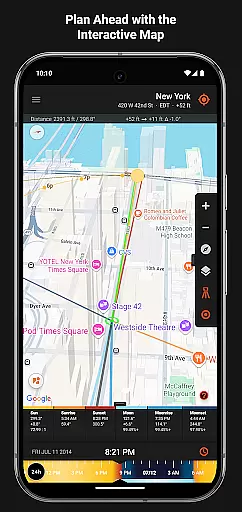
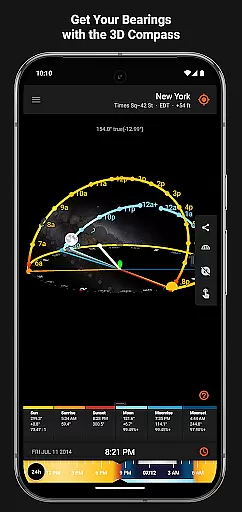
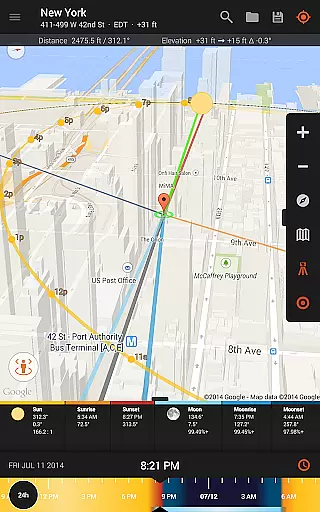
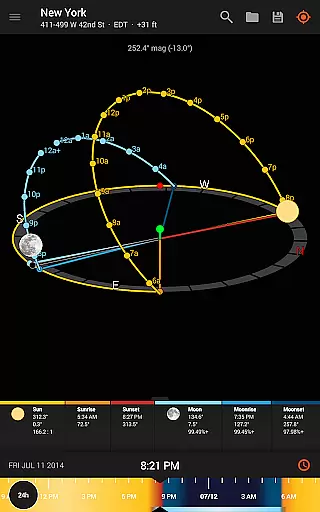
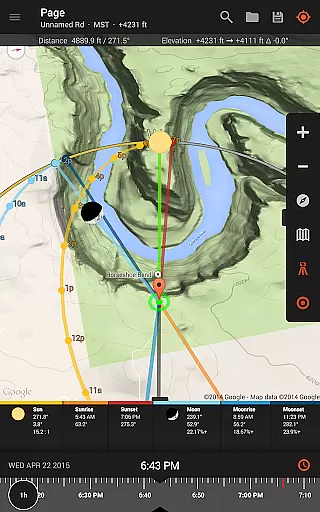
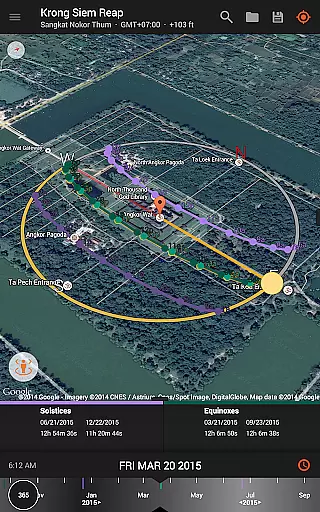
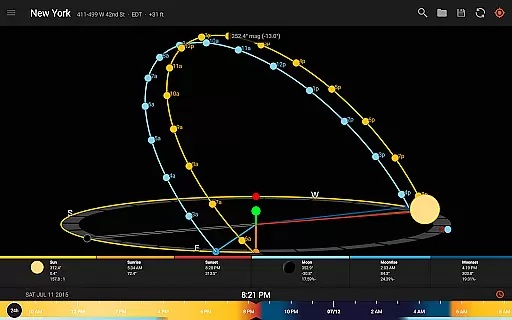
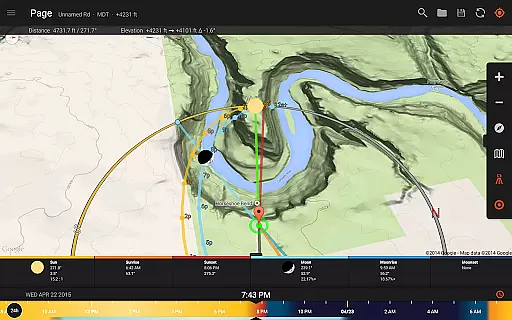
With its interactive map, 3D compass, and ephemeris data, Sun Surveyor ensures accurate planning for both daytime and nighttime photography. Whether scouting locations or preparing for specific astronomical events, this app proves invaluable for creative professionals.
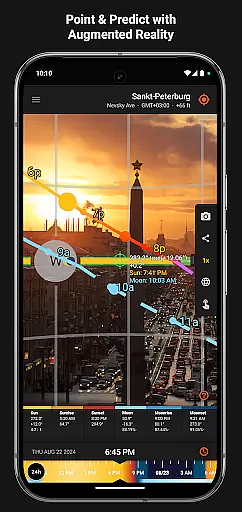
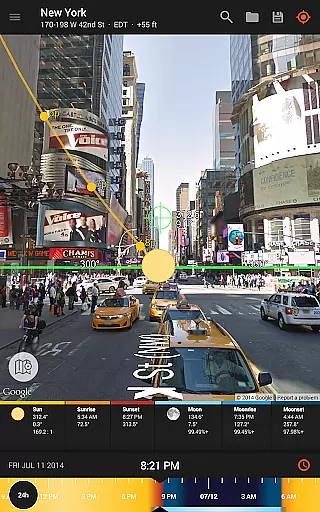
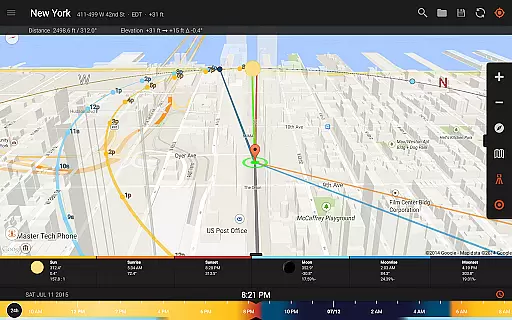
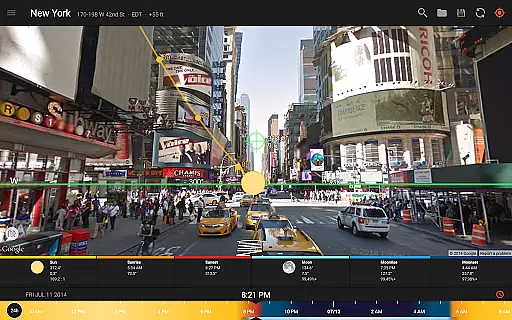
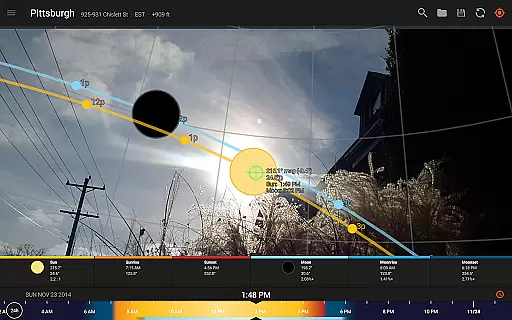
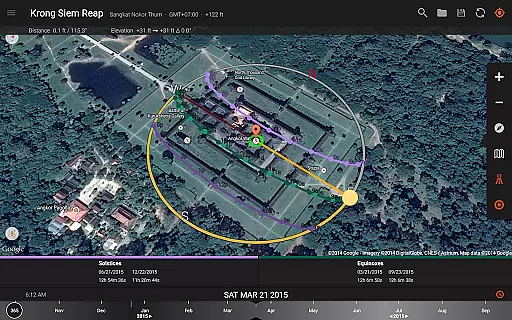
Sun Surveyor stands out with its comprehensive set of features tailored for photographers and planners. The Live Camera View and Interactive Map provide real-time insights into sun and moon positions, helping users visualize lighting scenarios.
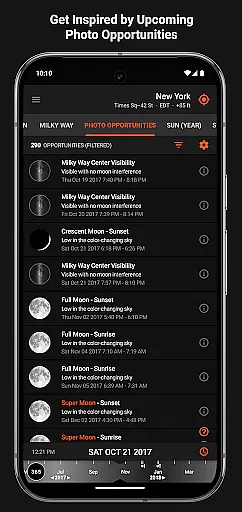
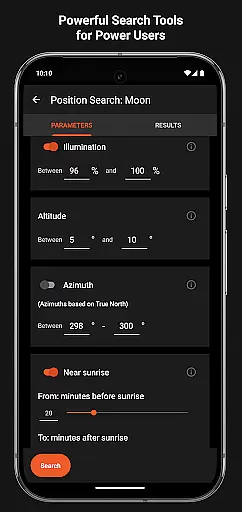
One of the key highlights is the Photo Opportunities feature, which suggests ideal times for capturing specific shots. Additionally, the Position Search tool allows users to find precise celestial alignments based on customizable constraints, making it perfect for perfectionists.
Other notable features include offline usage capabilities, magnetic declination compensation, and widgets for quick access to sun/moon data. These functionalities collectively enhance productivity and ensure reliable planning regardless of location.
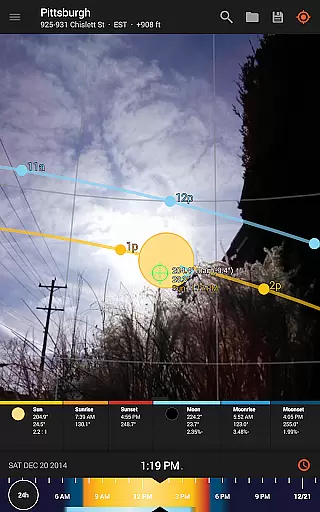
Real-time capture and preview functionality is essential for photographers and filmmakers who need to plan their shots with precision. Sun Surveyor excels in this area by offering a Live Camera View that provides augmented reality projections of the sun and moon paths.
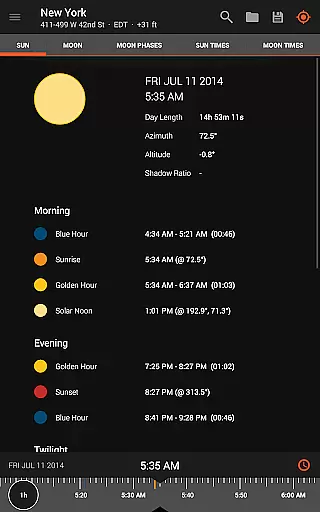
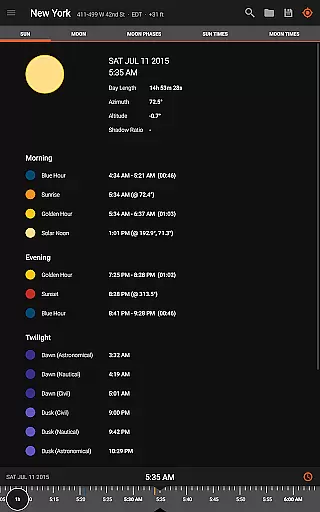
This feature allows users to pinpoint the exact time the sun or moon will be at a specific location in the sky, ensuring they never miss the perfect shot. The app's ability to predict golden hour, blue hour, and every sunrise and sunset adds another layer of planning accuracy.
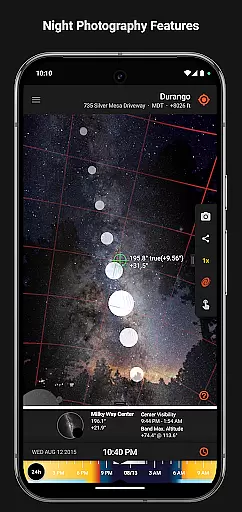
For night photography enthusiasts, the app also includes Milky Way and star trail features, enabling users to prepare their shots meticulously. This real-time data empowers users to scout locations effectively and plan their shoots down to the minute, making it an indispensable tool for capturing stunning images.
While Sun Surveyor does not focus on AI beauty enhancements typical in portrait photography apps, it offers natural enhancement features tailored for landscape and astro-photography. The app provides detailed ephemeris and interactive maps, which serve as powerful tools for enhancing the natural beauty of outdoor scenes.
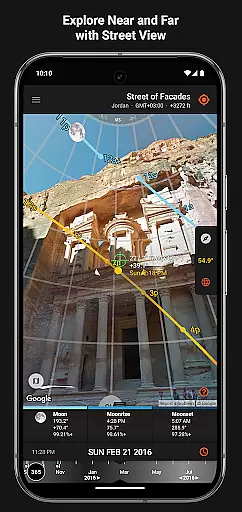
Photographers can leverage the 3D Compass and Street View functionalities to understand potential shade and obstructions, ensuring the best possible lighting conditions. These features help in showcasing the quality and quantity of seasonal sunlight at any given location, which is crucial for capturing authentic and breathtaking images.
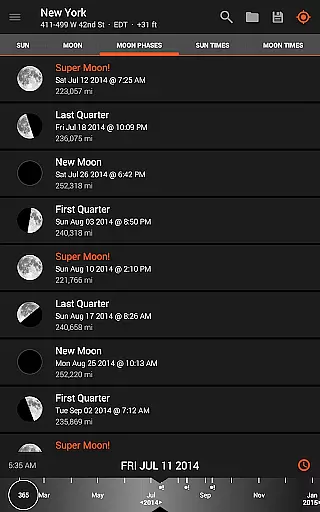
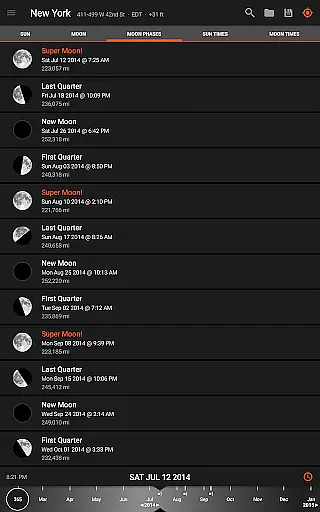
Additionally, Sun Surveyor's ability to create visual time machines and predict super moons, moon distances, and apogee and perigee positions further enhances its value. By providing comprehensive light analysis and shadow information, the app ensures that every photograph benefits from the most natural and stunning light settings available.
Accurate celestial tracking
Comprehensive planning tools
User-friendly interface
Offline functionality
Versatile for multiple professions
Requires compass hardware
Complex for beginners
Premium price point
Limited free features
Occasional GPS inaccuracies


Gallery show photo, video, slideshow, is perfect 3D effect private photo albums.
 4.80
4.80
Shooting photos and records video easily and efficient with professional Camera
4.30
Photobooth mini FULL app will allow you to add more fun to your parties
4.00
Turn your phone into a professional camera - full DSLR manual photography
4.30
Collage your moments in one tap: 1000+ layouts, filters, stickers, and texts.
4.90
Easily view, share, delete photos with Gallery.
4.70
Hair color changer, AI haircut app, fun hair editor and buzz cut filter for all!
3.80
Unlock the full potential of your DJI drone with Litchi
4.50
Discover How to Plan any Sun, Moon and Milky Way Photo You Imagine in Seconds
4.70
Viewfinder, Light meter, Reciprocity failure time, DOF & Bellows Extension
4.60
Create Business Headshots, Polaroid Filter, Retake Photos,Profile Pics,AI Photos
4.50
Effortlessly organize, view and share your photos & videos with Gallery app!
4.40
Search, tag and rate your way to an organized image gallery
4.40
Virtual makeup, hair filters & body tuner—edit from face to full body!
4.20
Professional photography on your mobile phone
4.20
Professional quality photo edits with the new Snapseed.
4.00
Astrophotography with your smartphone, photo live stacking and much more!
3.90
USB Storage Access for Photos, Videos, Music and Documents
3.80
Over 800 film simulation recipes for Fujifilm. Black Friday Offer!
4.5

User Reviews