

Retake AI is a revolutionary photography app that transforms any photo into a stunning, natural-looking masterpiece with just one tap. Unlike typical photo editing apps, Retake uses advanced AI technology to reimagine and refine images while preserving their authenticity. Whether it's an old snap or a new selfie, this app ensures every picture reflects your true spirit beautifully.
The app's core strength lies in its ability to create realistic retakes that are indistinguishable from original shots. By uploading 12 favorite pictures, users receive a personalized AI model tailored specifically for them. This eliminates the need for countless retakes during photo sessions, making it perfect for social media enthusiasts who want flawless photos without spending hours on edits.
Retake AI stands out with its unique AI engine designed for natural photo enhancement. The app doesn't rely on artificial filters or excessive makeovers but instead focuses on capturing genuine moments perfectly. Its one-tap wizard crafts tailored results so seamless that they blend naturally with real memories while maintaining their essence.
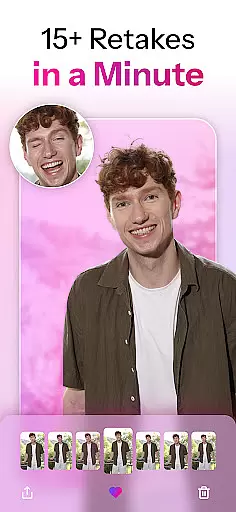
What sets Retake apart is its user-friendly process: simply upload selected images to generate a customized AI Face & Photo model. Once created, users can take unlimited retakes effortlessly, choosing from various enhanced options until finding the perfect shot. This feature makes it ideal for those looking to elevate their Instagram feeds or TikTok presence with minimal effort yet maximum impact.
Real-time capture and preview functionality is essential for any photography app, allowing users to see exactly what the camera sees before taking a shot. Retake AI excels in this area by providing an intuitive interface that ensures every snap reflects the user's intended composition.
The app employs advanced processing capabilities to deliver instantaneous previews without compromising image quality. This means you can adjust settings like lighting, focus, and framing on-the-fly, ensuring each photo meets your expectations before you even press the shutter button.
Users benefit from reduced post-processing time as they can make critical adjustments during the capture phase itself. With Retake AI's real-time features, photographers at all levels can achieve professional-grade results with minimal effort.
This feature not only enhances the overall photography experience but also empowers users to take control of their creative process, making it easier than ever to produce stunning images directly from their mobile devices.
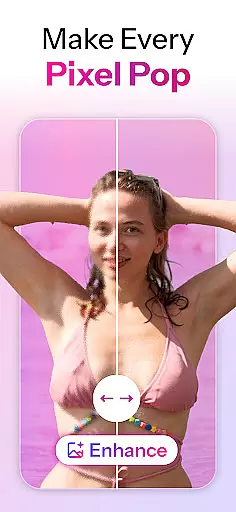
AI beauty and enhancement features are crucial for modern photo editing apps, aiming to improve images while maintaining a natural look. Retake AI stands out by offering enhancements that preserve authenticity, avoiding the artificial appearance often associated with heavy editing.
The application uses sophisticated algorithms to analyze facial features and apply subtle modifications that enhance natural beauty without overdoing it. Whether smoothing skin texture or brightening eyes, these changes blend seamlessly into the original photograph, creating a polished yet genuine result.
By prioritizing naturalness, Retake AI ensures that edited photos remain relatable and true to life. Users can share their pictures confidently, knowing they appear enhanced yet authenticu2014a balance many seek but few achieve effectively.
Ultimately, this approach allows individuals to present their best selves online and offline, enhancing personal branding efforts and social media presence through high-quality, naturally beautiful imagery.
User-friendly interface
Advanced AI technology
Natural-looking enhancements
Customizable photo options
Perfect for social media sharing
Requires initial setup time
Limited free features
Subscription-based model
Privacy concerns with image uploads
Potential learning curve
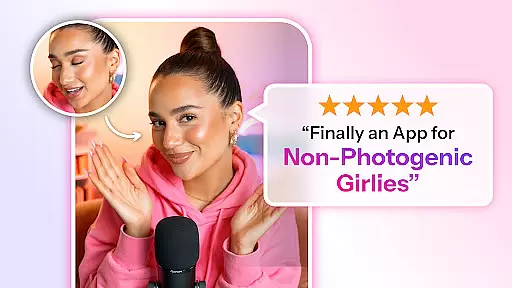
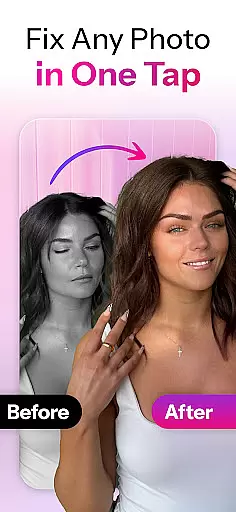

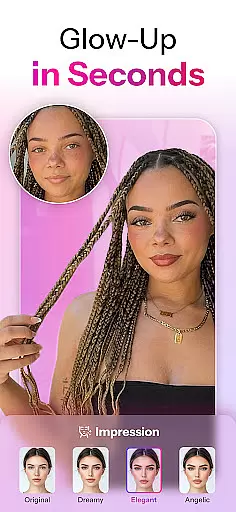
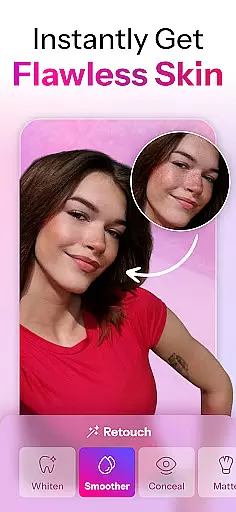
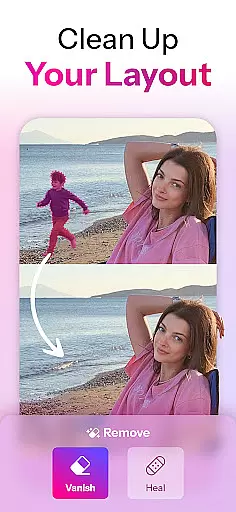

Create AI Photos, Improve and restore quality of blurry, old or damaged pics.
 4.20
4.20
Turn your phone into a professional camera - full DSLR manual photography
4.30
Future baby face generator: AI kids generator, kid face! What my baby look like?
4.40
See your baby AI baby face generator AI baby maker Face generator babymaker fun!
4.70
Collage your moments in one tap: 1000+ layouts, filters, stickers, and texts.
4.90
Enhance, retouch & create your story - Share the moment with Photoshop Express.
4.60
Easily create custom gifts, cards, photo books & more on the Shutterfly app!
4.60
Astrophotography with your smartphone, photo live stacking and much more!
3.90
Pro version: AR sun/moon tracker for any date. Tool for photographers & planners
4.90
Find time and duration of different sunlight phases at any location
4.90
Android Native system HD camera app. Never been so simple and faster.
4.70
A must-have app for landscape photographers
4.60
Safe & smart flight with Go Fly drone controller for 40+ drone camera, zone map
4.50
Transform photos into videos! Create realistic or anime-style images easily!
4.50
Movie camera, supports pro recording settings for filming. Try it and be amazed!
4.50
Virtual makeup, hair filters & body tuner—edit from face to full body!
4.20
Transform Photos: Edit, Beautify and Craft Memories & Make Collages!
4.10
Catch sunlight, sunrise sunset times and sun phases with the AR sun tracker.
4.10
Superimpose one photo on top of another using the original Superimpose app!
3.20


User Reviews