

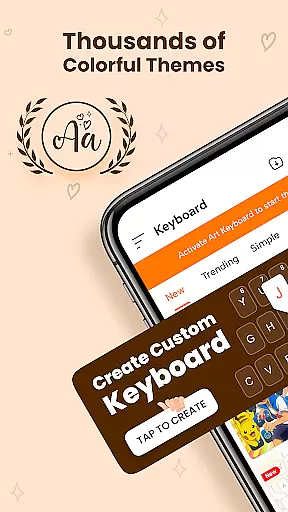
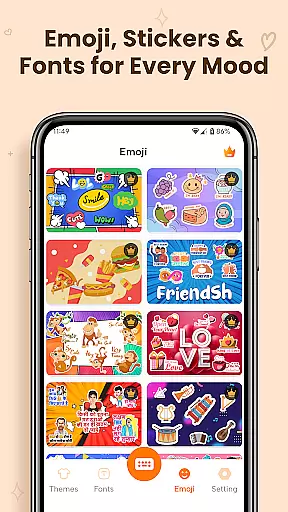
Keyboard Themes - Fonts, Emoji is a feature-rich personalization app that transforms your mobile typing experience. This all-in-one keyboard solution combines stylish themes, expressive fonts, and an extensive emoji collection into a single smart keyboard app.
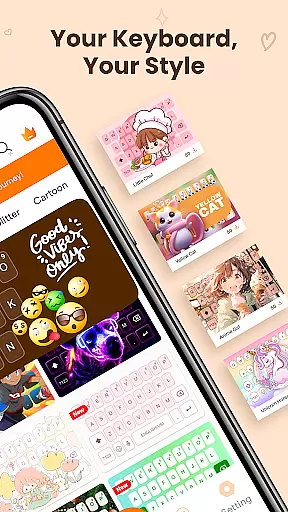
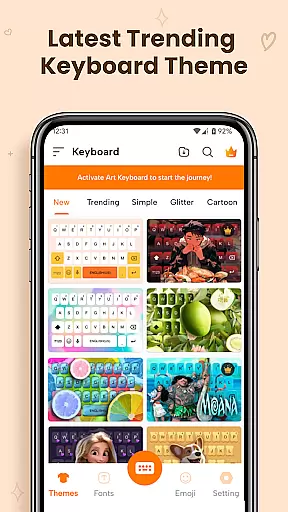
The app's core functionality lies in its customizable keyboard themes, modern font options, and AI-powered emoji suggestions. Users can choose from thousands of aesthetic themes including cute styles, dark modes, and gradient designs while enjoying advanced typing features like auto-correction and swipe typing.
This keyboard app particularly appeals to users seeking creative self-expression through their mobile communication. Whether you're looking to make your messages stand out with unique fonts or want to add personality to your conversations with expressive emojis, this app provides the tools to customize your digital communication style.
What sets Keyboard Themes - Fonts, Emoji apart is its comprehensive approach to keyboard customization. The app offers an impressive range of personalization options including thousands of keyboard themes with regular updates, ensuring your keyboard always feels fresh and modern.
A standout feature is the extensive font library containing various artistic styles from calligraphy to creative fancy fonts. These fonts work seamlessly across applications and languages, supporting multi-language typing with accurate layouts and smart predictions. The AI-powered emoji suggestion system enhances communication by providing contextually relevant emoji options.
The app's technical excellence extends to its performance optimization. Despite offering numerous customization options, it maintains smooth operation with essential features like auto-correction, prediction, and swipe typing. The inclusion of Accessibility Services enables additional functionality while maintaining user privacy and data security.
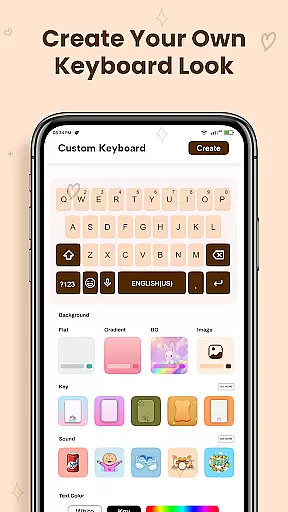
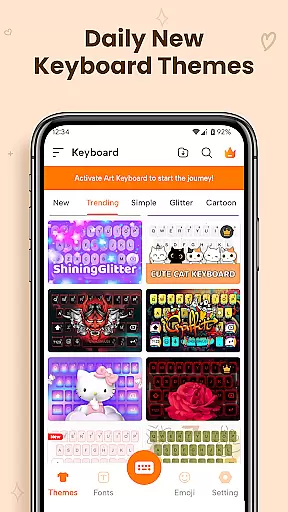
Customization is at the heart of Keyboard Themes - Fonts, Emoji, offering users a vast array of options to tailor their typing experience. This app provides thousands of keyboard themes, including cute styles, dark themes, gradients, neon looks, and aesthetic layouts. Each theme is designed not only to be visually appealing but also to enhance the comfort and creativity of the user's daily typing.
The app allows for personalization beyond just visual aesthetics; it includes customizable keyboard layouts that match individual preferences and usage patterns. Users can easily switch themes anytime, ensuring their keyboard always matches their style or mood. This level of customization ensures a personalized keyboard experience that caters to both functional needs and personal expression.
Moreover, the app offers unique features such as fonts art and cool fonts, allowing messages to stand out with creative typography. These include cursive, calligraphy, and other fancy styles that work across different apps, enhancing self-expression in chats and on social media. The ability to personalize every aspect of the keyboard makes this app an indispensable tool for those looking to infuse personality into their digital communications.
Theme compatibility is a crucial feature of Keyboard Themes - Fonts, Emoji, ensuring that all customizations are seamlessly integrated across devices and platforms. The app supports multi-language fonts keyboard layouts, making it versatile for global users who switch between languages. This compatibility extends to various input methods, including voice input and swipe typing, providing a consistent experience regardless of how you choose to type.
Furthermore, the app's design emphasizes smooth performance and reliability. It incorporates auto-correct and prediction features that work harmoniously with customized themes, maintaining speed and accuracy without compromising the visual appeal. Whether using standard typing or innovative input methods, users enjoy fewer errors and faster typing speeds, thanks to the app's optimization efforts.
Lastly, ART Keyboard keeps its offerings fresh by regularly updating its library of themes and fonts. New additions ensure that users never tire of their keyboard's look and feel, keeping it modern and exciting. With daily updates and trending styles, the app guarantees ongoing compatibility and relevance, making it a top choice for anyone seeking a dynamic and adaptable keyboard solution.
Highly customizable
Variety of fonts
AI emoji support
Multi-language
Regular updates
May drain battery
Some features paid
Requires storage
Learning curve
Ads included

Adult video chat, dating, making friends, random matching
 4.20
4.20
Dark icon pack based on One 8
4.80 4.50
4.50
Design your screen with unique, vibrant clocks
3.80
Your go to Weather App & Home Screen. Get your weather at a swipe of a finger!
3.80
400+ Beautifully crafted widgets inspired by NOTHING.
4.70
Modern Glass Icon Pack with glossy icons, clean minimal theme & aesthetic style
4.5
A minimalist productivity launcher. One-hand-friendly. Zero ads.
4.70
Transform your phone with stylish zipper lock themes and 4D live wallpaper
4.10
350+ widgets with a premium glass-style finish, perfect for home & lock screens.
4.70
Choose your keyboard with RGB colors effect, themes, fonts, emojis.
4.60
Ultra realistic gold analog watch face with lots of customization options.
4.50
Try creating your own keyboard with "Keyboard theme for android" app now!
4.50
A light in the dark, a unique style and an andless cutomization!
4.30
The definitive Icon pack maker and editor
4.30
Unleash Your Creativity and Connect with Loved Ones with Lockscreen Drawing!
4.20
Customizable flower power digital watch face for Wear OS watches.
4.00
Ultimate widget creator. Design custom widgets for a truly unique home screen!
3.90
Customize glowing edges, wallpapers, and caller screen with EdgeAura.
3.50

User Reviews