

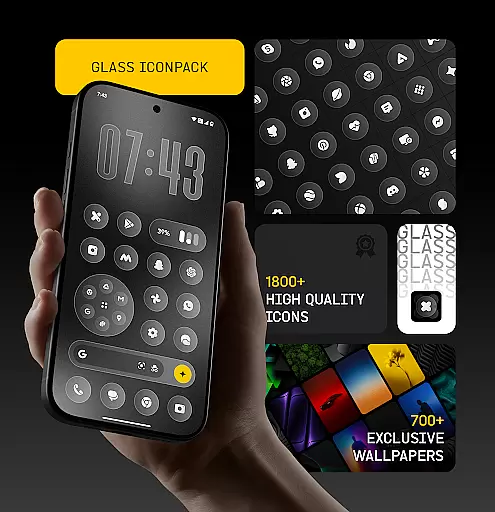
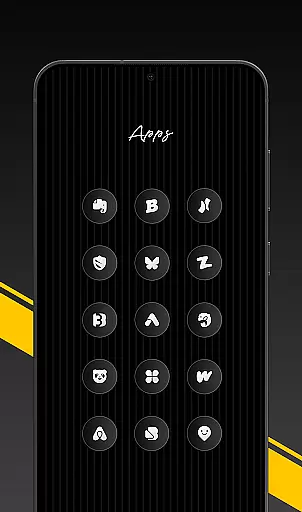
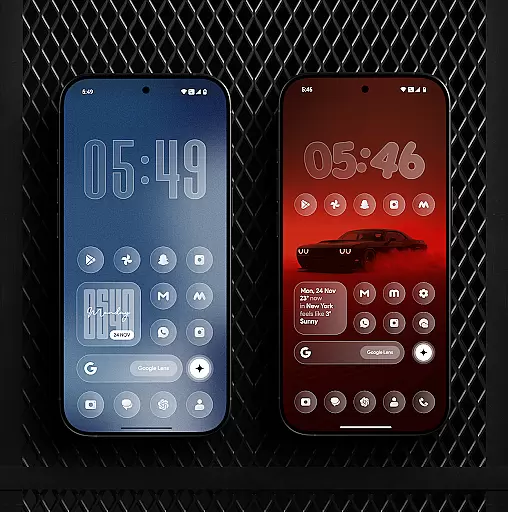
Glass Icon Pack is a premium collection of glossy, modern icons designed to enhance the aesthetic appeal of Android devices. With over 1850 high-quality icons, this pack brings a sleek glass effect and subtle depth to your home screen.
The pack features HD resolution icons, dynamic calendar support, and smart masking for unthemed apps. It also includes 700+ matching wallpapers and an easy-to-use dashboard with search functionality. Regular updates ensure continuous improvements and new additions.
Ideal for users seeking a polished, minimalist look, Glass Icon Pack works seamlessly with supported launchers and offers icon requests for missing apps. Whether you're customizing a personal device or managing multiple setups, this pack delivers both style and functionality.
Glass Icon Pack stands out with its comprehensive feature set tailored for customization enthusiasts. The pack includes 1850+ meticulously designed icons, each featuring a smooth glass effect that blends beautifully with any wallpaper.
Beyond its core offering, the pack provides 700+ gradient-inspired wallpapers, dynamic calendar icons, and smart masking for unsupported apps. The intuitive dashboard allows users to easily search and preview icons, while regular updates bring new designs and improvements. Free icon requests ensure even greater personalization.
This combination of quantity, quality, and thoughtful features makes Glass Icon Pack a complete solution for transforming Android home screens into modern, visually appealing interfaces that reflect individual preferences.
Glass Icon Pack offers a wide array of customization options that cater to users seeking a personalized home screen experience. With over 1850 high-quality glass icons, the pack ensures that most apps on your Android device can be customized to match a sleek, modern aesthetic.
The inclusion of smart icon masking for unthemed apps means that even if an app doesn't have a specific icon in the pack, it will still fit in visually with your other icons. This feature enhances the overall cohesiveness of your home screen without compromising on style or design.
Additionally, the pack provides dynamic calendar icons and 700+ matching wallpapers inspired by glass and gradient themes. These elements work together to create a harmonious and visually pleasing interface that is both functional and beautiful.
Regular updates with new icons and improvements ensure that your customization options continue to grow over time, keeping your home screen fresh and up-to-date. The easy-to-use dashboard with icon search and preview further simplifies the process of personalizing your device.
Theme compatibility is a crucial aspect of any icon pack, and Glass Icon Pack excels in this area by offering icons that blend seamlessly with various wallpapers and setups. Each icon is crafted with a smooth glass effect, subtle depth, and premium shine, ensuring they look great on any background.
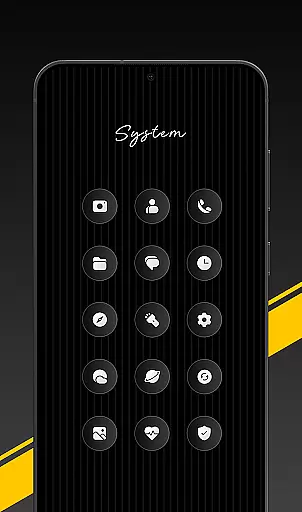
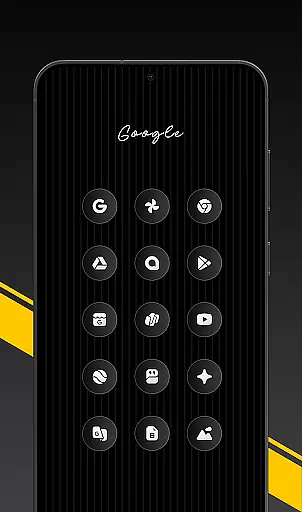
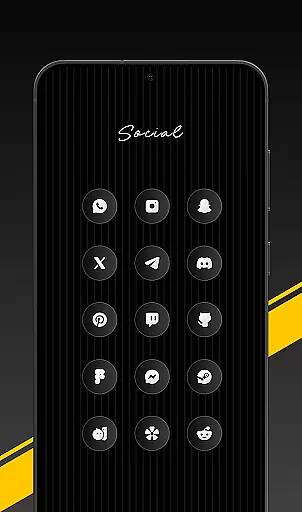
The pack covers a broad range of categories including system apps, Google apps, OEM stock apps, social media apps, media and photography apps, tools/utility apps, and popular apps. This extensive coverage ensures that no matter what apps you use, there's likely an icon available that fits your chosen theme.
For devices like Nothing, OnePlus, and Poco, which support third-party icon packs without needing an additional launcher, Glass Icon Pack integrates effortlessly. This compatibility extends the reach of the pack, allowing more users to enjoy its benefits without technical limitations.
Moreover, the ability to send icon requests for missing or unthemed apps ensures that users can achieve a consistent look across their entire home screen. These requests are addressed in future updates, continually improving the packu2019s theme compatibility and user satisfaction.
Premium glossy design
Extensive icon library
Regular feature updates
Smart icon masking
Free icon requests
Limited launcher support
Missing some app icons
Requires manual application
No iOS compatibility
Paid premium content

Ultra realistic high quality analog watch face for Wear OS.
 4.60
4.60
3D, live, and moving wallpapers & themes in 4K and HD for your device.
4.50
Dark icon pack based on One 8
4.80
Try creating your own keyboard with "Keyboard theme for android" app now!
4.50
Transfer your live wallpapers from Windows to Android using Wallpaper Engine!
4.00
300+ widgets inspired by Material You and Material 3 expressive design.
4.60
Your home screen, just the way you like it.
4.30
Transform your phone with stylish zipper lock themes and 4D live wallpaper
4.10
Custom ringtones songs, music ringtones for Android phones
4.60
A minimalist productivity launcher. One-hand-friendly. Zero ads.
4.70
Add cute Shimeji pets to screen, interact with them and relax with cute motions
4.60
Over 28,000 high quality icons to bring color & homogeneity to your phone.
4.60
Stylish Pink Cute Hippo keyboard with 10000+ customized keyboard themes!
4.60 4.50
4.50 4.50
4.50
A light in the dark, a unique style and an andless cutomization!
4.30
Adult video chat, dating, making friends, random matching
4.20
Unleash Your Creativity and Connect with Loved Ones with Lockscreen Drawing!
4.20
Adaptive Dot Style IconPack with Light & Dark Theme.
3.70

User Reviews