

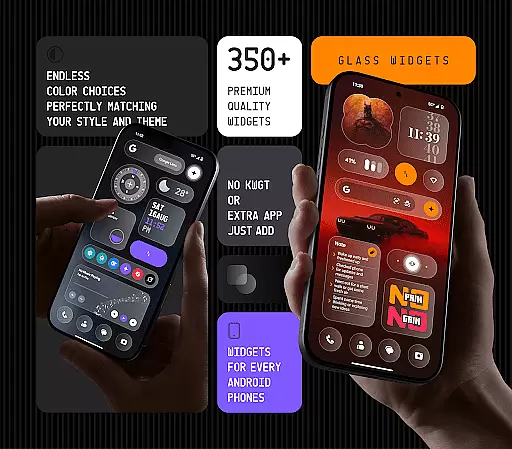
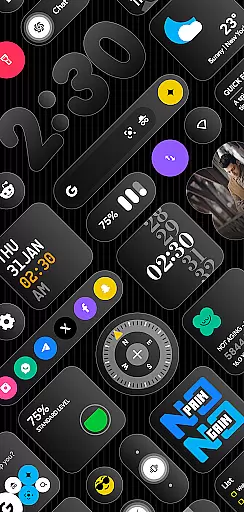
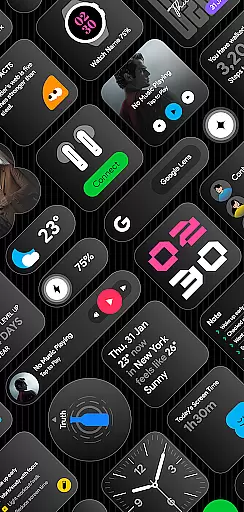
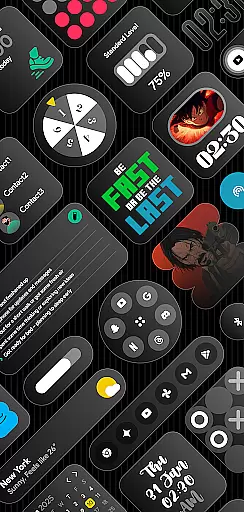
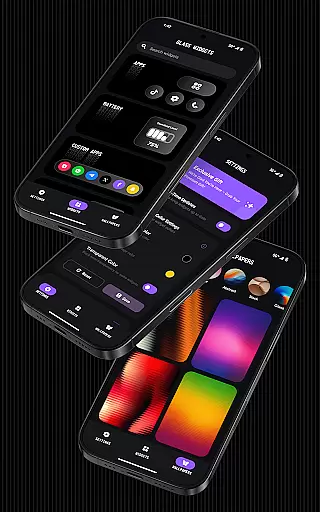
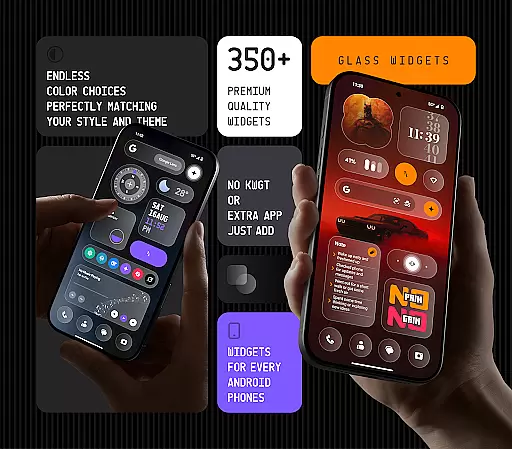
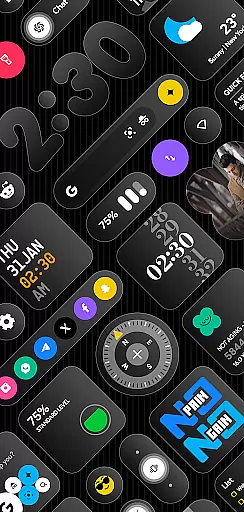
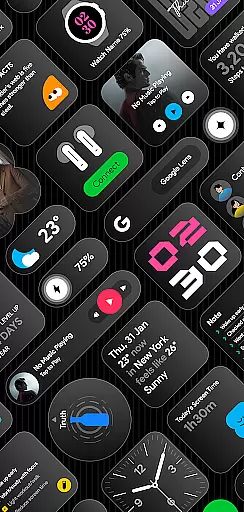
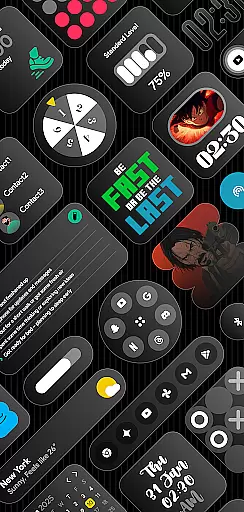
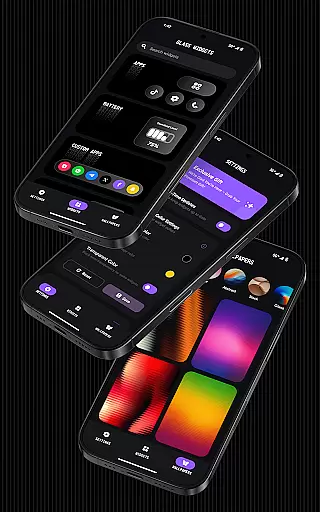
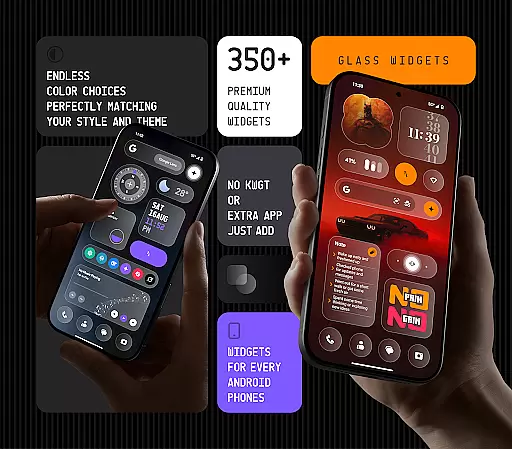
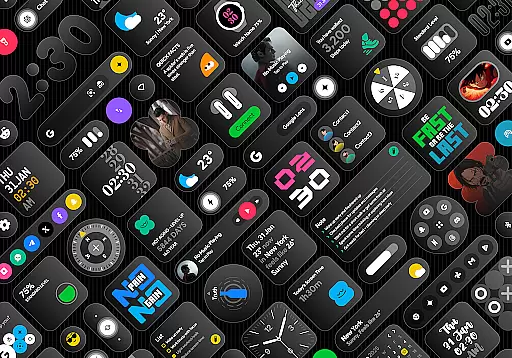
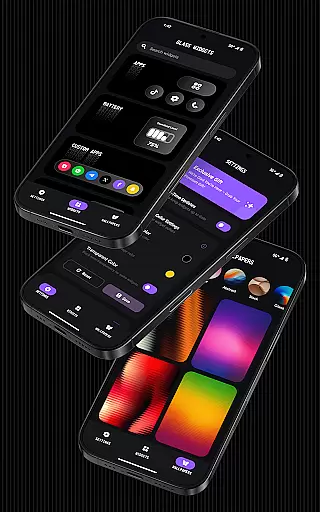
Glass Widgets offers over 350 beautifully designed, glass-style widgets compatible with any Android device. These sleek, transparent widgets enhance both home and lock screens with minimal, stylish designs. Key features include clocks, weather updates, calendars, battery indicators, step counters, quotes, compasses, and quick settings.
The app stands out with instant usability without requiring additional apps like KWGT, customizable colors, and a variety of widget types that cater to personal preferences. Regular updates ensure fresh content, while optimized performance guarantees smooth operation. Glass Widgets is perfect for users seeking a modern, personalized aesthetic on their devices.
Glass Widgets distinguishes itself through its extensive range of customization options and design compatibility. The app provides over 350 widgets with a sleek glass finish, supporting both home and lock screens. Users can personalize colors and choose from various widget categories such as clocks, weather, and calendars.
Functionality extends to battery-friendly operations and real-time updates via a foreground service, ensuring accuracy in weather, photo changes, and screen time tracking. Exact alarms guarantee timely updates across different widget types, enhancing user experience with reliable and responsive performance.
Customization is at the heart of personalizing your device to truly make it yours. Glass Widgets offers an impressive range of customization options that allow users to tailor their home and lock screens with precision. With over 350 glass-style widgets, each user can find the perfect match for their style and needs.
The app provides a vast array of widget types including clocks, weather, calendar, battery indicators, step counters, quotes, compasses, and quick settings. Each widget is crafted not only with a sleek transparent glass finish but also with customizable colors, ensuring that every element aligns with individual preferences. This level of detail empowers users to create a cohesive look across their devices without needing any third-party applications.
Moreover, Glass Widgets supports both home and lock screens, enhancing usability while maintaining aesthetic appeal. Users can enjoy minimal, stylish, transparent, and personalized designs that fit seamlessly into any theme they choose. The inclusion of glass-effect wallpapers further complements these widgets, providing a modern look that keeps the interface fresh and engaging.
Theme compatibility ensures that widgets and other UI elements blend seamlessly with the overall design language of a device. Glass Widgets excels in this area by offering extensive support for various themes, making it an ideal choice for users who frequently switch between different looks or have specific aesthetic requirements.
One of the standout features of Glass Widgets is its ability to integrate effortlessly with any Android device's existing theme setup. Whether you prefer a dark mode, light mode, or something entirely unique, the appu2019s customizable colors and transparent designs adapt flawlessly. This flexibility allows users to maintain visual consistency across their entire device interface.
In addition to supporting diverse themes, Glass Widgets also enhances user experience through regular updates. These updates introduce new widgets and design elements that continue to align with current trends and user demands. As a result, users can always expect their chosen themes to remain relevant and visually appealing without compromising functionality or performance.
User-friendly interface
Extensive widget variety
Customizable color options
Regular feature updates
Optimized performance
Foreground service required
Limited iOS compatibility
Premium features may cost extra
Designs might not suit all tastes
Exact alarms permission needed

Beautiful realistic hybrid watch face with numerous customization options.
 4.50
4.50
Over 28,000 high quality icons to bring color & homogeneity to your phone.
4.60
Romantic Kiss Stickers App. Start romantic messaging now!
4.30 4.50
4.50 3.50
3.50
⭐ OneUI inspired Fluffy Icon Pack – Soft. Stylish. Standout. ⭐
4.0
Launcher OS™ Pro without ads help make your phone simple and pretty
4.30
Your go to Weather App & Home Screen. Get your weather at a swipe of a finger!
3.80
Your home screen, just the way you like it.
4.30
Wallpaper HD 4K Live - Thousands of high-quality Anime backgrounds for you.
4.80
Vertically oriented rectangular icons
4.70
A launcher for Samsung Good Lock and Good Guardians modules without ads
4.70
Shimeji adds cute animated characters to your screen, lively and fun.
4.70
Nothing Icon pack with more than 3750+ highly crafted icons.
4.70
A minimalist productivity launcher. One-hand-friendly. Zero ads.
4.70
Stunningly Different look with Line Icons and Neon Colors
4.60
Classic analogue watch face. For wear os devices.
4.60
Ninja Turtles Cowabunga SE watch face for Wear OS
4.50
Struggling to find apps? Use this app to locate and open any app on your phone!
2.20

User Reviews