

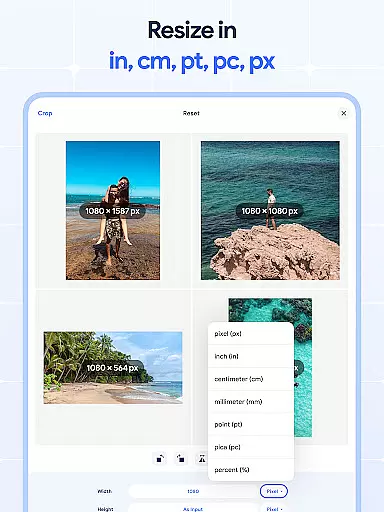
Image Resizer: Crop Photo is a versatile tool designed for resizing, cropping, rotating, flipping, and compressing images with ease. This app caters to users who need to adjust image dimensions for social media, optimize storage space, or prepare photos for printing with better resolution. With its intuitive interface, the app allows both quick adjustments and detailed edits, making it suitable for casual users and professionals alike.
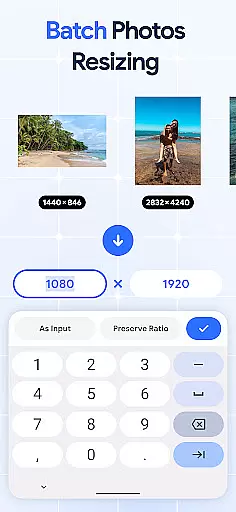
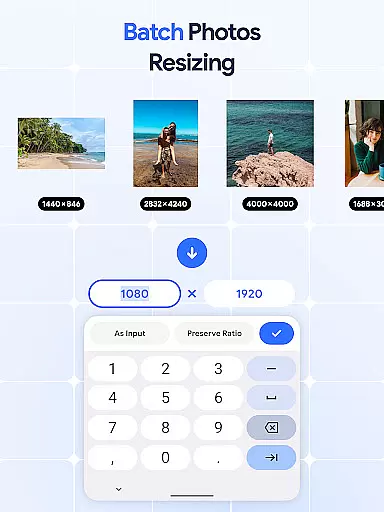
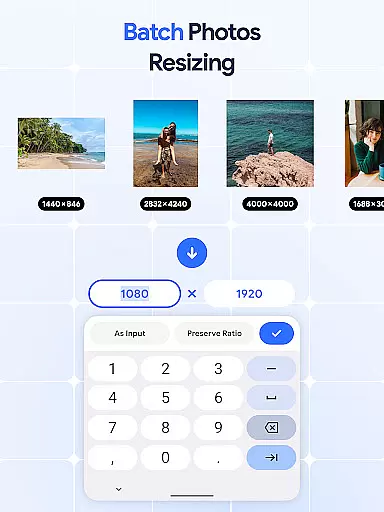
The application stands out with its batch processing capabilities, allowing users to edit multiple images simultaneously. Whether you need to resize, rotate, or compress pictures in bulk, this feature saves significant time and effort. Additionally, the built-in DPI changer ensures that your images maintain optimal quality for both digital use and physical prints.
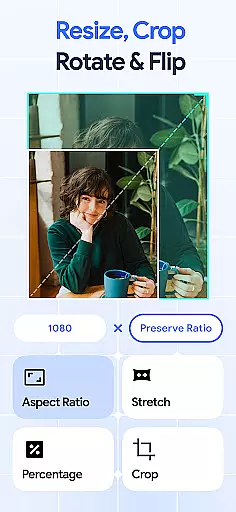
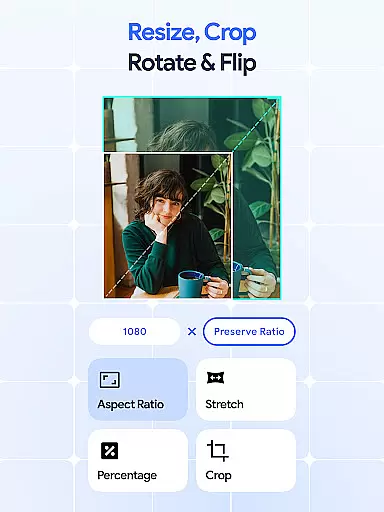
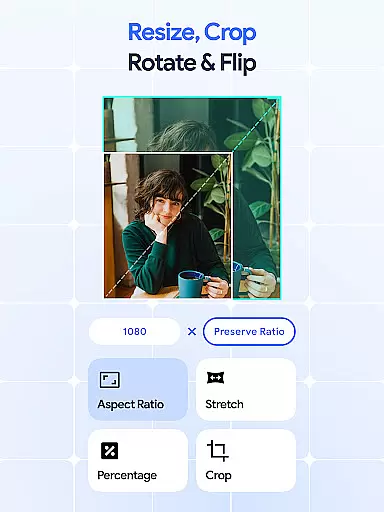
Image Resizer offers an impressive range of features that simplify photo editing. The app provides precise control over image dimensions, enabling users to crop, rotate, and flip images effortlessly. Its batch editing functionality is particularly noteworthy, allowing users to apply changes to multiple photos at once, which is ideal for managing large collections of images efficiently.
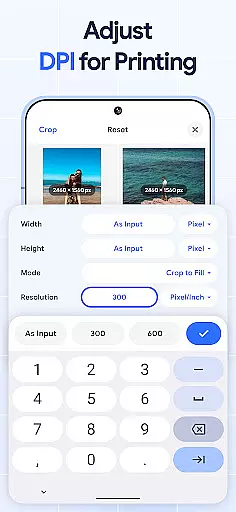
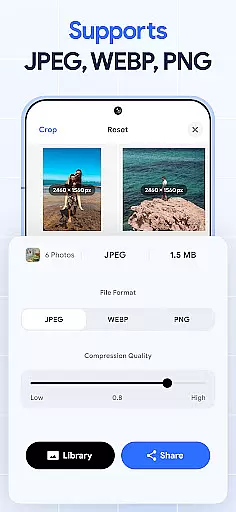
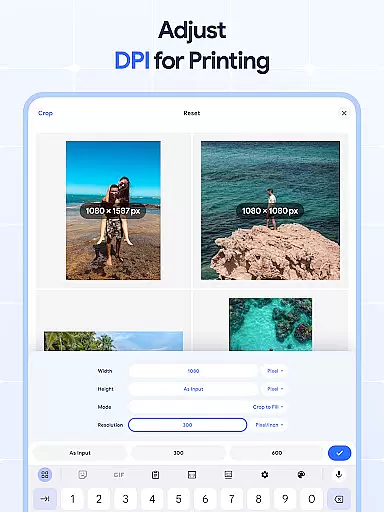
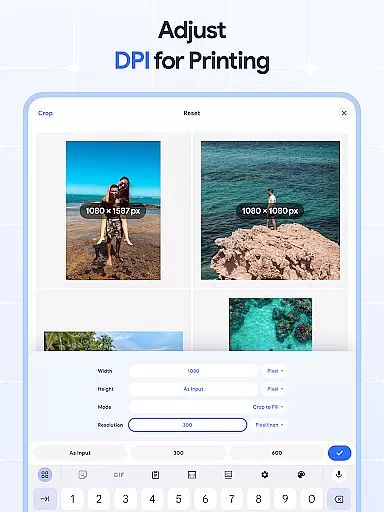
Another standout feature is the DPI adjustment tool, which helps users modify image resolution for improved print quality. Alongside this, the integrated photo compressor reduces file sizes without compromising image quality, making it easier to store and share images. These robust features ensure that Image Resizer meets diverse user needs, from simple edits to complex batch operations.
Image Resizer offers a comprehensive suite of creative tools that cater to various image editing needs. This app allows users to resize, crop, rotate, flip, and adjust the DPI of images with ease. The inclusion of batch processing features for resizing, rotating, and flipping images ensures that users can apply edits to multiple images simultaneously, saving time and effort.
The application's photo compressor and DPI changer are particularly noteworthy. These tools enable users to optimize their images for storage or printing without compromising on quality. Whether you need to reduce file size for easier sharing or increase resolution for high-quality prints, Image Resizer provides the necessary functionalities to achieve professional results.
Moreover, the app supports precise edits through its cropping and rotating features. Users can remove unwanted parts of an image or adjust its orientation with just a few taps. This level of control is essential for creating polished and well-composed visuals, making Image Resizer a valuable tool for both amateur and professional designers.
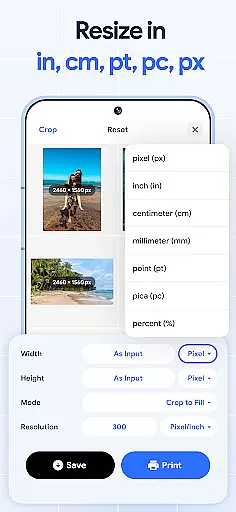
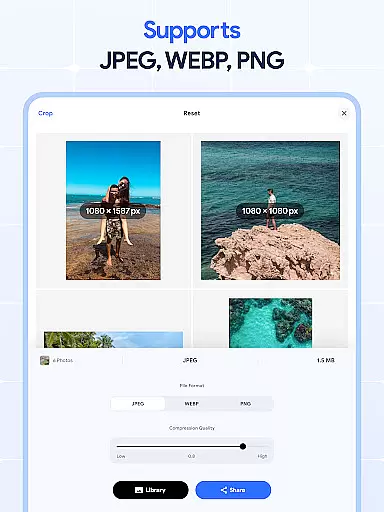
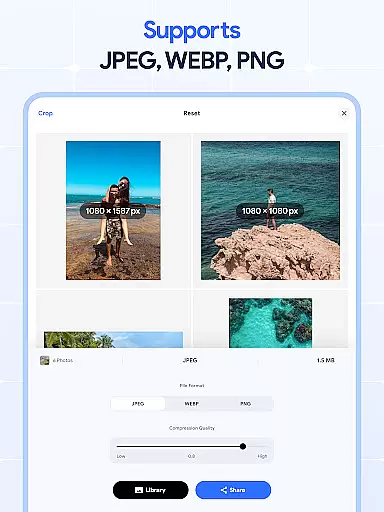
One of the standout features of Image Resizer is its canvas and format flexibility, which empowers users to customize their projects extensively. The app supports a wide range of image formats, allowing users to import and export files in various resolutions and sizes. This versatility ensures that whether you're working on digital art, preparing images for web use, or optimizing photos for print, Image Resizer can accommodate your needs.
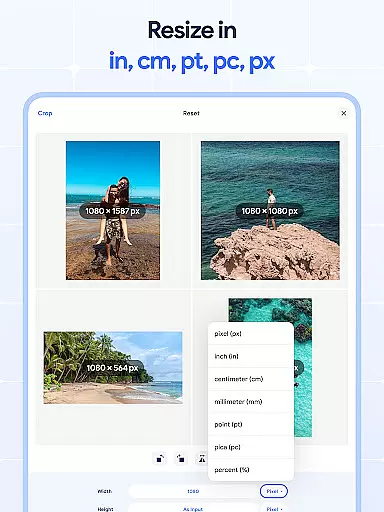
In addition to supporting multiple formats, the app also offers robust options for adjusting image dimensions and resolutions. Users can easily modify the canvas size to fit specific requirements, such as social media posts or print layouts. This adaptability is crucial for ensuring that images look their best across different platforms and mediums.
Furthermore, the ability to change DPI settings adds another layer of flexibility. By allowing users to fine-tune the resolution of their images, Image Resizer ensures that every project meets the highest standards of quality. Whether you're a graphic designer, photographer, or hobbyist, this app provides the tools needed to create stunning visuals with precision and ease.
User-friendly interface
Batch editing support
High-quality compression
Precise cropping tools
DPI customization options
Limited advanced editing
No cloud integration
Basic filters only
Occasional bugs
Ads in free version

Vidu is an AI video generator made for creators and aspiring makers.
 3.30
3.30
Premium version of Shimeji-ee app with no ads & no limit active shimeji
4.0
Sketch, trace and master AR drawing with awesome anime art!
3.30
Apply cartoon, caricature, and portrait effects to make your photos stand out!
3.60
Design unique, funny and adorable cat stickers that reflect your own style!
3.80
AR Anime Drawing: How to draw anime with AR drawing & sketching apps!
4.00
Explore future self face age filter & remove background image for a unique look.
3.50
How to draw anime step by step for beginner easily by AR drawing sketch & paint.
3.60
Unleash your inner artist! Sketchar: AR Drawing for Limitless Creativity
4.40
Photo stitcher for automatically screenshot stitching into a long screenshot
4.70
Convert image to JPG PNG HEIC PDF, support almost all kinds of image formats
4.70
Draw glowing spinners, relax, and spin your creative art
4.60
Share the joy of painting with ibis Paint! Drawing anime and manga art.
4.50
Draw, make movies & animate cartoons easily with our 2D animation maker app
4.40
Nano Banana AI Image Generator, Anime Filter, AI Portrait, AI Photo Generator
4.30
Your homescreen as an elegant glass with customized blur, lighting, and visuals.
3.70
Pose and morph realistic male and female models! 3D poser app
3.00
Retouch photos. Create or edit images. Endless capabilities.
2.70
A luxurious gold watch face for an elegant and refined look.
4.5

User Reviews