

GIMP, the GNU Image Manipulation Program, is a powerful and versatile tool for photo retouching, image composition, and image authoring. Available now on your Android device, this app brings professional-grade editing capabilities to your fingertips.
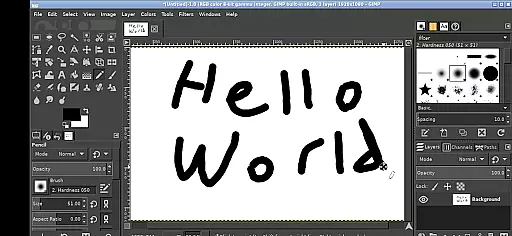
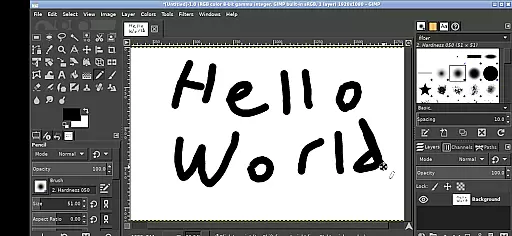
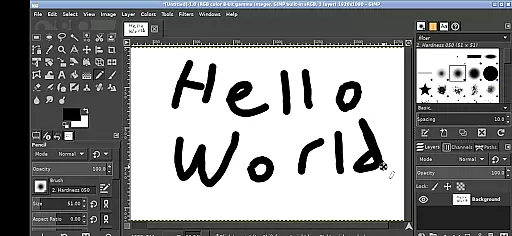
With its comprehensive feature set, GIMP supports various tasks from simple drawing to complex image manipulation. The app's interface has been adapted for touchscreens, allowing users to perform actions like zooming, panning, and scrolling with intuitive gestures.
Ideal for artists, photographers, and designers who need a mobile solution, GIMP provides seamless access to files across your Android system, eliminating the need for cumbersome imports or exports.
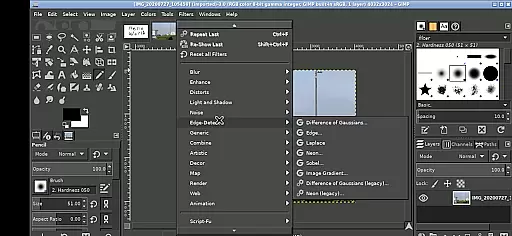
GIMP stands out with its extensive range of features tailored for professional image editing. It includes advanced tools for painting, color correction, cloning, selection, and enhancement, all optimized for use on Android devices.
The app supports a customizable interface, enabling users to tailor their workspace for maximum efficiency. With options for one-finger tapping, pinch-to-zoom, and two-finger right-clicks, GIMP ensures a smooth transition from desktop to mobile environments.
Additionally, GIMP integrates with the Android ecosystem by providing easy access to user directories such as Documents and Pictures, streamlining workflow and enhancing productivity without compromising on functionality.
GIMP for Android offers a comprehensive suite of creative tools that rival its desktop counterpart. This includes advanced photo retouching, image composition, and image authoring capabilities.
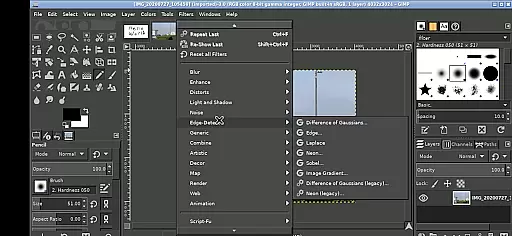
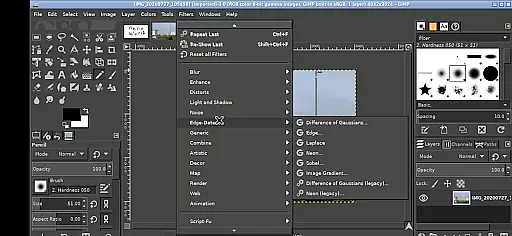
The application supports a full range of professional tools such as layers, channels, masks, brushes, and patterns. These features allow users to perform complex image manipulations directly on their mobile devices.
With the ability to handle tasks ranging from simple drawings to intricate photo editing, GIMP ensures that creatives do not have to compromise on functionality while on the go. The adaptability to both tablets and phones makes it versatile for various artistic projects.
By providing these robust features, GIMP empowers artists and designers to execute their visions without limitations, maintaining the high standards required by professionals in the industry.
One of GIMP's standout features is its canvas and format flexibility, allowing users to work with a variety of file types and sizes seamlessly. Whether you're handling PNG, JPEG, GIF, or specialized formats like TIFF and PSD, GIMP provides extensive support.
The app facilitates working on different canvas sizes, which can be easily adjusted to fit the project requirements. This flexibility is crucial for creating everything from small icons to large-scale digital paintings.
Additionally, GIMP allows users to import and export files directly from Android storage, streamlining the workflow. There's no need for cumbersome file transfers; your documents and pictures are readily accessible within the app.
This level of flexibility ensures that whether you're a hobbyist or a professional, GIMP accommodates diverse project needs efficiently, enhancing productivity and creative freedom.
User-friendly interface
Professional editing tools
Seamless file integration
Customizable workspace
Open-source flexibility
Steep learning curve
Complex for beginners
Limited mobile optimizations
Occasional performance lags
Requires technical knowledge

Discover Cartoon Dream : Unleash Your Creativity with CuttingEdge AI
 4.50
4.50
The ultimate tool for creating animations
4.60
Painting, drawing, & sketching
4.50
Experience next-gen icons with a modern liquid glass look.
3.60
Unleash the artist in you with our AR drawing and tracing tool for photo drawing
4.10
Beauty Camera - Selfie Camera is the ultimate beauty camera and selfie app
4.30
Turning simple sketches into captivating tales filled with life and motion
3.90
Unleash your inner artist! Sketchar: AR Drawing for Limitless Creativity
4.40
All-in-One art, logo & collage maker. Design photos and edit video backgrounds
4.80
2D animation studio for Android tablets - unlimited layers, infinite timeline
4.70
Draw anime & manga drawing, art with templates to create stunning picture!
4.50
Create color palette from Image, RGB & RYB Color wheel harmonies, Color Scheme
4.50
Photo blender app to create overlay photos & double exposure.
4.40
Create and Design Custom Logos in Seconds with AI-Powered Tools!
4.40
Draw, make movies & animate cartoons easily with our 2D animation maker app
4.40
Nano Banana AI Image Generator, Anime Filter, AI Portrait, AI Photo Generator
4.30
Bring One UI 8.5 Icons to life -elegant dark icons with a modern, premium touch.
4.30
Customizable Outlined Fonts. Watch Face Format. Battery friendly Digital Clock.
4.20
Apply cartoon, caricature, and portrait effects to make your photos stand out!
3.60
User Reviews