

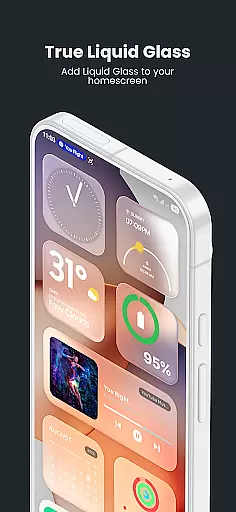
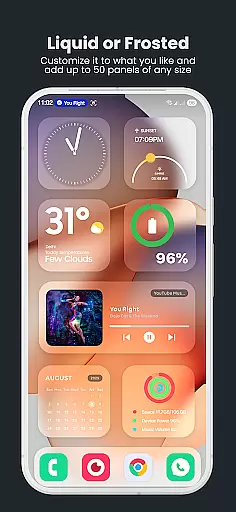
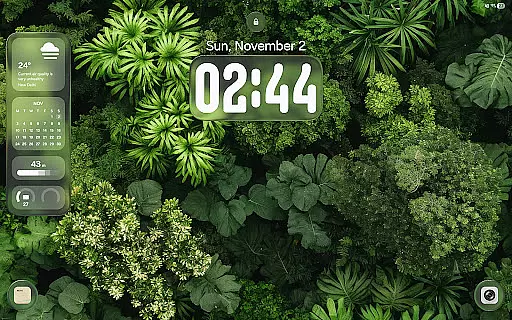
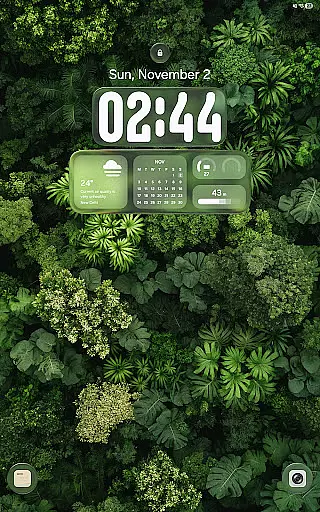
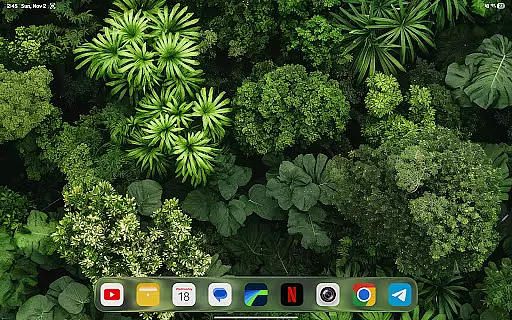
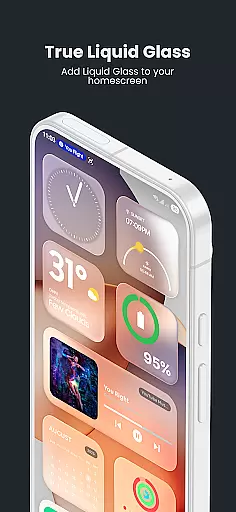
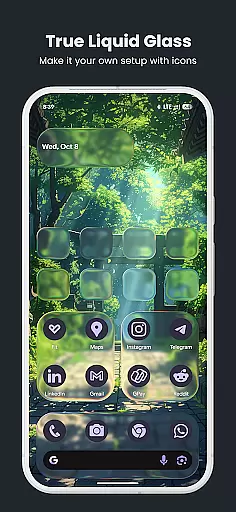
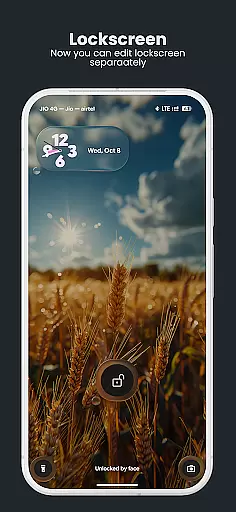
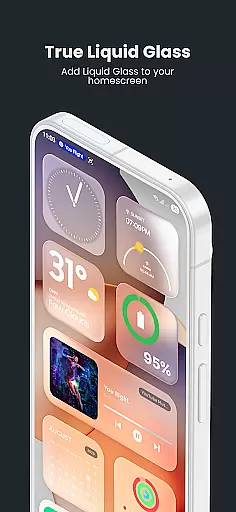
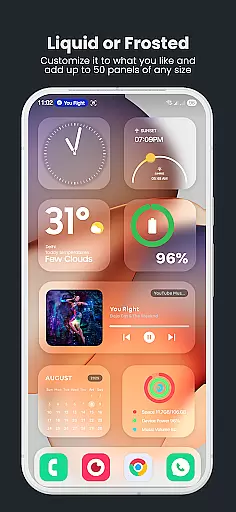
True Liquid Glass is a premium live wallpaper app that brings realistic glass effects to Android devices. The app allows users to create independent layouts for both home and lock screens, featuring fluid animated transitions between the two. With advanced motion effects like refraction and chromatic aberration, it creates an immersive 3D experience.
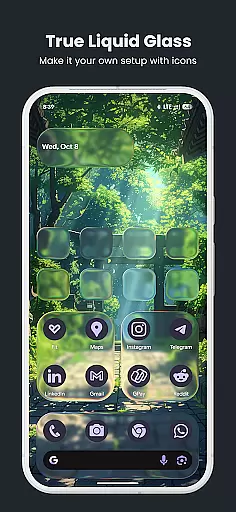
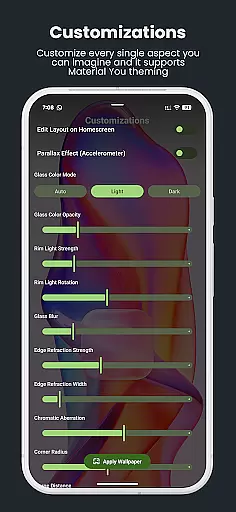
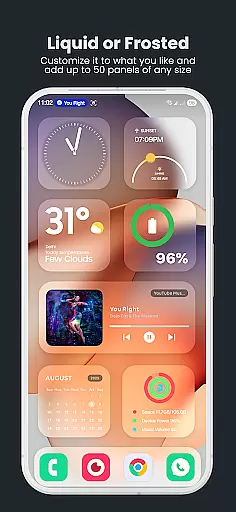
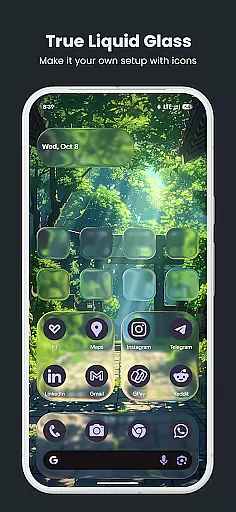
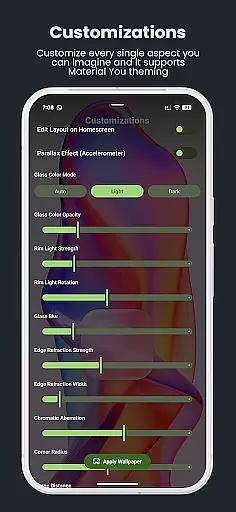
The application supports full customization of blur intensity, panel shapes, icon styles, and tint colors. Users can also enable parallax motion effects and cycle through multiple wallpapers from a selected folder. These features make it ideal for those seeking a dynamic and personalized device appearance.
True Liquid Glass offers an impressive array of features designed for creative expression. The dual layout engine lets users design unique interfaces for home and lock screens, with animated transitions that merge elements smoothly when unlocking the device.
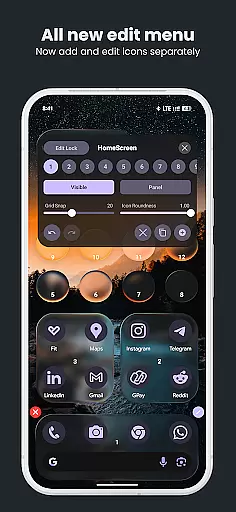
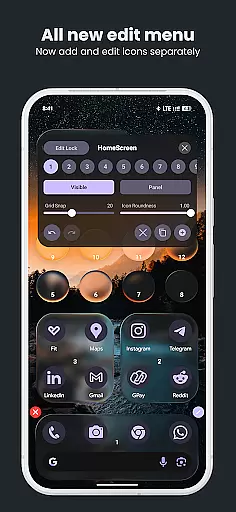
A standout feature is the real-time live editor, which enables direct on-wallpaper adjustments. Users can move, resize, and fine-tune shapes while seeing changes instantly. The app also provides advanced glass effects, including refraction and rim lighting, that respond to device motion, creating a lifelike frosted glass appearance.
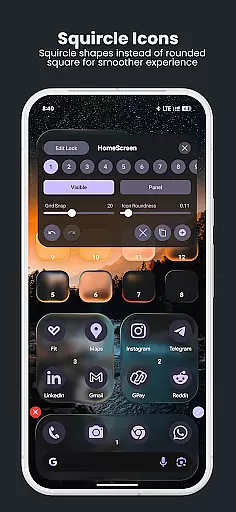
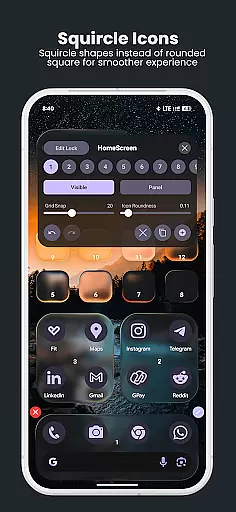
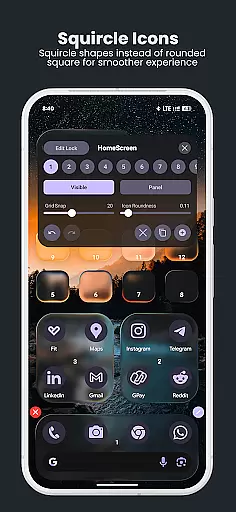
Additional functionality includes customizable sliders for blur intensity, icon roundness, and tint opacity. The preset system allows saving and sharing designs, while folder-based wallpaper cycling adds variety to the user experience.
True Liquid Glass offers a comprehensive suite of creative tools that allow users to design and customize their device's home and lock screens with stunning glass effects.
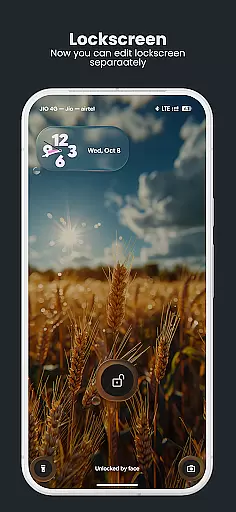
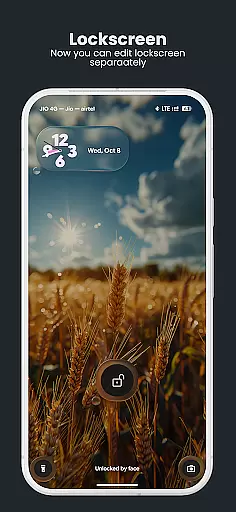
The app provides dual layout engines, enabling independent designs for both screens, complete with fluid animated transitions that merge the two layouts seamlessly when unlocking the device.
Users can take advantage of an advanced live editor to adjust elements in real-time, including blur intensity, refraction, panel and icon roundness, tint color, opacity settings, and more. This level of control ensures each shape or panel is tailored to personal preferences.
With options like parallax motion and dynamic rim lighting that reacts to device movement, True Liquid Glass delivers a highly customizable and realistic frosted glass aesthetic that enhances the overall user experience.
True Liquid Glass excels in canvas and format flexibility, allowing users to apply their designs across different screen formats while maintaining high-quality visuals.
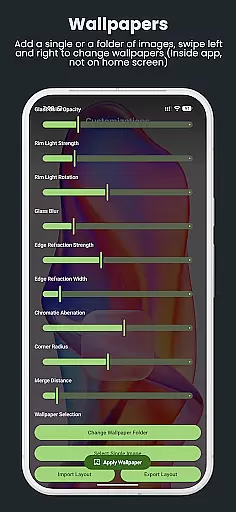
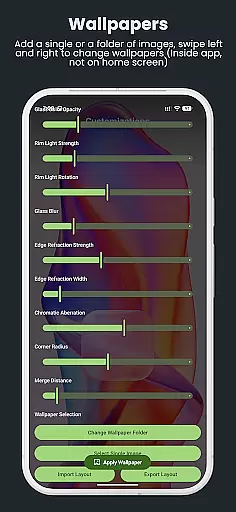
The app supports both home and lock screens, giving users the freedom to create unique layouts for each. It also allows for importing images from a single static image or an entire folder, providing versatility in background choices.
With features such as grid snap and corner radius sliders, precise alignment and resizing of shapes are possible, ensuring professional-looking results regardless of the screen size or resolution.
This flexibility extends to exporting and importing presets, empowering users to save, back up, and share their creations effortlessly, thus making it adaptable to various artistic needs and preferences.
Stunning glass effects
Real-time customization
Dual layout support
Animated transitions
Parallax motion
High battery usage
Complex for beginners
Requires permissions
No included widgets
Tablet optimization needed

The ultimate tool for creating animations
 4.60
4.60
Download now for a stylish and functional timepiece
4.0
Learn how to draw with step-by-step tutorials, fun lessons & multiplayer drawing
4.70
Stylish letters, Stylish Keyboard, Symbols, Emojis, Cool nickname
4.40
AI Assistant, powered by ChatGPT GPT-4 & GPT-4o. Your intelligent companion.
3.50
Photo editor for art, avatars, filters & fun transformations.
4.60
Unleash the artist in you with our AR drawing and tracing tool for photo drawing
4.10
Video AI: Revolutionize Your Content Creation with Advanced Video Generation
4.50
How to draw anime step by step for beginner easily by AR drawing sketch & paint.
3.60
See Color, Paint Color
4.90
Mobile pixel art editor. Simple. Fast. Portable.
4.80
Digital, Abstract, Classic - all types of color wheels in one app!
4.60
Draw glowing spinners, relax, and spin your creative art
4.60
Draw anime & manga drawing, art with templates to create stunning picture!
4.50
Create color palette from Image, RGB & RYB Color wheel harmonies, Color Scheme
4.50
Sketch, plan, take notes and illustrate on an infinite canvas.
4.20
OneUI 8.5 icons ✨ Smooth, modern & based on the latest Play Store design ??
4.10
Get creative and make art with your Sesame Friends!
4.00
AI Face Swap, Video Effects Editor, Realtime Morph, Funny Video FX,AI Filters
3.70

User Reviews