

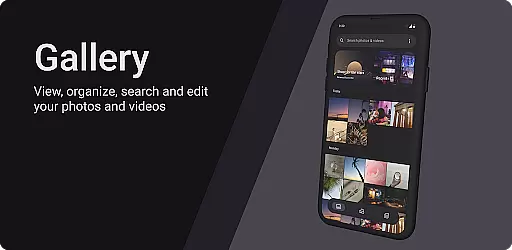
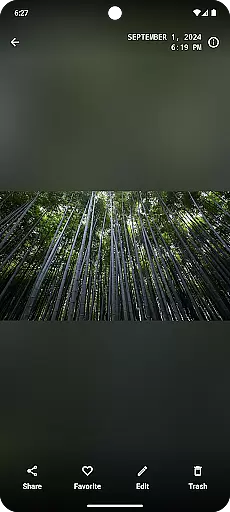
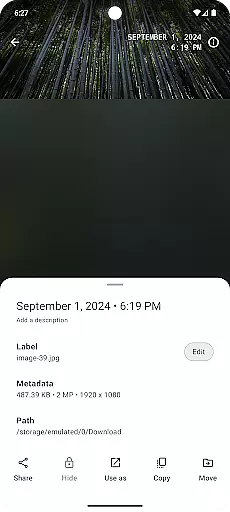
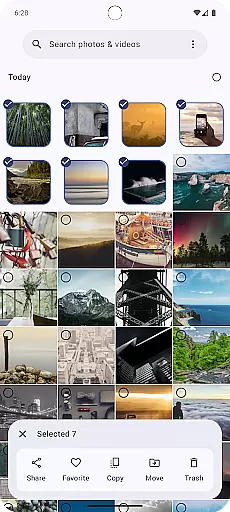
Gallery is a modern photography app designed for Android users who appreciate an intuitive and visually appealing way to manage their photos. Built with Jetpack Compose, this app offers a sleek interface that makes photo organization simple and enjoyable.
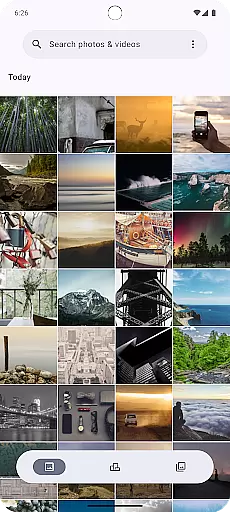
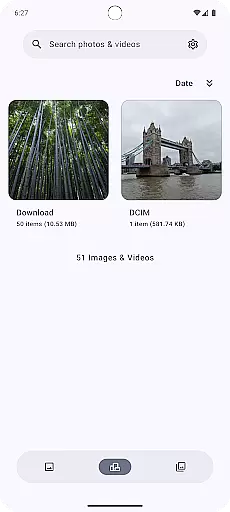
The core functionality of Gallery revolves around effortless image browsing, smart album creation, and quick sharing options. Users can easily navigate through their photo collections, create personalized albums based on themes or events, and share their favorite moments with friends and family directly from the app.
Whether you're a casual photographer looking to tidy up your photo library or someone who wants to relive memories in a more organized manner, Gallery provides a seamless experience across multiple Android devices.
Gallery stands out with its innovative use of Jetpack Compose, which ensures a smooth and responsive user interface. The app supports various view modes, allowing users to browse their images in grid or list formats, depending on their preference.
Advanced features include automatic photo categorization using AI algorithms, facial recognition for tagging people, and cloud backup integration to safeguard precious memories. These capabilities ensure that users can efficiently manage large photo libraries without compromising performance.
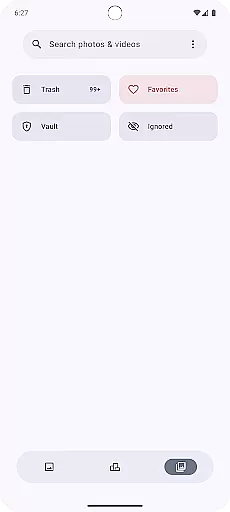
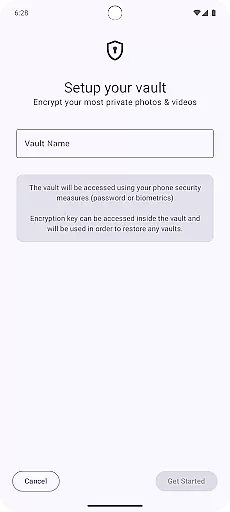
Additionally, Gallery offers customizable settings such as theme selection (light/dark mode), gesture controls for navigation, and privacy options like hidden folders protected by PIN codes. These thoughtful additions enhance both usability and security.
Real-time capture and preview functionality is essential for any photography app as it allows users to see exactly what the camera sees before taking a shot. This ensures that the framing, lighting, and focus are all correct before capturing the image.
Gallery, built with Jetpack Compose, offers an intuitive real-time capture experience by leveraging the latest Android technologies. The app provides a seamless interface that updates instantly as the camera moves, ensuring that users never miss a moment.
With this feature, users can adjust settings such as exposure, white balance, and focus directly from the live preview screen. This level of control empowers photographers to fine-tune their shots according to their preferences, resulting in higher quality photos.
The real-time preview also supports various aspect ratios and grid overlays, aiding in composition and alignment. This makes Gallery not just a tool for capturing images but also for learning and improving photography skills.
AI beauty and enhancement features have become increasingly popular in photography apps, allowing users to improve their photos with just a few taps. However, maintaining naturalness while enhancing images is crucial to avoid artificial-looking results.
Gallery incorporates advanced AI algorithms that intelligently enhance facial features without over-processing. By analyzing each photo individually, the app applies subtle adjustments that highlight natural beauty while preserving authenticity.
This feature includes options for skin smoothing, blemish removal, and eye enhancement, among others. Users can customize the intensity of these effects, ensuring that the final result aligns with their personal style and aesthetic preferences.
By focusing on natural enhancement, Gallery stands out in the crowded photography app market, offering users a sophisticated yet easy-to-use tool for elevating their mobile photography game.
User-friendly interface
AI-powered organization
Cloud backup support
Customizable themes
Privacy protection features
Limited editing tools
No built-in printing service
Occasional sync issues
Ads in free version
Device compatibility

How would you look like with a differently shaped nose, chin or lips?
 3.90
3.90
Easily stitch panoramas from multiple photos or video.
4.40
Cut and paste photo editor & eraser to customize photos easy and swap faces fun
4.50
Virtual makeup, hair filters & body tuner—edit from face to full body!
4.20
Perfect body tune & face app - photo retouch, makeup, slim body & beautify face.
4.80
Photo Exif Editor allows to view, add and modify EXIF data of multiple photos
4.50
USB Storage Access for Photos, Videos, Music and Documents
3.80
AI Photo Editor with 100+ Filters, Effects! Remove BG, Retouch & Photo Enhancer.
4.80
Your Family Calendar + Photos. Manage your Skylight Calendar and Skylight Frame.
4.40
Collage your moments in one tap: 1000+ layouts, filters, stickers, and texts.
4.90
Cartoon and artistic effects for your photos and videos
4.70
Safe & smart flight with Go Fly drone controller for 40+ drone camera, zone map
4.50
Future baby face generator: AI kids generator, kid face! What my baby look like?
4.40
AI portrait generator and polaroid AI selfie, fun AI generated AI photo creator!
4.30
The #1 app for B&W film developing featuring an advanced darkroom timer.
4.10
Create amazing frames with up to five photos. Rounded corners, effects and more!
3.60
Application for remote controlling DSLR
3.00
Raw Image Viewer. Gallery with support of raw images (.cr3, .cr2, .nef, .raf).
2.00
Add a dreamy vibe to your selfies and videos with soft style filters
4.5

User Reviews