

Collage Maker is a versatile photo collage and editing application designed for creative enthusiasts. The app allows users to combine multiple photos into stunning collages using over 100 layouts, various backgrounds, stickers, fonts, and other design elements. With its AI Photo Enhancer feature, users can transform low-quality or damaged images into high-definition masterpieces with just one tap.
In addition to creating collages, the app offers advanced photo editing tools such as cropping, filters, text overlays, doodles, and rotation. Users can also create Insta-ready square photos with customizable backgrounds, making it ideal for social media sharing. Whether you're designing side-by-side comparison posts, YouTube thumbnails, or Instagram stories, Collage Maker provides all the necessary tools to produce professional-looking designs effortlessly.
Collage Maker stands out with its extensive range of features tailored for both casual users and design professionals. One of its core strengths is the ability to merge up to 100 photos into a single collage, offering unparalleled flexibility in layout customization. Users can choose from hundreds of grid styles, adjust borders, and apply unique backgrounds to make their creations stand out.
The app includes an all-in-one photo editor equipped with essential tools like cropping, filters, text overlays, and doodles. Its Freestyle mode lets users design scrapbook-style collages by adding stickers, texts, and doodles on full-screen backgrounds. Additionally, the Story Template feature provides over 100 stylized templates inspired by film, magazines, and ripped paper aesthetics, perfect for crafting memorable Instagram stories.
For social media optimization, Collage Maker supports multi-fit ratios including 1:1, 4:5, and 9:16, ensuring seamless posting without cropping. The app's AI Photo Enhancer adds another layer of value by improving image quality instantly, while its intuitive interface ensures that even beginners can achieve impressive results quickly.
Real-time capture and preview functionality is essential for photography applications as it allows users to see exactly what the camera is capturing before taking a shot. This ensures that the framing, lighting, and composition are all correct before the shutter is pressed.
Collage Maker offers an intuitive real-time preview feature that lets users experiment with different collage layouts and photo editing options. As users select photos from their gallery or take new ones, they can instantly see how these images will look within various templates and styles provided by the app.
The benefit of this feature is that it saves time and enhances creativity. Users can quickly switch between different collage designs, apply filters, add stickers, and modify text without having to commit to any changes until they are satisfied with the preview. This immediate feedback loop encourages experimentation and helps users create more engaging collages.
By providing a seamless real-time capture and preview experience, Collage Maker empowers users to produce high-quality photo collages that meet their expectations. The ability to visualize edits and layout adjustments in real-time significantly improves user satisfaction and overall app usability.
AI beauty and enhancement features have become increasingly popular in photography apps due to their ability to improve image quality while maintaining natural aesthetics. These tools use advanced algorithms to enhance facial features, smooth skin tones, and adjust lighting conditions automatically.
In Collage Maker, AI Photo Enhancer transforms low-quality or damaged photos into stunning HD images with just one tap. By leveraging machine learning techniques, the app intelligently identifies areas needing improvement and applies enhancements that preserve the original character of the photo. Whether it's restoring old memories or refining recent captures, the results appear authentic rather than overly processed.
This focus on natural enhancement provides significant value to users who want professional-looking photos without extensive manual editing. It simplifies the process of achieving polished visuals, making it accessible even to those with minimal photo editing experience. Additionally, the AI-driven approach ensures consistency across multiple images, which is particularly useful when creating cohesive collages.
Ultimately, Collage Makeru2019s commitment to delivering natural yet enhanced photo outputs sets it apart in the photography category. Users can confidently share their creations knowing that each image reflects both technical excellence and genuine artistic expression.
User-friendly interface
Extensive customization options
AI-powered photo enhancement
Versatile layout choices
Social media optimization
Some features may require premium access
Occasional ads in free version
Advanced tools might overwhelm beginners
Limited offline functionality
Storage permissions needed
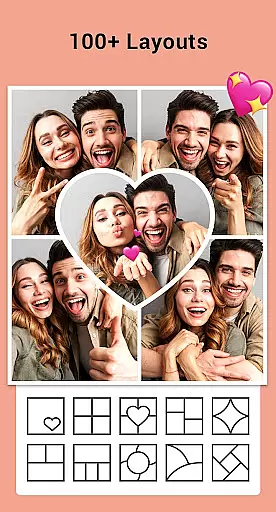
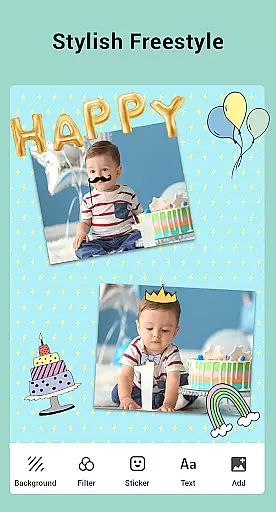

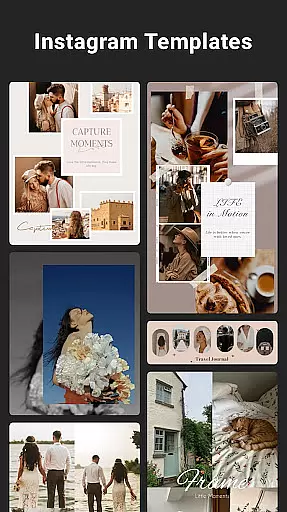
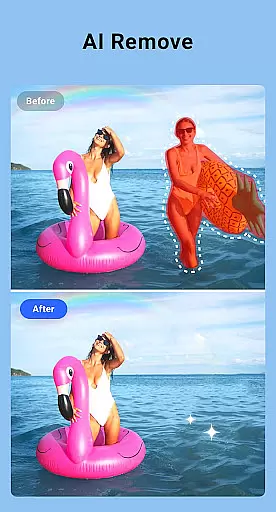
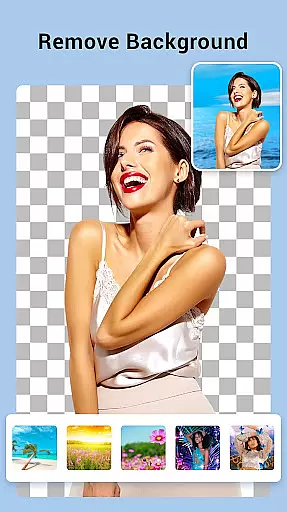
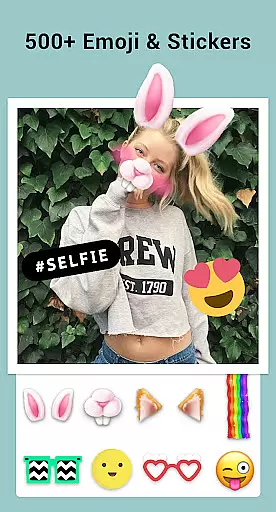
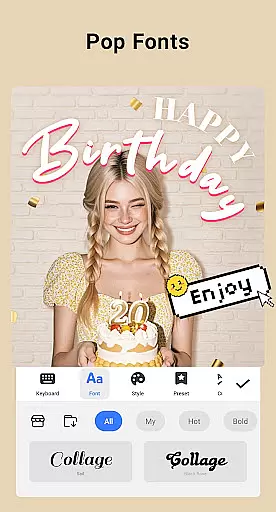

Photo editor: face & body editor, beauty cam, filters and quality enhancer.
 4.00
4.00
Search, tag and rate your way to an organized image gallery
4.40
Safe & smart flight with Go Fly drone controller for 40+ drone camera, zone map
4.50
HD Photo gallery and photo manager to edit, hide private photos, videos & albums
4.2
Photobooth mini FULL app will allow you to add more fun to your parties
4.00
Android Native system HD camera app. Never been so simple and faster.
4.70
Create collages easily! Nice pic collage maker & background eraser for Instagram
4.50
Create amazing frames with up to five photos. Rounded corners, effects and more!
3.60
Try an anime version, cartoon yourself, and generate AI hug or aging videos!
3.70
Pro version: AR sun/moon tracker for any date. Tool for photographers & planners
4.90
Gallery show photo, video, slideshow, is perfect 3D effect private photo albums.
4.80
Automatically backup your photos and videos to computer, NAS and Cloud services
4.60
AI photo editor with hair editor, retouch tools, hair color changer & filters!
4.50
AI portrait generator and polaroid AI selfie, fun AI generated AI photo creator!
4.30
Smart, light, and fast photo and video gallery
4.30
How old age camera Gender Swap App Face Shape Hairstyle App Hair Styler App fun!
4.00
How would you look like with a differently shaped nose, chin or lips?
3.90
Remote control of the phone camera from your Wear OS smartwatch
3.70
Superimpose one photo on top of another using the original Superimpose app!
3.20

User Reviews