

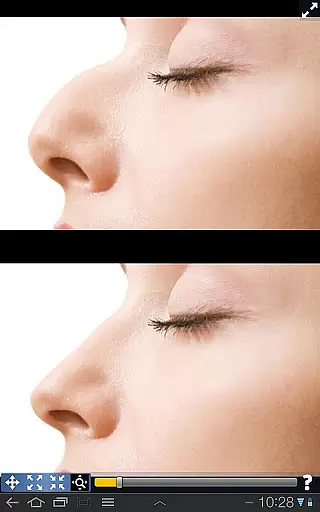
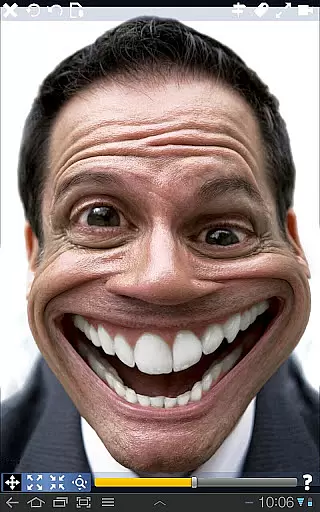
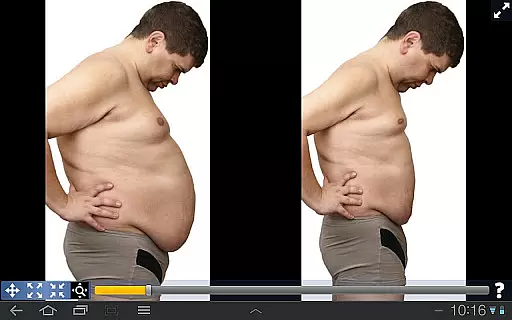
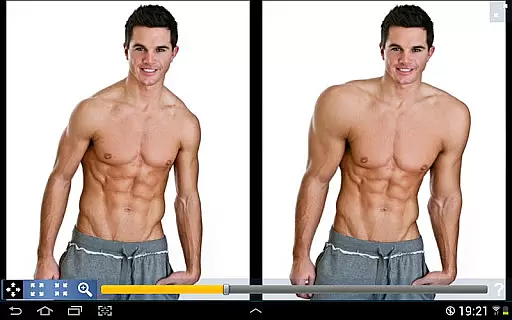
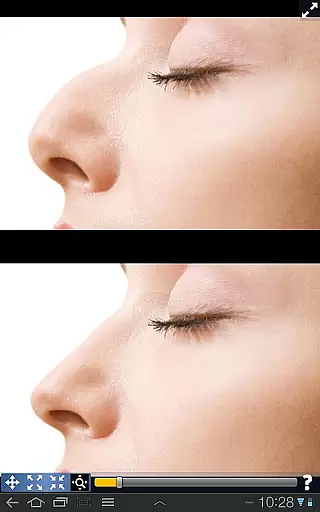
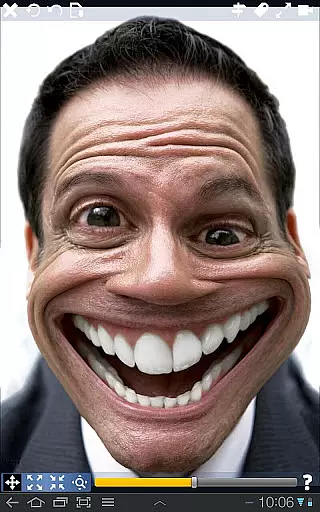
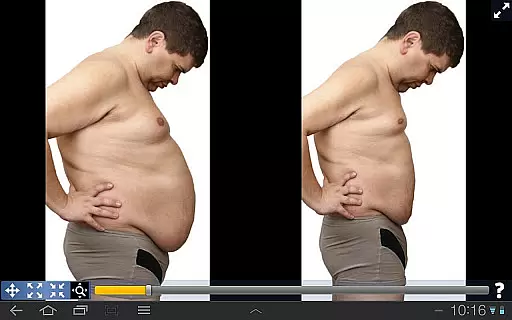
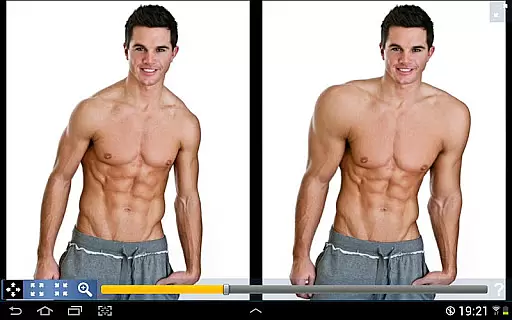
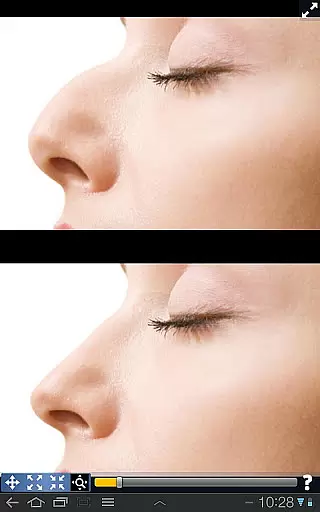
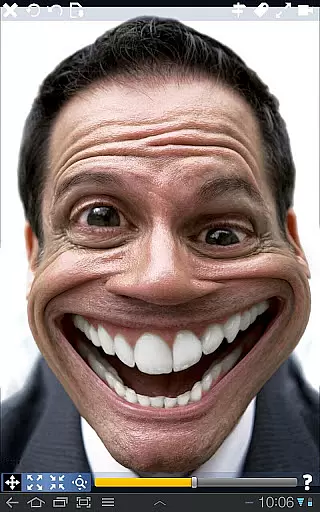
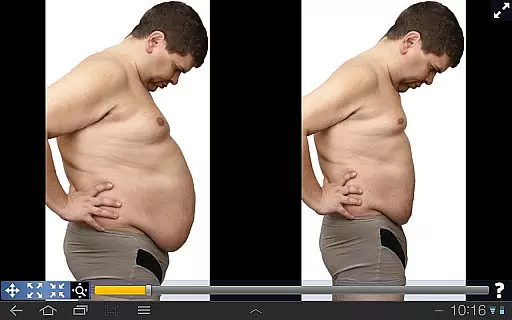
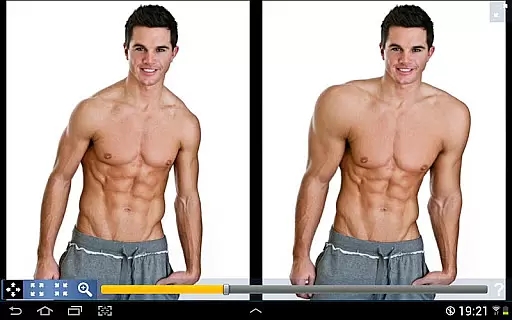
Plastic Surgery Simulator is a creative photography app that allows users to simulate physical transformations through advanced photo distortion technology. The app's core functionality lies in its ability to modify specific body parts by simple touch gestures such as dragging, expanding, or shrinking. Whether you're curious about cosmetic changes like a different nose shape or chin line, or want to experiment with muscle definition, this app provides an easy way to visualize these modifications.
Apart from personal experimentation, the app also serves as a fun tool for social media enhancement, letting users share their altered images with friends. Its standout features include a smooth transformation algorithm and a dual display mode that enhances usability on smaller devices. These innovations make it particularly useful for photography enthusiasts who want to explore creative edits directly from their mobile devices.
The app boasts several distinctive features that set it apart in the photography category. First and foremost is its powerful photo distortion algorithm, which ensures that all transformations appear natural and seamless, avoiding pixelation or rough edges. This makes it ideal for users seeking realistic previews of potential cosmetic changes.
Another key feature is the dual display mode, which automatically activates when the device is rotated. This mode clones the image onto both halves of the screen, allowing users to manipulate one side while viewing the entire picture without obstruction from their fingers. Such functionality is especially beneficial for detailed editing on small-screen devices like smartphones.
Additionally, Plastic Surgery Simulator offers intuitive controls, enabling users to easily drag, grow, or shrink specific areas of an image. With these tools, users can experiment with various aesthetic adjustments, making it not only functional but also entertaining for casual use.
Real-time capture and preview functionality is essential for photography apps as it allows users to see the effects of their edits instantly. This feature enhances the user experience by providing immediate feedback on adjustments.
Plastic Surgery Simulator excels in this area with its powerful photo distortion algorithm that ensures smooth and realistic transformations. Users can manipulate facial features such as the nose, chin, and lips or even adjust body muscles while seeing the changes in real time.
The dual display mode further augments this experience by cloning the image when the device is rotated. This innovative approach lets users modify their images without their fingers obstructing the view, making precise edits easier than ever.
With these capabilities, users can experiment freely, knowing that they have full control over the final outcome before saving or sharing their transformed photos on social networks.
AI beauty and enhancement features are becoming increasingly important in photo editing applications. These tools aim to improve the appearance of photos while maintaining a natural look, avoiding the over-processed effect that can occur with aggressive filters.
In Plastic Surgery Simulator, the focus is on delivering enhancements that feel authentic. The app's advanced algorithms allow for subtle yet effective modifications, ensuring that edited areas blend seamlessly with the original image.
Whether users want to reshape facial features or adjust body proportions, the app provides a level of precision that keeps the overall image looking genuine. This attention to detail helps maintain the integrity of the original photograph while still allowing creative freedom.
By prioritizing natural-looking results, Plastic Surgery Simulator stands out among other photo distortion apps, offering users a reliable tool for enhancing their digital presence without compromising authenticity.
User-friendly interface
Realistic distortion effects
Dual display convenience
Social sharing options
Creative experimentation
Limited professional tools
No undo functionality
Occasional lag
Ads may disrupt workflow
In-app purchases required

Pet Camera
 3.70
3.70
Over 800 film simulation recipes for Fujifilm. Black Friday Offer!
4.0
Turn your phone into a professional camera - full DSLR manual photography
4.30
Gallery Slideshow is slideshow maker app for slideshow from your gallery photos.
3.90
Professional photography on your mobile phone
4.20
GCamera allows all GCam features on all phone models! Better photos with GCamera
3.30
See your baby AI baby face generator AI baby maker Face generator babymaker fun!
4.70
Discover How to Plan any Sun, Moon and Milky Way Photo You Imagine in Seconds
4.70
Try an anime version, cartoon yourself, and generate AI hug or aging videos!
3.70
Find time and duration of different sunlight phases at any location
4.90
Gallery show photo, video, slideshow, is perfect 3D effect private photo albums.
4.80
Photo prints, cards, & gifts at Walgreens. Easy ordering & fast local pickup !
4.80
Your personal guide to the sun and moon. Plan ahead, visualize and predict!
4.70
Safe & smart flight with Go Fly drone controller for 40+ drone camera, zone map
4.50
Cut and paste photo editor & eraser to customize photos easy and swap faces fun
4.50
Create AI photos & videos with Enhancer; restore, fix, beautify, enhance photos
4.50
Easily stitch panoramas from multiple photos or video.
4.40
Perfect photos with body shaping, BG changer and object remover.
3.70
Create amazing frames with up to five photos. Rounded corners, effects and more!
3.60
User Reviews