

Draw Cartoon - AR Drawing App is an innovative art application that brings augmented reality into the creative process. This app allows users to transform their artistic ideas into reality by leveraging advanced AR technology, making it a perfect tool for both beginners and professional artists.
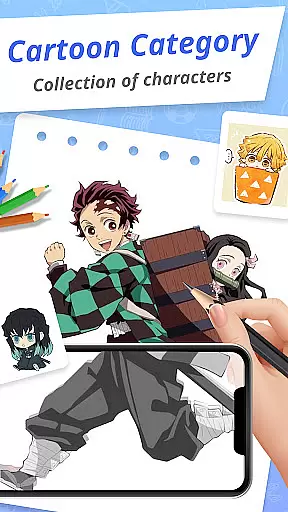
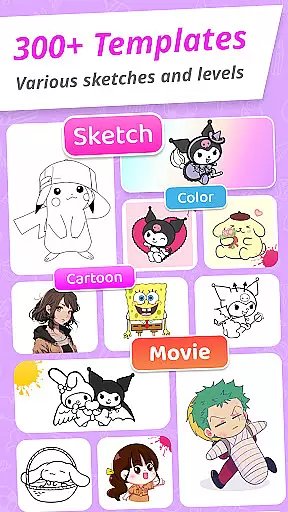
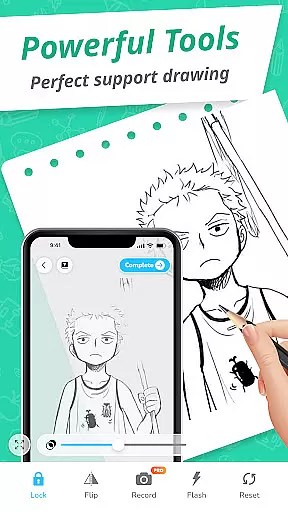
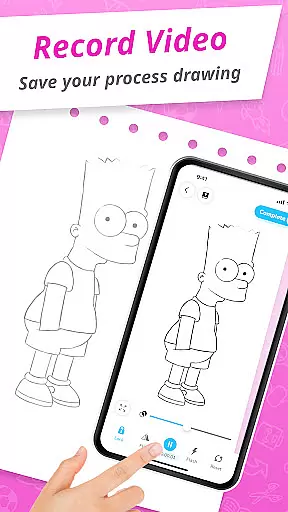
The core functionality includes powerful AR drawing features that enable users to incorporate real-world elements into their artwork through the device's camera. With options like adjusting opacity, recording video, taking photos, and using a built-in flashlight, the app provides everything needed to create stunning AR sketches. Additionally, the app offers various cartoon templates featuring popular themes such as Pikachu and Scooby-Doo, which serve as excellent starting points for new artists.
Whether you're looking to improve your skills or simply unleash your creativity, Draw Cartoon - AR Drawing App offers a complete package for artistic exploration in an engaging augmented reality environment.
Draw Cartoon - AR Drawing App stands out with its comprehensive set of features tailored for cartoon enthusiasts and aspiring artists. The app's most notable feature is its powerful AR drawing capability, allowing users to infuse real-world elements directly into their sketches. By utilizing the device's camera, users can adjust opacity, record videos, take photos, toggle the flashlight, and even lock or reset their drawings.
In addition to its robust AR functionalities, the app provides a wide range of amazing AR sketch cartoon templates. These free samples include various painting and tracing templates that cover multiple cartoon themes, including beloved characters like Pikachu and Scooby-Doo. This variety ensures that users have plenty of creative inspiration at their fingertips.
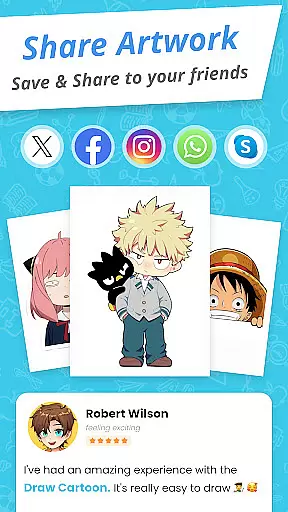
Another key feature is the My Artwork section, where users can save and share their creations with friends and family. This feature not only helps track artistic progress but also fosters a sense of community among users who are pushing the boundaries of augmented reality art. Overall, these features make Draw Cartoon - AR Drawing App a versatile tool for anyone interested in digital art.
In the realm of digital art, having a comprehensive set of creative tools is essential for artists to fully express their visions. Draw Cartoon - AR Drawing App rises to the occasion by offering an extensive suite of features that cater to both amateur and professional artists. The app includes powerful augmented reality (AR) drawing capabilities that allow users to incorporate real-world elements into their sketches, providing a level of depth and interaction previously unavailable in traditional drawing apps.
Moreover, the app enhances the drawing experience with advanced options such as video recording, photo capture, adjustable opacity settings, flashlight control, and image locking. These functionalities ensure that artists have all they need to create dynamic and engaging artwork. The intuitive design maintains simplicity without sacrificing functionality, making it accessible for beginners while still offering the robust feature set demanded by seasoned creatives.
By furnishing artists with these complete and varied tools, Draw Cartoon empowers users to push the boundaries of augmented reality art. Whether sketching from scratch or using provided templates, artists can track their progress through the 'My Artwork' feature, gaining valuable insights into their artistic journey. This holistic approach not only enriches the user's creative process but also fosters a vibrant community of artists who are exploring new frontiers in AR art.
The flexibility of canvas and format options is crucial for artists who wish to customize their workspace to fit their unique styles and project requirements. Draw Cartoon - AR Drawing App addresses this need by providing versatile solutions that adapt to various artistic preferences. Users can position their devices parallel to their drawing surface, allowing them to utilize the appu2019s AR features effectively and accurately transpose images onto their canvas.
Furthermore, the app offers a range of cartoon themes and tracing templates, including popular characters like Pikachu and Scooby-Doo, which serve as starting points for creativity. Artists can freely experiment with different styles and subjects thanks to these diverse template options. The ability to adjust the opacity of the overlaid image enables precise tracing and personalization of each piece, catering to individual artistic techniques and workflows.
Draw Cartoon ensures that artists can save, share, and reflect on their creations through the 'My Artwork' section. This feature not only allows for easy sharing with friends and family but also provides a way to monitor oneu2019s artistic development over time. By delivering adaptable canvas and format settings alongside supportive community features, Draw Cartoon - AR Drawing App stands out as a flexible and innovative choice for artists looking to expand their creative horizons.
User-friendly interface
Wide range of templates
Advanced AR tools
Active community support
Regular updates
Limited free content
Occasional bugs
High system requirements
In-app purchases
Steep learning curve
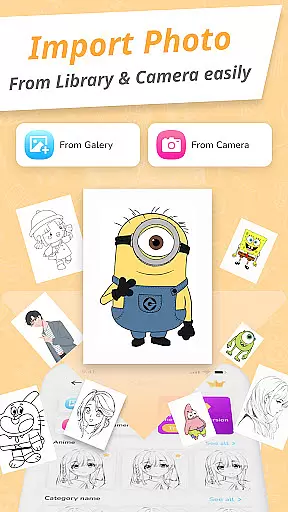

Sketch, trace and master AR drawing with awesome anime art!
 3.30
3.30
Logo Generator powered by AI: Create stunning logos effortlessly!
4.70
Draw anime easily with AR guidance, sketch templates & trace tools!
3.10
Minecraft & Roblox Clothes
4.70
Photo stitcher for automatically screenshot stitching into a long screenshot
4.70
Beauty Camera - Selfie Camera is the ultimate beauty camera and selfie app
4.30
Create cute cat emojis & PFPs! Fun, custom avatars for cat lovers.
3.70
Just trace a projected picture on paper and color! Draw & Paint with AR drawing
4.40
Sketch and paint on your device with the feel and freedom of drawing on paper
4.00
Passport size photo maker, create ID photo and visa photo in seconds
4.80
Image resizer to resize, crop, rotate, flip, change dpi photo or picture in bulk
4.60
Get an overview over all your embroidery threads, projects and more.
4.60
Discover Cartoon Dream : Unleash Your Creativity with CuttingEdge AI
4.50
Digital illustration drawing & painting pad app to paint Anime and Manga art
4.50
Create color palette from Image, RGB & RYB Color wheel harmonies, Color Scheme
4.50
Text to Image, Image to Video & AI Chat
4.20
Vidu is an AI video generator made for creators and aspiring makers.
3.30
Inky runs Inkscape on Android devices and Chromebooks
2.90
Android 14 style widgets and wallpapers app.
4.2

User Reviews