

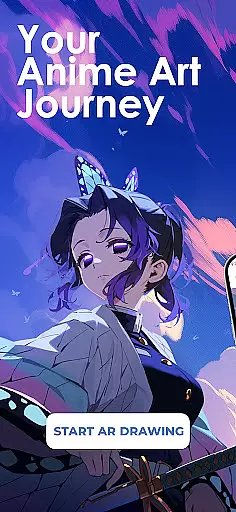
Draw Anime: AR Sketch & Trace is a revolutionary drawing application designed specifically for anime enthusiasts and artists. This app combines the power of augmented reality (AR) with traditional sketching techniques, allowing users to trace and draw anime characters with precision. Whether you're a beginner or a professional artist, this tool offers an intuitive platform to improve your skills.
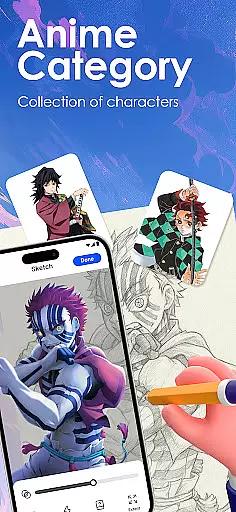
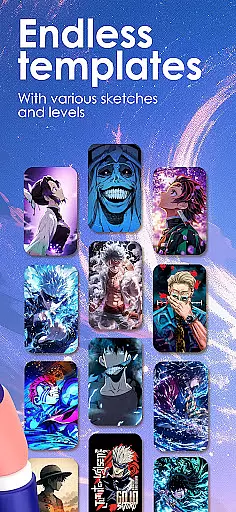
The app provides various features such as AR guidance, which projects outlines onto paper through your phone's camera, enabling confident sketching. It also includes a vast library of templates covering different styles like anime, manga, and chibi. Additionally, users can import their own images to create custom traceable outlines, making it a versatile tool for unlimited creativity.
With its guided tutorials and adjustable settings, Draw Anime: AR Sketch & Trace is perfect for anyone looking to enhance their drawing abilities while exploring the world of anime art. The ability to record and share your progress further enriches the user experience, making it an essential app for aspiring artists.
One of the standout features of Draw Anime: AR Sketch & Trace is its use of augmented reality technology. This allows users to trace characters and objects with the help of clear outlines projected directly onto their drawing surface via the device’s camera. The app includes a comprehensive library of templates that cater to different skill levels and preferences, ensuring there's something for everyone.
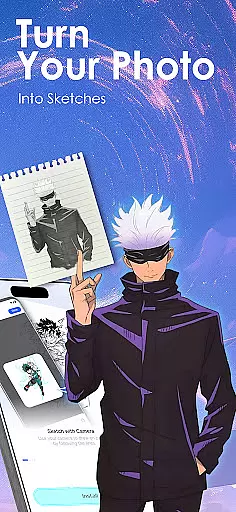
Another key feature is the app's educational aspect. Users can access video tutorials and practice exercises tailored to beginner, intermediate, and expert levels. These resources cover essential techniques such as anatomy and proportions specific to anime art. Moreover, the app supports importing personal photos, converting them into traceable outlines, and adjusting parameters like opacity and zoom for a customized drawing experience.
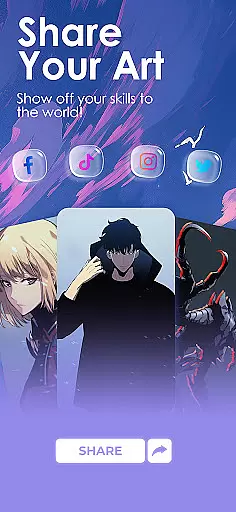
Finally, the app encourages community engagement by allowing users to share their artwork and progress videos. This social component not only motivates users but also fosters a sense of belonging within the anime art community. With these robust features, Draw Anime: AR Sketch & Trace stands out as a premier tool for both learning and creating anime art.
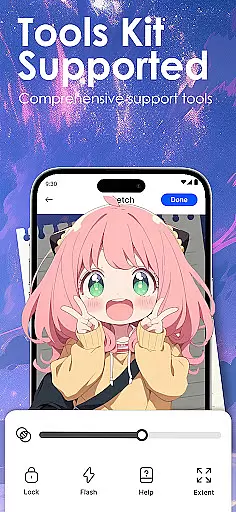
In the realm of digital artistry, having a comprehensive set of creative tools is paramount. Draw Anime: AR Sketch & Trace offers an extensive suite designed to cater to anime enthusiasts and artists at all levels.
From beginners seeking guidance to professionals refining their craft, this app provides functionalities such as AR Guidance for precise tracing, a library filled with anime templates, and tutorials that cover a range of complexities. These features ensure users can explore various styles and techniques within the anime genre.
The application stands out by integrating Augmented Reality technology, allowing artists to trace through their camera onto paper, thus merging traditional drawing methods with modern tech innovations. This fusion not only enhances accuracy but also boosts confidence while sketching intricate designs.
Ultimately, the completeness of these creative tools empowers users to unlock unlimited creativity, making it possible to convert personal photos into traceable outlines, adjust settings like opacity and zoom, and even record the artistic process for review or sharing purposes.
Flexibility in canvas and format options is crucial for artists who wish to express their creativity without constraints. Draw Anime: AR Sketch & Trace addresses this need by offering adaptable solutions tailored to individual preferences.
Artists using the app have the freedom to import their own images, instantly transforming them into traceable outlines. This feature supports a personalized approach to learning and creating, accommodating different artistic styles and inspirations.
Moreover, users can fine-tune their work with adjustable settings such as opacity and zoom, granting them control over every detail. The ability to record drawing sessions further adds to the flexibility, enabling artists to track progress, refine techniques, and share their journey with others.
By providing these versatile canvas and format options, Draw Anime: AR Sketch & Trace ensures that each artist's unique vision can be realized without compromise, enhancing both the creative process and final output.
User-friendly interface
Extensive template library
Augmented reality guidance
Customizable drawing options
Active community support
Limited free content
Requires steady hand
In-app purchases needed
Occasional bugs
High system requirements

Easy 3D drawing design maker & creator. Model designing, Sculpting. Create&paint
 4.00
4.00
Create stylish invitation cards using templates for weddings, birthdays & RSVP.
4.20
Create neon drawing with magic doodle and fun doodle art effects!
4.50
Logo Generator powered by AI: Create stunning logos effortlessly!
4.70
Unleash Your Creativity with Draw Cartoon - AR Drawing App
4.10
Your AI soulmate — meaningful chats, and unique emotional moments
4.70
Video AI: Revolutionize Your Content Creation with Advanced Video Generation
4.50
Create Logos, Tattoos, AI Art & more with our AI Photo Generator & Design Editor
4.20
Explore future self face age filter & remove background image for a unique look.
3.50
Passport size photo maker, create ID photo and visa photo in seconds
4.80
Photo editor for art, avatars, filters & fun transformations.
4.60
The perfect place to start sketching! Use Sketchbook to draw and paint sketches.
4.50
Create and Design Custom Logos in Seconds with AI-Powered Tools!
4.40
Just trace a projected picture on paper and color! Draw & Paint with AR drawing
4.40
Draw, make movies & animate cartoons easily with our 2D animation maker app
4.40
Beauty Camera - Selfie Camera is the ultimate beauty camera and selfie app
4.30
OneUI 8.5 icons ✨ Smooth, modern & based on the latest Play Store design ??
4.10
Retouch photos. Create or edit images. Endless capabilities.
2.70
Art of Combination Wear OS Watch faces
4.3

User Reviews