

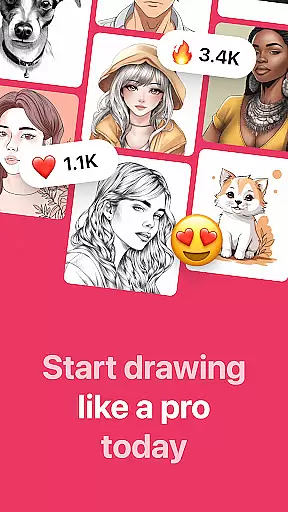
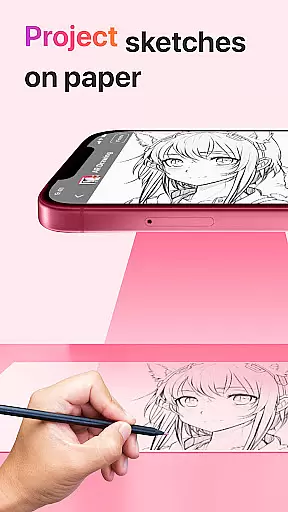
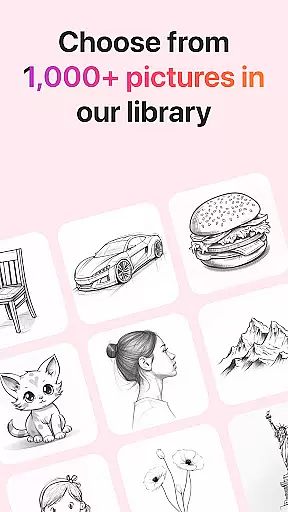
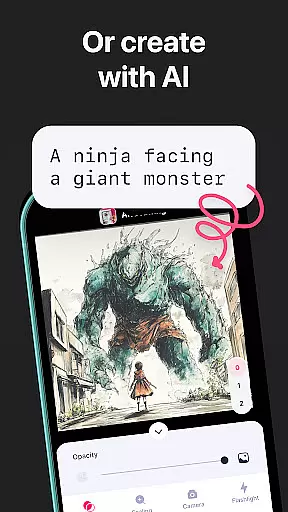
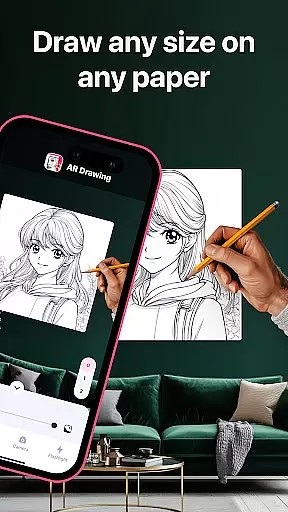
AR Drawing: Sketch & Paint is an innovative mobile application designed to help users learn drawing and create stunning artworks using augmented reality technology. The app projects images onto any surface, allowing users to trace and color them with ease. With a wide range of tracing templates including Animals, Cars, Nature, Food, Anime, and more, it caters to various interests and skill levels.
The app's built-in flashlight ensures visibility in low-light conditions, while the ability to save drawings in a gallery and record the entire creative process adds to its appeal. Whether you're an experienced artist or just starting out, AR Drawing offers tools that can enhance your skills and unleash your creativity within days.
This app is perfect for anyone who wants to explore their artistic side without needing extensive training or expensive materials. By leveraging AR technology, it transforms traditional drawing into an interactive experience suitable for all ages.
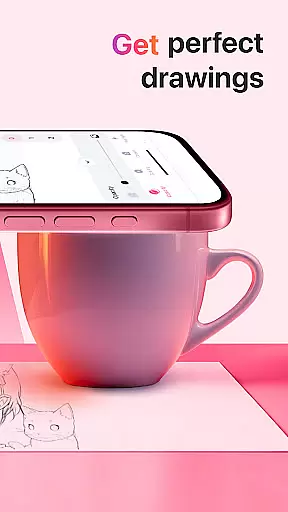
One of the standout features of AR Drawing: Sketch & Paint is its use of augmented reality to project images onto any surface, making it easy for users to trace and draw. This feature not only simplifies the drawing process but also makes it accessible to beginners. The app includes a vast library of tracing templates covering diverse categories such as Animals, Cars, Nature, Food, and Anime, ensuring there's something for everyone.
In addition to its core functionality, the app offers several other notable features. Users can utilize the built-in flashlight for better visibility in dim environments. They can also save their completed drawings in an in-app gallery, providing a convenient way to store and showcase their work. Furthermore, the app allows users to record videos of their drawing and painting sessions, which can be shared with friends or used for personal review.
Another key aspect is the ability to make sketches and paint them digitally, offering a hybrid approach to art creation. These features collectively provide a comprehensive toolkit for both learning and creating art, distinguishing AR Drawing from other drawing apps on the market.
AR Drawing: Sketch & Paint offers a comprehensive suite of creative tools that cater to both novice and experienced artists. The app provides various tracing templates, including Animals, Cars, Nature, Food, and Anime, allowing users to explore different art styles and subjects.
In addition to the wide range of templates, the app includes a built-in flashlight feature, which enhances visibility and precision when tracing images onto paper. This attention to detail ensures that users can create stunning drawings regardless of their environment or lighting conditions.
The ability to save drawings in a gallery within the app not only helps users keep their artwork organized but also allows them to track their progress over time. By reviewing past works, users can identify areas for improvement and celebrate their growth as artists.
Furthermore, AR Drawing stands out by offering innovative augmented reality technology that projects images onto any surface, making it possible to draw anything anywhere. This flexibility empowers users to unleash their creativity without being constrained by traditional drawing surfaces.
One of the key strengths of AR Drawing: Sketch & Paint is its canvas and format flexibility, which allows users to create art on any surface using their phone camera. Whether you're sketching on paper, a whiteboard, or even an unconventional surface, the app adapts to your needs.
This flexibility extends to the types of projects users can undertake. With features like video recording of the drawing and painting process, creators can capture their artistic journey and share it with others. This is particularly useful for those who want to create tutorials or showcase their technique.
Moreover, the app supports multiple file formats, enabling users to save and export their work in ways that suit their requirements. Whether for digital portfolios, social media sharing, or printing, the adaptable format options ensure that artwork can be utilized in diverse contexts.
By providing such versatility, AR Drawing: Sketch & Paint not only meets the needs of different artistic projects but also encourages experimentation and innovation in art creation, setting itself apart from conventional drawing apps.
User-friendly interface
Wide range of templates
Built-in flashlight
Save and share artwork
Record drawing process
Limited free content
Requires good lighting
Occasional bugs
Premium subscription needed
Learning curve for AR

Design your dream room with AI. Get decor ideas & plan home interiors
 3.90
3.90
AI Assistant, powered by ChatGPT GPT-4 & GPT-4o. Your intelligent companion.
3.50
Trace, draw, and create art with AR - from memes to masterpieces!
4.30
Your Essential Color Theory Guide: Red, Yellow, Blue (RYB)
4.3
Create color palette from Image, RGB & RYB Color wheel harmonies, Color Scheme
4.50
Convert image to JPG PNG HEIC PDF, support almost all kinds of image formats
4.70
Painting, drawing, & sketching
4.50
Experience next-gen icons with a modern liquid glass look.
3.60
Create cute cat emojis & PFPs! Fun, custom avatars for cat lovers.
3.70
Your AI soulmate — meaningful chats, and unique emotional moments
4.70
Photo editor for art, avatars, filters & fun transformations.
4.60
The perfect place to start sketching! Use Sketchbook to draw and paint sketches.
4.50
Draw Trace image sketch by, AR art projector app, Easy to trace any image.
4.50
Remove Background, Magic Eraser, Photo Enhancer, Story Templates, Collage Maker
4.30
Unleash the artist in you with our AR drawing and tracing tool for photo drawing
4.10
Your homescreen as an elegant glass with customized blur, lighting, and visuals.
3.70
Create trending AI photos & videos with powerful effects and 3D styles.
3.20
Premium version of Shimeji-ee app with no ads & no limit active shimeji
4.5
Android 14 style widgets and wallpapers app.
4.1


User Reviews