

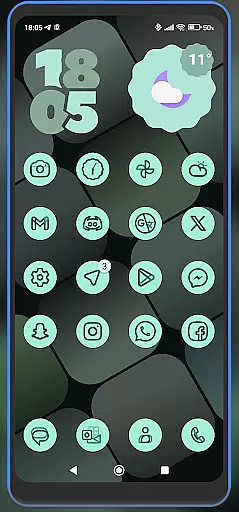
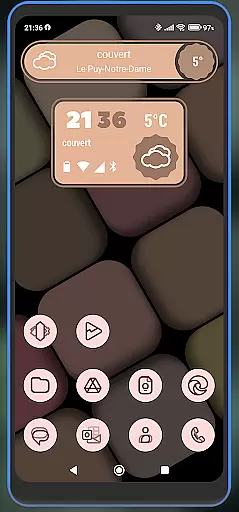
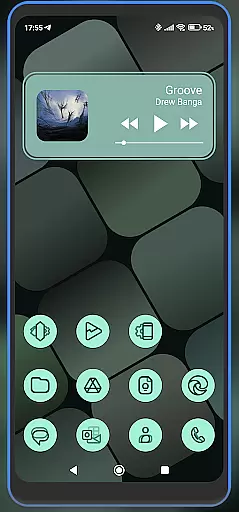
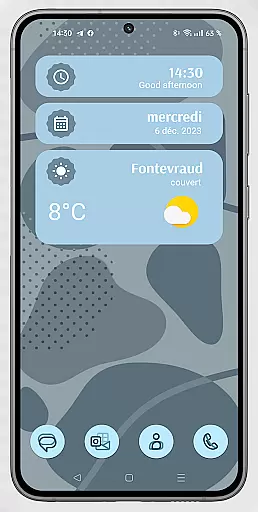
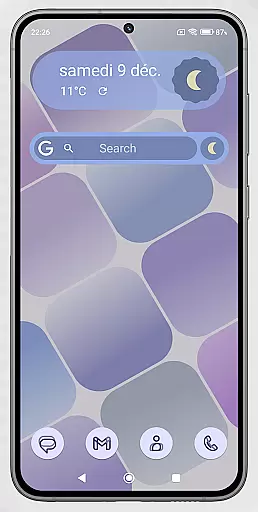
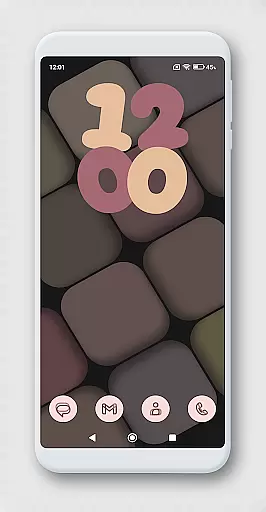
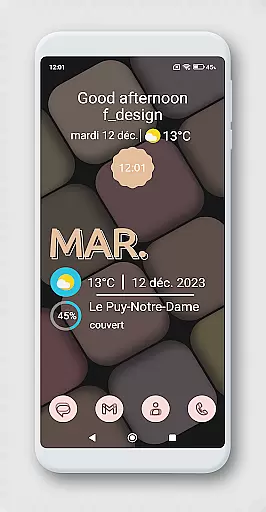
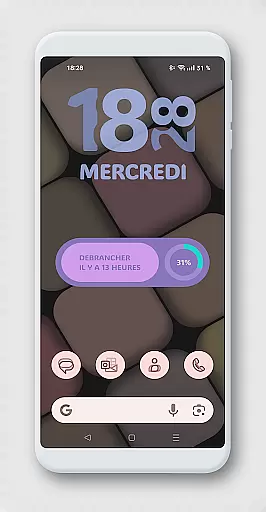
WidgetWall KWGT is a specialized design tool for creating visually appealing home screen widgets on Android devices. This app requires both KWGT and KWGT Pro, which are paid companion apps needed to configure and utilize the widgets effectively. It is optimized for popular launchers like Nova, Lawnchair, and Smart Launcher 5, making it an ideal choice for users looking to customize their device's appearance.
The primary function of WidgetWall KWGT is to provide beautifully designed, adaptive widgets that can be scaled and modified according to user preferences. By following a few simple steps, users can download, install, and personalize widgets to match their home screen aesthetics. Whether you're aiming for a minimalist look or something more elaborate, WidgetWall KWGT offers the tools necessary to achieve your desired design.
WidgetWall KWGT stands out with its seamless integration with KWGT and KWGT Pro, enabling users to create adaptive widgets with ease. The app provides a wide range of customization options, allowing users to adjust widget scaling directly from the home screen using the 'SCALE' feature under the layer option in the main KWGT editor.
One of the key features is its compatibility with various popular launchers, ensuring that users can implement these widgets across different platforms without any hassle. Additionally, the app credits Jahir Fiquitiva for the creation of Kuper Dashboard, which simplifies the process of developing more applications within this design space. With WidgetWall KWGT, users have the creative freedom to design unique home screen layouts that reflect their personal style.
WidgetWall KWGT offers a comprehensive suite of creative tools for designing home screen widgets. The application integrates seamlessly with KWGT and KWGT Pro, providing users access to advanced customization features.
With WidgetWall KWGT, users can choose from a variety of widget options, allowing them to tailor their home screens to their personal preferences. This includes the ability to adjust scaling and select from pre-designed templates that cater to different aesthetics and functional needs.
The app supports popular launchers such as Nova, Lawnchair, and Smart Launcher 5, ensuring compatibility across various devices and platforms. This flexibility empowers users to create unique home screen layouts that enhance both usability and visual appeal.
By leveraging the Kuper Dashboard created by Jahir Fiquitiva, WidgetWall KWGT simplifies the process of widget creation, making it accessible even to those without extensive coding knowledge. This democratization of design enables more users to engage in creative expression through their mobile devices.
One of the standout features of WidgetWall KWGT is its canvas and format flexibility, which allows users to customize widget sizes and appearances with precision. This adaptability ensures that each widget fits perfectly on the home screen, regardless of the device or launcher being used.
Users have the option to manually adjust the scale of individual widgets through the 'SCALE' feature found under the layer options in the main KWGT editor. This level of control ensures optimal presentation and functionality, accommodating different screen dimensions and resolutions.
In addition to size adjustments, WidgetWall KWGT supports a wide range of formats, giving users the freedom to experiment with various visual styles and layouts. Whether you prefer minimalist designs or more elaborate configurations, the app provides the tools necessary to bring your vision to life.
This flexibility not only enhances the aesthetic value of home screens but also improves user experience by allowing for personalized organization and easy access to frequently used functions. With WidgetWall KWGT, creativity knows no bounds.
User-friendly interface
Wide launcher compatibility
Highly customizable widgets
Seamless KWGT integration
Visually appealing designs
Requires KWGT Pro
Not a standalone app
Limited free options
Complex for beginners
Paid companion apps

The ultimate tool for creating animations
 4.60
4.60
Customizable Outlined Fonts. Watch Face Format. Battery friendly Digital Clock.
4.20
Create neon drawing with magic doodle and fun doodle art effects!
4.50
See Color, Paint Color
4.90
Create color palette from Image, RGB & RYB Color wheel harmonies, Color Scheme
4.50
The perfect place to start sketching! Use Sketchbook to draw and paint sketches.
4.50
Everything you need to create hand drawn animation, anywhere you go!
4.40
Create Logos, Tattoos, AI Art & more with our AI Photo Generator & Design Editor
4.20
AI-powered photo & video creation—fast, fun, and effortless with Quick Actions
4.60
Convert image to JPG PNG HEIC PDF, support almost all kinds of image formats
4.70
Minecraft & Roblox Clothes
4.70
2D animation studio for Android tablets - unlimited layers, infinite timeline
4.70
Photo editor for art, avatars, filters & fun transformations.
4.60
Share the joy of painting with ibis Paint! Drawing anime and manga art.
4.50
Kling AI is an image and video generation and editing studio powered by AI.
4.50
Digital Drawing: Draw & Paint
4.10
Easy 3D drawing design maker & creator. Model designing, Sculpting. Create&paint
4.00
AI Art Generator transforms your words into AI generated art & paintings.
3.70
A luxurious gold watch face for an elegant and refined look.
4.1

User Reviews