

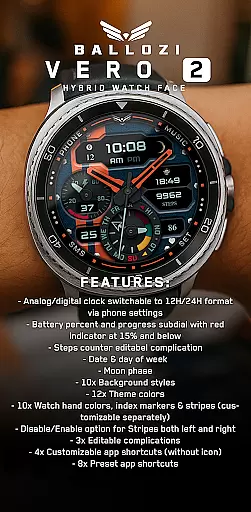
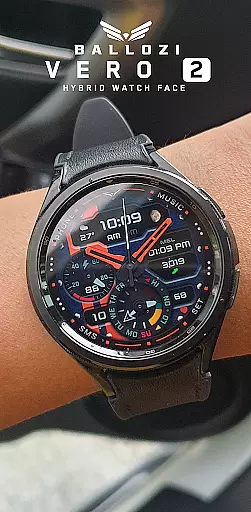
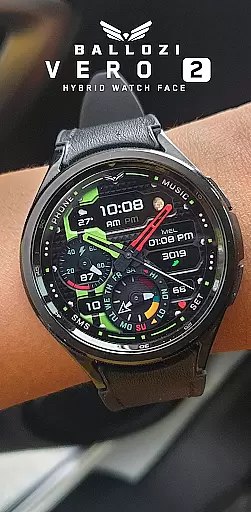
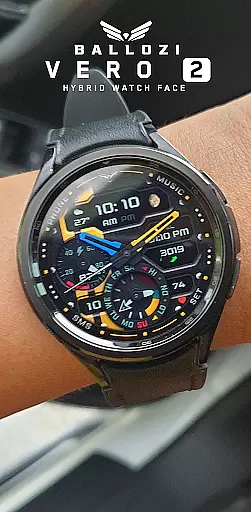
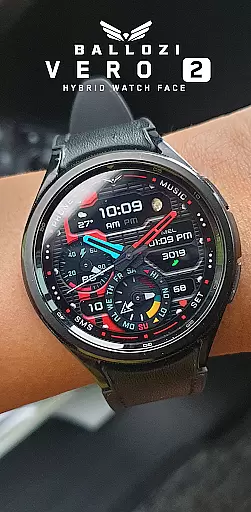
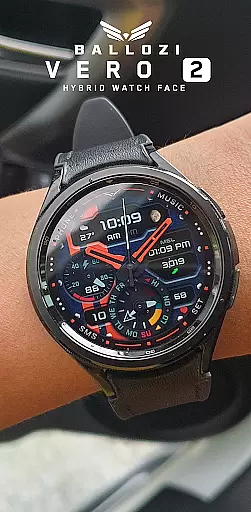
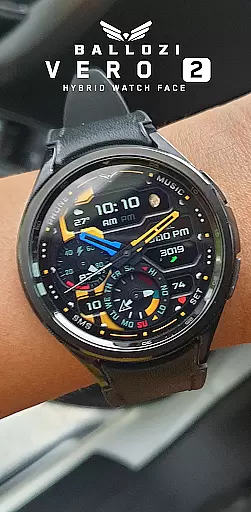
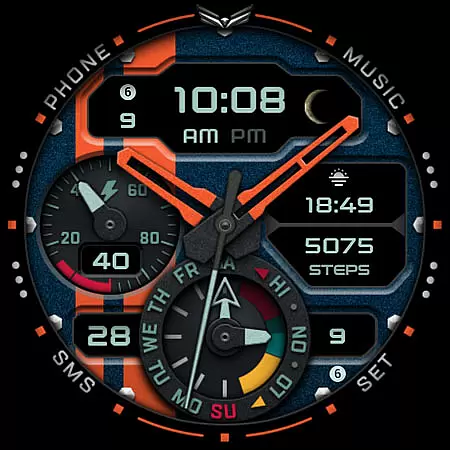
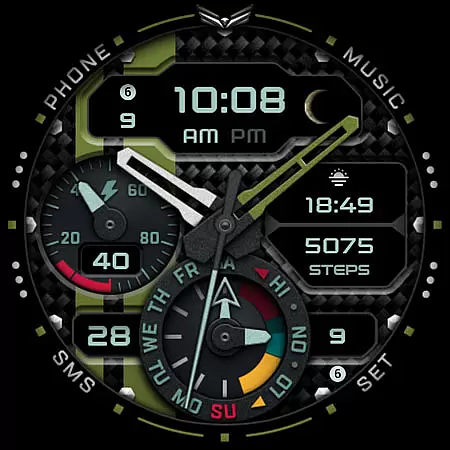
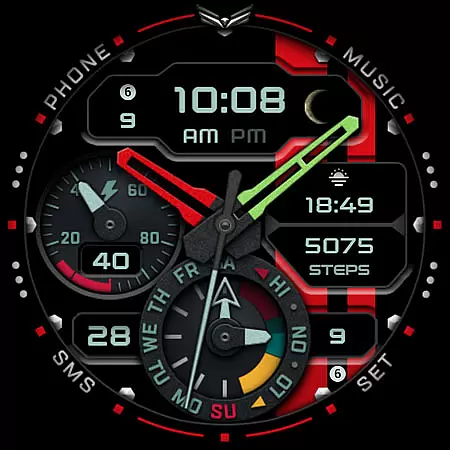
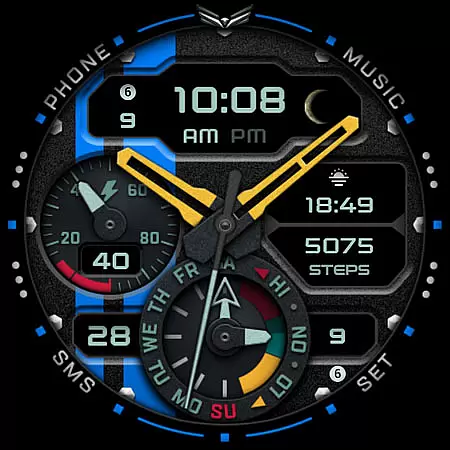
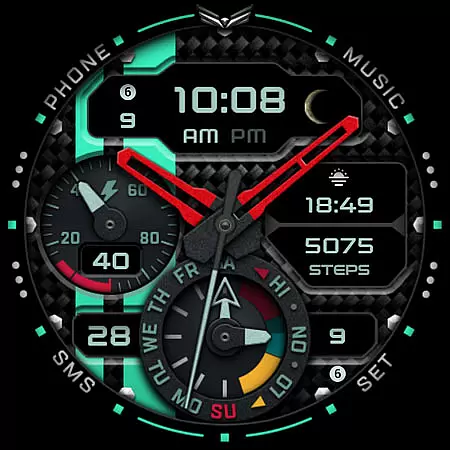
Ballozi VERO 2 Hybrid Analog is a feature-rich Wear OS watch face that combines modern design with practical functionality. This hybrid watch face offers both analog and digital displays, switchable between 12H and 24H formats through phone settings. It includes customizable complications, app shortcuts, and various display options such as battery percentage, steps counter, date, day of the week, and moon phase.
Designed for smartwatches running Wear OS 5.0 or higher, this app provides users with extensive customization capabilities. Users can choose from 10 background styles, 12 theme colors, and 10 watch hand colors. The app also features editable complications, customizable app shortcuts, and the ability to enable or disable design elements like stripes. These features make it suitable for users who value both aesthetics and functionality in their wearable devices.
Ballozi VERO 2 stands out with its comprehensive set of features tailored for Wear OS users. The watch face includes an analog-digital clock that can be set to either 12H or 24H format via phone settings. A distinctive battery subdial indicates the remaining charge with a red warning at 15% or below. The app also offers a step counter complication, date and day display, and a moon phase indicator, providing both practical information and visual appeal.
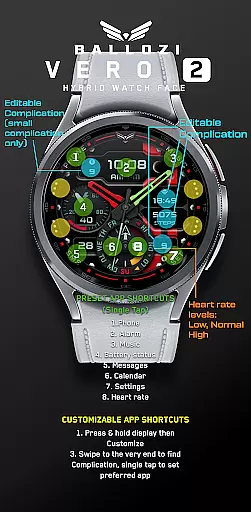
Customization is a core aspect of Ballozi VERO 2. Users can select from 10 background styles, 12 theme colors, and 10 watch hand colors, allowing for personalized aesthetics. Additionally, the app supports three editable complications and four customizable app shortcuts without icons. Preset app shortcuts include Phone, Alarm, Music, Battery Status, Messages, Calendar, and Settings. Users can further tailor their experience by enabling or disabling design elements like left and right stripes, ensuring a watch face that perfectly matches their preferences.
Companion app integration is essential for Android Wear applications as it ensures seamless synchronization between the watch and paired smartphone. Ballozi VERO 2 excels in this area by offering users multiple installation options that cater to different devices and user preferences. The application provides clear, step-by-step guidance for installation on both Samsung and other Wear OS devices, ensuring that users can easily access and activate the newly installed watch face.
The app supports extensive customization directly from the phone, allowing users to personalize various aspects of the watch face including background styles, theme colors, and watch hand colors. This level of integration enhances user experience by providing the convenience of managing all settings from the companion smartphone app. Additionally, features like battery percentage, steps counter, and moon phase are effortlessly kept up-to-date through this robust integration.
Ballozi VERO 2 also offers an array of customizable app shortcuts and complications, which can be managed via the companion app. Users have the flexibility to choose from preset app shortcuts or customize their own, ensuring quick access to frequently used apps directly from the watch face. This comprehensive approach to companion app integration not only simplifies the setup process but also enriches the overall utility and personalization options available to users.
Device compatibility is a critical factor for Wear OS applications, determining the range of devices on which the app can function optimally. Ballozi VERO 2 is designed to be compatible with smartwatches running Wear OS 5.0 or higher (API level 34+), ensuring that it delivers a modern and reliable performance across a wide array of devices. This compatibility ensures that users with newer Wear OS devices can fully leverage the advanced features and customization options provided by the app.
The application's compatibility extends to various brands under the Wear OS ecosystem, including prominent names like Samsung. For Samsung watches, users can utilize the Galaxy Wearable app to manage and apply the newly installed watch face, streamlining the integration process. By supporting multiple installation methods and offering detailed guidance, Ballozi VERO 2 ensures that users of different Wear OS devices can enjoy a hassle-free setup experience.
Beyond just compatibility, Ballozi VERO 2 enriches the user experience by providing features that are optimized for Wear OS, such as switchable analog/digital clocks, battery indicators, and customizable complications. These features are meticulously crafted to ensure they function seamlessly across supported devices, delivering consistent performance and reliability. This dedication to compatibility and optimization underscores Ballozi VERO 2's commitment to providing a superior user experience on the Wear OS platform.
Highly customizable
Modern hybrid design
Comprehensive features
User-friendly interface
Wide compatibility
Wear OS only
Complex setup
Limited stock complications
No built-in widgets
Premium feel but not free

Wear Os Watch Face - Animated Snow Effect & Christmas Lights
 4.5
4.5
Current temperature, weather hourly, weather radar by the weather forecast app
4.40
Deck out your Wear OS Watch face with a beautifully decorated pine wreath!
4.50
Watch face designed for Thanksgiving Day. 7 Background Styles included.
3.20
Watch face for Wear OS.
4.20
To-Do List: daily schedule planner, task organizer, to do reminder app, calendar
4.60
Viewer for Wyze/Yi/Eufy/Arlo/ONVIF/RTSP/P2P IP cams w/ adv. features & DIY DVR
4.00
Spam call blocker and caller ID for automatic call protection!
4.40
Toyota app currently supports 2010 or newer vehicles (2018 or newer for Hawaii).
4.50
Real-time weather radar with temperatures, warnings, hurricanes, and widgets
4.80
Be an elegant and classy secret agent, with this carefully detailed watch face
4.70
The most customizable hybrid watch face. For Wear OS 5.0, API 34+ and later
4.70
Digital watch face with big numbers and many customization for Wear OS devices
4.40
Christmas watch face. For Wear OS devices.
4.30
Locate your family members by GPS phone location tracker everywhere and anytime
4.30
Let's celebrate Thanksgiving - Wear Os watch face
4.20
Connect, create, and collaborate with Gmail, part of Google Workspace.
4.10
Get helpful reminders, take progress photos and find answers to your questions.
3.90
Wear Os Watch Face - Animated Snow - Sesonal for Christmas & Winter
4.5

User Reviews