

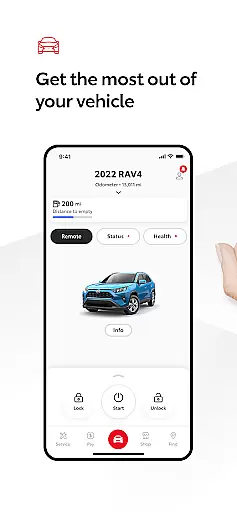
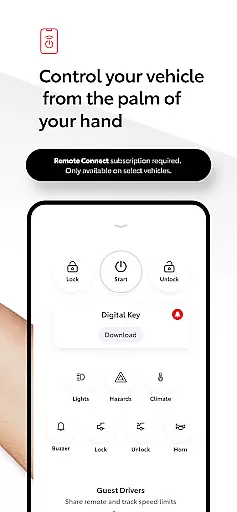
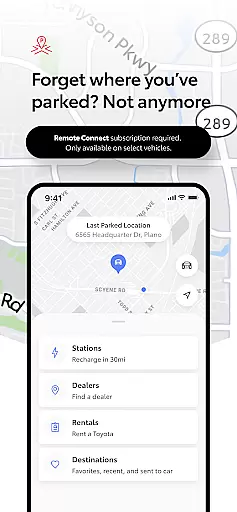
The Toyota app is a comprehensive vehicle management solution designed for Android Wear users. It allows drivers to stay connected and in control of their Toyota vehicles anytime, anywhere. The app offers key Connected Services features including Remote Connect, which enables starting or stopping the engine, locking or unlocking doors, and using Digital Key and Last Parked Location functionalities.
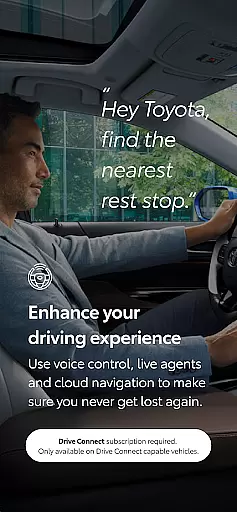
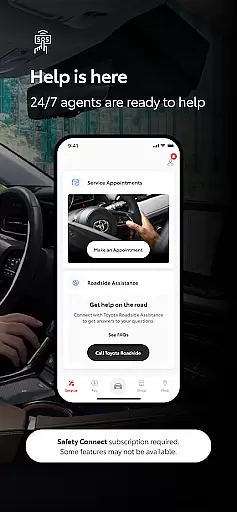
Additional features include Service Connect for scheduling maintenance with Toyota dealers, Drive Connect with cloud navigation and voice commands, and Safety Connect with Roadside Assistance Support. Owner Resources provide access to the vehicle's manual and warranty guides. The app also supports Companion Wear OS, offering convenient operation of remote services directly from wearable devices.
The Toyota app stands out with its robust feature set tailored for vehicle management. Remote Connect allows users to control essential vehicle functions such as engine start/stop and door lock/unlock remotely. The inclusion of Digital Key and Last Parked Location adds convenience and peace of mind. Service Connect simplifies vehicle maintenance by enabling direct service scheduling with Toyota dealers and providing health tracking for your vehicle.
Drive Connect enhances navigation through cloud-based mapping and live agent support via Destination Assist. Voice command functionality like 'Hey Toyota. Take me home' streamlines route planning. Safety Connect ensures emergency support through the Assist 24/7 button and SOS functionality. Additionally, the Companion Wear OS app extends these capabilities to wearable devices, making vehicle management even more accessible.
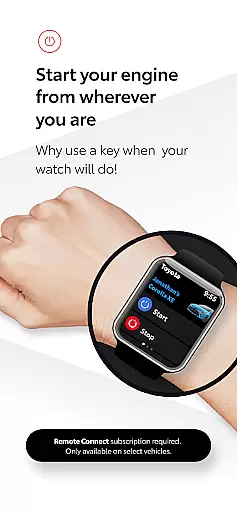
Companion app integration is essential for a seamless user experience across multiple devices. The Toyota app excels in this area by offering a robust connection between your smartphone and Wear OS devices.
This integration allows users to access key features of the Toyota app directly from their smartwatch. Whether you need to lock or unlock your vehicle, start the engine, or check the last parked location, all can be done effortlessly from your wrist.
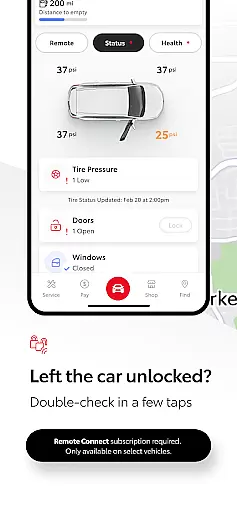
The convenience of having these controls at your fingertips enhances both safety and peace of mind. With real-time updates and notifications, you are always informed about your vehicle's status without needing to take out your phone.
By leveraging the power of companion app integration, Toyota ensures that drivers stay connected to their vehicles anytime, anywhere, making daily tasks simpler and more efficient.
Ensuring broad device compatibility is crucial for maximizing user accessibility. The Toyota app supports a wide range of Wear OS devices, allowing more users to benefit from its comprehensive suite of features.
From popular smartwatches to specialized wearable tech, the Toyota app maintains consistent performance and functionality. This compatibility extends the appu2019s utility beyond smartphones, providing a versatile toolset for managing your vehicle.
Users can enjoy the same high level of service regardless of their specific Wear OS device. This flexibility ensures that everyone, no matter their choice of wearable technology, can fully utilize the Toyota appu2019s capabilities.
With reliable Wear OS/device compatibility, Toyota delivers a cohesive ecosystem where users can seamlessly interact with their vehicles using their preferred devices, enhancing overall convenience and satisfaction.
User-friendly interface
Comprehensive vehicle control
Convenient wearable integration
Reliable safety features
Efficient service scheduling
Limited to select models
Dependent on network availability
Subscription required
Varied regional support
Potential data charges

Calming & relaxing sounds for sleeping and stress relief. Stay focused all day!
 4.20
4.20
Wear Os Watch Face - Animated Snow - Sesonal for Christmas & Winter
4.4
Snowflake Rose Gold Watch Face - Digital, modern, & sleek with GYRO effect.
4.10
Let's celebrate Thanksgiving - Wear Os watch face
4.20
Authentic military-tactical design with ZULU time! Realistic and functional!
3.80
Connect, create, and collaborate with Gmail, part of Google Workspace.
4.10
Your local weather forecast, storm tracker, radar maps & live weather news
3.40
Track your active life in one place and share the journey with friends.
4.40
Track airplanes and follow flights with our real-time flight tracker
4.50
WTW M17 is a premium and luxurious hybrid watch face
4.70
Fast and smart typing with Emojis, GIFs, and more
4.50
Bold weather Digital watchface with forecast & optional animated background
4.40
Find EV charging stations
4.30
The ultimate destination for kids ages 3-8 to explore the Marvel Universe!
4.30
Wear Os Watch Face - Animated Snow Effect & Magic Spark - 6 Scenes
4.10
sleep, alarm, snoring, stress, healing, focus, sound therapy, circadian rhythm
4.10
Structured watch face with seven complications and modular UI elements
3.90
Stay in touch with your friends and family using LINE!
3.40
Hybrid Vibrant Health Watch Face for Wear OS
4.3


User Reviews