

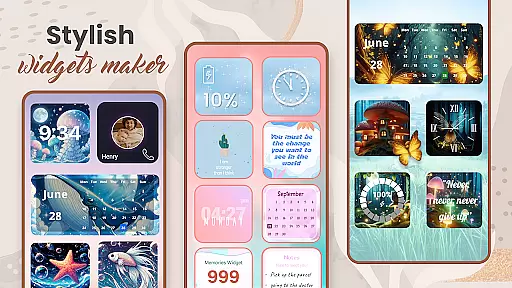
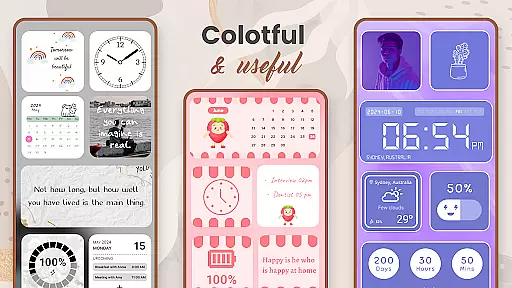
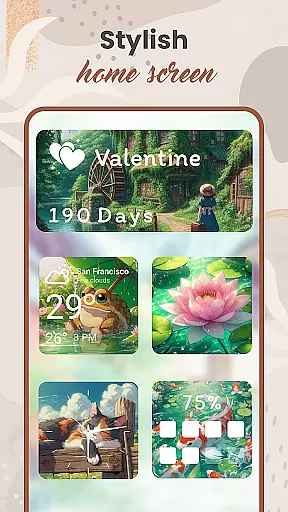
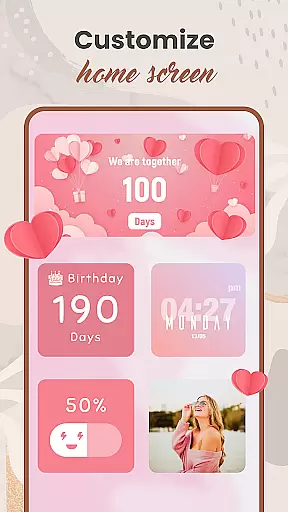
Widget 2025 is a powerful personalization app designed to transform your Android home screen with aesthetic and functional widgets. The app offers an extensive range of customization options, including color widget creation, photo widgets, weather displays, clock styles, calendar views, countdowns, contact shortcuts, and battery indicators.
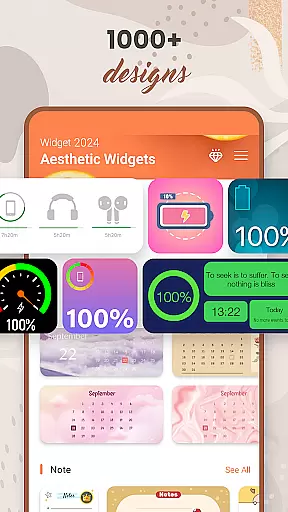
This versatile tool allows users to create unique home screen layouts that reflect their personal style. With over 1000 widget styles to choose from, users can easily customize colors, fonts, backgrounds, and themes through an intuitive interface. Whether you want to display motivational quotes, keep track of important dates, or showcase favorite photos, Widget 2025 provides the tools to make it happen.
The application's value extends beyond mere aesthetics; it enhances productivity by keeping essential information visible at all times. Users can optimize their daily workflow while enjoying a personalized Android experience that stands out from standard device interfaces.
Widget 2025 distinguishes itself through its comprehensive feature set that caters to various personalization needs. The app's Color Widget Maker enables users to design custom widgets that perfectly match their preferred color schemes. Its robust photo widget functionality allows seamless integration of personal images directly onto the home screen.
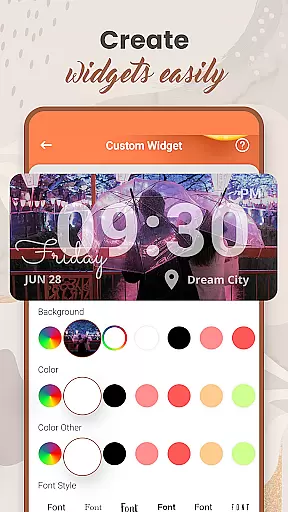
Advanced customization capabilities include font selection, style modification, and background adjustments, all accessible through an elegant user interface. The widget editor provides precise control over widget appearance and behavior, ensuring each element suits individual preferences. Specialized widgets for weather updates, calendar events, and countdown timers offer both practical utility and visual appeal.
What sets Widget 2025 apart is its ability to combine aesthetic enhancement with functional improvements. The app maintains system efficiency while delivering high-quality graphics and smooth performance. Regular updates ensure compatibility with the latest Android versions and devices, making it a reliable choice for long-term home screen customization.
Customization is at the heart of personalizing your digital experience, and Widget 2025 excels in providing a vast array of options to tailor your Android device's appearance. With over 1000 aesthetic widgets to choose from, users can modify their home screens with unique styles that reflect their personality.
The app offers tools such as the Color Widget Maker, which allows for detailed adjustments to colors, fonts, and backgrounds, ensuring each widget not only serves a functional purpose but also contributes to an overall cohesive look. Whether you're interested in displaying weather updates or managing your calendar, customization extends to every aspect of utility widgets.
Users benefit from the intuitive interface that makes it easy to add and edit widgets on their home screen without any technical expertise. This ease of use encourages experimentation with different combinations of widgets, fostering a more engaging and personalized smartphone experience.
Ultimately, the extensive customization options available in Widget 2025 empower users to break away from standard themes and craft a distinctive digital environment that enhances both aesthetics and functionality.
Theme compatibility is crucial for ensuring that all elements of your customized home screen work together seamlessly, and Widget 2025 rises to the occasion by offering unmatched flexibility. The app supports a wide range of themes, allowing users to mix and match various aesthetic widgets without worrying about inconsistencies in style or function.
With features like the widget editor, individuals can fine-tune each element to fit perfectly within their chosen theme. This includes adjusting sizes, colors, and even content types so that whether you're integrating photo widgets or countdown timers, everything aligns with your envisioned design.
This level of compatibility ensures that no matter how diverse your preferences are, from vibrant clock displays to minimalist note sections, they will all appear harmonious on your screen. Such cohesion not only improves visual appeal but also maintains clarity and usability across different applications.
By prioritizing theme compatibility, Widget 2025 guarantees that every user can achieve a polished and professional look on their Android device, making daily interactions more enjoyable and efficient while showcasing their individuality.
User-friendly interface
Extensive customization options
Versatile widget types
Regular software updates
High-quality graphics
Premium features locked
Occasional bugs
Device compatibility issues
Limited free templates
Learning curve for beginners

Vertically oriented rectangular icons
 4.70
4.70
Bring adorable pets to life on your screen. Playful, interactive and full of fun
4.60
Ultimate widget creator. Design custom widgets for a truly unique home screen!
3.90 4.50
4.50
Design your screen with unique, vibrant clocks
3.80
HappyLighting is a Bluetooth lamp control software.
3.40
Handcrafted pixel art icons, widgets & wallpapers
4.60
Modern Glass Icon Pack with glossy icons, clean minimal theme & aesthetic style
4.2
Customize phone with anime themes, 3D icons, aesthetic widgets & wallpapers
4.80
Wallpaper HD 4K Live - Thousands of high-quality Anime backgrounds for you.
4.80
350+ widgets with a premium glass-style finish, perfect for home & lock screens.
4.70
Glass style colourful icons with a One UI look and feel
4.60
Ultra realistic high quality analog watch face for Wear OS.
4.60
Add cute Shimeji pets to screen, interact with them and relax with cute motions
4.60
Over 28,000 high quality icons to bring color & homogeneity to your phone.
4.60
300+ widgets inspired by Material You and Material 3 expressive design.
4.60
Unique Fonts, typefaces and stylish text. Fonts for Instagram, Whatsapp & others
4.20 4.10
4.10
Create unique, fun emojis with Funny Emoji Maker! Unlimited creativity!
4.00

User Reviews