

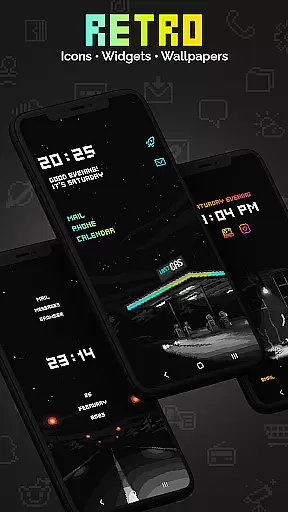
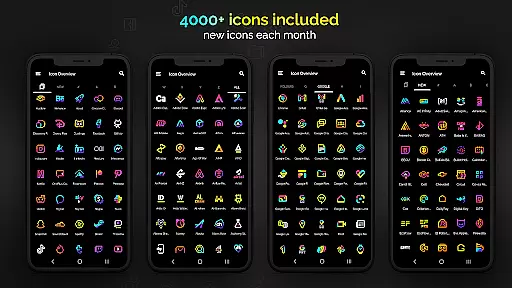
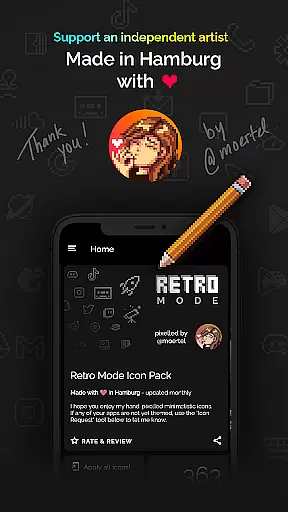
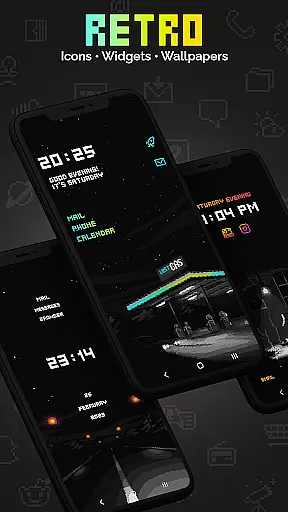
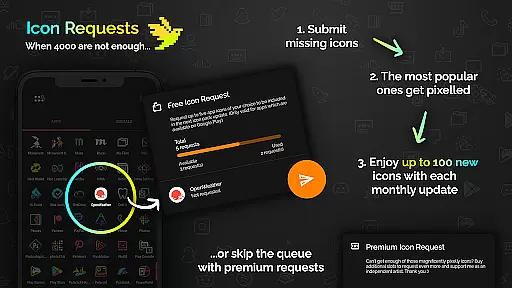
Retro Mode - Icon Pack (Neon) is a pixel art icon pack designed by Moertel, offering over 4050 unique icons in vibrant neon colors. This app allows users to customize their Android devices with retro-style icons and widgets, creating a nostalgic 90s aesthetic. With monthly updates and additional icon requests available, it ensures compatibility and freshness.
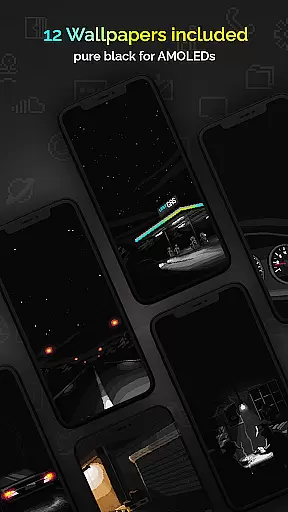
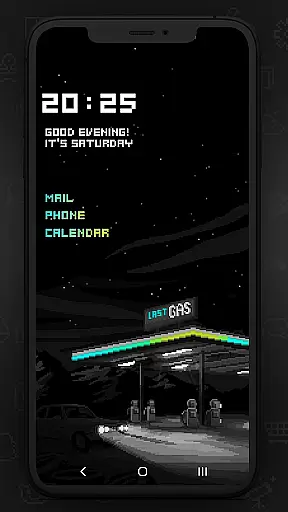
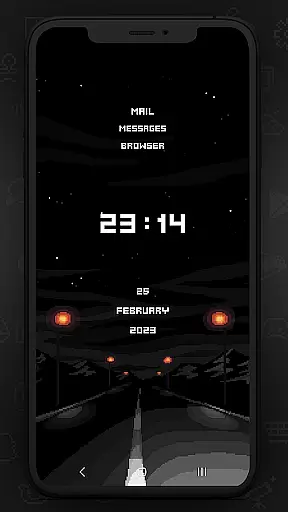
The pack includes 12 wallpapers and 6 widget types that can be customized with different colors and gradients. Supporting over 20 launchers, this icon pack caters to a wide range of devices and user preferences. Whether you want to relive the past or simply enjoy a distinct visual style, Retro Mode provides a complete personalization solution.
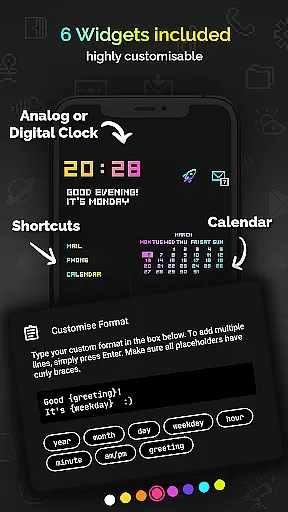
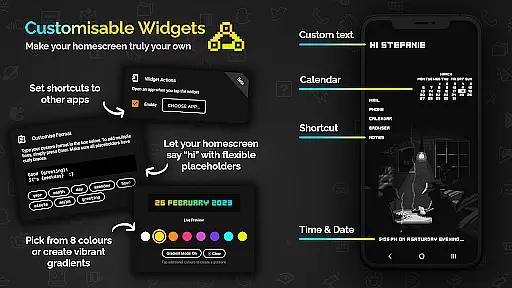
This icon pack stands out with its crisp pixel art design and neon color palette, free from shadows and outlines. The app offers various widgets including digital and analog clocks, date displays, greetings, calendars, and text shortcuts. Users can choose from 8 widget colors and create gradient combinations, making each setup unique.
With support for more than 20 launchers and compatibility requirements clearly outlined, Retro Mode ensures broad usability. Monthly updates bring new icons and features, while the ability to request specific icons adds a personalized touch. Each icon is meticulously crafted on a 20x20 pixel canvas and upscaled for sharpness, ensuring high-quality visuals on any device.
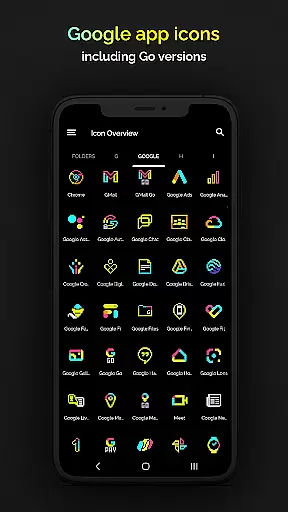
Retro Mode - Icon Pack (Neon) offers an extensive range of customization options, ensuring users can tailor their smartphone experience to their unique tastes. With over 4050 pixel-perfect icons included, the pack covers a vast array of popular apps, allowing for a cohesive and personalized aesthetic across your device.
In addition to the rich icon library, the pack includes 12 vibrant wallpapers and 6 versatile widgets, such as digital and analog clocks, date displays, greetings, calendars, and text shortcuts. These elements work together to provide a customizable interface that echoes the neon-infused nostalgia of the '90s.
Compatibility with more than 20 launchers further enhances its appeal, giving users the freedom to choose how they interact with their personalized setup. Whether you're using Nova, Action, or another supported launcher, Retro Mode seamlessly integrates to offer unmatched customization possibilities.
The theme compatibility of Retro Mode - Icon Pack (Neon) is designed to cater to a wide audience, supporting various devices and launchers. For Google Pixel, Motorola, and Xiaomi users, third-party launchers like Nova are recommended since stock launchers may not support icon packs. Samsung users on Android 12 with OneUI 4.0 or newer can enjoy the benefits through the Samsung app Theme Park.
This inclusivity extends to other platforms including OxygenOS, ColorOS (12+), and several others, making it versatile for different devices. The pack's meticulous design ensures that each icon looks crisp and clear, maintaining visual consistency regardless of the launcher used.
Moreover, regular monthly updates introduce new icons and features, keeping the pack fresh and relevant. This commitment to ongoing improvement guarantees sustained compatibility and satisfaction, letting users enjoy a consistently harmonious look and feel on their devices.
Unique pixel art design
Wide launcher support
Monthly updates
Customizable widgets
Vibrant neon colors
Limited to supported launchers
No shadow effects
Additional icon requests cost extra
Not all devices compatible
Widgets require Android 10+

A retro cartoon style watch face and a punch right in the face of the copyright
 4.60
4.60
Wear Os Watch Face - Seasonal - Animated Snow Effect - 9 Animals
4.20
Sparkle your screen with Glitter Wallpapers For Girls and Cute Backgrounds!
4.80
Turn your lock screen into fun with smile live wallpapers & animated wallpapers!
2.50
More than 3000+ themes and 9000+ wallpapers for everybody!
4.10
Wallpaper HD 4K Live - Thousands of high-quality Anime backgrounds for you.
4.80
Turn text & photos into stunning AI videos, art, and creative visual stories.
4.50
⭐ OneUI inspired Fluffy Icon Pack – Soft. Stylish. Standout. ⭐
4.2
Transform your phone with stunning video wallpapers and a unique, personal touch
3.80
A Colorful and Minimal icon pack in an Outline Style - Over 13,600 icons!
4.70
Vertically oriented rectangular icons
4.70
Beautiful realistic hybrid watch face with numerous customization options.
4.50
Color phone with cool effects for call screen, flash alert & ringtones music
4.50
Vibrant Adaptive Icons with Material You and Enhanced Monet Colors.
4.50
Themes - Widget & Wallpaper: Customize home screen, icon changer w unique themes
4.30 4.10
4.10
Realistic animated snow on your wrist, with 10 images landscapes to choose from
4.00 3.50
3.50
Interactive Miniature Painting Catalogue
3.30

User Reviews