

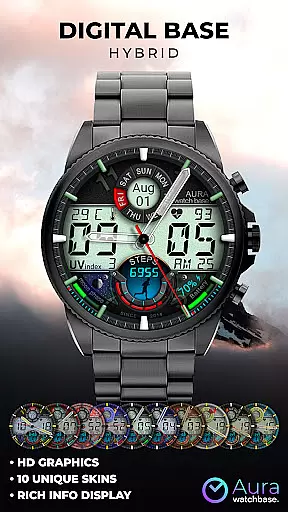
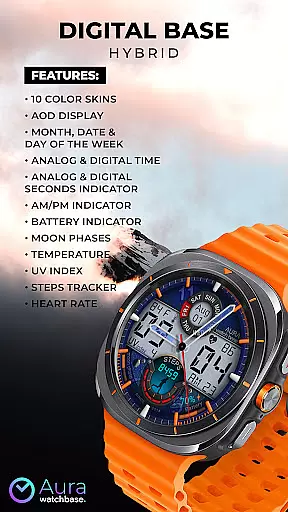
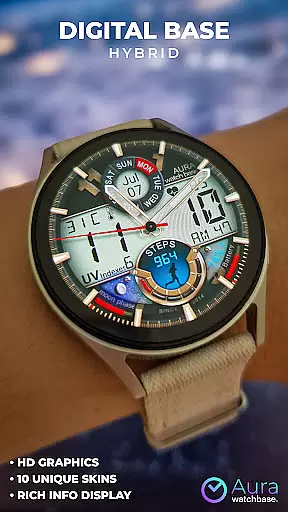
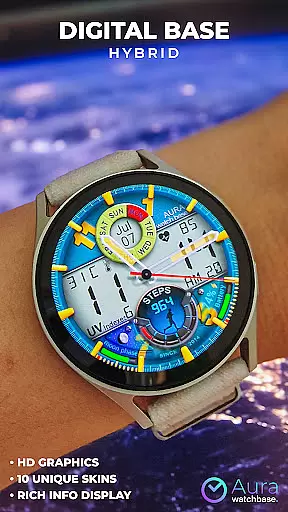
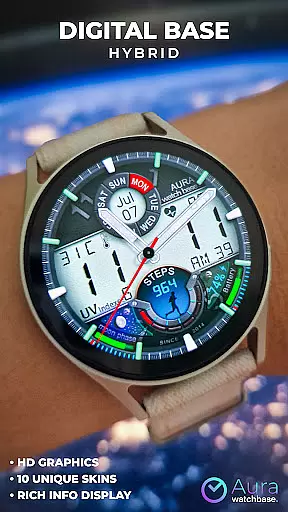
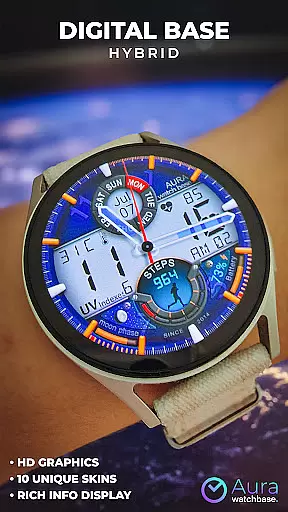
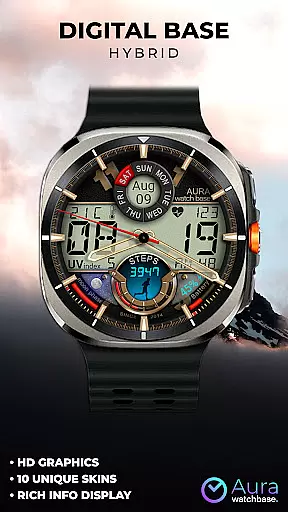
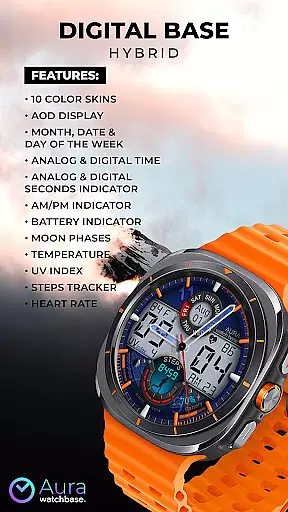
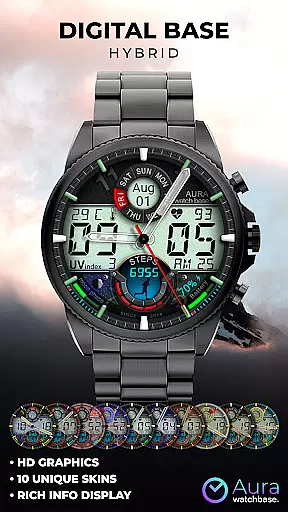
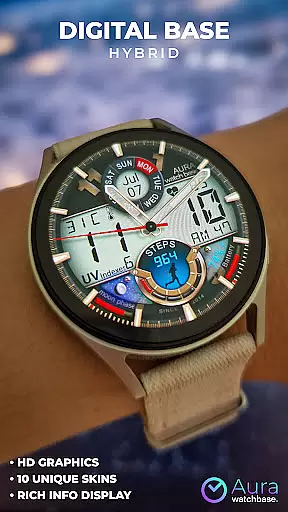
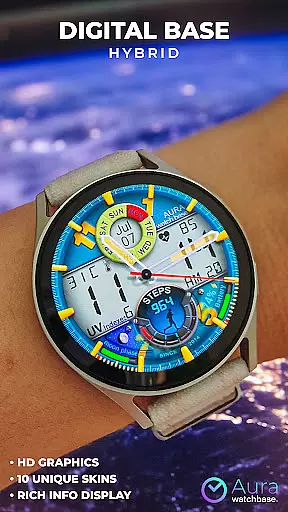
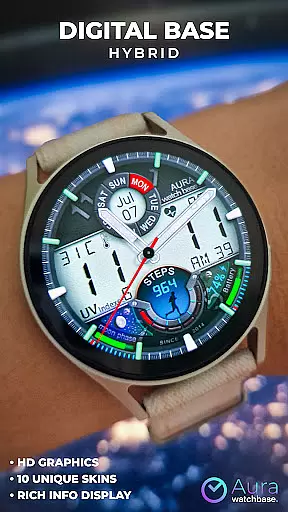
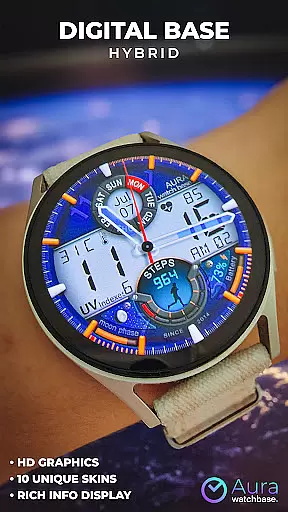
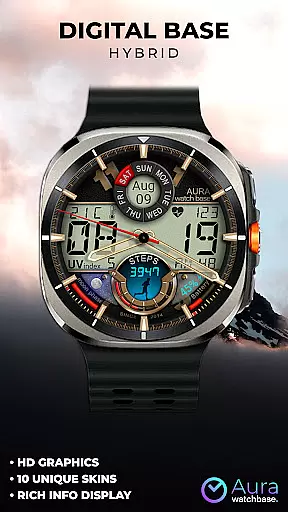
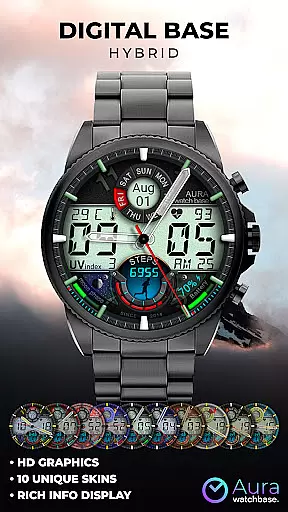
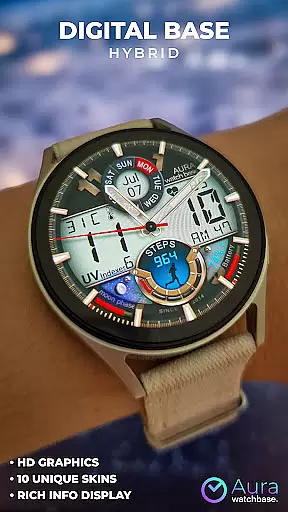
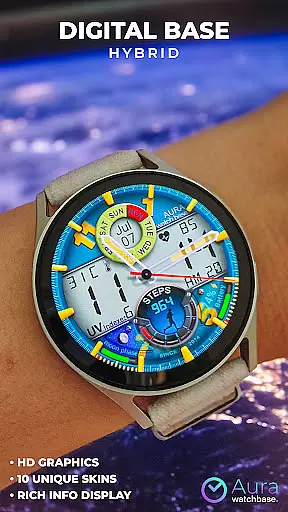
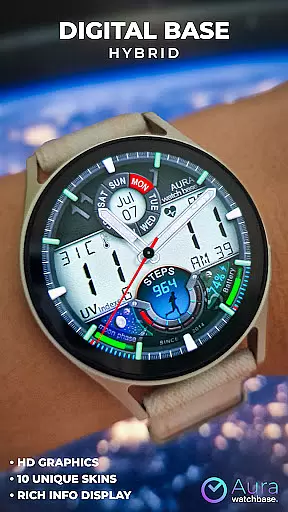
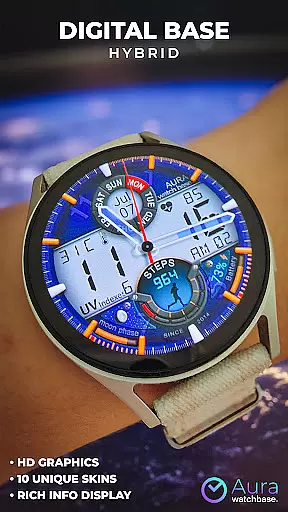
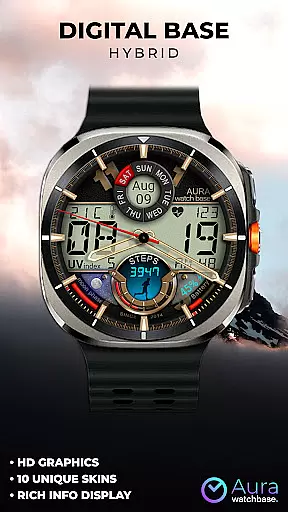
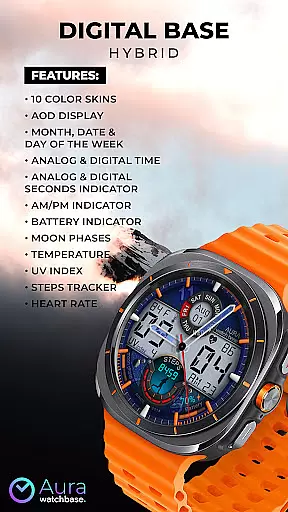
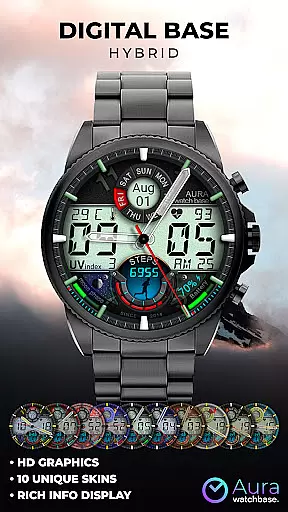
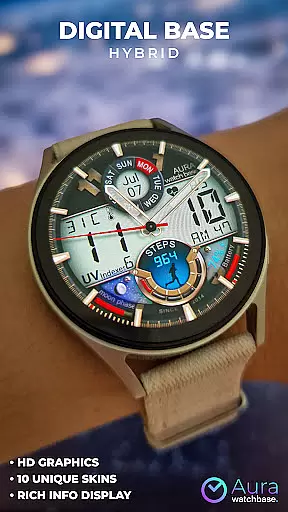
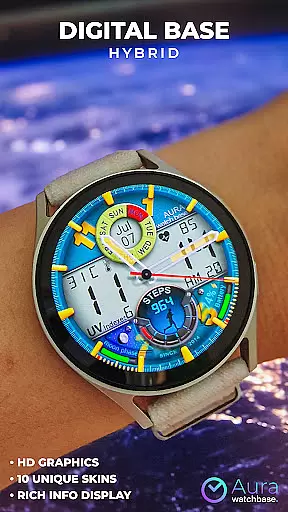
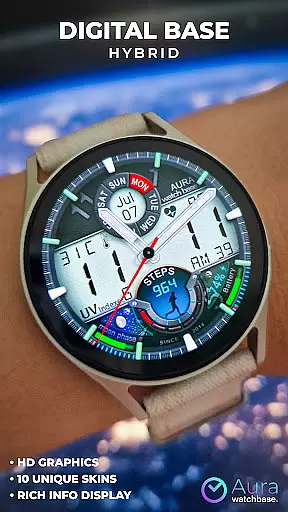
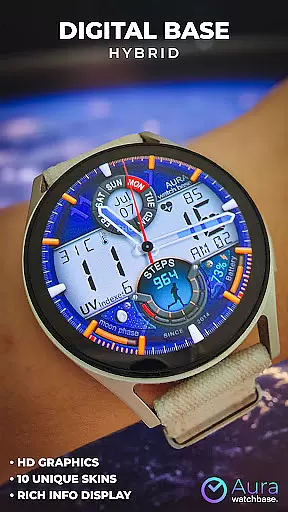
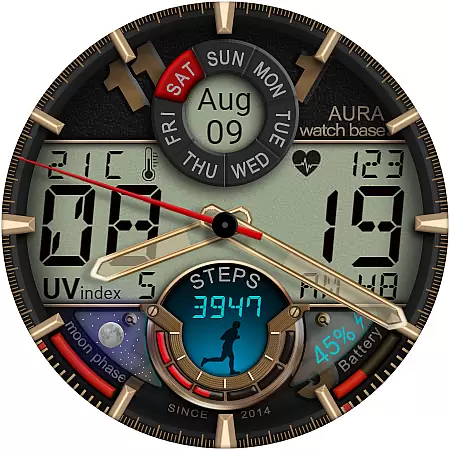
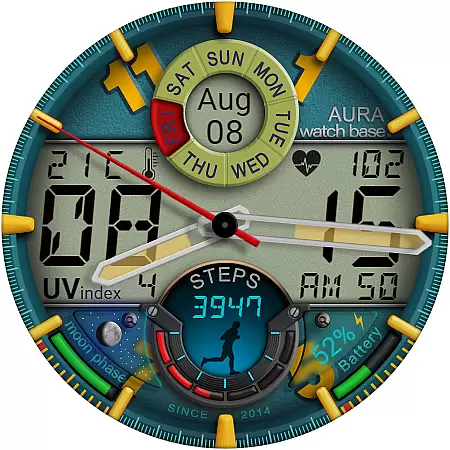
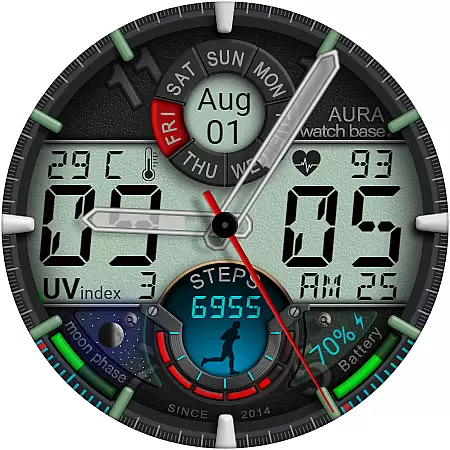
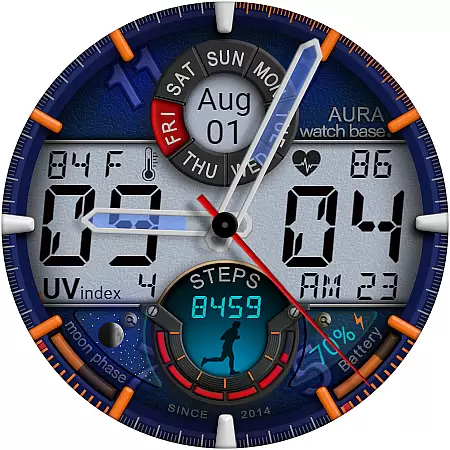
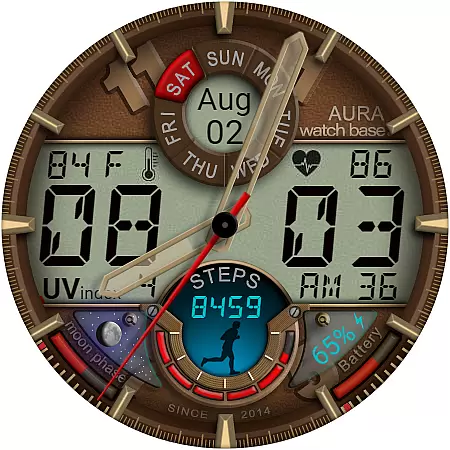
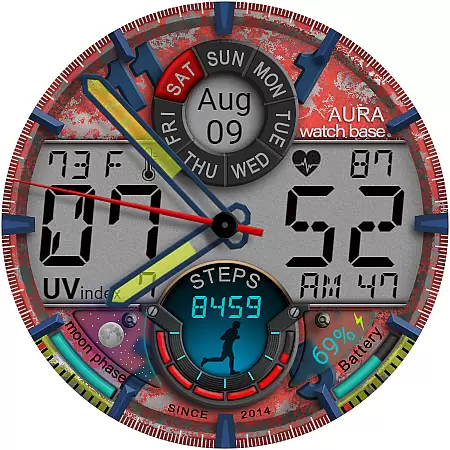
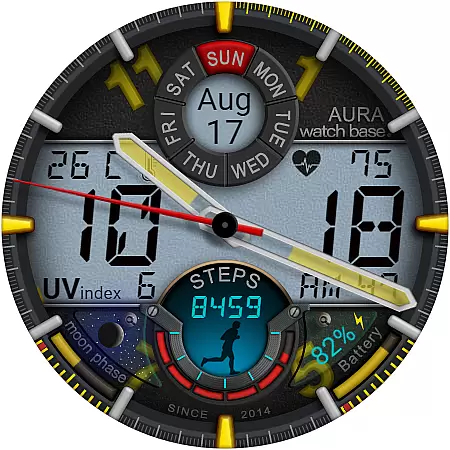
WB DIGITAL BASE Hybrid is a feature-rich watch face designed exclusively for Wear OS 5 and higher. This modern hybrid watch face combines analog and digital elements, offering users a bold aesthetic with 10 vibrant color options to choose from. It provides essential information at a glance, including time, date, battery status, temperature, and health metrics like heart rate and step tracking.
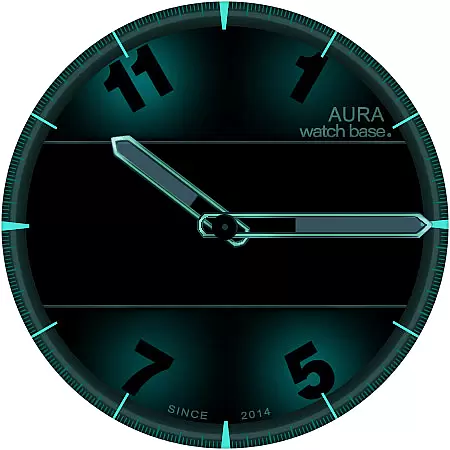
The watch face supports Always-On Display (AOD) functionality and includes advanced features such as moon phases, UV index, and automatic temperature unit adjustment based on device settings. With its intuitive customization options, users can personalize their watch face by simply touching and holding the screen, then tapping on 'customize.' Whether you're monitoring your fitness goals or staying updated with environmental data, this watch face delivers both style and utility.
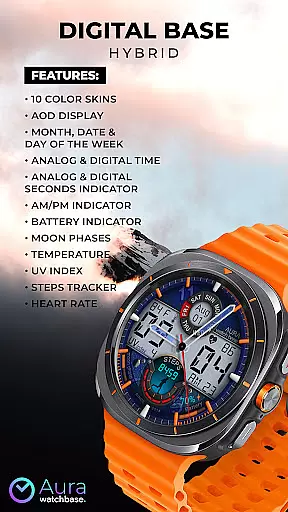
WB DIGITAL BASE Hybrid stands out with its comprehensive set of features tailored for smartwatch users. The watch face offers 10 customizable color skins, allowing users to match their personal style. It displays critical information such as analog and digital time, month, date, day of the week, and seconds indicators in both formats. Additionally, it includes an AM/PM indicator, battery level, moon phases, temperature, and UV index, ensuring users are well-informed about their surroundings.
For fitness enthusiasts, the watch face integrates a steps tracker and heart rate monitor, providing real-time health insights. Its automatic temperature unit adjustment simplifies usage by syncing with the user's device settings, eliminating manual configuration. The installation process is supported by a companion app that streamlines setup, while troubleshooting guides address common issues like post-purchase synchronization problems. These thoughtful design choices make WB DIGITAL BASE Hybrid a versatile and user-friendly option for Wear OS users.
Companion app integration is a crucial feature for smartwatch applications as it enhances the overall user experience by enabling seamless interaction between the watch and a paired mobile device. This functionality allows users to manage settings, receive updates, and access additional features directly from their phones.
In the case of WB DIGITAL BASE Hybrid, the companion app plays a vital role in simplifying the installation process. After purchasing the watch face, users can tap the install button within the phone app, which triggers the appearance of the watch face on the paired wearable device. This ensures that users can effortlessly apply and enjoy their chosen watch face without needing to navigate complex menus or settings.
The value of this integration extends beyond mere convenience. It addresses common synchronization issues where users might be prompted to repurchase the watch face on their smartwatch. Thanks to the companion app, users are assured they won't be charged twice, as this is typically a synchronization hiccup that resolves itself with a little patience or a device restart.
Overall, the companion app integration in WB DIGITAL BASE Hybrid exemplifies how smartwatch applications can leverage smartphone capabilities to deliver a smoother, more reliable user experience. This thoughtful design choice not only aids in overcoming technical hurdles but also fosters greater user satisfaction and engagement.
Device compatibility is a fundamental aspect of any Wear OS application, determining its ability to function correctly across various devices and operating system versions. For smartwatch apps like WB DIGITAL BASE Hybrid, ensuring broad compatibility means reaching a wider audience and delivering consistent performance regardless of the specific hardware or software environment.
WB DIGITAL BASE Hybrid explicitly states its compatibility with devices running Wear OS 5 and higher. This specification is critical because it guarantees that users with newer smartwatches will fully benefit from the app's advanced features, such as AOD display, temperature indicators, and heart rate tracking. By targeting these recent OS versions, the developers can leverage the latest technological advancements and provide a richer, more integrated user experience.
Moreover, maintaining compatibility with multiple devices and OS versions demonstrates the developers' commitment to quality assurance and customer satisfaction. Users can trust that their investment in the app will yield reliable performance and access to all advertised functionalities without encountering unexpected limitations or errors.
In summary, the emphasis on Wear OS and device compatibility in WB DIGITAL BASE Hybrid underscores the importance of designing applications that seamlessly integrate with diverse ecosystems. This approach not only maximizes accessibility but also reinforces the app's reputation as a dependable and versatile tool for enhancing smartwatch utility.
Stylish hybrid design
Vibrant color options
Comprehensive health tracking
Automatic temperature adjustment
Easy customization
Limited OS compatibility
Potential sync issues
No manual temp control
Installation complexity
Feature-overload for some






Current temperature, weather hourly, weather radar by the weather forecast app
 4.40
4.40
Digital, flexibly customizable watch face. For Wear OS 5.0, API 34+ and later.
5.00
The #1 source of faces for your smartwatch!
4.00
Minimalistic design modern digital watch face.
4.0
The most customizable hybrid watch face. For Wear OS 5.0, API 34+ and later
4.70
Your music, your playlists, and more—offline and unlimited.
4.20
Connect, create, and collaborate with Gmail, part of Google Workspace.
4.10
Fitbit is dedicated to helping people lead healthier, more active lives.
4.10
Start and succeed with PAP
4.10
Beautiful, colorful and practical watch face. For Wear OS devices.
5.00
WTW M17 is a premium and luxurious hybrid watch face
4.70
MyNISSAN® lets you remotely control your car from your phone.*
4.50
Bold weather Digital watchface with forecast & optional animated background
4.40
Animated video-game inspired “secret agent” simulation, right on your wrist!
4.20
Snowflake Rose Gold Watch Face - Digital, modern, & sleek with GYRO effect.
4.10
Professional weather radar and more
3.90
Precision analog watch face with 7 complications and style options
4.0
Contemporary digital watch face with five complications
4.4
Stunning modern digital watch face with 7 complications and strong contrast
4.4

User Reviews