

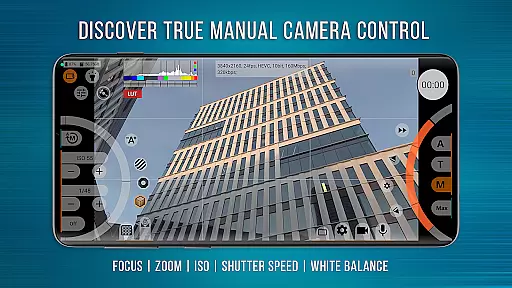
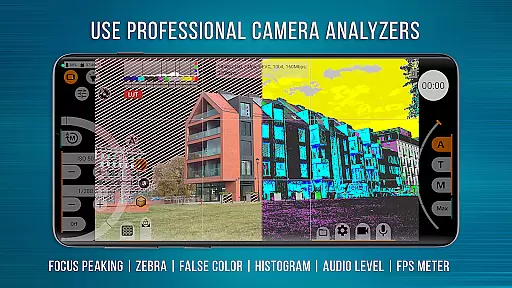
mcpro24fps Manual Video Camera is a professional-grade video camera app designed exclusively for Android devices. It offers advanced cinematic capabilities previously only found in professional camcorders. The app supports shooting in 10-bit, HDR video recording, and Log modes without GPU activation, making it ideal for videographers who require high-quality footage. With features like Focus Peaking, Expo Peaking, and Spectral and Zebra exposure controls, users can achieve precise control over their shots.
The app also provides extensive options for sound management, metadata handling, and GPU resource utilization. Its responsive interface ensures smooth operation even with complex settings. mcpro24fps is suitable for creating festival films, music videos, live reports, commercials, and more. By turning your smartphone into a powerful video camera, this app opens up new creative possibilities for professional videography.
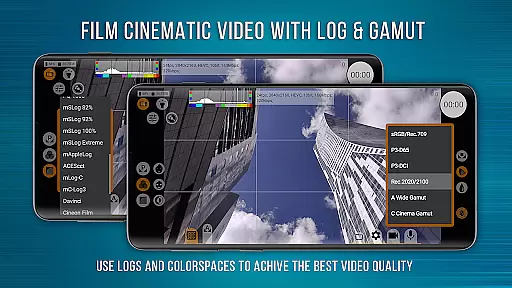
One of the standout features of mcpro24fps is its ability to shoot in 10-bit and support both HLG and HDR10 HDR video formats. This allows videographers to capture footage with greater color depth and dynamic range. Additionally, the app includes numerous Log modes and technical LUTs for seamless post-production interpretation, ensuring that the final output meets professional standards.
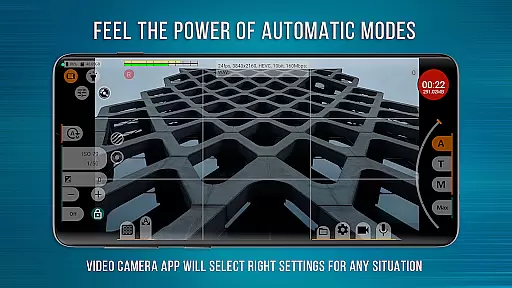
Another remarkable aspect is the programmable Focus and Zoom functionalities, which work together to provide complete frame control. Features like Focus Peaking and Expo Peaking assist in achieving sharp and well-exposed images. The app also supports various sound sources and sampling rates, including AAC and WAV formats, allowing for flexible audio integration. Furthermore, mcpro24fps offers reliable automatic modes alongside convenient manual settings, catering to both novice and experienced users.
Real-time capture and preview functionality is essential for any professional-grade camera application. mcpro24fps offers a highly responsive interface that ensures videographers can accurately frame and adjust their shots with precision.
The app supports multiple advanced features such as programmable focus and zoom, focus peaking, and expo peaking. These tools provide complete control over the framing process, allowing users to achieve sharp and well-exposed images consistently.
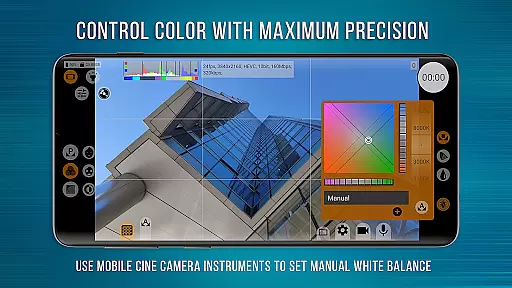
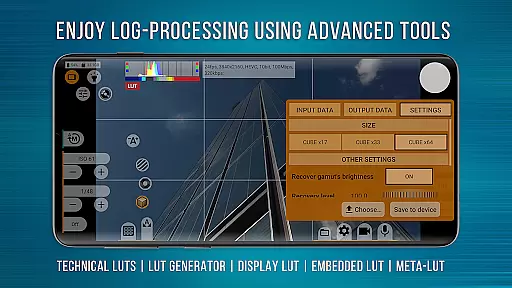
Additionally, mcpro24fps provides on-screen LUTs for precise control of the frame during shooting. This feature enables videographers to visualize how the final footage will look, ensuring accurate color grading and exposure settings before recording begins.
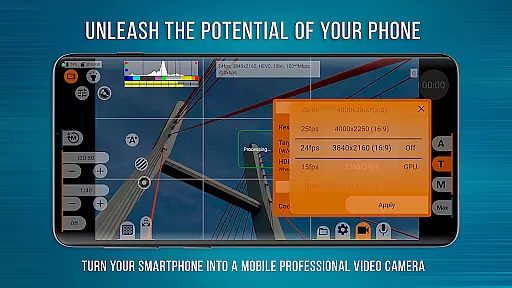
By leveraging the technical capabilities of modern smartphones, mcpro24fps transforms them into powerful video cameras capable of creating cinematic masterpieces. The real-time capture and preview functions are reliable, making it an indispensable tool for professional videography.
While primarily focused on professional video capabilities, mcpro24fps also incorporates AI-powered beauty and enhancement features that maintain natural-looking results. These enhancements are subtle yet effective, preserving the authenticity of the subjects being filmed.
The application utilizes advanced GPU resources to apply enhancements without compromising the original quality of the footage. Features like hardware noise reduction, hot pixel correction, and additional noise reduction through the GPU ensure that videos retain their clarity and detail.
Moreover, mcpro24fps includes various Log modes and technical LUTs for seamless post-production interpretation. These features help in achieving balanced and natural enhancements by providing videographers with the tools needed to fine-tune every aspect of their recordings.
Overall, mcpro24fps stands out not only for its robust professional video features but also for its ability to enhance visual elements naturally, ensuring high-quality output suitable for festival films, music videos, commercials, and more.
Advanced HDR support
Professional Log modes
Precise focus control
Flexible audio settings
Responsive user interface
Complex for beginners
High device requirements
Limited free version
No iOS support
Occasional bugs

AI portrait generator and polaroid AI selfie, fun AI generated AI photo creator!
 4.30
4.30
Edit like a pro with Hypic. Apply filters, AI effects, & magic touch.
4.40
Create AI Photos, Improve and restore quality of blurry, old or damaged pics.
4.20
Add a dreamy vibe to your selfies and videos with soft style filters
4.0
Professional quality photo edits with the new Snapseed.
4.00
Turn photos into cartoons & avatars! - Photo Editor, Cartoon Face!
3.90
Astrophotography with your smartphone, photo live stacking and much more!
3.90
Solocator stamps photos you take with GPS location, Compass Direction, Date/Time
3.80
Your Family Calendar + Photos. Manage your Skylight Calendar and Skylight Frame.
4.40
Cartoon and artistic effects for your photos and videos
4.70
Android Native system HD camera app. Never been so simple and faster.
4.70
Easily create custom gifts, cards, photo books & more on the Shutterfly app!
4.60
Fit multiple photos on one post. Create carousels & scroll layouts for Instagram
4.50
[3DSteroid Pro] is a stereoscopic application for Android.
4.30
All-in-One Editor & AI Photo Enhancer, Collage, Cartoonify, Funny Stickers & BGS
4.10
Photobooth mini FULL app will allow you to add more fun to your parties
4.00
Gallery Slideshow is slideshow maker app for slideshow from your gallery photos.
3.90
Perfect photos with body shaping, BG changer and object remover.
3.70
Photo Album Watch Face shows your favorite pictures as a Watchface.
1.90

User Reviews