

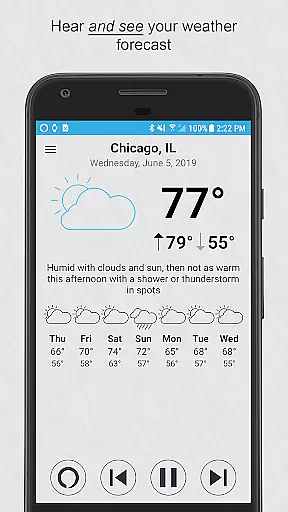
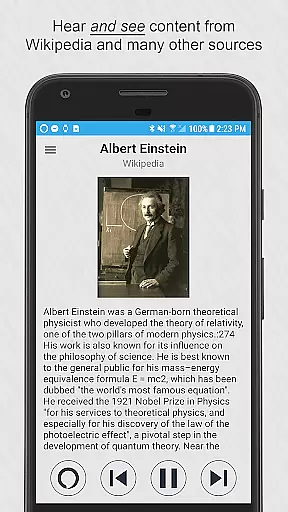
Ultimate Alexa Voice Assistant is a comprehensive voice assistant app that integrates Amazon Alexa's voice service, offering users the ability to interact with Alexa through voice commands on their Android devices. The app supports Display Card technology, allowing users to visually access weather forecasts, news headlines, and more alongside voice responses.
This app stands out by providing versatile activation methods including wake word detection, widget shortcuts, and integration with Google Assistant. It also offers specialized features for Wear OS watches and includes Pro version upgrades like shake-to-activate and Bixby button customization. With support for calling, messaging, smart home control, and third-party skills, Ultimate Alexa delivers a complete voice assistant experience tailored for mobile and wearable devices.
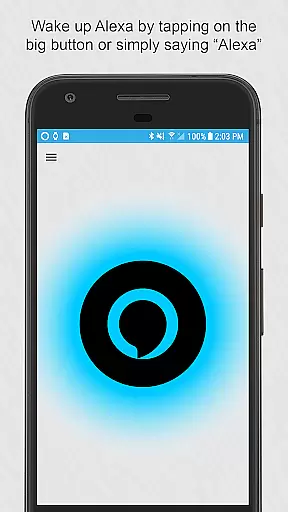
Ultimate Alexa Voice Assistant boasts an extensive range of features designed to enhance user interaction with Amazon Alexa's services. The app supports multiple activation methods such as saying the wake word, tapping a button, or using the Google Assistant to launch Alexa. Its compatibility with Wear OS ensures seamless functionality on smartwatches, even utilizing the phone's speaker if the watch lacks one.
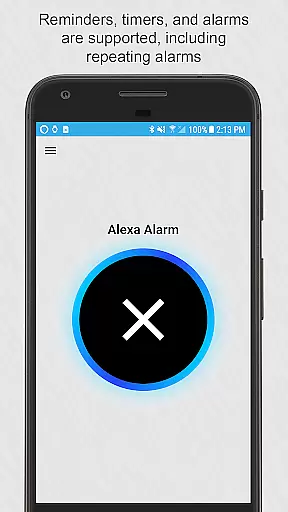
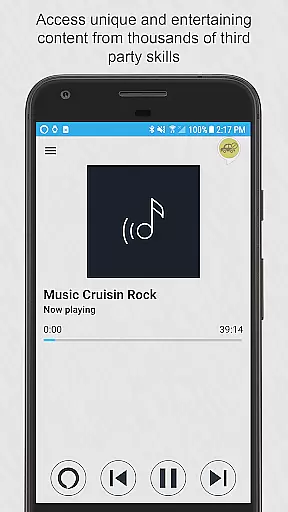
The Pro version introduces advanced capabilities like shake-to-wake and Bixby button integration, while optional accessibility services allow for deeper device integration. Users can manage reminders, timers, alarms, and calendar entries, as well as control smart home devices and access local information. Despite limitations on music playback imposed by Amazon, the app provides access to thousands of third-party skills, making it a versatile tool for productivity, entertainment, and smart home management.
Companion app integration is essential for wearable devices as it ensures seamless functionality between a smartphone and its paired wearable. Ultimate Alexa Voice Assistant excels in this area by offering comprehensive support for both Android phones and Wear OS watches. The app allows users to activate Alexa either by voice commands or through a dedicated button, ensuring ease of access.
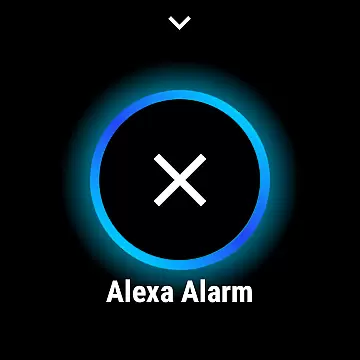
For Wear OS, the integration goes further by enabling users to tap on a big button within the app to start talking immediately. Additionally, the Wear OS tile can be used to launch the app and provide immediate voice commands. This tight integration ensures that whether you're using your phone or watch, the experience remains fluid and intuitive.
The app also supports unique features like shaking the phone to wake Alexa, available in the Pro version. For Samsung devices with a Bixby button, users can even repurpose this button to invoke Alexa. Such versatile companion app integration enhances user convenience and maximizes the utility of both devices.
Overall, Ultimate Alexa Voice Assistant's robust companion app integration offers users a cohesive ecosystem where their devices work in harmony, providing an uninterrupted and efficient user experience.
Device compatibility is crucial for apps designed to work across multiple platforms, especially when integrating with Wear OS. Ultimate Alexa Voice Assistant boasts extensive compatibility with both smartphones and Wear OS watches, making it a versatile choice for users invested in the Android ecosystem. This broad compatibility ensures that users can enjoy consistent functionality regardless of the device they are using.
For Wear OS, the app provides a streamlined interface that allows users to interact with Alexa simply by tapping a button and speaking. If the watch lacks a speaker, the connected phoneu2019s speaker is utilized, ensuring no functionality is lost. This thoughtful design highlights the app's commitment to delivering a seamless experience across different devices.
Moreover, the app supports various optional features that enhance accessibility, such as replacing the Bixby assistant on Samsung devices. By detecting when the Bixby app is in the foreground and launching Ultimate Alexa instead, the app demonstrates its sophisticated device compatibility. These features ensure that users can customize their experience according to their specific device capabilities.
In summary, Ultimate Alexa Voice Assistant's strong Wear OS and device compatibility makes it a reliable solution for users seeking a unified and adaptable voice assistant experience across their Android devices.
User-friendly interface
Wide feature compatibility
Pro version enhancements
Versatile activation options
Comprehensive smart home control
Limited music playback
Calling restricted by region
Dependent on Amazon services
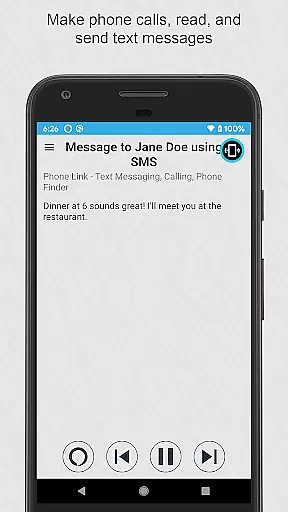
Requires Phone Link app
Accessibility service prompts


A customizable Christmas watch face for Wear OS with a countdown.
 4.20
4.20
Christmas watch face. For Wear OS devices.
4.30
Snowflake Rose Gold Watch Face - Digital, modern, & sleek with GYRO effect.
4.10
Beautiful, colorful and practical watch face. For Wear OS devices.
5.00
A modern premium sporty hybrid watch face for Wear OS by Ballozi
4.70
Sleek, highly customizable watch face inspired by Galaxy Watch Circle Dashboard.
4.1
3 Complications. All shadow on/off. 30 Themes color palette...
4.2
Structured watch face with seven complications and modular UI elements
3.90
Toyota app currently supports 2010 or newer vehicles (2018 or newer for Hawaii).
4.50
Digital, flexibly customizable watch face. For Wear OS 5.0, API 34+ and later.
5.00
Christmas Theme Watch Face for Wear Os
5.00
Be an elegant and classy secret agent, with this carefully detailed watch face
4.70
Hybrid watch face for Wear OS with customizable complications by Matteo Dini MD
4.70
Deck out your Wear OS Watch face with a beautifully decorated pine wreath!
4.50
Let's celebrate Thanksgiving - Wear Os watch face
4.20
Wear Os Watch Face - Animated Snow Effect & Magic Spark - 6 Scenes
4.10
Your local weather forecast, storm tracker, radar maps & live weather news
3.40
an Analog Watch Face for winter season with freeze winter background for Wear OS
4.2
A watch face that fuses motorsport precision with contemporary smartwatch design
4.2

User Reviews