

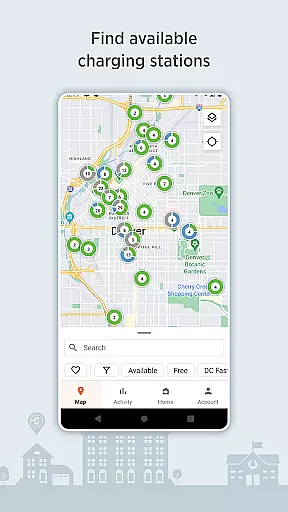
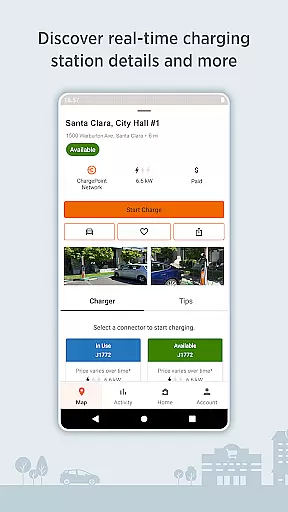
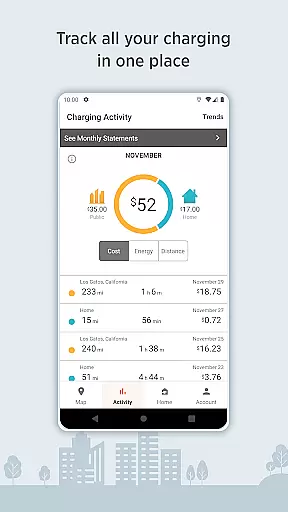
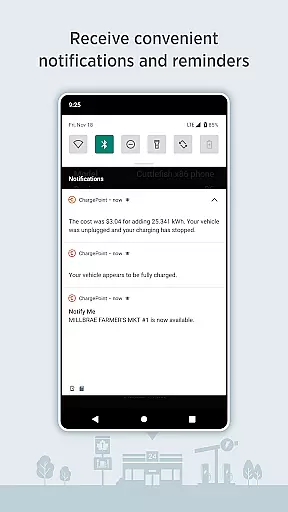
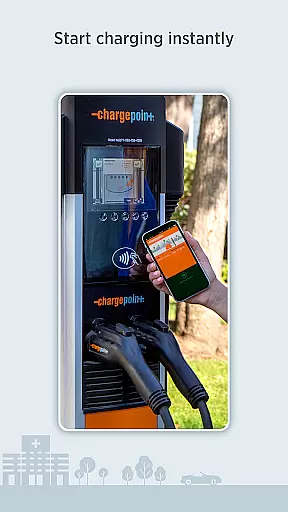
ChargePoint is the ultimate app for electric vehicle (EV) drivers, offering seamless access to the world's largest EV charging network. With hundreds of thousands of stations and roaming partners like FLO, EVgo, and Greenlot, it provides real-time station availability, customizable filters, and essential information such as pricing and driver tips. The app allows users to start charging instantly via Tap to charge or RFID card, while also tracking complete charging activity including costs and miles added.
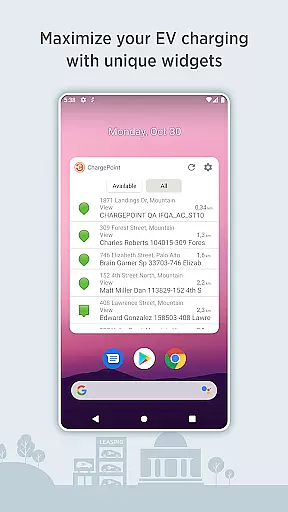
Beyond basic charging, ChargePoint enhances convenience with live updates, Android Auto integration, and Wear OS compatibility. Users can manage home charging with ChargePoint Home Flex, join virtual waitlists for busy stations, and even enjoy smart features like widgets for quick access to key functions. Whether at home or on the road, this all-in-one solution ensures EV drivers have everything they need to charge efficiently and effortlessly.
ChargePoint stands out with its comprehensive suite of features designed to simplify EV charging. Its intuitive map displays real-time station availability and supports advanced filtering options, allowing users to find AC or DC fast chargers compatible with their vehicles. Premium functionalities include detailed station insights—such as pricing, popular charging times, and driver tips—and instant charging through Tap to charge or RFID cards.
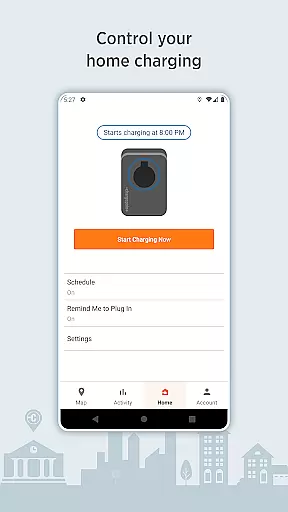
The app goes beyond public charging by integrating home charging management with ChargePoint Home Flex. Users can schedule charges, set reminders, and track energy usage from a single platform. Additional innovations include Android Auto support for in-vehicle access, Wear OS compatibility for tap-to-charge functionality, and widgets that streamline common tasks without opening the app. These robust features make ChargePoint an indispensable tool for modern EV drivers.
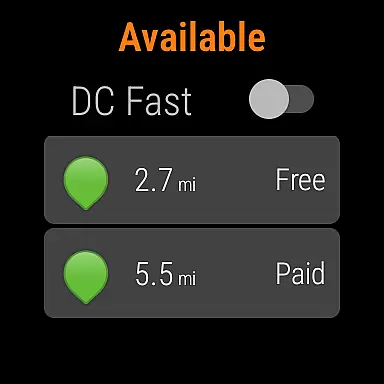
Companion app integration is essential for a seamless user experience across multiple devices. The ChargePoint app excels in this area by offering users the ability to charge their electric vehicles using Wear OS by Google, allowing taps to initiate charging sessions effortlessly. This integration ensures that users can access critical features without needing to reach for their phones.
The ChargePoint app's compatibility with Wear OS enhances convenience by providing instant access to charging functions right from the user's wrist. Drivers can start charging instantly and view important details such as miles added to their vehicle's range directly on their smartwatch. This feature significantly streamlines the charging process, making it more efficient and user-friendly.
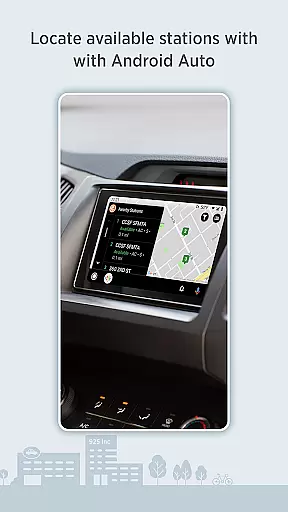
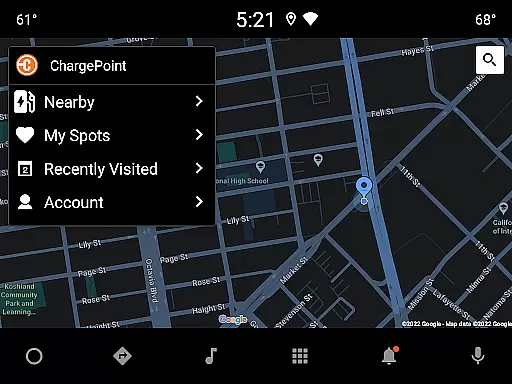
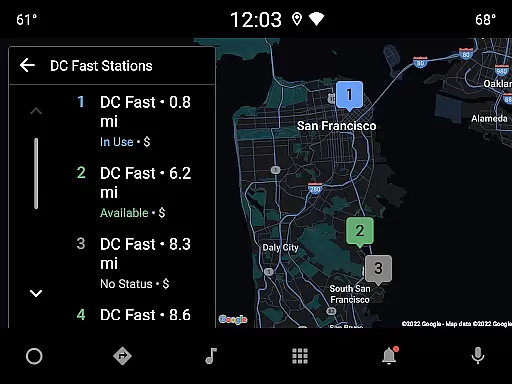
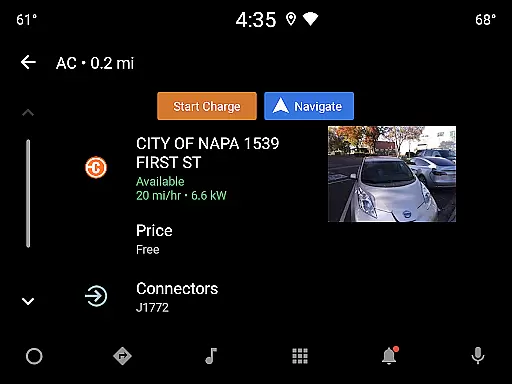
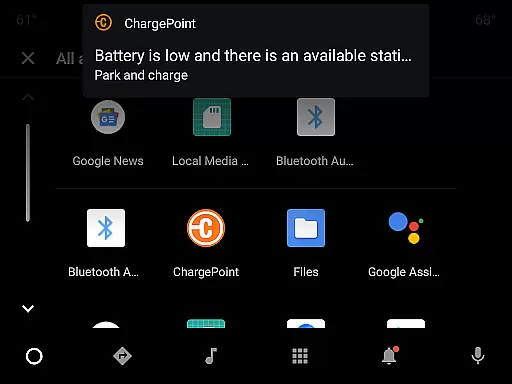
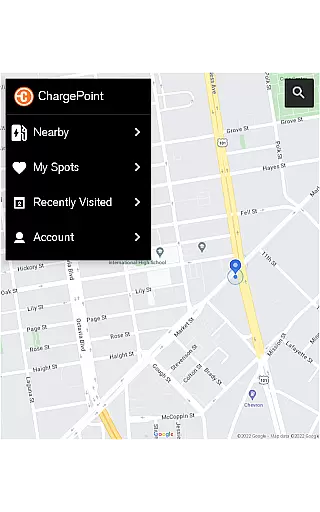
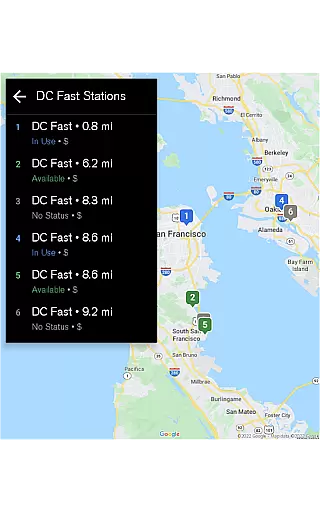
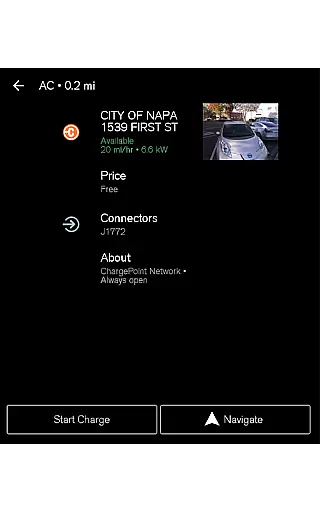
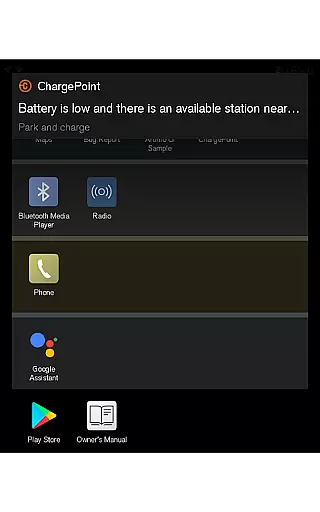
Moreover, the app supports Android Auto, enabling drivers to locate stations and access crucial charging information directly from their vehicle's display. This ensures that even while driving, users remain informed about nearby charging options and can plan their routes accordingly. Such integrations highlight ChargePoint's commitment to delivering a comprehensive and interconnected charging solution.
By leveraging these companion app integrations, ChargePoint not only simplifies the charging process but also enriches the overall user experience. Users benefit from having all necessary information and controls readily accessible, whether they are at home, on the go, or behind the wheel, thus maximizing the utility of their connected devices.
Device compatibility is a cornerstone of modern app functionality, ensuring that applications work seamlessly across various platforms. The ChargePoint app stands out by offering robust compatibility with Wear OS by Google, allowing users to tap and charge their electric vehicles effortlessly. This compatibility transforms the way users interact with charging stations, providing unprecedented ease and speed.
With Wear OS compatibility, the ChargePoint app delivers vital charging information directly to the user's smartwatch. Drivers can instantly see how many miles have been added to their vehicle's range, receive notifications about charging statuses, and even start charging sessions with a simple tap. This level of integration ensures that users are always informed and in control, regardless of where they are.
In addition to Wear OS, the ChargePoint app also supports Android Auto, extending its compatibility to in-vehicle displays. This allows drivers to access charging station locations and other essential details without taking their eyes off the road. By integrating with both Wear OS and Android Auto, ChargePoint provides a versatile and reliable solution for managing EV charging needs.
Ultimately, the ChargePoint app's compatibility with Wear OS and Android Auto devices underscores its dedication to enhancing user convenience and accessibility. By ensuring that users can manage their charging activities from a variety of devices, ChargePoint solidifies its position as a leader in the EV charging network industry.
User-friendly interface
Extensive charging network
Real-time station updates
Advanced filter options
Integrated home charging
Limited rural coverage
Premium feature costs
Occasional connectivity issues
Subscription required
Complex pricing structure

Elegant animated Christmas tree with multiple customization options
 4.20
4.20
Stunning modern digital watch face with 7 complications and strong contrast
4.3
Monitor health with the stress test and pulse checker in the heart rate app.
4.60
Nutrition, Macro tracker: Food, fitness & healthy diet tracking for weight loss
4.60
Funny animated watch face for Thanksgiving
4.4
Professional weather radar and more
3.90
Hyper-Realistic Airplane Dashboard Watch Face With 10 Skins and Custom AOD
4.00
A digital watch face that celebrates Christmas.
4.00
Simple, helpful messaging by Google
4.60
The Chevron App allows you to pay for fuel from the comfort of your car!
4.80
The most customizable hybrid watch face. For Wear OS 5.0, API 34+ and later
4.70
A realistic hybrid watch face with many customization options.
4.60
Digital watch face with big numbers and many customization for Wear OS devices
4.40
Christmas watch face. For Wear OS devices.
4.30
Bold, Modern Hybrid Watch Face for Wear OS. 10 Colors, Rich Info Display.
4.30
Animated Watch Face and Customizable with 24 Backgrounds. Perfect for Christmas!
3.90
an Analog Watch Face for winter season with freeze winter background for Wear OS
4.2
Precision analog watch face with 7 complications and style options
4.2
Sleek, highly customizable watch face inspired by Galaxy Watch Circle Dashboard.
4.3


User Reviews