

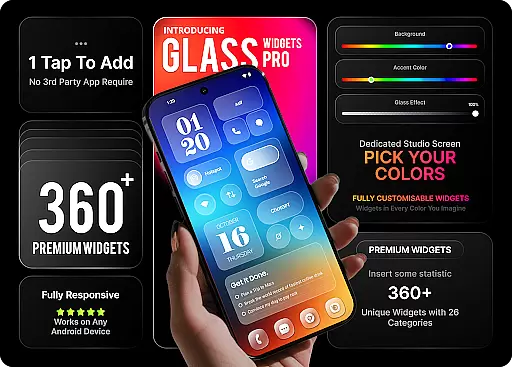
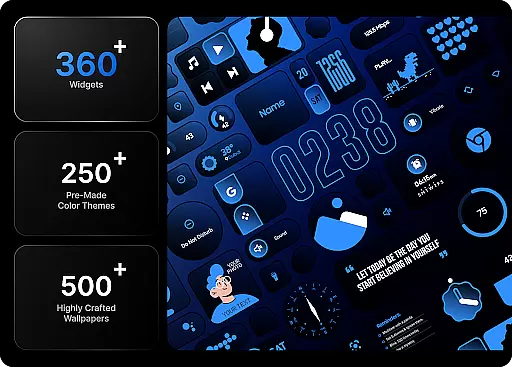
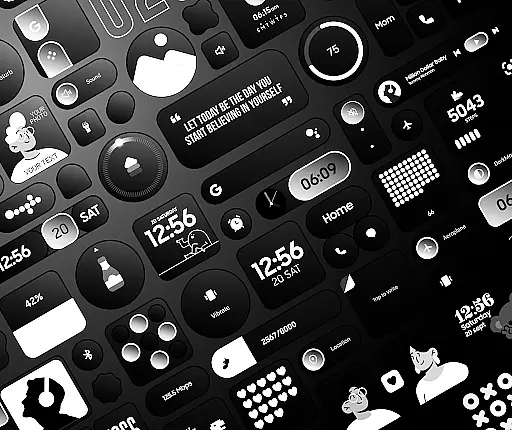
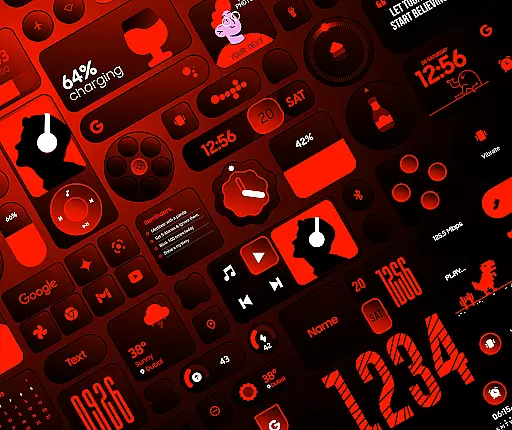
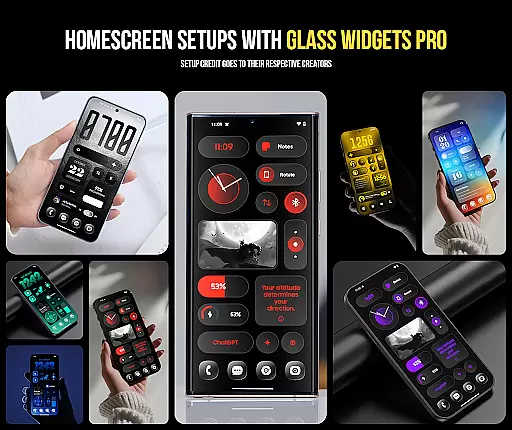
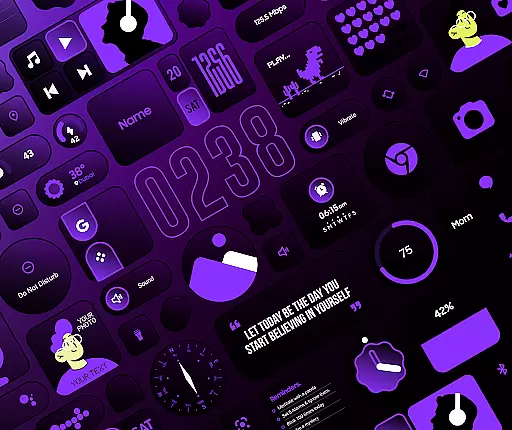
Glass Widgets Pro is a premium personalization app that transforms your smartphone's home screen with fully customizable widgets featuring stunning glass effects. This app offers over 360 unique widgets, 500 curated wallpapers, and 250 color templates, allowing users to create a modern, transparent aesthetic tailored to their preferences.
The app stands out by providing native functionality without requiring additional apps like KWGT. Users can easily customize colors, opacity, and choose from various widget categories including clocks, weather, battery indicators, and productivity tools. With its extensive customization options and beautiful design elements, Glass Widgets Pro delivers both form and function for an enhanced mobile experience.
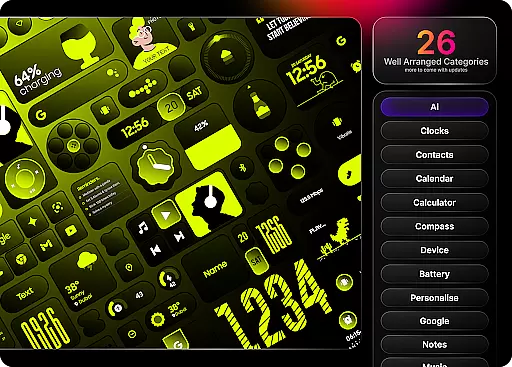
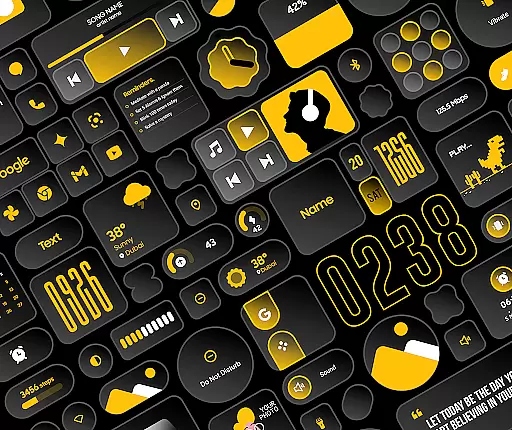
Glass Widgets Pro distinguishes itself through unparalleled customization capabilities. The app provides a complete suite of personalization tools including clock widgets in digital, analog, and hybrid styles, real-time weather updates, battery indicators, and productivity widgets like to-do lists and reminders.
Unique features include adjustable glass effect opacity, background colors, and accent colors across all widgets. Users can select from 250 professionally designed color templates or create their own combinations. The app also includes utility widgets such as calculators and compasses, photo display options, and quick settings for Wi-Fi and Bluetooth. These comprehensive features make it easy to create a personalized and functional home screen setup.
Customization is at the heart of Glass Widgets Pro, offering users an extensive array of options to tailor their home screens precisely to their liking. With over 360 premium widgets available, this application allows for unprecedented personalization, ensuring that no two home screens need to look the same.
The app provides more than just widgets; it includes 250+ theme templates and 500+ curated wallpapers designed to complement the widgets perfectly. This vast selection ensures that users can achieve a cohesive and aesthetically pleasing look across their devices without needing any additional applications.
Users have full control over colors, with fully customizable background and accent colors, as well as adjustable glass opacity levels. Whether you prefer starting from scratch or using one of the professionally designed color templates, Glass Widgets Pro empowers you to create a unique aesthetic that reflects your style.
Glass Widgets Pro excels in theme compatibility, seamlessly integrating with various design elements to enhance the visual appeal of your device's home screen. The included themes are crafted not only to stand alone but also to work harmoniously with the curated wallpapers provided within the app.
This synergy between widgets, themes, and wallpapers ensures that every element on your home screen looks intentional and polished. By eliminating the need for third-party customization tools like KWGT, Glass Widgets Pro simplifies the process while maintaining high standards of design integrity.
Moreover, regular updates promise new content, keeping your home screen fresh and engaging. With its native functionality and comprehensive design approach, Glass Widgets Pro guarantees a smooth and visually stunning experience, making it an indispensable tool for anyone looking to personalize their digital space effectively.
Extensive Customization
Stunning Glass Effects
Wide Widget Variety
User-Friendly Interface
Regular Updates
Premium Price Point
High Storage Usage
Complex Setup Process
Limited Free Options
Device Compatibility Issues

Vertically oriented rectangular icons
 4.70
4.70
Prank your friends with realistic broken screen and cracked HD effects!
4.3
Run multiple accounts of the same app on a single device
4.10
Turn text & photos into stunning AI videos, art, and creative visual stories.
4.50
Vibrant Adaptive Icons with Material You and Enhanced Monet Colors.
4.50
Stylish Pink Cute Hippo keyboard with 10000+ customized keyboard themes!
4.60
Unleash Your Creativity and Connect with Loved Ones with Lockscreen Drawing!
4.20
Create unique, fun emojis with Funny Emoji Maker! Unlimited creativity!
4.00
Custom ringtones songs, music ringtones for Android phones
4.60
Classic analogue watch face. For wear os devices.
4.60
Ultra realistic high quality analog watch face for Wear OS.
4.60
Choose your keyboard with RGB colors effect, themes, fonts, emojis.
4.60
Ninja Turtles Cowabunga SE watch face for Wear OS
4.50 4.50
4.50
The definitive Icon pack maker and editor
4.30
Wear Os Watch Face - Seasonal - Animated Snow Effect - 9 Animals
4.20
Transfer your live wallpapers from Windows to Android using Wallpaper Engine!
4.00
Crystal-clear, square icon provides a sleek and sophisticated visual upgrade
4.00
Customize glowing edges, wallpapers, and caller screen with EdgeAura.
3.50

User Reviews