

Network Analyzer Pro is a comprehensive network diagnostic tool designed to help users identify and resolve issues related to Wi-Fi networks, Internet connectivity, and remote server problems. The app offers an extensive suite of tools including a fast Wi-Fi device discovery feature that lists all LAN devices with their addresses and names, along with the services they provide such as Bonjour/DLNA. It also includes standard diagnostic utilities like ping, traceroute, port scanner, DNS lookup, whois, and network speed test.
In addition to diagnosing local network issues, Network Analyzer Pro provides detailed information about neighboring Wi-Fi networks, signal strengths, encryption types, and router manufacturers. This helps in determining the optimal channel for wireless routers. With support for both IPv4 and IPv6, this application is indispensable for network administrators and tech-savvy individuals looking to maintain robust and efficient network environments.
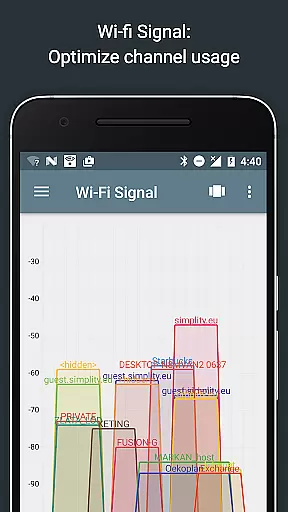
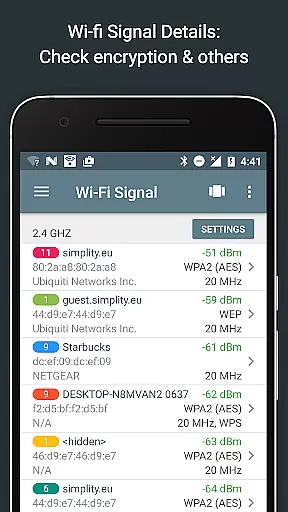
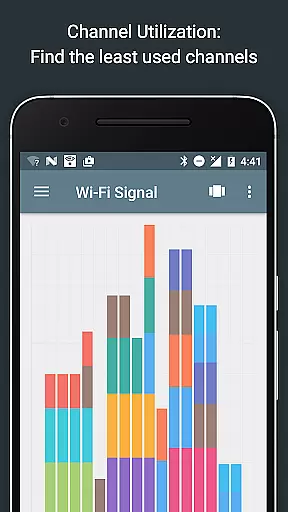
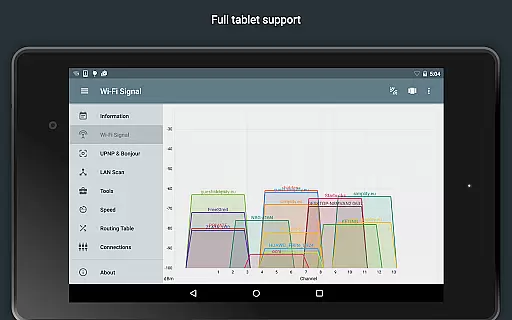
Network Analyzer Pro stands out due to its wide array of features tailored for network diagnostics. One notable feature is the Wi-Fi signal meter which offers both graphical and textual representations of network channels and signal strengths. Users can view channel usage graphs, Wi-Fi network types (WEP, WPA, WPA2), encryption methods (AES, TKIP), BSSID (router MAC address), manufacturer details, WPS support, and bandwidth information.
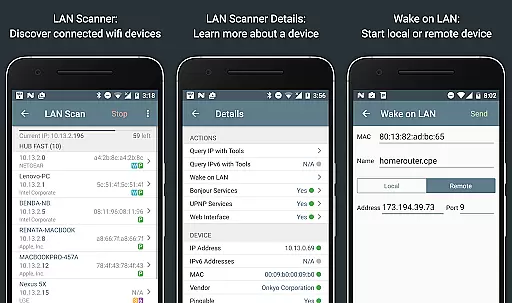
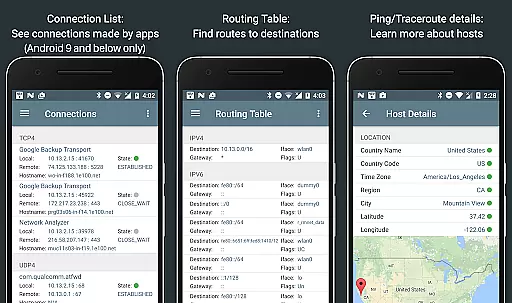
The LAN scanner is another powerful tool within the app, enabling fast and reliable detection of all network devices. It provides IP addresses of discovered devices, NetBIOS, mDNS (Bonjour), LLMNR, and DNS names where available. Additionally, it supports Wake on LAN (WOL) functionality, custom IP range scans, and filtering options. The routing table displays destination and gateway information, interface usage, and flags for both IPv4 and IPv6 protocols.
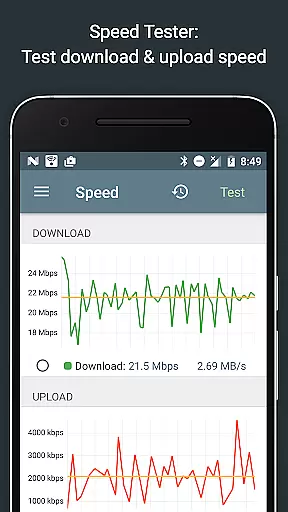
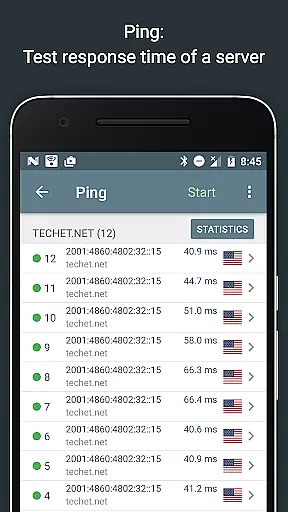
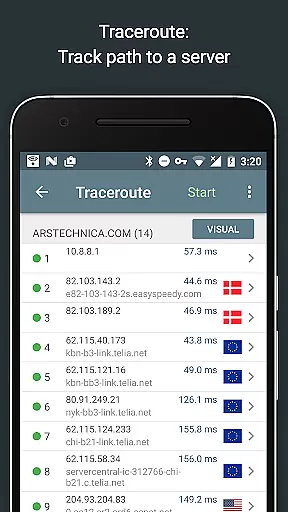
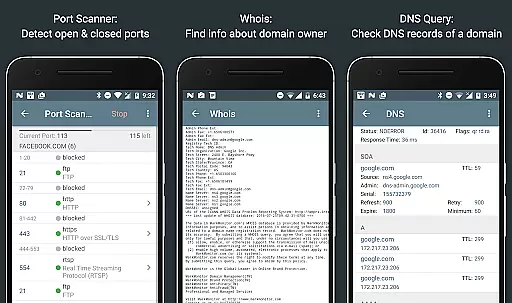
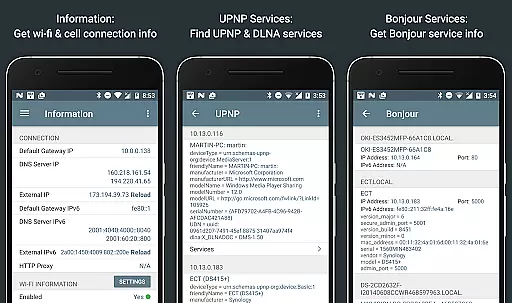
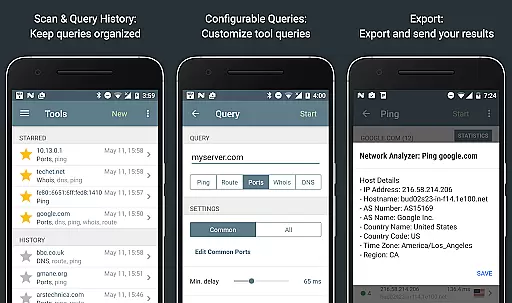
Other essential features include ping and traceroute functionalities that show round-trip delays, geolocation data, AS numbers, and network names. Port scanning capabilities allow users to detect closed, firewalled, and open ports, while Whois and DNS lookup functions offer domain, IP address, and record information. The app also includes internet speed tests, network information displays, local service discovery, and full IPv6 support across all features.
Network Analyzer Pro stands out for its comprehensive suite of diagnostic tools that ensure both accuracy and effectiveness in network analysis. The application provides a robust set of features including ping, traceroute, port scanning, and DNS lookup which are critical for diagnosing network issues.
The app's device discovery tool quickly identifies all LAN devices, detailing their IP addresses and names along with the services they offer such as Bonjour/DLNA. This immediate and precise identification allows users to swiftly address any connectivity concerns within their local network environment.
Moreover, Network Analyzer Pro supports both IPv4 and IPv6 protocols, ensuring compatibility and precision across different network configurations. Users can perform detailed scans and analyses without worrying about protocol limitations, thus enhancing their ability to troubleshoot effectively.
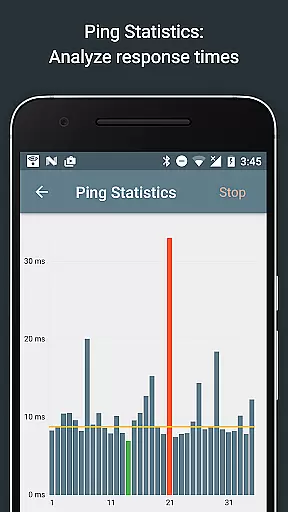
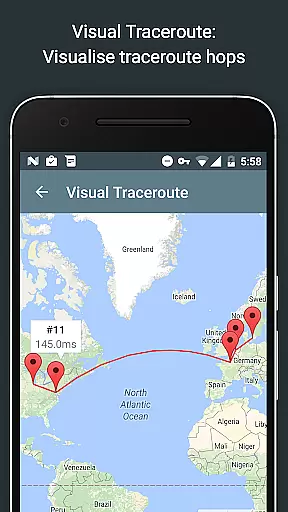
With real-time updates and visual representations like graphical ping statistics and trace route visualizations on maps, users gain actionable insights into their network performance. These capabilities empower users to make informed decisions and optimize their network infrastructure efficiently.
Despite its powerful functionality, Network Analyzer Pro maintains an interface that is both simple and intuitive. The layout is designed to guide users through complex network diagnostics without overwhelming them, making it accessible even to those who may not be networking experts.
Each tool within the application is easily navigable with clear options and straightforward controls. Whether performing a port scan or checking the routing table, users can execute tasks with minimal effort, thanks to the well-organized menu structure and logical flow of operations.
Additionally, the app offers features like copy/paste support and export by email, which streamline the process of sharing diagnostic results. Such conveniences contribute to a seamless user experience, allowing individuals to focus more on resolving issues rather than managing the tool itself.
Regular updates and detailed help sections further enhance usability, ensuring that users have access to the latest features while also providing guidance when needed. This commitment to user-friendly design ensures that Network Analyzer Pro remains approachable yet powerful for all its users.
Comprehensive network tools
Fast Wi-Fi device discovery
Detailed Wi-Fi analysis
Supports IPv4 and IPv6
User-friendly interface
Paid version required
Complex for beginners
Limited free features
No offline support
Requires technical knowledge

pdf merge, word to pdf, jpg to pdf, edit pdf, convert to pdf and much more!
 4.20
4.20
Just one-tap to easy translate in any language after calls within seconds.
4.20
Just swipe the edge to do something!
4.40
Use your phone as a webcam on your computer over WiFi or USB.
4.40
HD Video player and downloader for all formats, fast & smooth 4K video playback.
4.60
Signal Strength, Mobile, Wifi, Speed Test, Bad Signals, Cellular, 5G, LTE, 4G
4.20
Bedrock Together: Join any bedrock server on Xbox/PS
4.80
Support Fossify apps with a warm thank you!
5.00
Enhance your Beats
3.70
Connect wirelessly to your computer to watch movies, browse the web, play games
5.00
Navigate with Ease and Style
4.90
Small and simple app to Verify Root Access and BusyBox Install!
4.70 4.50
4.50
Clean up large files and similar photos, fast and easy to use
4.40
VESC Tool can monitor and configure VESC-compatible devices over BLE and Wifi
4.20
Screen Mirroring with sound for Samsung TV, LG TV, Sony TV, Smart TV and Browser
4.20
An open-source APK explorer for Android!
4.10
MS-DOS in your pocket. Play old DOS games anywhere you are ;)
4.10
A powerful, easy-to-use flight computer on your phone or tablet!
3.80


User Reviews