

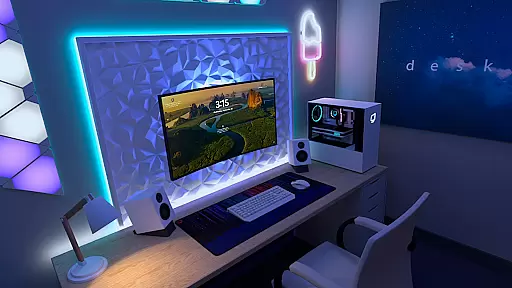
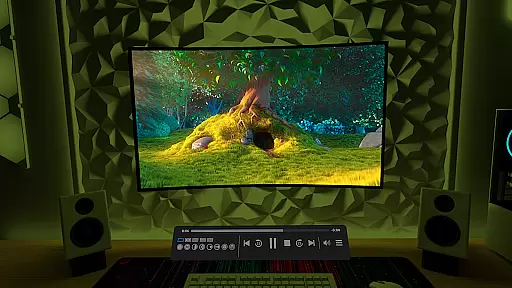
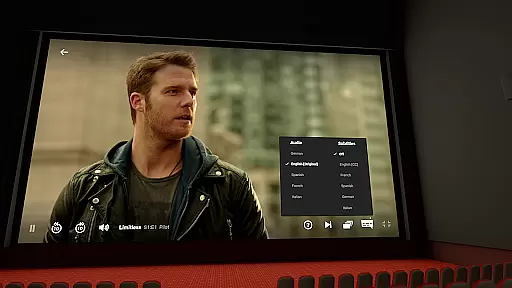
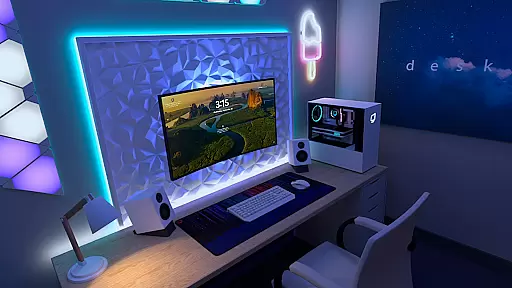
Virtual Desktop is a powerful tool that allows users to connect wirelessly to their computers for an immersive experience. With the ability to watch movies, browse the web, and even play games on a giant virtual screen, this app transforms how users interact with their PCs. It supports streaming PCVR games, making it ideal for gamers who want a more expansive view without being tethered to their desktops.
The application is optimized for low latency and high-quality streaming, ensuring smooth performance. By requiring a wired Gigabit Ethernet connection to routers operating at 5 or 6 GHz, Virtual Desktop guarantees reliable connectivity. Its compatibility spans across most Windows 10/11 and macOS systems, while also accommodating various input devices like Bluetooth mice and gamepads.
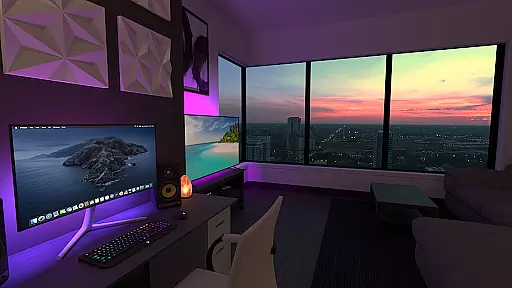
One of the standout features of Virtual Desktop is its support for multiple monitors, allowing users to create an expansive workspace. The app enables streaming of regular, 180, and 360 videos directly from your computer through the Videos tab, enhancing multimedia consumption. Additionally, it facilitates remote connections over the internet by enabling UPnP on your router.
For gaming enthusiasts, Virtual Desktop offers PCVR game streaming capabilities, provided you have a VR-ready PC running Windows 10 or 11. It includes options such as Microphone passthrough and supports 3D content in Side-by-Side or Over-Under formats. These functionalities make it versatile for both work and entertainment purposes, catering to diverse user needs.
Virtual Desktop is designed to provide users with a seamless and high-quality streaming experience. The core functionality revolves around low-latency, high-quality streaming, allowing users to connect wirelessly to their computers for various activities such as watching movies, browsing the web, and even playing games on a giant virtual screen.
The app supports both local and remote connections, ensuring that users can access their desktops from anywhere. With support for multi-monitors, 3D content, and peripherals like Bluetooth mice, keyboards, and gamepads, Virtual Desktop offers a comprehensive solution for those looking to extend their computing experience into a virtual environment.
For users who require PCVR game streaming, Virtual Desktop ensures compatibility with VR Ready PCs running Windows 10 or 11. This makes it an ideal choice for gamers who want to enjoy their favorite titles in a virtual reality setting without compromising on performance or quality.
The interface of Virtual Desktop is crafted to be user-friendly and intuitive, making it accessible even to those who may not be tech-savvy. Upon launching the app, users are greeted with a clean and organized layout that allows them to quickly connect to their computer(s) and start streaming.
One of the standout features is the Videos tab, which enables users to download or stream regular, 180, or 360 videos directly from their computer. This feature adds an extra layer of convenience, allowing users to manage their media library effortlessly.
Additionally, Virtual Desktop includes options like Microphone passthrough and support for remote connections over the internet. These features are integrated smoothly into the interface, ensuring that users can take full advantage of the app's capabilities without feeling overwhelmed by complex settings or configurations.
Low latency streaming
Multi-monitor support
PCVR game compatibility
Remote connection capability
Optimized performance
Requires wired Ethernet
Limited OS compatibility
No mobile VR support
Dependent on router setup
Premium pricing model


 4.10
4.10 4.50
4.50
FV File Manager Pro, Fast and powerful file manager for Android
4.60
Unit and currency converter with easy and simple UI.
4.80
Family Locator, Share location, StayConnect with your family in real time
3.90
App to pay for FUTO Keyboard
4.60
Smart and comfortable browsing experience.
3.80
Game Booster, GFX Tool is now compatible with newer game update
4.50
Screen recorder with audio to record high-quality videos and take screenshots.
4.40
The ultimate tool for network analysis, wifi scanning and problem detection.
4.90
WiFi Signal Strength Meter help you detect WiFi Signal Strength in real time.
4.80
Protect your device with antivirus, storage cleanup, and system monitoring
4.70
Button mapper, mouse toggle, sleep timer and a lot of another features
4.50
Just swipe the edge to do something!
4.40
Forza Tuning Calculator App for Forza Horizon 5, Motorsport and Earlier Titles
4.40
An open-source APK explorer for Android!
4.10
Automate everything from settings to photos, SMS to speech. ADC2 prize winner.
4.10
Transfer Files, APK from Phone to Watch & Install.
4.2
Unlock your Essential Key. Create custom shortcuts to your favorite apps!
4.1

User Reviews