

Network Cell Info & Wifi is a comprehensive mobile network monitoring tool designed for users seeking to optimize their connectivity experience. The app provides detailed insights into cellular and Wi-Fi signals, supporting technologies like 5G, LTE, CDMA, and GSM. With its Bad Signal Reporter feature, users can automatically report poor signal areas to mobile network operators, aiding in network improvements.
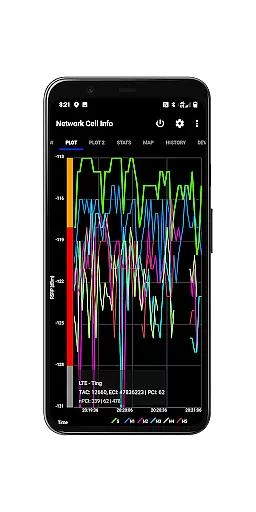
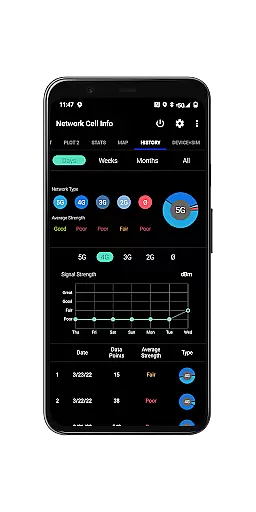
In addition to real-time signal monitoring, the app offers advanced diagnostic tools such as speed tests, dual-SIM support, and signal plots for up to six cells. Users can also access historical data on signal strength, map-based tower locations, and personalized signal optimization through features like the Personal Best Signal Finder. This makes it an essential utility for anyone looking to troubleshoot reception issues or maximize their network performance.
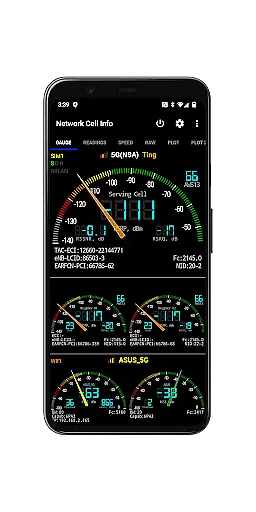
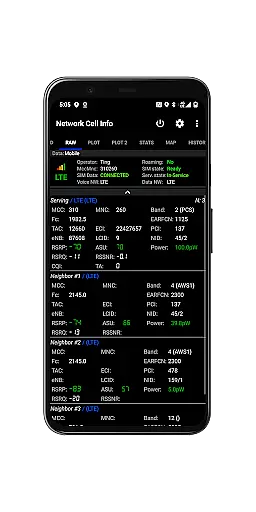
Network Cell Info & Wifi stands out with its robust set of features tailored for network diagnostics and optimization. One of its core capabilities is almost real-time monitoring of cellular and Wi-Fi signals, displayed through intuitive gauges and raw data tabs. It supports multiple network types including 5G, LTE+, and CDMA, ensuring compatibility across various devices and carriers.
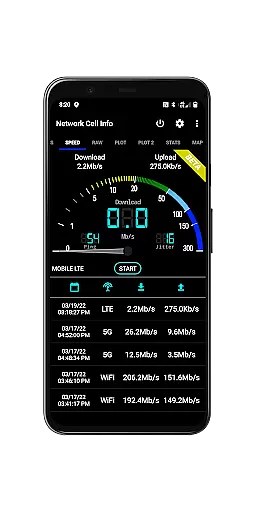
The app includes specialized tools like one-tap speed tests for measuring download, upload, ping, and jitter performance. Its dual-SIM functionality and five-to-six signal-meter gauges allow users to manage multiple connections efficiently. Additional highlights include detailed maps showing network coverage, crowdsourced best signal finders, and exportable databases for measurement history. These features collectively empower users to maintain optimal connectivity and address potential network issues proactively.
Network Cell Info provides an extensive suite of tools designed to monitor and diagnose mobile network and Wi-Fi signals with precision. The app supports a wide range of network types including 5G, LTE+, LTE, CDMA, WCDMA, and GSM, ensuring comprehensive compatibility and functionality across different devices and carriers. This makes it an invaluable tool for users who need accurate real-time data about their connectivity status.
The application offers almost real-time monitoring of cellular carrier and WiFi signals through its Gauge/Raw Tabs, allowing users to observe signal strength with just a one-second delay. It also includes advanced features such as dual-SIM support, signal plots for up to six cells, and band number identification. These capabilities ensure that users have access to detailed and actionable information about their network environment, which is crucial for troubleshooting reception and connectivity issues effectively.
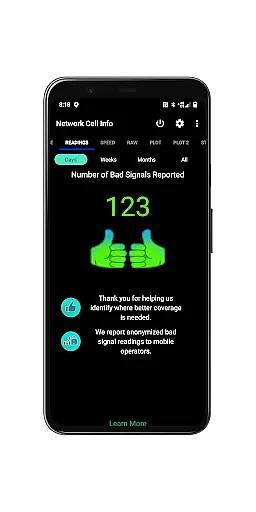
For users experiencing poor signal quality, Network Cell Info includes a unique Bad Signal Reporter feature. This functionality automatically collects data on bad signals from consenting users and generates reports that are freely available to mobile network operators worldwide. By providing this critical data, the app helps improve overall network performance, benefiting both individual users and the broader community by driving enhancements in mobile network infrastructure.
Despite its technical depth, Network Cell Info maintains an intuitive and user-friendly interface that simplifies complex data into easily digestible formats. The app's design ensures that even users without a technical background can navigate and utilize its features effectively. Key functionalities like the one-tap WiFi/mobile internet performance speed testu2014which measures download, upload, ping, and jitteru2014are straightforward and accessible, making it easy for anyone to assess their network performance quickly.
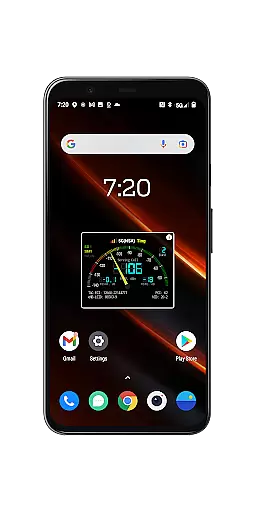
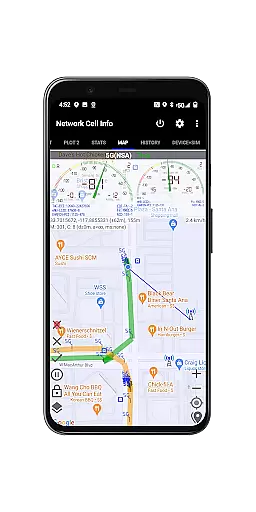
Visual aids such as signal-meter gauges for both SIMs and WiFi, along with detailed maps displaying network cellular info, enhance the user experience by providing clear visual representations of signal strength and network coverage. Additionally, features like the Personal Best Signal Finder and Crowdsourced Best Signal Finder offer intuitive map layers that show historical signal strength and nearest best signals, respectively. These tools empower users to make informed decisions about their connectivity options without needing to interpret raw data manually.
Furthermore, Network Cell Info offers customizable settings that allow users to tailor the app to their specific needs. Options like minimum distance, minimum accuracy, and motion sensor settings enable personalized monitoring experiences while maintaining ease of use. With all these features presented in a clean and organized manner, Network Cell Info strikes a perfect balance between powerful functionality and user-friendly design, ensuring that users can maximize their mobile experience effortlessly.
Comprehensive network monitoring
Real-time signal tracking
Detailed diagnostic tools
Supports multiple network types
User-friendly interface
May drain battery quickly
Complex for beginners
Requires constant internet
Limited CDMA mapping
Premium features locked

A recovery soft,it features photo recovery, video recovery, file recovery.
 3.40
3.40
1-Click close all background apps on Android TV
3.90
Enjoy smooth gameplay with Game Booster
4.90
A non-root local ADB shell client. READ BELOW!
3.40
PC precision for mobile gaming: dominate with keyboard and mouse!
4.30
Monitor car performance in real time and troubleshoot malfunctions.
4.80
Download any file easily and quickly with Downloader
4.1
Mobile Security with Scam Protection | Malware & Virus Cleaner | Safe Browser
4.70
A clean app.
4.50
Change your GPS location instantly. Simulate routes anywhere in the world.
4.90
Excellent scientific calculator with symbolic algebra, integrals, derivatives
4.80
With videos, electrical calculators, and built-in ebook, Ugly’s has your answer.
4.50
Fluid navigation gestures for all of us!
4.30
Quickly & easily calculate the spacing of handrail balusters
4.20
VESC Tool can monitor and configure VESC-compatible devices over BLE and Wifi
4.20
A convenient photo, video, and file recovery tool.
4.00
This app unlocks the Pro features of the Central for DayZ app
3.60
Undelete and recover your lost or deleted files with DiskDigger!
3.40
PDF Reader - Document Viewer: Read, Manage & Organize Your Documents
3.10

User Reviews