

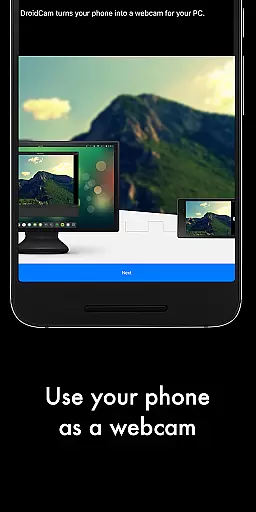
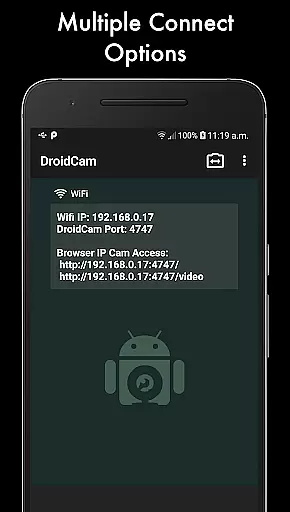
DroidCamX HD (Classic) is a versatile tool that transforms your Android device into a high-quality webcam for your computer. With support for 720p/1080p video quality in HD mode, it ensures superior image clarity during video chats. The app facilitates connectivity over both Wifi and USB, offering flexibility based on user preference and environment.
One of the standout features of DroidCamX is its ability to operate seamlessly in the background, allowing users to utilize other apps without interruption. Additionally, it conserves battery by functioning even when the screen is off. This makes it an ideal solution for extended use, such as during online meetings or classes.
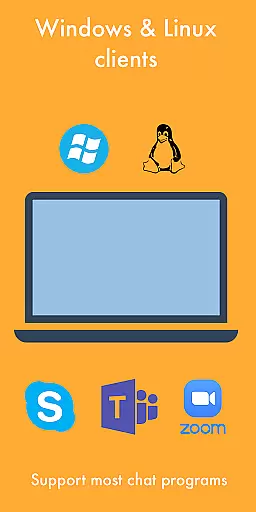
The application also provides advanced controls for camera operations, including autofocus, zoom, and flash settings. Users can capture still images while the app is active, enhancing its utility beyond just video communication. Its compatibility with Windows and Linux clients further extends its usability across different platforms.
DroidCamX HD (Classic) boasts a range of features designed to enhance the webcam experience on your computer. One notable feature is the "Smooth FPS" option, which stabilizes video output, ensuring a smoother visual experience during video calls. This is particularly beneficial in low-bandwidth scenarios where maintaining video quality can be challenging.
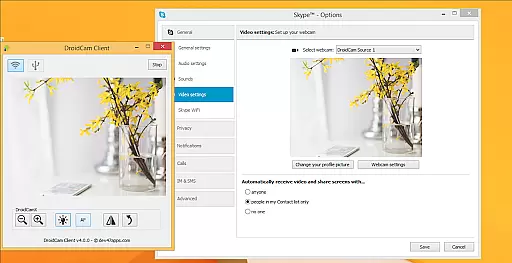
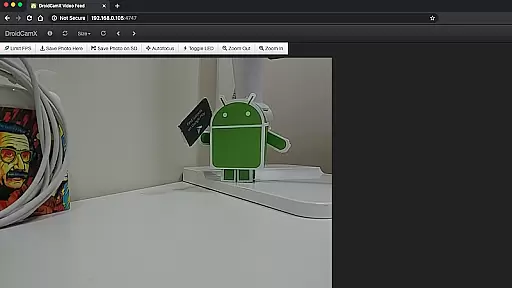
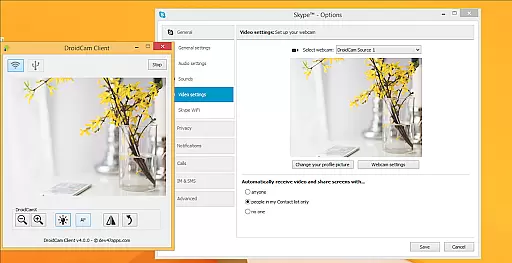
In addition to video streaming, DroidCamX supports audio transmission, making it a comprehensive solution for multimedia communication. The app's MJPEG access allows users to view the camera feed via a browser or from another device, providing versatility in how the stream is accessed. Furthermore, the inclusion of professional controls on the Windows client, such as mirror, flip, brightness, and contrast adjustments, offers users extensive customization options.
Another significant advantage is the app's ability to function with the screen off, conserving battery life while still delivering uninterrupted service. This feature, combined with the capability to run other applications simultaneously, positions DroidCamX as a practical choice for users seeking efficiency and performance in their digital communications.
DroidCamX HD (Classic) excels in transforming your Android device into a high-functioning webcam, ensuring both video and audio streams are transmitted with precision. The app supports HD modes of 720p and 1080p, providing clear and detailed video quality essential for professional and casual use alike.
One of the standout features is its ability to maintain stable video performance through the 'Smooth FPS' option found within the settings. This ensures that users experience minimal lag or stuttering during video calls, making it ideal for real-time communication platforms like Zoom or Skype.
Additionally, DroidCamX allows users to operate other apps simultaneously without interrupting the video feed, thanks to its robust background processing capabilities. This multitasking feature enhances productivity by enabling seamless transitions between different tasks while maintaining an active webcam session.
The interface design of DroidCamX HD (Classic) prioritizes user-friendliness, offering straightforward navigation that caters to both novice and experienced users. Upon launching the app, users can quickly connect their Android device to a computer via WiFi or USB, streamlining the setup process significantly.
Controls for camera functions such as autofocus, zoom, flashlight, and more are intuitively placed, allowing users to adjust settings on-the-fly without disrupting their workflow. These controls empower users to optimize their video capture environment effortlessly.
Moreover, advanced options available on the Windows clientu2014such as mirror, flip, brightness, and contrast adjustmentsu2014further enhance the ease of use. By integrating these pro-level controls, DroidCamX ensures that even complex adjustments can be made with minimal hassle, contributing to an overall intuitive user experience.
High-quality HD video support
Flexible connectivity options
Operates efficiently in the background
Advanced camera controls available
Cross-platform compatibility
Requires separate PC client installation
USB connection may need extra setup
Limited to Android devices only
No native macOS support mentioned
Dependent on network stability for Wi-Fi mode

Change your GPS location instantly. Simulate routes anywhere in the world.
 4.90
4.90
Connect instantly to a fast, encrypted VPN with one tap
4.60
PDF Reader - Document Viewer: Read, Manage & Organize Your Documents
3.10
Family Locator, Share location, StayConnect with your family in real time
3.90
App that Recover your pictures, videos or files after you delete them.
4.20
Small and simple app to Verify Root Access and BusyBox Install!
4.70
Mirror your screen to Chromecast and Android TV - Super fast and simple
4.60
Download any file easily and quickly with Downloader
4.5
NFC Tools can read and write NFC tags.
4.70
Best leveling tool for your Android device. Hang paintings like a pro.
4.90
Enjoy smooth gameplay with Game Booster
4.90
Learn the vast amount of system information about device and monitor it's state
4.70
FV File Manager Pro, Fast and powerful file manager for Android
4.60
Game Booster, GFX Tool is now compatible with newer game update
4.50
Pro Emulator is an easy to use game console emulator for a range of consoles.
4.40
Carry a FTP server in your pocket and avoid USB cables for file transfer
4.20
Detect hidden spy camera with advanced scanning {{ Premium version }}
4.00
Amateur Radio app for APRS: Track friends, exchange messages, get tactical info.
3.90
A powerful, easy-to-use flight computer on your phone or tablet!
3.80


User Reviews