

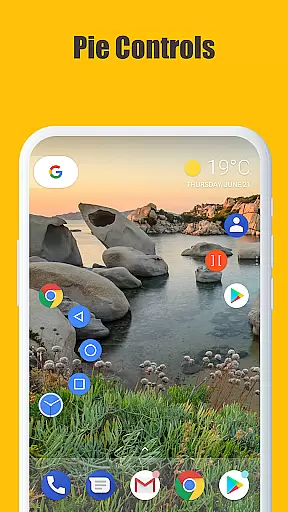
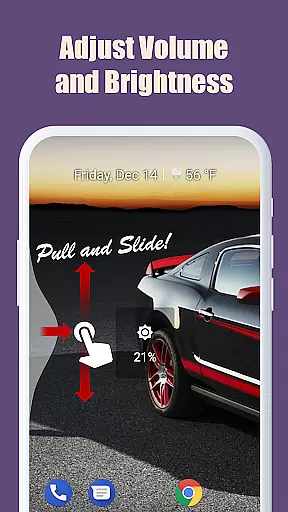
Edge Gestures is a powerful tool app that allows users to perform various actions through simple gestures on the screen edge. With support for multiple gesture types such as tap, swipe, and pie controls, it offers a highly customizable experience. The app enables quick access to essential functions like launching applications, controlling brightness, and toggling split-screen mode.
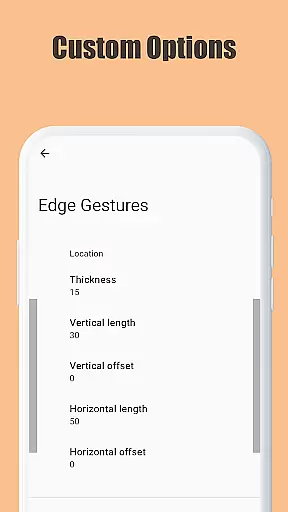
One of the standout features is its ability to customize the edge area's thickness, length, and position, ensuring a personalized user experience. Edge Gestures also uses accessibility service API to implement advanced functionalities like expanding notifications, taking screenshots, and locking the screen. This makes it an ideal choice for users looking to enhance their device's usability with intuitive gestures.
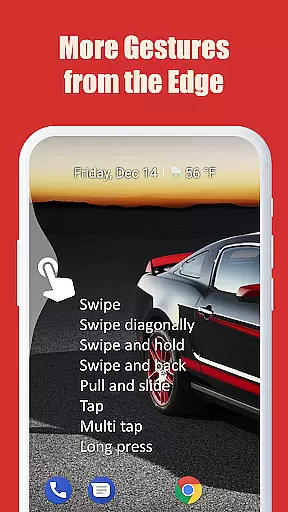
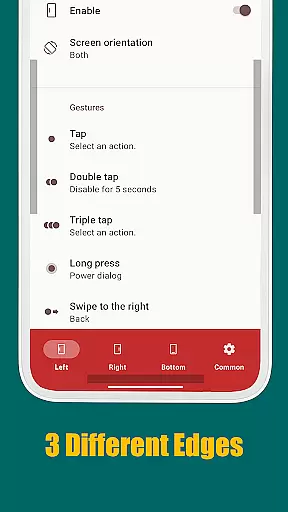
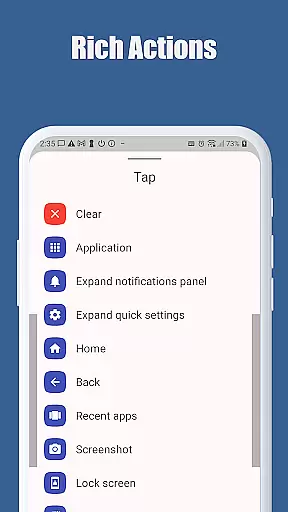
Edge Gestures stands out with its extensive range of gesture types including tap, double tap, long press, and more. Each gesture can be assigned specific actions such as launching apps, adjusting brightness, or accessing quick settings. This level of customization ensures that users can tailor the app to fit their unique needs.
The app also provides advanced features like scroll-to-start, fast scroll, and toggle split-screen, which are particularly useful for power users. Additionally, Edge Gestures requires minimal permissions, focusing only on the necessary accessibility services to detect the foreground app and command system actions. This approach not only enhances functionality but also prioritizes user privacy and security.
Edge Gestures provides a highly accurate and effective way to interact with your device through simple gestures on the screen edge. The app supports various gesture types, including tap, swipe, and long press, each triggering specific actions that enhance user experience.
The tool's effectiveness is evident in its ability to launch applications, adjust brightness, toggle split screens, and perform soft key functions like back, home, and recent apps navigation. These features are implemented using accessibility service APIs, ensuring reliable performance across different Android versions.
Users benefit from customizable edge areas where they can define thickness, length, and position according to their preferences. This customization ensures that the gestures are not only accurate but also comfortable for individual use cases, making daily tasks quicker and more intuitive.
The interface of Edge Gestures is designed to be simple yet powerful, allowing users to easily understand and utilize its features without a steep learning curve. With clear options for setting up gestures and customizing edge areas, the app ensures an intuitive user experience right from the start.
Each gesture type is straightforward and mirrors common touch interactions, such as swiping or tapping. This design choice minimizes the need for extensive tutorials or explanations, enabling users to quickly adapt to the new system and integrate it seamlessly into their routine.
Moreover, by requiring only necessary permissions, Edge Gestures maintains transparency and trust with its users. The app's focus on essential functionalities without cluttering the interface makes it an ideal tool for enhancing productivity through simplified interactions.
User-friendly interface
Highly customizable gestures
Minimal required permissions
Advanced accessibility features
Comprehensive action options
Limited to Android 6.0+
Requires accessibility permission
Some features may feel complex
No iOS version available
Gestures may conflict with other apps

Family Locator, Share location, StayConnect with your family in real time
 3.90
3.90
An open-source APK explorer for Android!
4.10
MS-DOS in your pocket. Play old DOS games anywhere you are ;)
4.10
Bedrock Together: Join any bedrock server on Xbox/PS
4.80
WiFi Signal Strength Meter help you detect WiFi Signal Strength in real time.
4.80
With videos, electrical calculators, and built-in ebook, Ugly’s has your answer.
4.50
Clean up large files and similar photos, fast and easy to use
4.40
Protect your device with antivirus, storage cleanup, and system monitoring
4.70
A clean app.
4.50
Navigate with Ease and Style
4.90
Learn the vast amount of system information about device and monitor it's state
4.70
Forza Tuning Calculator App for Forza Horizon 5, Motorsport and Earlier Titles
4.40
Pro Emulator is an easy to use game console emulator for a range of consoles.
4.40
Just one-tap to easy translate in any language after calls within seconds.
4.20
Signal Strength, Mobile, Wifi, Speed Test, Bad Signals, Cellular, 5G, LTE, 4G
4.20
View detailed information about your Nissan Leaf the dealer never shows you.
4.10
A convenient photo, video, and file recovery tool.
4.00
Unleash gamepad precision for ultimate mobile gaming dominance.
3.90
Safely recover deleted photos, videos, and files with a single easy tap.
3.70

User Reviews