

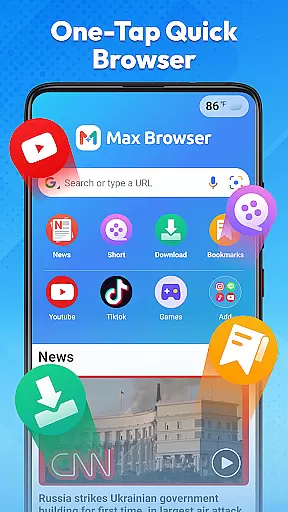
Max Browser is a versatile mobile browsing tool that combines web browsing, private search, video playback and downloading, real-time news updates, file management, and weather information. Designed for efficiency and convenience, it caters to various user needs from daily study and work to entertainment.
The browser features a lightweight design with optimized loading technology, ensuring smooth and reliable web browsing. Its clear interface and simple navigation allow users to quickly access desired content. Additionally, Max Browser offers a private browsing mode that does not record history, cookies, or cached data, providing a secure environment for sensitive searches.
With integrated features like multi-format video download and playback, real-time news channels, file storage management, and weather updates, Max Browser eliminates the need for multiple apps, streamlining the user experience and enhancing productivity.
Max Browser stands out with its comprehensive feature set tailored for modern mobile users. The browser's optimized loading technology ensures fast page loads, while its clean interface and intuitive navigation make content discovery effortless.
One of the key highlights is the private browsing mode, which safeguards user privacy by not recording any browsing history or personal data. This is complemented by the built-in video player that supports multiple formats, allowing users to watch or download videos directly within the app.
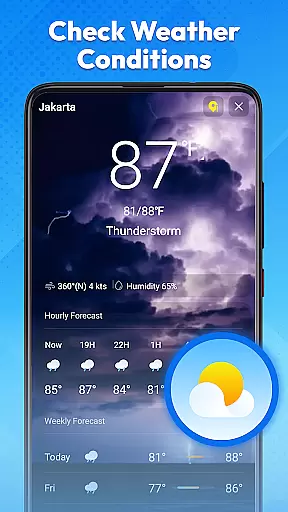
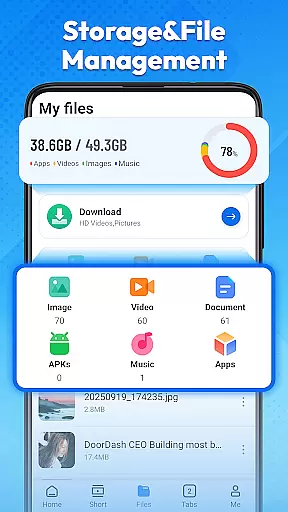
Furthermore, Max Browser provides real-time news updates across various categories and an integrated weather feature displaying current conditions. Its file management system helps organize downloaded files efficiently, making it a one-stop solution for browsing, media consumption, and information management.
Max Browser excels in delivering core functionalities with precision and effectiveness, ensuring users experience seamless web interactions. The browser's lightweight design and optimized loading technology significantly reduce page load times, making it an ideal choice for fast browsing.
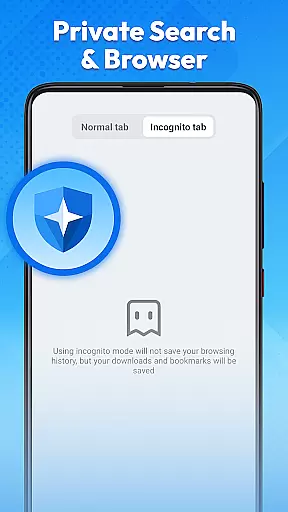
Private search and browsing are standout features, offering a secure environment by not recording access history, cookies, or cached data. This functionality is crucial for users who prioritize personal information security, especially on public networks or shared devices.
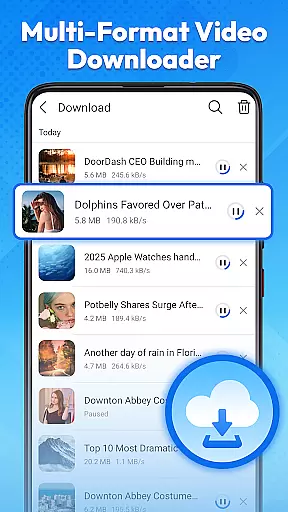
The integrated multi-format video playback and downloading enhance the user experience by allowing direct access to favorite videos. Whether it's short clips, learning courses, or entertainment content, Max Browser supports various formats, eliminating the need for additional tools.
Additionally, real-time news updates and weather information provide users with the latest developments across multiple categories and current weather conditions, respectively. These features ensure that users stay informed without needing separate applications, showcasing Max Browser's commitment to accuracy and effectiveness in its core functions.
Max Browser boasts an interface designed for simplicity and intuitiveness, ensuring users can navigate effortlessly. The clear layout and straightforward navigation allow users to reach desired content quickly, enhancing overall usability.
Privacy mode is seamlessly integrated into the interface, providing an added layer of security without complicating the user experience. Activating this mode is intuitive, allowing users to browse securely without hassle.
Video management within the browser is another area where the interface shines. Users can easily play and manage videos in various formats through a built-in player that offers simple and intuitive controls, streamlining the multimedia experience.
Furthermore, the file management feature is presented in an organized manner, enabling users to locate and manage downloaded files efficiently. This intuitive design extends to weather updates and news channels, ensuring all functionalities are accessible and easy to use, reinforcing Max Browser's dedication to a user-friendly interface.
Fast and reliable browsing
Private mode for secure searches
Integrated video player
Real-time news updates
Convenient weather info
Limited customization options
Occasional ad interruptions
No desktop version available
Privacy concerns in free version
Heavy on memory usage


Just swipe the edge to do something!
 4.40
4.40
Use your phone as a webcam on your computer over WiFi or USB.
4.40
A non-root local ADB shell client. READ BELOW!
3.40
The one-and-only remote control for PC, Mac, and Linux
4.70
WiFi Signal Strength Meter help you detect WiFi Signal Strength in real time.
4.80
The ultimate tool for network analysis, wifi scanning and problem detection.
4.90
Create your own custom widget with endless possibilities
3.90
Pro Emulator is an easy to use game console emulator for a range of consoles.
4.40
Screen recorder with audio to record high-quality videos and take screenshots.
4.40
Remote Play with FSR upscaling, low latency & full controller support
4.80
Fast Video Downloader, Movie Downloader, Torrent Downloader & Adblock Browser
4.70
Learn the vast amount of system information about device and monitor it's state
4.70
The Ultimate Flex Drivers Utility App - Convenient Tapping & Block Filters
4.70
Planner and Tracker for Stardew Valley
4.60
Mirror your screen to Fire TV - Super fast and simple
4.40
Screen Mirroring with sound for Samsung TV, LG TV, Sony TV, Smart TV and Browser
4.20
A convenient photo, video, and file recovery tool.
4.00
A powerful, easy-to-use flight computer on your phone or tablet!
3.80
Safely recover deleted photos, videos, and files with a single easy tap.
3.70

User Reviews