

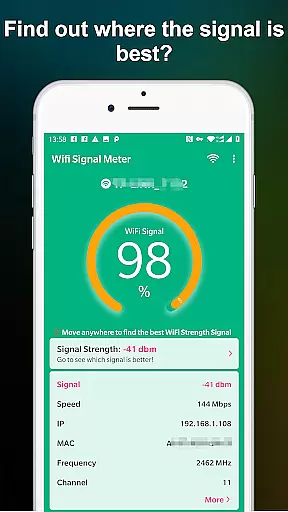
WiFi Signal Strength Meter Pro is a professional tool designed to help users optimize their WiFi network performance. The app's core functionality lies in its ability to identify the strongest WiFi signal areas, commonly known as 'sweet spots', within your environment. This capability proves particularly useful for both home and office settings where consistent internet connectivity is crucial.
The application provides real-time monitoring of your current WiFi signal strength while also detecting surrounding networks. Its intuitive interface allows users to quickly assess their WiFi quality and determine optimal device placement. Whether you're troubleshooting connection issues or setting up new equipment, this tool ensures you maintain a stable and fast internet connection throughout your space.
This app is especially valuable for remote workers, gamers, and anyone who relies heavily on uninterrupted internet access. By helping users find the best locations for their routers and devices, WiFi Signal Strength Meter Pro effectively minimizes disconnection problems and maximizes network efficiency.
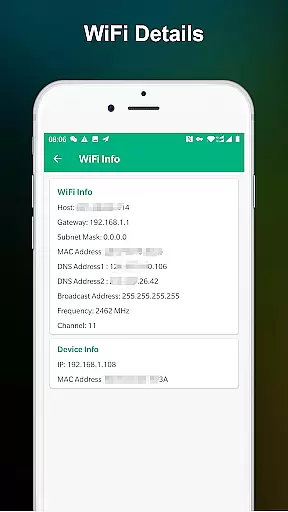
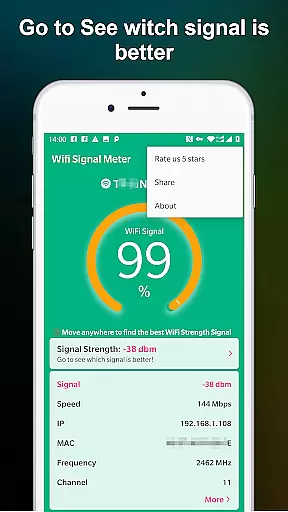
WiFi Signal Strength Meter Pro stands out with its comprehensive set of features designed for network optimization. The application's primary feature is its real-time signal strength monitoring system, which constantly updates and displays current WiFi performance metrics. This allows users to walk through their spaces while observing how different locations affect their connection quality.
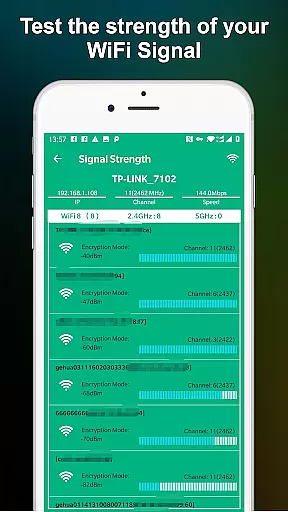
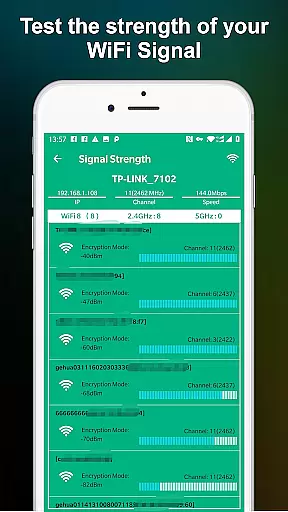
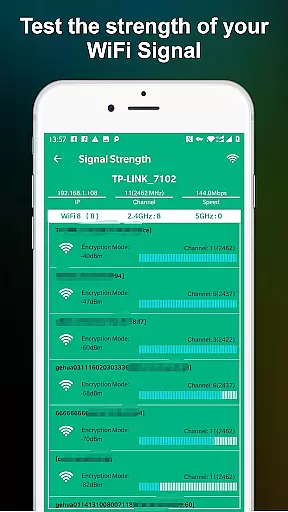
A key innovation is the app's ability to detect nearby WiFi networks and analyze their signal strengths. This feature helps users understand their wireless environment better and make informed decisions about router placement. The app also includes a historical data tracking system that enables users to monitor signal strength changes over time, providing valuable insights into network performance patterns.
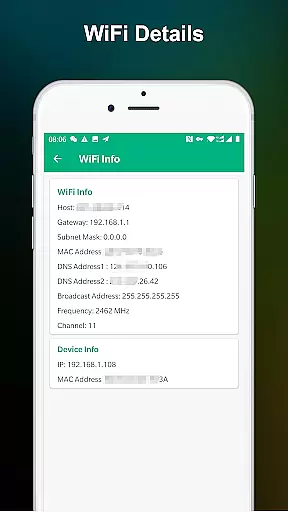
What sets this tool apart from similar applications is its user-friendly interface combined with advanced technical capabilities. While maintaining simplicity in its design, the app delivers professional-grade network analysis tools that were previously only available to IT specialists. This combination makes it an indispensable utility for both casual users and networking professionals.
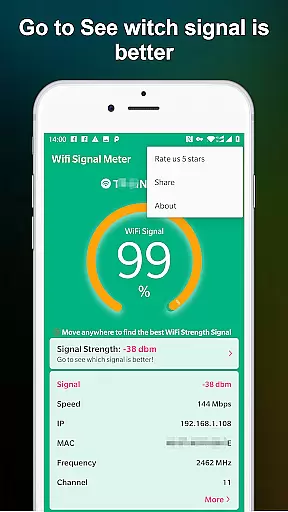
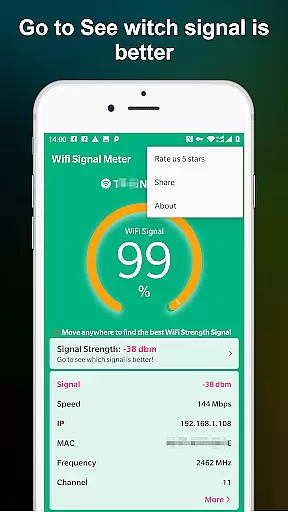
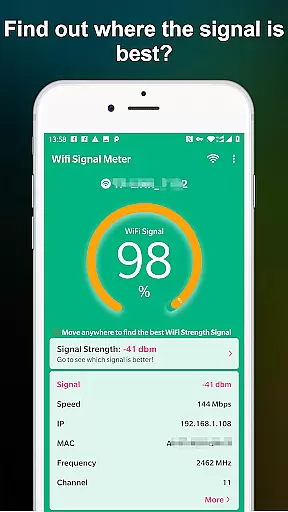
WiFi Signal Strength Meter Pro is designed to provide accurate and real-time monitoring of WiFi signal strength. This functionality is crucial for users who need to identify the optimal locations within their home or office to ensure a stable internet connection.
The app employs advanced algorithms to continuously scan and update the WiFi signal data. By doing so, it ensures that the information displayed is both current and reliable. Users can trust the readings to reflect the true state of their network environment.
This level of precision allows users to make informed decisions about where to place their routers or which areas to avoid due to weak signals. The ability to detect fluctuations in signal strength as you move around your space is particularly beneficial for maintaining seamless connectivity.
Ultimately, the app's commitment to accuracy and effectiveness translates into tangible benefits for users. Whether for work or leisure, having a dependable WiFi connection enhances productivity and enjoyment, making this tool an indispensable asset for anyone looking to optimize their wireless network.
A user-friendly interface is at the heart of WiFi Signal Strength Meter Pro's design philosophy. Recognizing that not all users are tech-savvy, the developers have prioritized ease of use without compromising on functionality.
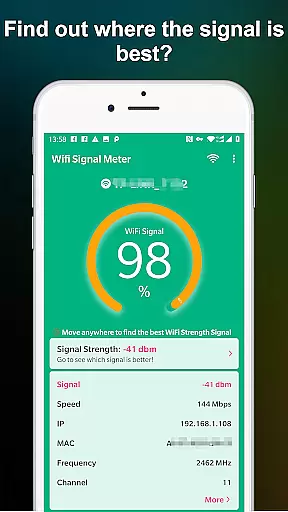
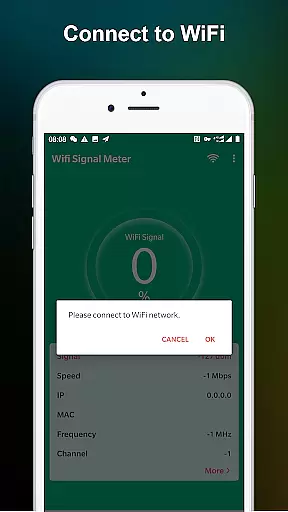
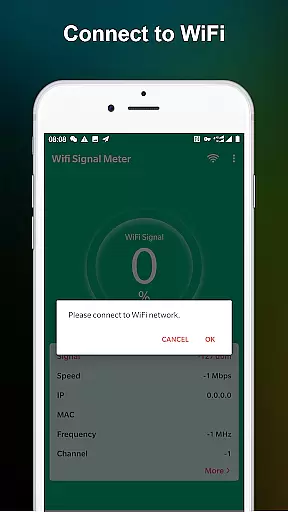
The main dashboard presents key information such as signal strength percentage and real-time updates in a clear, easy-to-read format. Navigation through different features is intuitive, allowing users to access advanced settings with minimal effort.
Moreover, the app includes helpful tooltips and guidance for new users. These elements ensure that even those unfamiliar with network diagnostics can quickly learn how to use the app effectively.
By combining a straightforward layout with powerful tools, WiFi Signal Strength Meter Pro strikes a perfect balance between accessibility and capability. This approach not only enhances user satisfaction but also encourages regular use, leading to better-managed WiFi networks and improved overall digital experiences.
Real-time signal tracking
User-friendly interface
Comprehensive network analysis
Constant feature updates
Wide device compatibility
Premium version required
Limited free features
Occasional accuracy issues
No automatic optimization
Advanced settings complex

A powerful, easy-to-use flight computer on your phone or tablet!
 3.80
3.80
Transfer Files, APK from Phone to Watch & Install.
4.5
Fluid navigation gestures for all of us!
4.30
card-reader app
2.20
MS-DOS in your pocket. Play old DOS games anywhere you are ;)
4.10
Excellent scientific calculator with symbolic algebra, integrals, derivatives
4.80
Create your own custom widget with endless possibilities
3.90
Pro Emulator is an easy to use game console emulator for a range of consoles.
4.40
Fast VPN USA for any country. Super secure VPN for calls, streaming, games, TV.
4.40
HD Video player and downloader for all formats, fast & smooth 4K video playback.
4.60
Just swipe the edge to do something!
4.40
Just one-tap to easy translate in any language after calls within seconds.
4.20 4.10
4.10
View detailed information about your Nissan Leaf the dealer never shows you.
4.10
A simple app to back up and restore SMS & MMS messages and call logs.
4.10
Smart and comfortable browsing experience.
3.80
Unlock your Essential Key. Create custom shortcuts to your favorite apps!
4.3
Save any video in HD - paste the link, download fast and watch offline.
4.1
Download any file easily and quickly with Downloader
4.3

User Reviews