

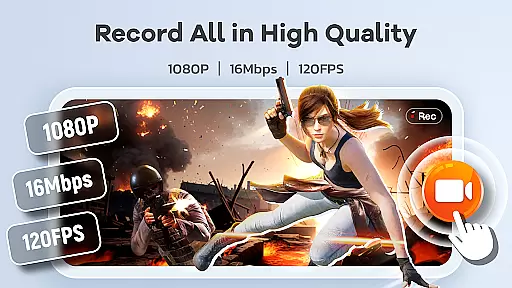
Screen Recorder Video Recorder is a versatile screen recording and video editing tool designed for users who want to create high-quality content directly from their mobile devices. The app offers professional-grade features such as HD recording at up to 1080P resolution, 16Mbps bitrate, and frame rates of up to 120FPS, ensuring every detail is captured with clarity. Whether you're creating engaging tutorials, recording epic gameplay moments, or preserving important video calls, this app provides the tools necessary to produce polished and shareable videos.
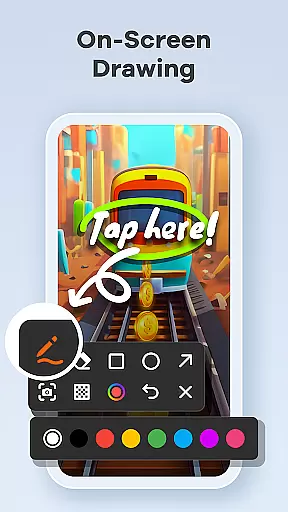
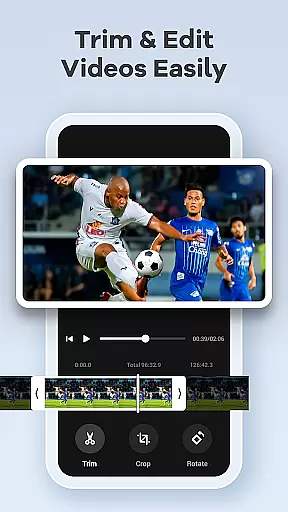
In addition to its powerful recording capabilities, Screen Recorder Video Recorder includes an intuitive built-in video editor that allows users to trim, crop, and rotate videos effortlessly. With added functionalities like live drawing, facecam integration, and instant conversion of videos into GIFs, users can enhance their content creatively. The app also supports seamless sharing options to platforms like YouTube and social media, making it easy to distribute your creations with just a tap. Suitable for both casual users and content creators, this app transforms your mobile device into a portable studio.
One of the standout features of Screen Recorder Video Recorder is its all-in-one functionality, combining robust screen recording with an integrated video editor. Users can record in stunning HD quality while capturing both internal system audio and external microphone input, ensuring professional sound synchronization. The built-in editor offers essential tools such as trimming, cropping, and rotating, enabling users to refine their recordings without needing additional software. Moreover, the unique Video-to-GIF feature lets users quickly convert highlights into easily shareable formats, adding versatility to content creation.
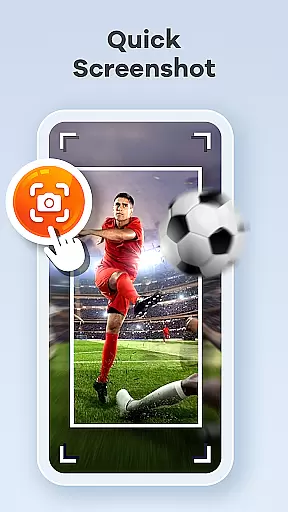
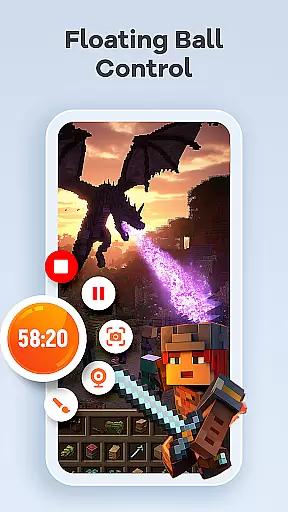
The app also excels in providing intuitive controls through innovations like the one-tap floating ball, which allows users to start, pause, resume, and capture screenshots without interrupting their workflow. Customizable gesture controls further streamline the process by letting users define quick actions tailored to their preferences. Additionally, there are no time limits or watermarks on recordings, giving creators full freedom over their projects. Advanced settings let users adjust parameters such as resolution, bitrate, and frame rate, ensuring optimal performance based on individual needs.
Screen Recorder Video Recorder excels in delivering precise and effective core functionalities that cater to both casual and professional users. The app supports HD recording at up to 1080P resolution, with a bitrate of 16Mbps and frame rates as high as 120FPS, ensuring every detail is captured with stunning clarity.
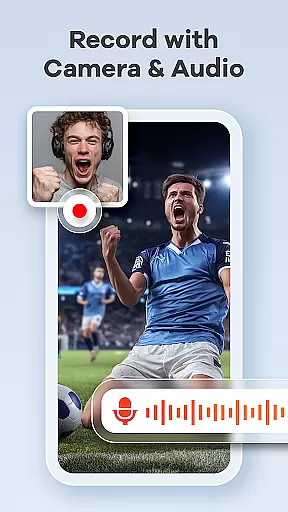
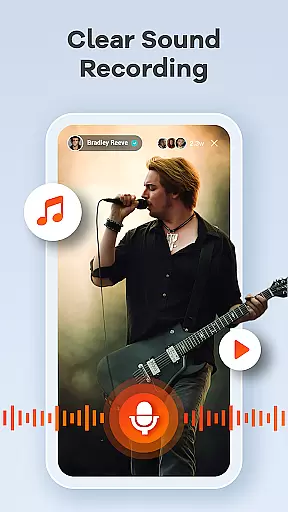
In addition to video quality, the app offers robust audio recording features. Users can record crystal-clear audio from both internal and external sources, such as the device's system sound or an external microphone. This dual capability ensures that all auditory elements are faithfully reproduced, enhancing the overall quality of the recorded content.
The built-in video editor further amplifies the app's effectiveness by allowing users to trim, crop, and rotate videos effortlessly. These editing tools ensure that the final output meets professional standards, making it easy for creators to produce polished and engaging content. Moreover, the ability to convert videos into GIFs adds another layer of versatility, enabling quick sharing of highlights.
By combining these accurate and effective functions, Screen Recorder Video Recorder empowers users to create high-quality screen recordings and video content with minimal effort, significantly boosting productivity and creative potential.
A standout feature of Screen Recorder Video Recorder is its commitment to providing a simple and intuitive user interface. The app incorporates a one-tap floating ball control, which allows users to start, pause, resume, and capture screenshots without interrupting their workflow. This seamless interaction ensures that even beginners can navigate and utilize the app's features with ease.
Gestures play a crucial role in enhancing the app's intuitiveness. Users can customize specific gestures for various actions, streamlining the video creation process. This flexibility not only improves accessibility but also enables users to tailor the app to their personal preferences, making each interaction more efficient and enjoyable.
Furthermore, the absence of time limits and watermarks underscores the app's dedication to offering an uninterrupted and professional-grade experience. By removing these common restrictions, Screen Recorder Video Recorder provides a clean canvas for creativity, encouraging users to focus on their content rather than technical limitations.
Overall, the combination of straightforward controls, customizable gestures, and unrestricted recording capabilities makes Screen Recorder Video Recorder an exceptionally user-friendly tool. Its intuitive design ensures that users can concentrate on producing high-quality videos without being hindered by complex interfaces or unnecessary constraints.
User-friendly interface
High-quality recording options
Built-in video editing tools
No watermark on recordings
Seamless sharing capabilities
Requires multiple permissions
Limited functionality in some apps
May consume significant storage
Privacy concerns when recording
Advanced features may overwhelm beginners


 4.50
4.50
Easily install aab(Android App Bundle) files on your Android device with our app
4.80
Just swipe the edge to do something!
4.40
PDF Reader - Document Viewer: Read, Manage & Organize Your Documents
3.10
Complete kernel toolbox with features to manage and tweak your rooted device
4.30
Learn the vast amount of system information about device and monitor it's state
4.70
card-reader app
2.20
The Ultimate Bluetooth Keyboard & Mouse. Securely control your PC, Mac, and more
4.50
The ultimate tool for network analysis, wifi scanning and problem detection.
4.90
Navigate with Ease and Style
4.90
Optimize your WiFi network, turn your phone into Wifi Analyzer
4.70
Fast Video Downloader, Movie Downloader, Torrent Downloader & Adblock Browser
4.70
Creation, Learning, Entertainment & More — The All-in-One AI Search Engine
4.70
HD Video player and downloader for all formats, fast & smooth 4K video playback.
4.60
Play your X-Box games remotely in 1080p with any controller and zero latency
4.60 4.50
4.50
Quickly & easily calculate the spacing of handrail balusters
4.20
An open-source APK explorer for Android!
4.10
1-Click close all background apps on Android TV
3.90

User Reviews