

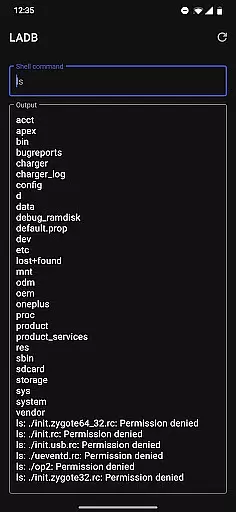
LADB — Local ADB Shell is a powerful tool designed for developers and advanced users who need to execute ADB commands directly on their Android device without requiring a computer. The app bundles an ADB server within its libraries, enabling local shell access through Wireless ADB Debugging.
Key features include seamless wireless debugging, manual pairing options, and compatibility with various development workflows. It is particularly useful for those needing to manage apps, files, or system settings directly from their device. With support for easy troubleshooting and active developer engagement, LADB ensures a reliable and efficient debugging experience.
The app offers several notable features that enhance the debugging process. First, it integrates an ADB server directly into the app, allowing users to run shell commands locally. This eliminates the need for USB connections and simplifies the workflow for developers.
Additionally, LADB supports manual pairing for devices facing connectivity issues, ensuring broad compatibility across different Android versions. Users can troubleshoot common problems by clearing app data or rebooting their device. The app also provides clear setup instructions and maintains active support channels, making it accessible even to less experienced users.
LADB u2014 Local ADB Shell offers a unique solution by bundling an ADB server within the app itself. This allows users to establish a local connection without requiring active USB debugging, which is crucial for developers and power users needing quick access to device functionalities.
The application leverages Android's Wireless ADB Debugging feature, ensuring that both client and server can communicate seamlessly over a local network. By following the initial setup instructions, users can pair their devices efficiently, maintaining a stable connection as long as the pairing information remains valid.
Despite some compatibility issues with other tools like Shizuku, LADB provides reliable performance when used correctly. Most connectivity problems can be resolved through basic troubleshooting steps such as clearing app data or rebooting the device, making it a dependable choice for local ADB operations.
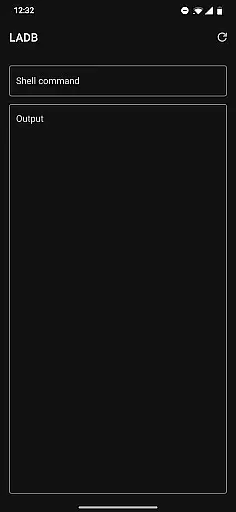
The interface of LADB is designed to simplify complex processes associated with ADB connections. Users can easily navigate through settings and options thanks to its straightforward layout, which supports split-screen mode for simultaneous access to device settings and the app.
One notable feature is the Assisted Pairing mode, which streamlines the connection process by guiding users through necessary steps. Although this mode may encounter issues with newer Android versions, a manual pairing tutorial is available, providing clear instructions to ensure successful connections every time.
Overall, LADB balances advanced functionality with user-friendly design principles. Its intuitive controls and comprehensive support resources make it accessible even to those who are new to ADB operations, enhancing productivity without compromising ease of use.
Integrated ADB server
Wireless debugging
Manual pairing option
Active developer support
Easy troubleshooting steps
Incompatible with Shizuku
Setup can be complex
Requires specific permissions
No offline help documentation
Limited to Android platform

Effortlessly run ADB commands directly on your device without a PC.
 4.20
4.20
Making emulation easy for everyone!
4.30
Bedrock Together: Join any bedrock server on Xbox/PS
4.80
Undelete and recover your lost or deleted files with DiskDigger!
3.40
The Ultimate Flex Drivers Utility App - Convenient Tapping & Block Filters
4.70
Download any file easily and quickly with Downloader
4.3
Pro Emulator is an easy to use game console emulator for a range of consoles.
4.40
Introducing Smart Printer, your ultimate destination for printing solutions!
4.00
Enjoy a smooth mobile reading experience!
3.60
The ultimate tool for network analysis, wifi scanning and problem detection.
4.90
Keep track of your Palia friendships, tasks, and inventory with Palia Notebook
4.60
Planner and Tracker for Stardew Valley
4.60
Use your phone as a webcam on your computer over WiFi or USB.
4.40
PC precision for mobile gaming: dominate with keyboard and mouse!
4.30
Just one-tap to easy translate in any language after calls within seconds.
4.20
Screen Mirroring with sound for Samsung TV, LG TV, Sony TV, Smart TV and Browser
4.20
A simple app to back up and restore SMS & MMS messages and call logs.
4.10
Create your own custom widget with endless possibilities
3.90
Clean the junk files on your device
3.40

User Reviews