

Castro Premium is a comprehensive device monitoring tool that provides real-time insights into your device's performance. With detailed statistics on CPU, GPU, battery, memory usage, and network data, it offers an extensive overview of your device's health.
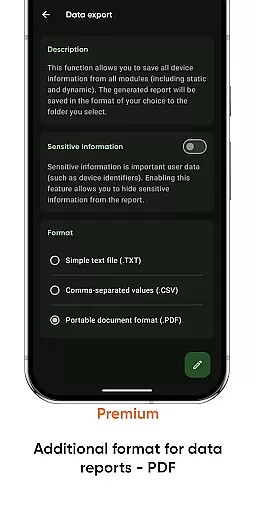
The app also features advanced tools like screen testing, noise checking, and data export options. Premium users enjoy additional benefits such as deep interface customization, battery monitoring, and configurable home-screen widgets, making it a versatile tool for both casual users and tech enthusiasts.
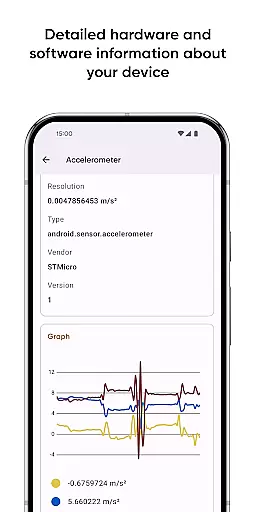
Castro Premium stands out with its rich feature set tailored for device monitoring. The app provides detailed processor statistics, including CPU and GPU performance, along with real-time sensor data displayed through useful graphs.
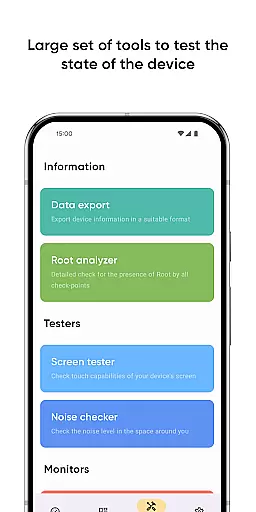
Beyond basic monitoring, Castro offers specialized tools such as a screen tester to check display integrity and a noise checker for environmental sound levels. Premium features extend functionality further with customizable themes, battery tracking, network speed monitoring, and more, ensuring users have control over their device's information and presentation.
Castro Premium stands out in the Tools category by delivering highly accurate and effective core functions that cater to users who need detailed insights into their device's performance. The app provides comprehensive statistics on processor usage, including both CPU and GPU metrics, which are crucial for understanding how your device is performing under different loads.
Beyond processor statistics, Castro offers real-time monitoring of battery status, memory consumption, and data usage through Wi-Fi and mobile networks. This ensures that users can manage resources efficiently and make informed decisions about their device usage. The inclusion of real-time sensor data with useful graphs further enhances the app's ability to provide precise and actionable information.
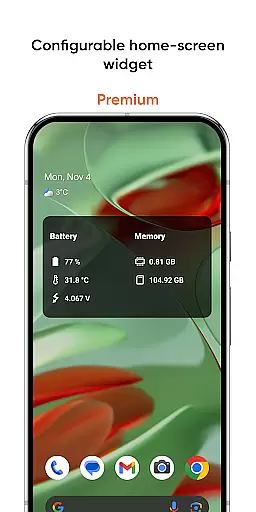
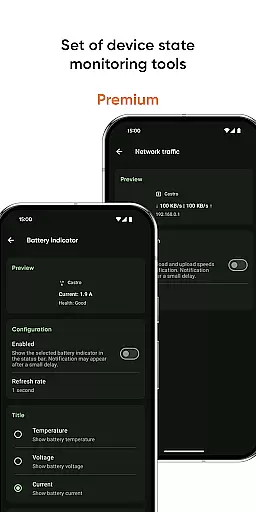
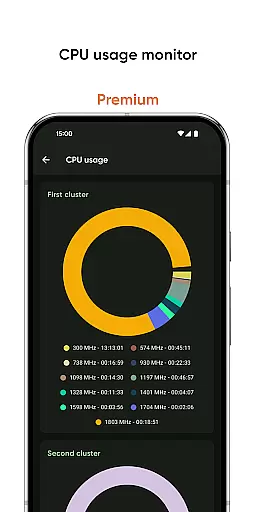
For users seeking even more control, Castro Premium unlocks advanced features such as a network traffic speed monitor, CPU usage monitor, and configurable home-screen widgets. These tools not only improve the accuracy of the information provided but also enhance the overall effectiveness of the app in helping users maintain optimal device performance.
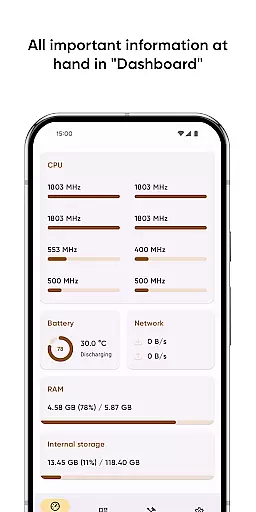
A key feature of Castro Premium is its commitment to maintaining an interface that is both simple and intuitive, ensuring that users can easily navigate through a vast array of information without feeling overwhelmed. The Dashboard window exemplifies this approach by consolidating the most critical information, such as CPU usage, battery status, network usage, and memory load, into a single, easy-to-access location.
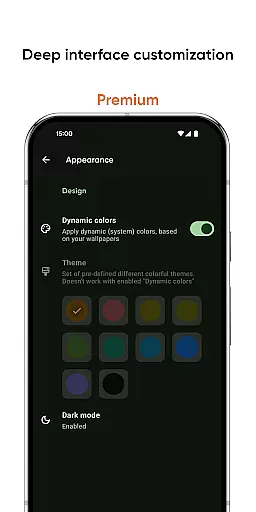
In addition to the streamlined Dashboard, Castro offers deep interface customization options for Premium users. This includes various colors and themes that allow users to tailor the appearance of the app to their personal preferences, enhancing usability and ensuring a more engaging experience.
Tools like the Screen tester and Noise checker further demonstrate the app's focus on simplicity and intuitiveness. By providing straightforward functionalities that address specific user needs, Castro Premium ensures that even users with limited technical knowledge can benefit from its advanced monitoring capabilities without a steep learning curve.
User-friendly interface
Real-time monitoring
Extensive feature set
Customizable dashboard
Premium customization options
Some features locked behind paywall
Interface may overwhelm new users
Highly technical for average user
Limited free version capabilities
Occasional performance lags

Easily install aab(Android App Bundle) files on your Android device with our app
 4.80
4.80
Family Locator, Share location, StayConnect with your family in real time
3.90
Safely recover deleted photos, videos, and files with a single easy tap.
3.70
eXtended Permission Manager - a small app to manage permissions and AppOps
4.50
ADB support Android 4.X-Android 13(Support wireless pair mode).No root required!
4.70
MS-DOS in your pocket. Play old DOS games anywhere you are ;)
4.10
Remote Play with FSR upscaling, low latency & full controller support
4.80
Clean up your phone, find files, play media, and share files offline
4.50
The ideal app to be the digital eye of your family
3.40
Enjoy smooth gameplay with Game Booster
4.90
The Ultimate Flex Drivers Utility App - Convenient Tapping & Block Filters
4.70
NFC Tools can read and write NFC tags.
4.70
Quickly check the frequency of the Earth
4.30
Remote for Roku, Fire TV, Samsung TV, LG TV, Android TV, Chromecast and VIZIO TV
4.20
A convenient photo, video, and file recovery tool.
4.00
Unleash gamepad precision for ultimate mobile gaming dominance.
3.90
Smart and comfortable browsing experience.
3.80
This app unlocks the Pro features of the Central for DayZ app
3.60
Unlock your Essential Key. Create custom shortcuts to your favorite apps!
4.3

User Reviews