

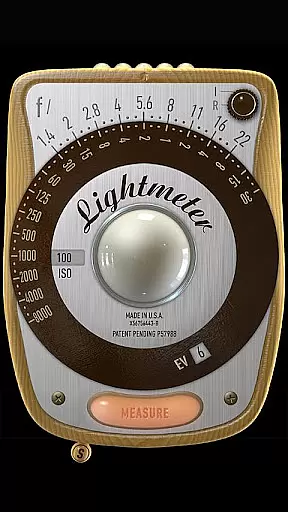
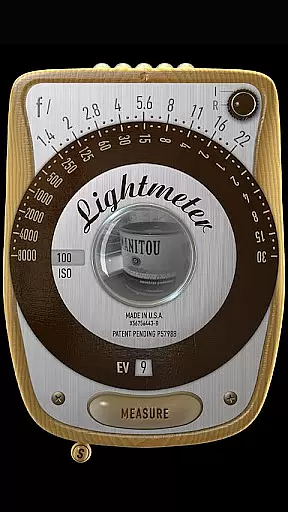
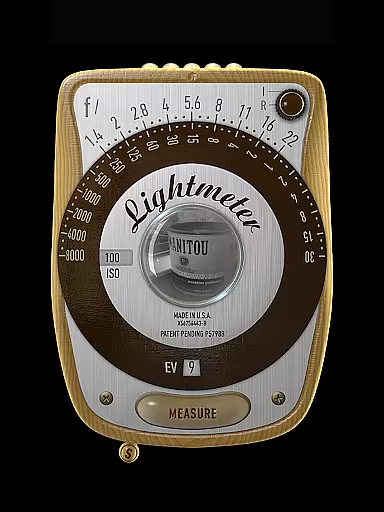
LightMeter is a specialized photography app designed for analog photographers who appreciate the art of old-school photography. This application provides both reflected and incident light metering, catering to those who value precision in their exposure settings. With compatibility dependent on device capabilities, it supports various ISO ranges and offers unique features like low light alerts and calibration options.
The app's reflected light metering delivers reliable results when used with devices that can save exposure data to EXIF metadata. While the incident light metering requires a light sensor, it works across most devices. Additional functionalities include vibration feedback, muting options (where supported), and spot measurement for cameras with zoom functionality. LightMeter is an invaluable tool for photographers seeking accurate light readings without carrying additional equipment.
LightMeter boasts an array of features tailored for photography enthusiasts. The app supports an extensive ISO range from 3 to 6400, accommodating diverse lighting conditions. Its incident light metering function utilizes the device's light sensor, while the reflected light metering leverages the camera's capabilities, albeit with limited device compatibility.
Users benefit from practical tools such as low light alerts, optional muting of the camera shutter sound, and detailed EXIF and sensor information displayed directly on-screen. The app also includes advanced functionalities like calibration settings, vibration feedback upon measurement, and the ability to hold incident light readings. Furthermore, alternative ISO selectors, state recall on resume, and support for high-resolution screens make this app a comprehensive solution for photographers invested in capturing the perfect shot.
Real-time capture and preview functionality is essential for photographers who need accurate exposure readings. LightMeter offers this feature by utilizing the device's camera capabilities to provide instant feedback on lighting conditions.
The app supports reflected light metering, which works best with devices that can save exposure data to EXIF. This allows photographers to make informed decisions about their camera settings before taking a shot. The precision of the metering can be quite good, ensuring that images are correctly exposed.
Additionally, LightMeter includes an incident light meter that operates using the device's light sensor. While not as precise as professional standalone light meters, it provides a reliable option for photographers working in various lighting situations. This dual approach ensures users have versatile tools at their disposal.
By offering real-time feedback through its capture and preview features, LightMeter empowers photographers to adjust their settings quickly and efficiently. This immediacy helps in capturing the perfect shot without the need for post-processing adjustments.
While LightMeter does not focus on AI beauty enhancements typical in portrait apps, it emphasizes naturalness and accuracy in light measurement. This commitment to authenticity ensures that photographs reflect true lighting conditions without artificial manipulation.
The app provides several features that contribute to the natural enhancement of images. For instance, the low light alert notifies users when conditions are not ideal, allowing them to adjust their setup accordingly. This feature promotes capturing genuine moments with minimal interference from the app itself.
Furthermore, LightMeter offers calibration options and vibration feedback upon measurement, enhancing the user experience while maintaining the integrity of the photographic process. These functionalities ensure that each photograph's lighting is authentic and unaltered.
By prioritizing natural light measurement over artificial enhancements, LightMeter caters to photographers seeking honest representations of their subjects. This dedication to purity in photography sets it apart from apps focused solely on aesthetic modifications.
User-friendly interface
Wide ISO range support
Precise light metering
Vibration feedback feature
Comprehensive EXIF data display
Limited device compatibility
Incident light needs sensor
Reflected light few compatibles
Muting not available everywhere
Accuracy depends on device

Gallery show photo, video, slideshow, is perfect 3D effect private photo albums.
 4.80
4.80
Photo Album Watch Face shows your favorite pictures as a Watchface.
1.90
Cut and paste photo editor & eraser to customize photos easy and swap faces fun
4.50
Over 800 film simulation recipes for Fujifilm. Black Friday Offer!
4.0
The #1 app for B&W film developing featuring an advanced darkroom timer.
4.10
Movie camera, supports pro recording settings for filming. Try it and be amazed!
4.50
Create amazing frames with up to five photos. Rounded corners, effects and more!
3.60
Hair color changer, AI haircut app, fun hair editor and buzz cut filter for all!
3.80
PhotoSync Bundle Add-On License. Enables all features and services in PhotoSync.
4.60
See your baby AI baby face generator AI baby maker Face generator babymaker fun!
4.70
Transform photos into videos! Create realistic or anime-style images easily!
4.50
RAW video capture with advanced controls
4.40
All-in-One Editor & AI Photo Enhancer, Beautify & Retouch, Collage, Cartoonify
4.20
AI-powered video creator by MiniMax - Where ideas meet cinema
4.20
All-in-One Editor & AI Photo Enhancer, Collage, Cartoonify, Funny Stickers & BGS
4.10
How would you look like with a differently shaped nose, chin or lips?
3.90
Astrophotography with your smartphone, photo live stacking and much more!
3.90
Perfect photos with body shaping, BG changer and object remover.
3.70
Long exposure camera with computational photography
2.60

User Reviews