
Google Home is a comprehensive smart home management application designed specifically for Android Wear devices. This app allows users to seamlessly control and monitor their smart home devices directly from their wearable technology. With its intuitive interface, users can view the real-time status of their home, receive important updates, and manage multiple devices with ease.
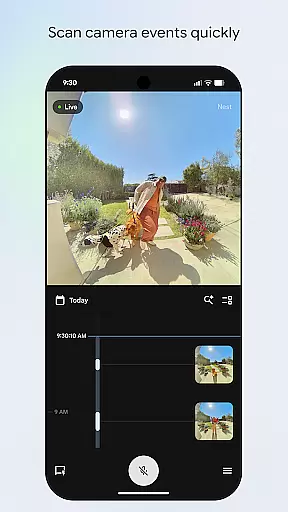
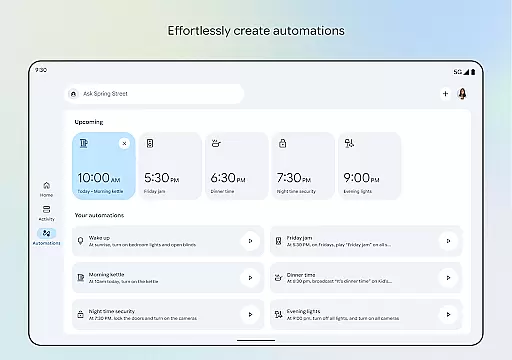
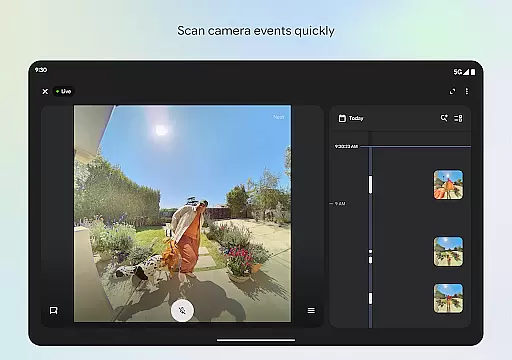
The app features an updated design that organizes your smart home devices into easy-to-navigate dashboards. Whether you're checking in on your home security cameras or adjusting your thermostat, Google Home provides quick access and control. Additionally, the camera live view and history functionality offers users the ability to swiftly scan through past events, ensuring you never miss a moment.
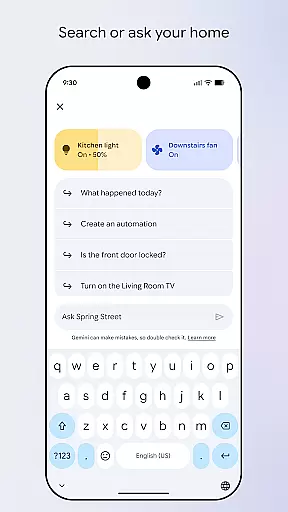
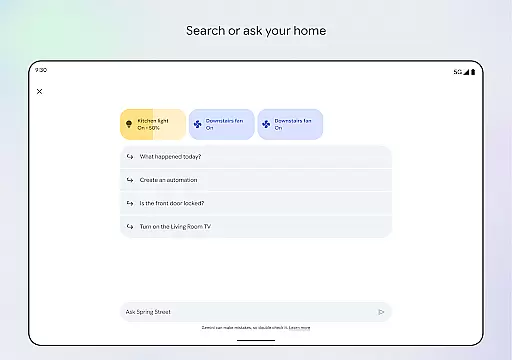
Designed for convenience and efficiency, Google Home is perfect for tech-savvy individuals who want to maximize their smart home experience while on the go. By integrating voice commands through Gemini for Home, it brings a new level of interaction and accessibility, making smart home management simpler and more intuitive than ever before.
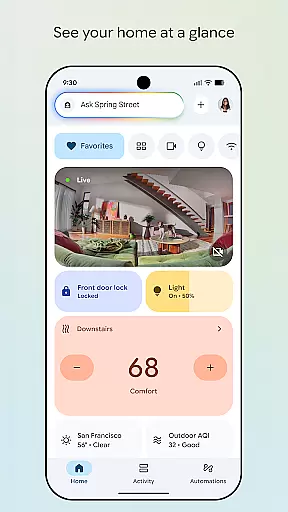
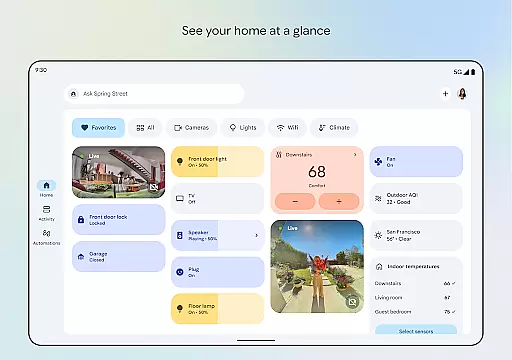
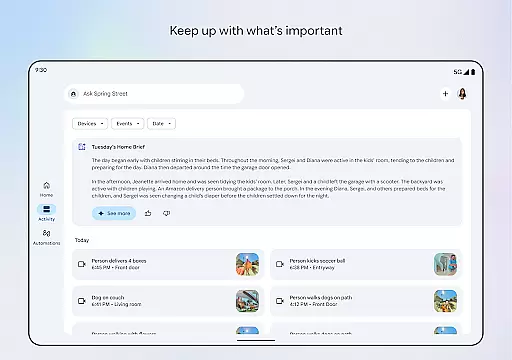
Google Home stands out with its robust set of features tailored for managing smart home ecosystems. One of the key highlights is the ability to see your home's status at a glance. The app consolidates information from various smart devices, presenting it in a streamlined and organized manner. This makes it easy for users to quickly understand what's happening in their home without needing to check each device individually.
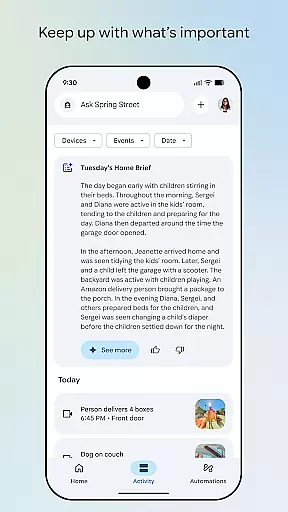
Another significant feature is the enhanced camera interface. Users can effortlessly browse through live views and historical footage from their smart home cameras. This functionality not only improves security monitoring but also allows users to stay connected with their home environment. Furthermore, the app supports voice commands via Gemini for Home, enabling hands-free control over compatible devices.
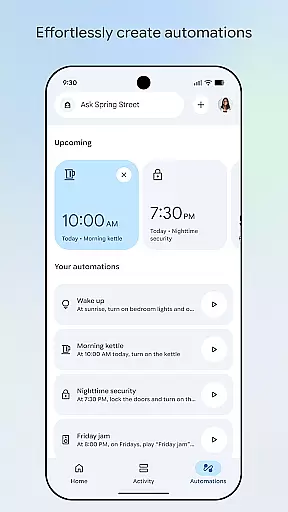
Google Home also emphasizes personalization and ease of navigation. Its updated design helps users group devices into customizable dashboards, simplifying the management process. Whether you're adjusting settings or reviewing past events, the app ensures a smooth and efficient user experience, making smart home management accessible even to those new to the technology.
Companion app integration is a crucial feature for Android Wear devices like Google Home. This functionality ensures seamless synchronization between your wearable device and the main application.
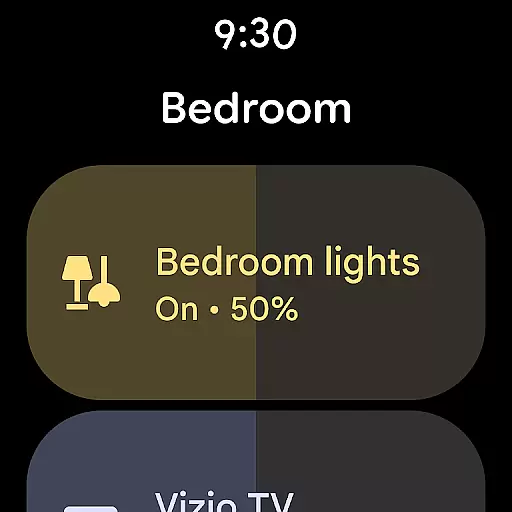
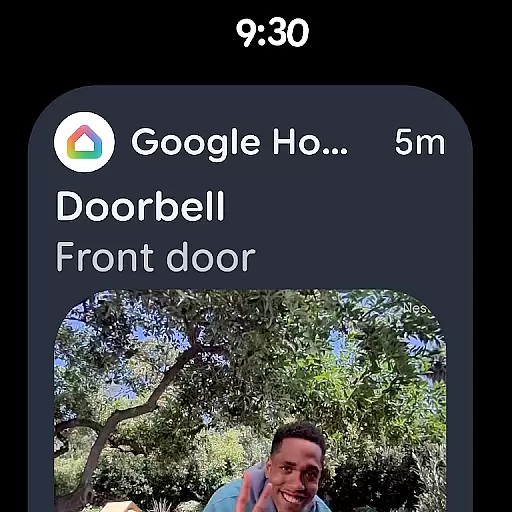
Google Home excels in this area by providing real-time updates and control over your home devices directly from your wrist. The app allows you to receive notifications, control smart home devices, and access important information without needing to take out your phone.
Users benefit from this integration by experiencing enhanced convenience and efficiency. With just a glance at their wearable, they can manage their entire smart home ecosystem, ensuring they are always connected and in control.
This level of integration not only simplifies daily tasks but also enhances the overall user experience by making technology more accessible and intuitive.
Wear OS and device compatibility is essential for ensuring that your Android Wear device works harmoniously with various apps and services. Google Home supports a wide range of devices, making it versatile and user-friendly.
The Google Home app is optimized for Wear OS, providing a smooth and responsive interface tailored for smaller screens. It ensures that all features are easily accessible and functional on your wearable device, maintaining the same high standards as on smartphones.
For users, this means they can enjoy a consistent and reliable experience across different devices. Whether controlling smart home gadgets or receiving timely alerts, compatibility ensures everything operates seamlessly.
By prioritizing compatibility, Google Home enhances usability and broadens its appeal, catering to tech-savvy individuals who demand flexibility and performance from their wearable technology.
User-friendly interface
Comprehensive device support
Voice command integration
Real-time home monitoring
Customizable dashboards
Limited regional availability
Requires compatible devices
Premium features may cost extra
Occasional connectivity issues
Steep learning curve for beginners


Christmas - Festive - Christmas Village - Winter - Christmas lights
 5.00
5.00
Christmas is near, let's count together the days left until Santa comes
4.5
Beautiful, colorful and practical watch face. For Wear OS devices.
5.00
Connect to your Bluelink equipped Hyundai vehicle from your smartphone.
4.50
Real-time results, stats, schedules and player profiles for all leagues
4.60
A realistic hybrid watch face with many customization options.
4.60
A white realistic classic analog watch face with many customization options.
4.40
Want to take charge of your health? Let Google Fit help you reach your goals.
3.50
Spam call blocker and caller ID for automatic call protection!
4.40
Deck out your Wear OS Watch face with a beautifully decorated pine wreath!
4.50
Beautiful artistic animated digital watch face, with a customizable layout!
4.40
Bold weather Digital watchface with forecast & optional animated background
4.40
Animated video-game inspired “secret agent” simulation, right on your wrist!
4.20
Professional weather radar and more
3.90
Watch the sharpness of the sky on your wrist..
3.70
Watch face designed for Thanksgiving Day. 7 Background Styles included.
3.20
Christmas and New Year - Themed Watchface
4.2
Wear Os Watch Face - Animated Snow - Sesonal for Christmas & Winter
4.1
Analog watch face with 8 complications and expedition styling
4.3


User Reviews