

Draw Animation Maker is an innovative app that transforms simple doodles into captivating animations. Designed for both beginners and experienced animators, this tool offers a complete suite of features to create frame-by-frame animations with ease. The app provides users with the ability to craft flipbook-style animations directly on their mobile devices, making animation more accessible than ever before.
The application stands out in the Art & Design category by offering intuitive drawing tools combined with powerful animation capabilities. Users can create dynamic stickman characters and develop engaging animated stories. Whether you're looking to create humorous shorts or detailed animated sequences, Draw Animation Maker delivers professional-grade results while maintaining an enjoyable user experience.
Perfect for creative professionals and hobbyists alike, this app enables users to save their creations as GIFs or MP4 files, making it easy to share their work across various platforms. From concept development to final production, Draw Animation Maker streamlines the entire animation process, empowering users to unleash their full creative potential.
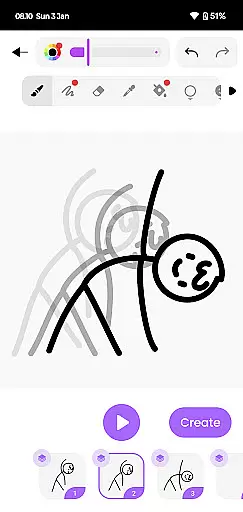
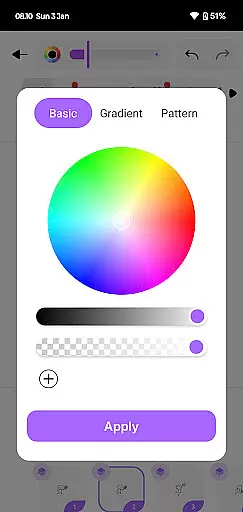
Draw Animation Maker distinguishes itself through its comprehensive set of animation tools specifically designed for mobile devices. The app's core feature is its frame-by-frame animation system, which allows users to create smooth transitions between frames, mimicking traditional animation techniques. This functionality is complemented by a variety of drawing tools and color options, giving animators precise control over their creations.
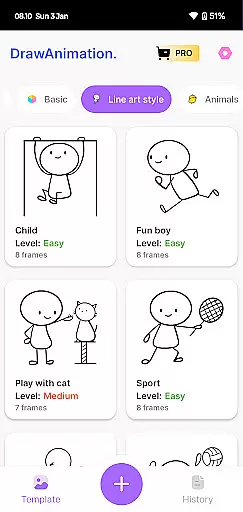
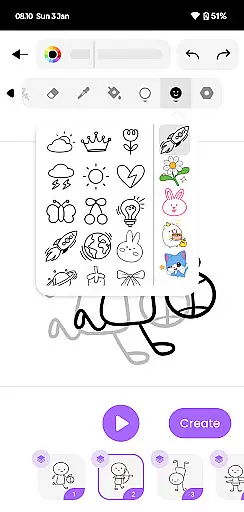
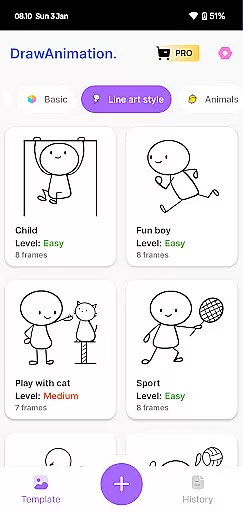
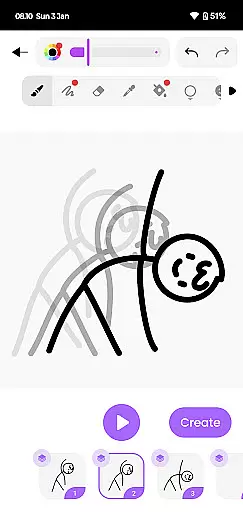
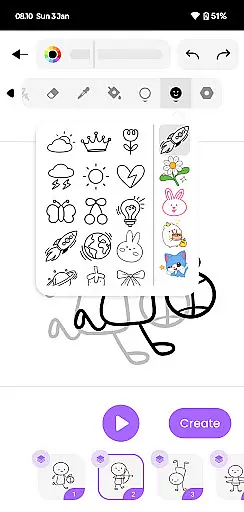
A notable aspect of the application is its user-friendly interface, which simplifies the complex process of animation creation. The app includes onion skinning features, enabling users to see multiple frames simultaneously for better continuity. Additionally, the built-in library of templates and character designs helps new animators quickly get started while providing experienced users with time-saving resources.
The app also supports various export options, allowing creators to save their work in industry-standard formats including GIF and MP4. With cloud synchronization features and cross-device compatibility, users can seamlessly continue their projects across different devices. These robust features make Draw Animation Maker a versatile tool for anyone interested in digital animation and storytelling.
In the realm of digital artistry, having a comprehensive suite of creative tools is paramount. Draw Animation Maker stands out by offering an extensive array of features that cater to both budding and seasoned animators. The app provides everything from basic drawing tools to advanced frame-by-frame animation capabilities.
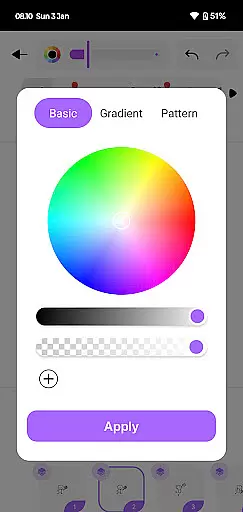
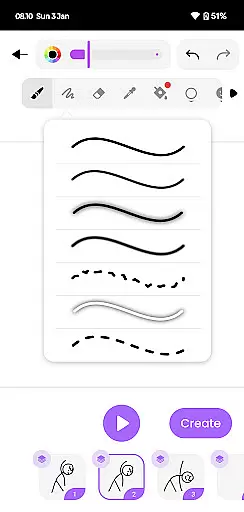
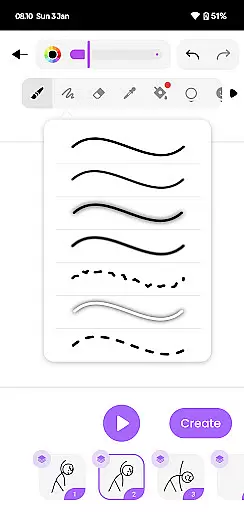
Users can access a variety of brushes, colors, and drawing aids that make the process of creating animations not just comprehensive but also enjoyable. This vast toolkit ensures that artists are only limited by their imagination, not by the software's capabilities.
The inclusion of flipbook-style animation allows creators to weave intricate stories with each frame being a new page in their animated tale. This level of detail empowers users to craft animations that rival professional productions, making it an invaluable asset for anyone serious about animation.
By transforming simple doodles into epic animations, Draw Animation Maker enables users to explore various storytelling methods. Whether crafting humorous shorts or detailed epics, this app equips animators with all they need to bring their visions to life.
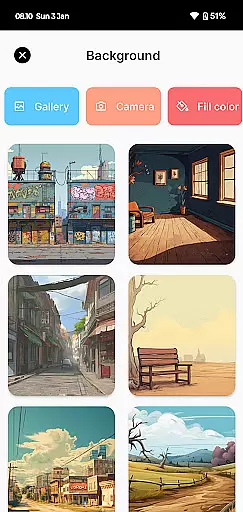
Flexibility in canvas and format options is crucial for unleashing full creative potential. Draw Animation Maker excels in providing adaptable canvas sizes and formats, accommodating different project requirements and artistic visions. Users can customize their workspace to suit specific needs, whether working on small-scale sketches or expansive animations.
This adaptability extends to exporting finished projects, where artists have the freedom to save their work in multiple formats such as GIFs and MP4 files. Such versatility ensures that creations can be shared across various platforms without losing quality or impact.
Moreover, the ability to adjust canvas dimensions supports diverse animation styles, from simple cartoons to complex narratives akin to anime films. Artists can experiment with different aspect ratios and resolutions, ensuring their final pieces meet industry standards and personal expectations.
With these flexible canvas and format options, Draw Animation Maker not only enhances creativity but also simplifies collaboration and sharing. Creators can seamlessly integrate their work into larger projects or distribute them widely, amplifying their reach and influence within the artistic community.
User-friendly interface
Powerful drawing tools
Frame-by-frame animation
Multiple export options
Cross-device compatibility
Limited advanced features
Occasional performance lag
Basic color palette
No collaborative tools
Subscription required

Sketch, trace and master AR drawing with awesome anime art!
 3.30
3.30
Create neon drawing with magic doodle and fun doodle art effects!
4.50
Text to Image, Image to Video & AI Chat
4.20
Draw on screen: FP sDraw is a simple and lightweight drawing app
4.70
Create color palette from Image, RGB & RYB Color wheel harmonies, Color Scheme
4.50
Minecraft & Roblox Clothes
4.70
Get an overview over all your embroidery threads, projects and more.
4.60
Video AI: Revolutionize Your Content Creation with Advanced Video Generation
4.50
An intuitive, high-performance painting app that lets you focus on creating
4.40
See Color, Paint Color
4.90
Castle is social media for creating and playing games!
4.60
Draw, fidget, and spin glow art! Relax and express your creativity with a finger
4.60
Draw, make movies & animate cartoons easily with our 2D animation maker app
4.40
Sketch, plan, take notes and illustrate on an infinite canvas.
4.20
AI Art Generator transforms your words into AI generated art & paintings.
3.70
Apply cartoon, caricature, and portrait effects to make your photos stand out!
3.60
Create trending AI photos & videos with powerful effects and 3D styles.
3.20
Art of Combination Wear OS Watch Faces
4.3
Android 14 style widgets and wallpapers app.
4.1


User Reviews