
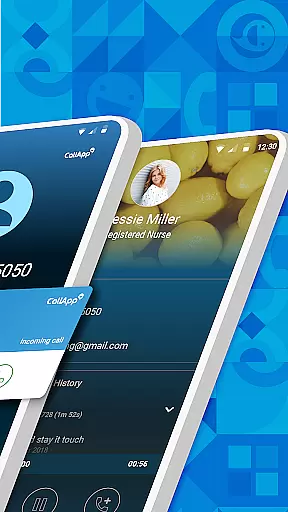
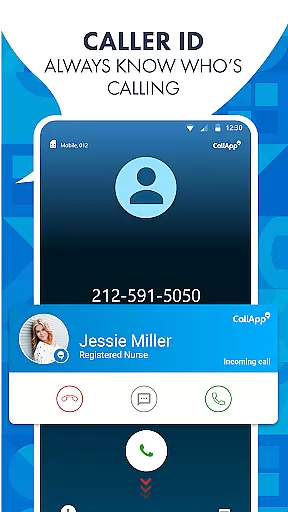
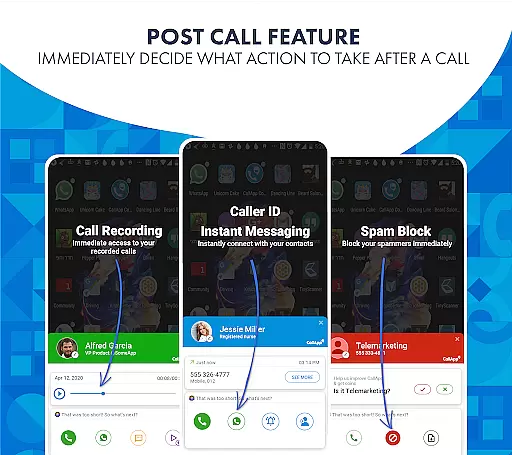
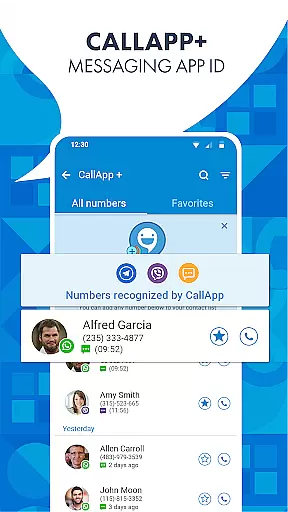
CallApp is a comprehensive communication app designed specifically for Android Wear users. This powerful application combines advanced caller ID, spam call blocking, default SMS functionality, and automatic call recording in one sleek interface. With its robust phone number lookup database of over 7 billion numbers, CallApp ensures you always know who's calling.
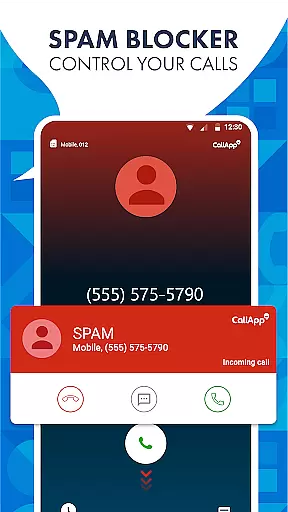
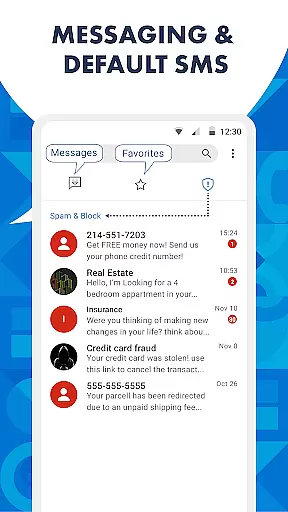
The app goes beyond basic call identification by offering sophisticated spam detection and blocking features. Users can blacklist numbers, block telemarketing calls, and filter out robocalls with precision. Its messaging capabilities allow for efficient SMS management while automatically organizing and blocking unwanted messages.
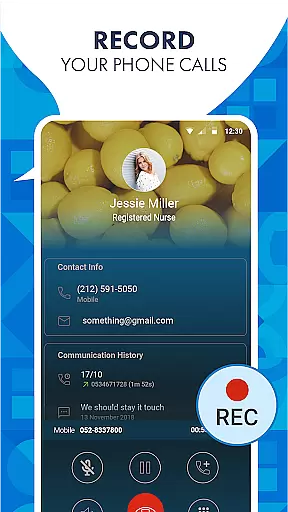
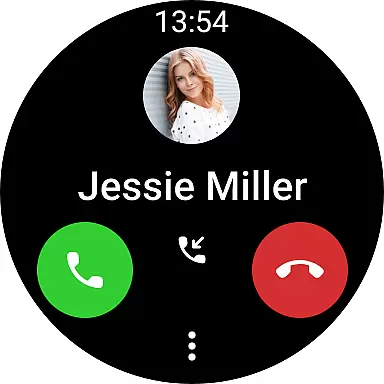
CallApp's automatic call recording feature provides flexible options for saving important conversations, with cloud storage integration for most Android devices. The app's compatibility with WEAR OS and latest smartwatches makes it an essential tool for modern communication, offering seamless integration across devices.
CallApp distinguishes itself through its comprehensive feature set tailored for both personal and professional use. The app's advanced caller ID technology employs sophisticated algorithms to identify unknown numbers with remarkable accuracy. Its extensive database updates regularly, ensuring users have access to the latest information about incoming calls.
The spam protection suite includes multiple layers of defense against unwanted communications. Users can create custom blacklists, set up prefix-based blocking, and utilize automatic spam detection. The app's intelligent system learns from user behavior to improve its filtering capabilities over time. Additionally, CallApp's default SMS functionality offers smart organization features that categorize messages into personal, favorites, and spam folders automatically.
One of CallApp's standout features is its automatic call recording capability. This function allows users to record calls selectively or automatically based on predefined criteria. The recordings are stored securely and can be accessed across devices, making it particularly valuable for business professionals who need to document important conversations. The app's integration with WEAR OS enables quick access to essential features directly from smartwatches.
Companion app integration is essential for users who want seamless connectivity between their smart devices. CallApp excels in this area by offering robust integration with WEAR OS and the latest smartwatches.
By using CallApp, you can enjoy features like caller ID, call recording, and spam blocking directly on your wearable device. This means you don't have to take out your phone every time you receive a call or message; everything is accessible right from your wrist.
The integration ensures that all your contacts, blacklists, and call logs are synchronized across devices. Whether you're at home, in the office, or on the go, you'll always be connected and informed about incoming communications.
This level of companion app integration not only enhances convenience but also boosts productivity by allowing you to manage calls and messages more efficiently, no matter where you are.
Ensuring compatibility with Wear OS and various devices is crucial for providing a smooth user experience. CallApp is designed to work seamlessly with Wear OS and supports all the latest smartwatches, making it versatile and reliable.
With CallApp, you can leverage advanced features such as automatic call recording, caller ID, and spam blocking directly from your smartwatch. This compatibility allows you to stay connected and in control without needing to reach for your phone constantly.
The app's ability to sync data across devices ensures that your contact lists, blacklists, and call history are always up-to-date, regardless of which device you're using. This synchronization provides a consistent experience whether you're interacting via your smartphone or smartwatch.
By prioritizing Wear OS and device compatibility, CallApp offers a comprehensive solution that caters to modern users' needs, ensuring they remain connected and protected against unwanted communications effortlessly.
User-friendly interface
Comprehensive feature set
Reliable spam protection
Automatic call recording
WEAR OS compatibility
Premium features locked
Occasional false positives
Storage space required
Limited iOS support
Subscription costs


Diet tracker for weight loss - track calories, food and macros. Simple and easy!
 4.70
4.70
Walking app for weight loss: walk & step tracker, pedometer, indoor treadmill
4.60
A customizable Christmas watch face for Wear OS with a countdown.
4.20
an Analog Watch Face for winter season with freeze winter background for Wear OS
4.5
Stunning modern digital watch face with 7 complications and strong contrast
4.2
Be an elegant and classy secret agent, with this carefully detailed watch face
4.70
Nutrition, Macro tracker: Food, fitness & healthy diet tracking for weight loss
4.60
Connect to your Bluelink equipped Hyundai vehicle from your smartphone.
4.50
Connect, create, and collaborate with Gmail, part of Google Workspace.
4.10
Your second brain for organizing your life: to-do, calendar, reminder.
4.70
Kia Access makes getting your vehicle information easier than ever
4.60
To-Do List: daily schedule planner, task organizer, to do reminder app, calendar
4.60
Ideal for surviving in the wasteland left after nuclear fallout
4.50
Stylish, Energizing and Modern Watch Face crafted by Dominus Mathias.
4.50
Current temperature, weather hourly, weather radar by the weather forecast app
4.40
Bold weather Digital watchface with forecast & optional animated background
4.40
Watch the sharpness of the sky on your wrist..
3.70
Wear Os Watch Face - Animated Snow Effect & Christmas Lights
4.4
3 Complications. All shadow on/off. 30 Themes color palette...
4.2


User Reviews