

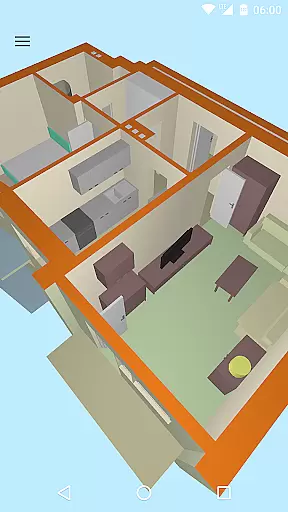
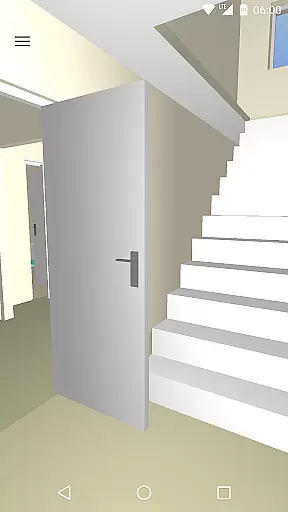
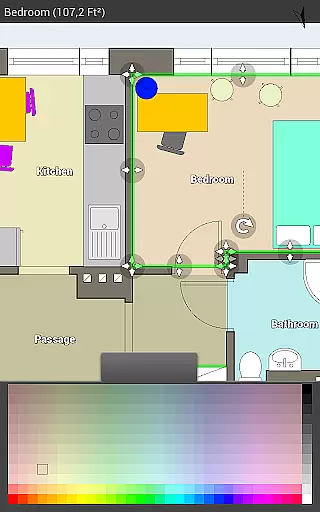
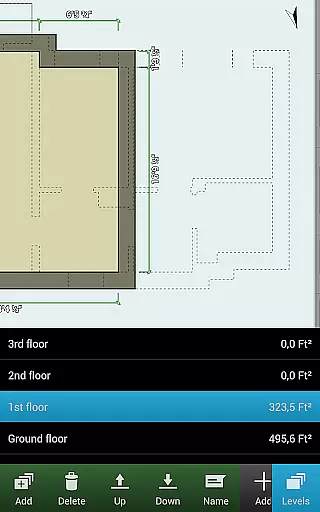
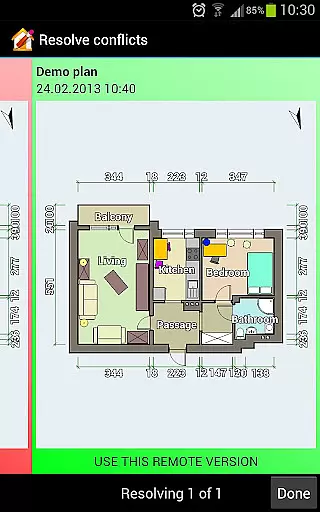
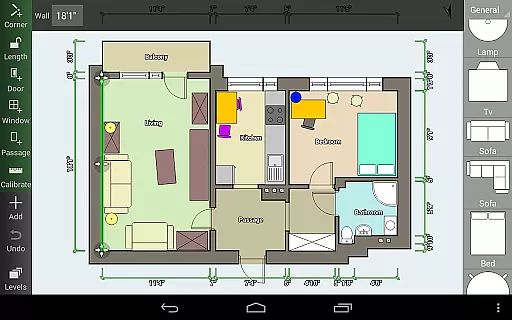
Floor Plan Creator is a comprehensive design tool that allows users to create detailed and precise floor plans with ease. The app supports multiple floors per project, automatic calculations for room dimensions, and includes a 3D tour mode for better visualization.
With its extensive symbol library and support for user-defined dimension lines, this app caters to both amateur home designers and professionals. Whether you're planning a renovation or shopping for new furniture, Floor Plan Creator ensures your designs are accurate and portable.
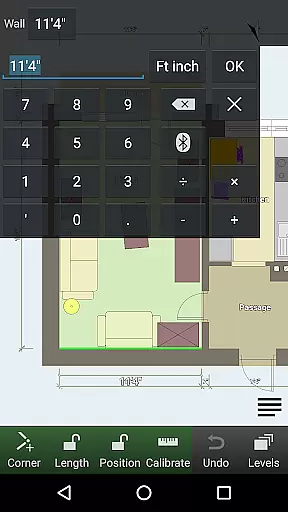
The app boasts an array of features including S-Pen and mouse support, cloud synchronization for automatic backups and sharing across devices, and compatibility with various bluetooth laser meters for precision measurements.
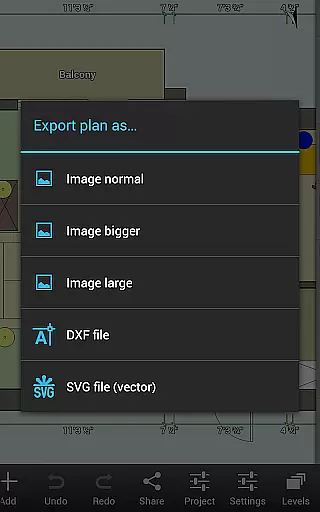
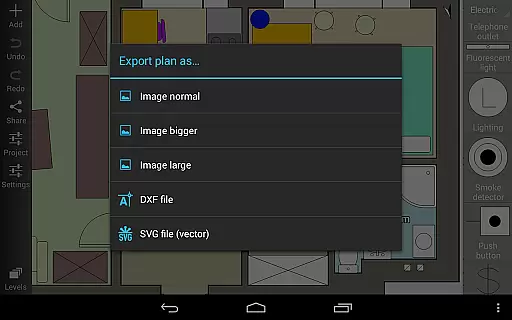
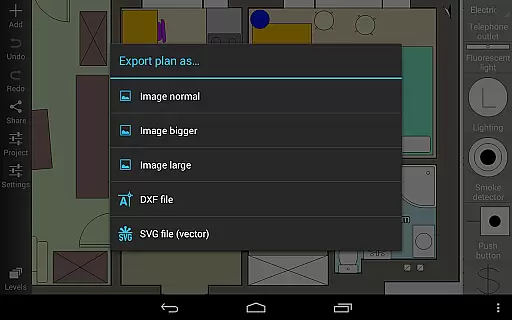
Users can export their designs as images, PDFs, DXFs, or SVGs, making it versatile for different needs. Additionally, the app's ability to edit plans on a computer enhances its flexibility, providing a seamless experience between mobile and desktop environments.
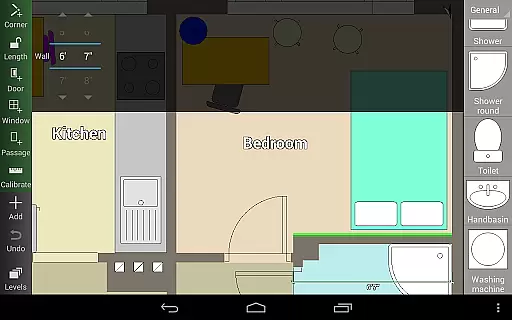
Floor Plan Creator offers a comprehensive suite of creative tools that cater to both amateur and professional designers. The application allows users to create detailed and precise floor plans with multiple floors, each capable of having rooms of any shape, although it currently supports only straight walls.
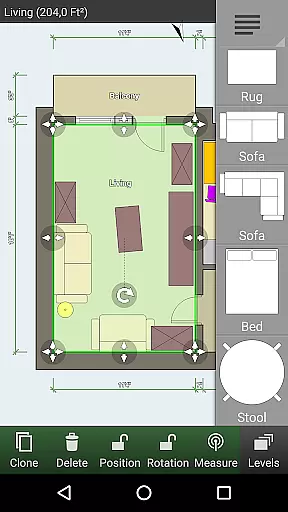
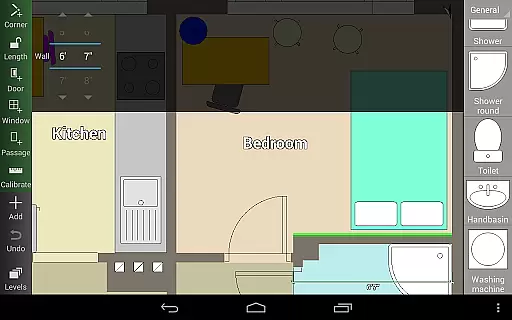
One of the standout features is the automatic calculation capabilities for room, wall, and level areas, as well as perimeters and counts of symbols. This ensures accuracy and saves time during the design process. Additionally, the app provides support for S-Pen and mouse, offering flexibility in input methods.
The symbol library is rich with options including doors, windows, furniture, electrical components, and fire survey elements. Users can also define dimension lines to show and modify distances and sizes, providing granular control over their designs. These features collectively ensure that users have all the necessary tools at their disposal to create intricate and accurate floor plans.
Flexibility in canvas and format options is crucial for accommodating various design needs, and Floor Plan Creator excels in this area. The app supports both metric and imperial units, catering to a global audience with diverse measurement preferences. This adaptability makes it suitable for a wide range of projects, from residential homes to commercial spaces.
Users can export their designs in multiple formats such as image, PDF, DXF, and SVG. This versatility ensures that floor plans can be utilized in different contexts, whether for presentations, printing to scale, or further editing in other software. Paid features include cloud synchronization, which allows automatic backup and sharing of plans between devices, enhancing workflow continuity and collaboration.
Moreover, the ability to edit cloud-uploaded plans on a computer or any mobile device via the website https://floorplancreator.net adds another layer of convenience. This cross-platform compatibility ensures that users are not constrained by device type when working on their projects, thus maximizing productivity and ease of use.
User-friendly interface
Comprehensive feature set
Cloud synchronization
Multi-platform editing
Supports metric and imperial units
Paid features necessary for full functionality
Limited to straight wall designs
Some users may find a learning curve
Bluetooth device compatibility required for certain features
Export options are premium

Download now for a stylish and functional timepiece
 4.3
4.3
Logo Generator powered by AI: Create stunning logos effortlessly!
4.70
Passport size photo maker, create ID photo and visa photo in seconds
4.80
Get creative and make art with your Sesame Friends!
4.00
Mobile pixel art editor. Simple. Fast. Portable.
4.80
Create cute cat emojis & PFPs! Fun, custom avatars for cat lovers.
3.70
Just trace a projected picture on paper and color! Draw & Paint with AR drawing
4.40
Create amazing pictures and unleash your creative genius with AR Drawing Sketch
4.40
Multiplayer Drawing game, Coloring, Painting・Sketch, Handwriting・Paint, draw
4.30
Create stunning art with AI.
4.80
Convert image to JPG PNG HEIC PDF, support almost all kinds of image formats
4.70
Draw beautiful mandala's very easily
4.60
Image resizer to resize, crop, rotate, flip, change dpi photo or picture in bulk
4.60
Share the joy of painting with ibis Paint! Drawing anime and manga art.
4.50
Draw, make movies & animate cartoons easily with our 2D animation maker app
4.40
AI Art Generator transforms your words into AI generated art & paintings.
3.70
Create sweet, cool and unique couple avatars easily, in just a few steps!
3.40
Sketch, trace and master AR drawing with awesome anime art!
3.30
Premium version of Shimeji-ee app with no ads & no limit active shimeji
4.2

User Reviews