

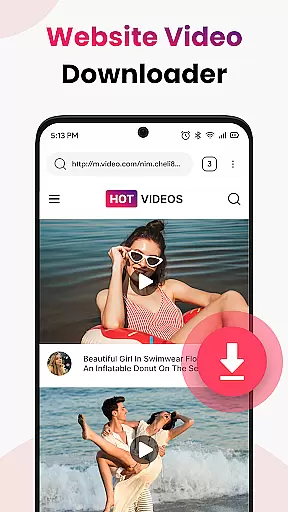
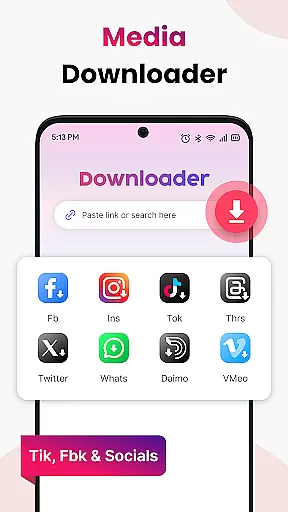
Video Saver All Format is a versatile tool designed to help users download and save videos from various online sources directly to their devices. This app supports multiple video formats including MP4, MOV, MKV, AVI, WMV, and FLV, ensuring compatibility with most media players. With its one-tap workflow, users can easily paste a video link, tap download, and enjoy their content offline in crisp HD quality.
Beyond just downloading, Video Saver All Format offers features that enhance user experience. The app's optimized engine ensures quick and stable downloads, while its lightweight design respects user privacy by requiring minimal permissions. Whether you're looking to save tutorials for learning on the go, entertainment clips for offline viewing, or building a personal collection of favorite videos, this app provides a reliable solution.
Perfect for anyone who needs to keep important video content accessible without an internet connection, Video Saver All Format allows users to build a personal HD video library effortlessly. Download once, enjoy forever, making it ideal for situations where streaming isn't feasible or desirable.
Video Saver All Format stands out due to its comprehensive feature set tailored for ease of use and efficiency. One of its key features is the ability to auto-detect video links, allowing users to instantly grab videos with just one tap. This seamless process eliminates unnecessary steps, making video downloading straightforward and fast.
The app also prioritizes quality, offering users the option to choose high-quality resolutions for sharper playback. Its truly format-friendly nature means it works with a wide range of video formats such as MP4, MOV, MKV, AVI, WMV, and FLV. Additionally, the optimized engine ensures speed and stability during downloads, providing a smooth user experience.
Organization tools within the app allow unlimited saves, enabling users to store as many videos as their device capacity allows. Privacy-conscious design ensures minimal permissions are required, giving users control over their data. These features collectively make Video Saver All Format a powerful tool for managing and enjoying video content offline.
Video Saver All Format is designed to provide users with a reliable and efficient tool for downloading videos from various online sources. The core functionality revolves around its ability to support multiple video formats including MP4, MOV, MKV, AVI, WMV, FLV, and more, making it versatile for different user needs.
The app ensures high-quality downloads by allowing users to select preferred resolutions, often in crisp HD, which enhances the playback experience significantly. Its optimized engine facilitates quick and stable downloads, eliminating unnecessary waiting times while maintaining the integrity of the video files.
One of the standout features is the one-tap workflow that auto-detects video links, streamlining the process of capturing online content. This intuitive design reduces complexity, making it accessible even for less tech-savvy individuals who wish to save videos for offline viewing.
By focusing on speed, reliability, and format compatibility, Video Saver All Format delivers an effective solution for anyone looking to build a personal library of high-definition videos without the constraints of internet connectivity.
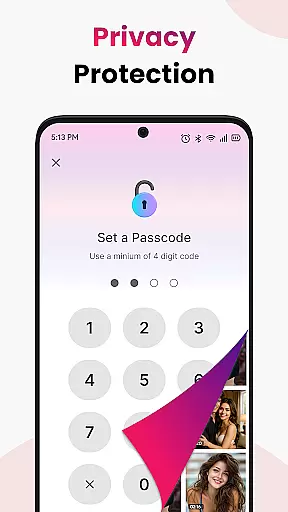
A key aspect of Video Saver All Format is its commitment to providing a simple and intuitive user interface that makes video downloading straightforward. The app requires minimal permissions, ensuring user privacy and control over their data, which adds to the overall trustworthiness of the application.
Upon opening the app, users are greeted with a clean layout where they can easily paste video links and initiate downloads with just a single tap. This seamless interaction eliminates any unnecessary steps or hoops, offering a hassle-free experience right from the start.
The lightweight nature of the app further enhances its usability, as it does not consume excessive device resources, thus maintaining optimal performance. Users can store unlimited videos, organizing their collections effortlessly within the app's structured environment.
Overall, the interface design prioritizes ease of use without compromising on essential functionalities, ensuring that users can efficiently manage their video libraries while enjoying a smooth and responsive operational flow.
User-friendly interface
Multi-format support
High-definition downloads
Quick and stable performance
Privacy-focused design
Limited to personal use
No social media integration
Requires manual updates
Basic editing tools
Ads may appear



Easily install aab(Android App Bundle) files on your Android device with our app
 4.80
4.80
App to pay for FUTO Keyboard
4.60
MS-DOS in your pocket. Play old DOS games anywhere you are ;)
4.10
View detailed information about your Nissan Leaf the dealer never shows you.
4.10
Undelete and recover your lost or deleted files with DiskDigger!
3.40
The Ultimate Bluetooth Keyboard & Mouse. Securely control your PC, Mac, and more
4.50
The ultimate tool for network analysis, wifi scanning and problem detection.
4.90
Protect your device with antivirus, storage cleanup, and system monitoring
4.70
Your personal health butler
3.60
The Ultimate Flex Drivers Utility App - Convenient Tapping & Block Filters
4.70
Optimize your WiFi network, turn your phone into Wifi Analyzer
4.70
FV File Manager Pro, Fast and powerful file manager for Android
4.60
Mirror your screen to Fire TV - Super fast and simple
4.40
Pro Emulator is an easy to use game console emulator for a range of consoles.
4.40 4.10
4.10
Detect hidden spy camera with advanced scanning {{ Premium version }}
4.00
Family Locator, Share location, StayConnect with your family in real time
3.90
Create your own live wallpaper or check out thousands already made presets
3.90
A recovery soft,it features photo recovery, video recovery, file recovery.
3.40

User Reviews