

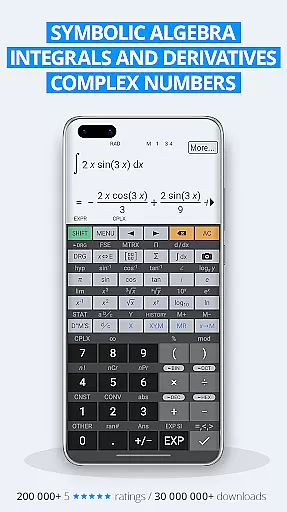
HiPER Calc Pro is an advanced scientific calculator that offers a comprehensive suite of mathematical tools. With capabilities ranging from symbolic algebra to graphing, solving equations, and performing integrals and derivatives, it caters to the needs of students, educators, and professionals alike.
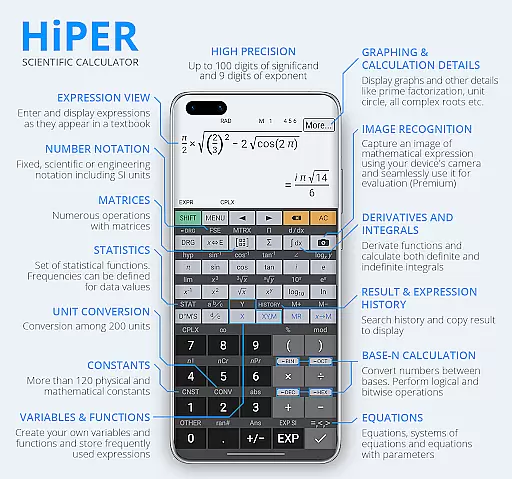
The app boasts several layouts optimized for different devices, ensuring usability across smartphones and tablets. Its natural expression input and multi-line display enhance user interaction by presenting calculations in an easily digestible format. Additionally, HiPER Calc Pro supports high-precision computations with up to 100 digits of significand and 9 digits of exponent, making it suitable for complex scientific and engineering tasks.
With over 40 million downloads globally and numerous five-star ratings, this calculator has proven its value in providing reliable and efficient calculation solutions. Whether you're tackling basic arithmetic or advanced calculus, HiPER Calc Pro delivers a robust platform for all your computational needs.
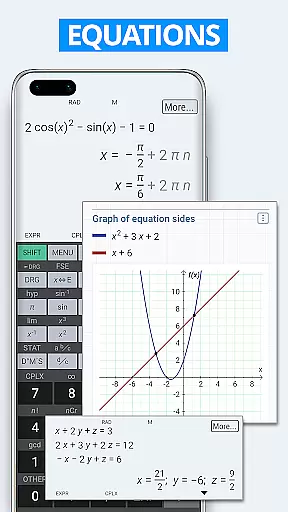
HiPER Calc Pro stands out with its rich feature set tailored for diverse mathematical operations. The calculator handles everything from basic arithmetic to advanced functions like derivatives, integrals, and matrix operations. It also includes specialized tools such as equation solvers, statistical analysis, and regression models.
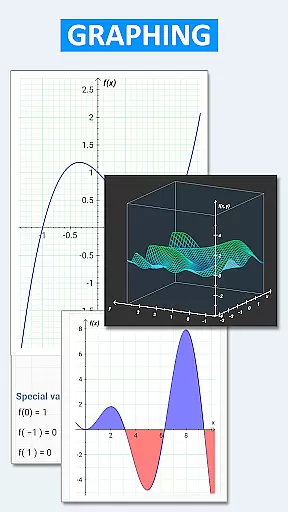
One of the key highlights is its ability to work with fractions, mixed numbers, and periodic numbers, converting them seamlessly into fractions. The app's support for multiple numeral systems—binary, octal, and hexadecimal—alongside logical and bitwise operations makes it invaluable for computer science and engineering applications. Moreover, users can explore graphical representations through 2D and 3D graphs, visualize integral areas, and examine limits.
Customization options abound with several high-quality themes and adjustable settings for full-screen mode, decimal separators, and more. A built-in help section provides detailed descriptions of all features, ensuring users can fully leverage the calculator’s extensive capabilities. These attributes make HiPER Calc Pro not just a tool but a versatile companion for anyone engaged in serious mathematical work.
HiPER Calc Pro stands out as a highly accurate and effective scientific calculator, offering advanced mathematical functions that cater to both students and professionals. The app supports symbolic algebra, graphing, equations, integrals, and derivatives, ensuring precise calculations for complex problems.
The calculator handles up to 100 digits of significand and 9 digits of exponent, providing users with reliable results for even the most demanding computations. It includes basic arithmetic operations, fractions, periodic numbers, matrices, vectors, and statistics, all optimized for efficiency and correctness.
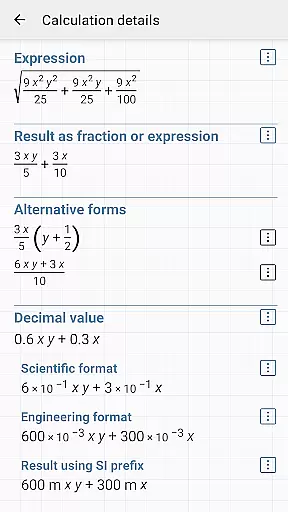
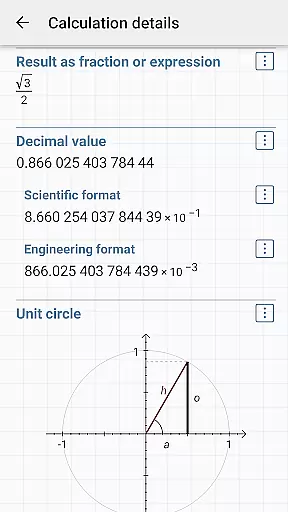
One of the key benefits of HiPER Calc Pro is its ability to display results in various formats, such as simplified expressions or extended calculation details. This versatility allows users to verify their work thoroughly and understand the underlying mathematics, enhancing their learning and productivity.
With features like bitwise shifts, logical operations, and Reverse Polish notation, the app ensures that users can perform specialized tasks with ease. These capabilities make HiPER Calc Pro an indispensable tool for anyone requiring high precision and comprehensive functionality in their calculations.
Despite its extensive range of features, HiPER Calc Pro maintains an intuitive and user-friendly interface. The calculator offers multiple layouts tailored to different screen sizes, including pocket for small devices, compact for smartphones, and expanded for tablets, ensuring optimal usability across various devices.
A notable feature is the multiline display available on tablets, which shows the complete history of calculations and provides easy access to previous results. This simplifies the process of reviewing past work and making adjustments without losing track of the current task.
Users can choose from several high-quality themes, allowing them to customize the appearance to their preference. This personalization enhances the overall user experience by making the interface more visually appealing and comfortable to use over extended periods.
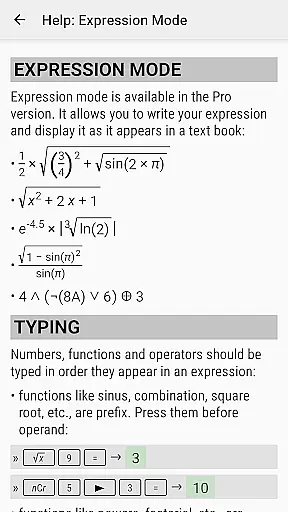
Additionally, HiPER Calc Pro includes a built-in help system that describes all features in detail. This ensures that even new users can quickly learn how to utilize the app's powerful tools effectively, maintaining a balance between advanced functionality and ease of use.
High precision
Versatile layouts
Advanced functions
User-friendly interface
Comprehensive documentation
Complex for beginners
Occasional bugs
Premium cost
Heavy on resources
Limited offline help

 4.10
4.10
Connect instantly to a fast, encrypted VPN with one tap
4.60
HD Camera captures every special moment.
4.60
This app unlocks the Pro features of the Central for DayZ app
3.60
Small and simple app to Verify Root Access and BusyBox Install!
4.70
View detailed information about your Nissan Leaf the dealer never shows you.
4.10
WiFi Signal Strength Meter help you detect WiFi Signal Strength in real time.
4.80
Support Fossify apps with a warm thank you!
5.00
The Ultimate Flex Drivers Utility App - Convenient Tapping & Block Filters
4.70
Navigate with Ease and Style
4.90
Extremely fast, secure, and protects your privacy
4.80
Fast Video Downloader, Movie Downloader, Torrent Downloader & Adblock Browser
4.70
FV File Manager Pro, Fast and powerful file manager for Android
4.60
Game Booster, GFX Tool is now compatible with newer game update
4.50
Button mapper, mouse toggle, sleep timer and a lot of another features
4.50
Universal TV remote control all TVs, Roku, LG, Samsung, Fire, Vizio, Sony, TCL.
4.40
Making emulation easy for everyone!
4.30
pdf merge, word to pdf, jpg to pdf, edit pdf, convert to pdf and much more!
4.20
Fun lie-detection pranks for friends and parties.
3.80

User Reviews