

SMS Backup & Restore Pro is a premium Android application designed for secure backup and restoration of SMS, MMS messages, and call logs. This tool ensures that users can create encrypted copies of their communication data locally on the device or upload them to cloud services like Google Drive, Dropbox, and OneDrive.
With advanced features such as WebDAV support, automatic scheduled backups, and WiFi direct transfer between devices, this app offers a comprehensive solution for managing personal communication records. It is especially useful for individuals who frequently upgrade phones or need to safeguard important conversations.
The app's ability to restore from existing backups makes it an essential utility for anyone seeking peace of mind when switching devices or after performing a factory reset. Its professional-grade encryption and compression capabilities ensure both security and efficiency in handling sensitive information.
This application stands out with its robust feature set tailored for power users. The core functionality includes creating XML format backups of text messages, multimedia messages, and call logs, which can be easily viewed on a computer through the provided online viewer.
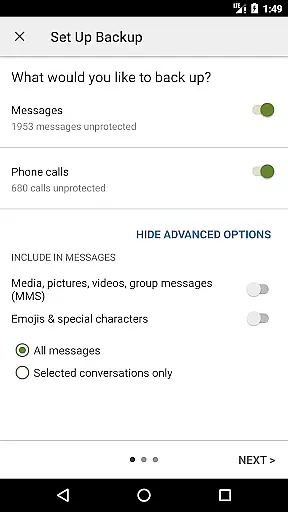
Unique to the Pro version are options for compressing and encrypting backups, using WebDAV as a storage location, and selecting specific conversations for backup or restoration. These features provide enhanced security and flexibility compared to the free version.
Additional capabilities include fast WiFi direct transfers between devices, automatic scheduled backups, and the option to delete all messages or call logs from the phone after backing up. The app also supports email backups and integrates seamlessly with popular cloud services, making it an indispensable tool for anyone serious about data management.
SMS Backup & Restore Pro excels in its core functionality by providing reliable backup and restore solutions for SMS, MMS, and call logs. The app creates XML format backups, ensuring data integrity and compatibility across different devices and Android versions.
With advanced features like compression and encryption, the app ensures that your backups are not only space-efficient but also secure from unauthorized access. This is particularly important when storing sensitive communication data on cloud services or external storage.
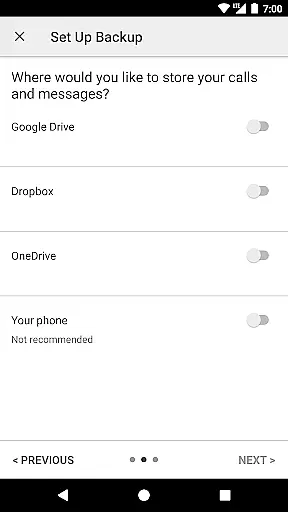
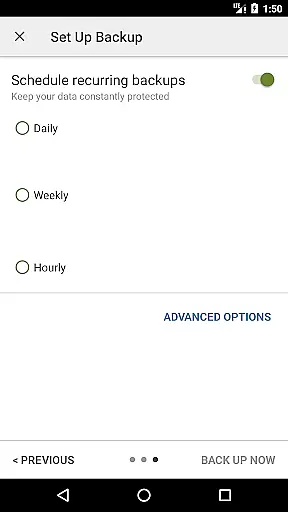
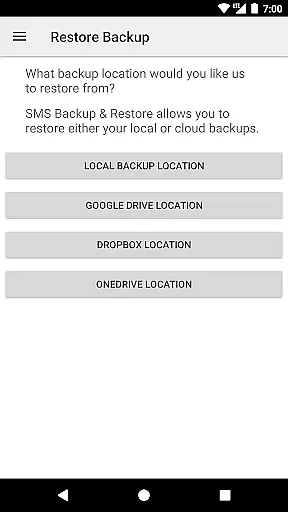
The application supports multiple backup locations including local storage, Google Drive, Dropbox, OneDrive, and even WebDAV servers. This flexibility allows users to implement their preferred backup strategy while maintaining complete control over their data.
Users benefit from automated scheduling options, selective conversation backup, and fast WiFi direct transfer between devices. These features collectively enhance the app's effectiveness, making it an indispensable tool for anyone seeking a comprehensive mobile data management solution.
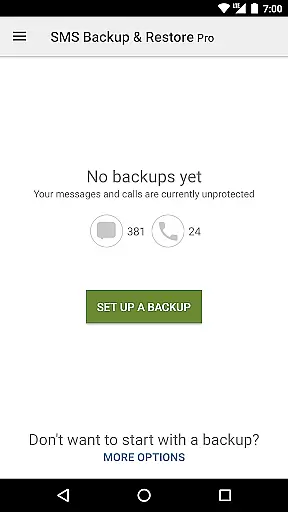
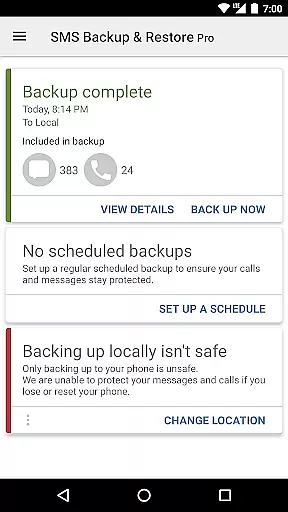
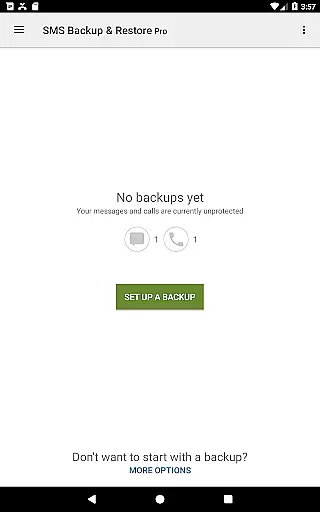
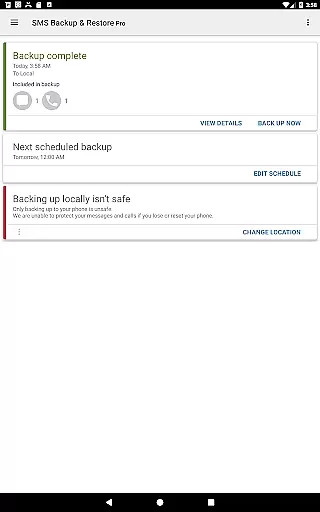
The user interface of SMS Backup & Restore Pro is designed with simplicity and ease of use in mind. Despite offering advanced features, the app maintains an intuitive layout that makes backup and restore operations accessible even to non-technical users.
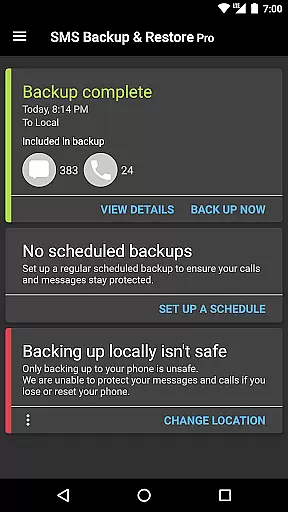
All essential functions are logically organized and easily accessible through the main dashboard. Users can quickly initiate backups, view existing ones, or start restoration processes without navigating through complex menus or settings.
Additional features like search functionality and detailed backup inspection provide enhanced usability without compromising the straightforward nature of the interface. These tools help users efficiently manage their backup files while maintaining clarity in operation.
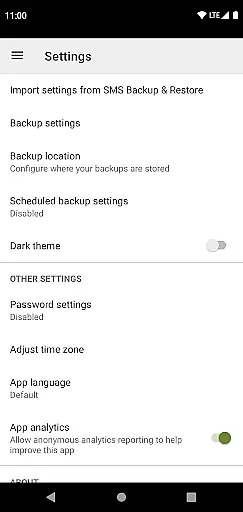
The app's thoughtful design extends to its permission requests, which are clearly explained and directly related to the app's core functions. This transparency builds trust and helps users understand the necessity of each permission, contributing to an overall positive and intuitive user experience.
Advanced encryption
Automatic scheduling
Cloud integration
WiFi direct transfer
Comprehensive backup
No iOS support
Paid version only
Requires existing backups
Limited to Android 5.0+
Permissions needed

Easily install aab(Android App Bundle) files on your Android device with our app
 4.80
4.80
Just swipe the edge to do something!
4.40
Learn the vast amount of system information about device and monitor it's state
4.70
ADB support Android 4.X-Android 13(Support wireless pair mode).No root required!
4.70
Bedrock Together: Join any bedrock server on Xbox/PS
4.80
Planner and Tracker for Stardew Valley
4.60
Connect wirelessly to your computer to watch movies, browse the web, play games
5.00
Download any file easily and quickly with Downloader
4.0
Automate everything from settings to photos, SMS to speech. ADC2 prize winner.
4.10
Unit and currency converter with easy and simple UI.
4.80
Small and simple app to Verify Root Access and BusyBox Install!
4.70
NFC Tools can read and write NFC tags.
4.70
Protect your device with antivirus, storage cleanup, and system monitoring
4.70
Keep track of your Palia friendships, tasks, and inventory with Palia Notebook
4.60
Mirror your screen to Fire TV - Super fast and simple
4.40
Pro Emulator is an easy to use game console emulator for a range of consoles.
4.40
Remote for Roku, Fire TV, Samsung TV, LG TV, Android TV, Chromecast and VIZIO TV
4.20
App that Recover your pictures, videos or files after you delete them.
4.20
Fun lie-detection pranks for friends and parties.
3.80

User Reviews