

ImagineArt is a comprehensive AI-powered art design studio that allows users to create stunning visuals across various formats, including images, logos, posters, and more. With its Generative AI capabilities, the app caters to both professional and casual creators, offering tools for business branding, social media content, and personal projects. Available on mobile platforms, ImagineArt provides an accessible way to generate high-quality designs effortlessly.
The app's core strength lies in its ability to transform simple text prompts into intricate designs, making it suitable for users of all skill levels. Whether you're designing marketing materials or experimenting with creative ideas, ImagineArt delivers professional-grade results while maintaining ease of use.
ImagineArt stands out with its diverse range of features tailored to streamline the design process. The app includes over 100 AI-generated templates optimized for different creative needs, such as event flyers, social media posts, and custom logos. These templates allow users to quickly adapt their work to specific formats without starting from scratch.
In addition to template support, ImagineArt offers advanced functionalities like AI-powered text editing, object insertion/removal, image resizing, and upscaling to 4K/8K resolution. Users can also personalize their creations by adding unique elements such as fonts, shapes, and stickers. This combination of flexibility and power ensures that every project achieves a polished, professional look.
In the realm of digital art and design, having a comprehensive suite of creative tools is paramount. ImagineArt positions itself as an all-encompassing AI Art Design Studio, offering over 100 categories of AI templates tailored to various needs. These include event materials like flyers and posters, personalized items such as stickers and t-shirts, and essential branding elements like logos.
The application's strength lies in its versatility and adaptability, allowing users to generate content across multiple formats and styles effortlessly. With features like Generative Fill for seamless object insertion or removal, Image Resize for format flexibility, and Upscale Images for enhancing quality up to 8K, ImagineArt ensures that creators have everything they need at their fingertips.
Users benefit from this extensive toolkit by being able to execute their visions without constraints. Whether it's adjusting layouts, experimenting with text fonts, or applying effects, ImagineArt's AI-powered design editor supports a wide array of functionalities that cater to both novice and professional designers alike.
This complete set of creative instruments not only streamlines the design process but also opens up new possibilities for creativity and personalization. By providing such a robust platform, ImagineArt empowers users to push the boundaries of their artistic expression and achieve professional-grade results with ease.
Flexibility in canvas and format options is crucial for accommodating diverse design requirements. ImagineArt excels in this area by enabling users to resize images to fit various platforms, from banners and wallpapers to social media posts. This adaptability ensures that designs maintain their integrity and impact across different mediums and devices.
The ability to upscale images to 4K or 8K resolution without losing detail is a standout feature, allowing designers to future-proof their work for high-resolution displays. Additionally, the inclusion of AI Photo Editor functionalities means that users can refine visuals with filters, effects, adjustments, and cropping, ensuring that each piece meets exacting standards.
ImagineArtu2019s flexible approach extends to its template system, where users can modify existing designs or create new ones from scratch. The AI-driven tools facilitate changes in composition, style, and content, making it simple to adapt projects for different audiences or purposes.
By prioritizing canvas and format flexibility, ImagineArt enhances the creative workflow, enabling seamless transitions between concepts and final outputs. This adaptability not only saves time but also encourages experimentation and innovation, ultimately leading to more dynamic and engaging visual content.
User-friendly interface
Wide variety of templates
High-resolution output
AI-driven customization
Versatile design options
Limited free features
Subscription costs
Learning curve for beginners
Occasional rendering delays
Internet connection required
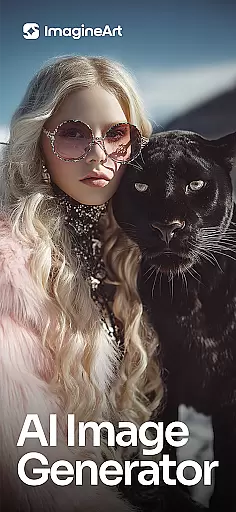
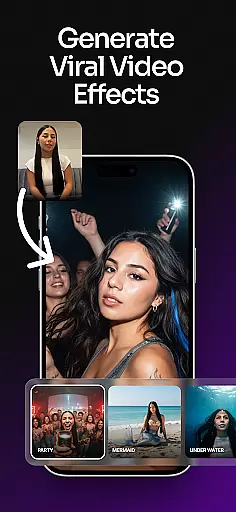
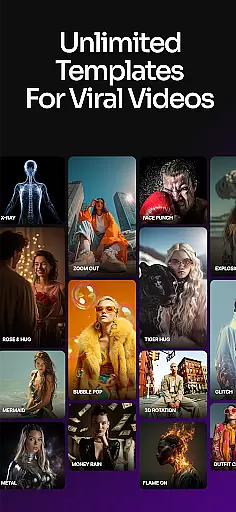
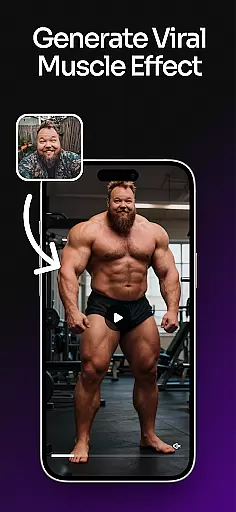
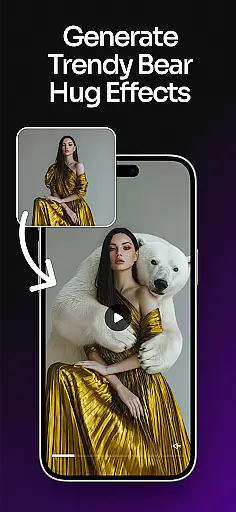
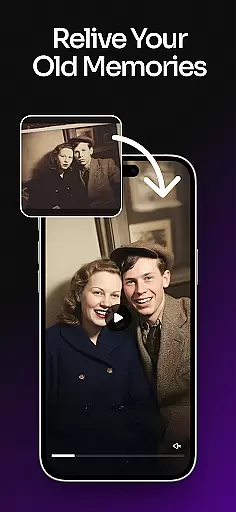
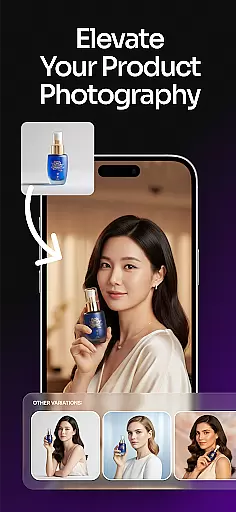

Premium version of Shimeji-ee app with no ads & no limit active shimeji
 4.3
4.3
Transform photos into amazing monochrome dither art with professional algorithms
4.4
Design your dream room with AI. Get decor ideas & plan home interiors
3.90
Sketch, plan, take notes and illustrate on an infinite canvas.
4.20
Apply cartoon, caricature, and portrait effects to make your photos stand out!
3.60
Draw on screen: FP sDraw is a simple and lightweight drawing app
4.70
Image resizer to resize, crop, rotate, flip, change dpi photo or picture in bulk
4.60
A luxurious gold watch face for an elegant and refined look.
4.0
How to draw anime step by step for beginner easily by AR drawing sketch & paint.
3.60
Get an overview over all your embroidery threads, projects and more.
4.60
Draw anime & manga drawing, art with templates to create stunning picture!
4.50
Digital illustration drawing & painting pad app to paint Anime and Manga art
4.50
Create color palette from Image, RGB & RYB Color wheel harmonies, Color Scheme
4.50
Create and Design Custom Logos in Seconds with AI-Powered Tools!
4.40
800+ Drawing, Painting Lessons App to Practice, Sketch & Paint Art.
4.30
Bring One UI 8.5 Icons to life -elegant dark icons with a modern, premium touch.
4.30
AR Anime Drawing: How to draw anime with AR drawing & sketching apps!
4.00
Design unique, funny and adorable cat stickers that reflect your own style!
3.80
Draw anime easily with AR guidance, sketch templates & trace tools!
3.10


User Reviews