

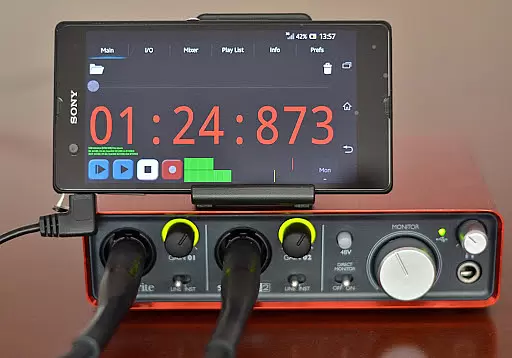
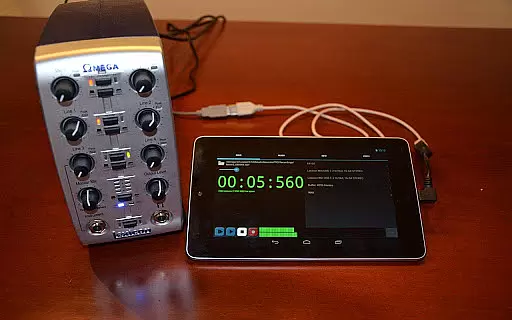
USB Audio Recorder PRO is a specialized audio recording and playback application designed for users who require high-quality audio processing directly through a USB audio interface. The app offers an advanced solution for Android devices, enabling both audio input and output functionalities without the need for rooting. It supports various bit depths (16-, 24-, and 32-bit) and sampling rates of up to 384 kHz, depending on the connected device's capabilities.
This app is particularly useful for musicians, podcasters, and audio engineers who need to record and monitor audio in real-time with minimal latency. By providing features like multichannel recording, stereo playback, and level meters with peak hold functionality, it ensures professional-grade audio performance. Additionally, its compatibility with class-compliant USB audio devices makes it versatile for different hardware setups.
The app boasts an extensive set of features tailored for audio professionals. It supports multiple recording formats including WAV, FLAC, OGG, and AIFF, allowing users to choose the best format for their needs. The inclusion of mono, stereo, and multichannel recording options caters to a wide range of audio projects, from simple voice recordings to complex multitrack sessions.
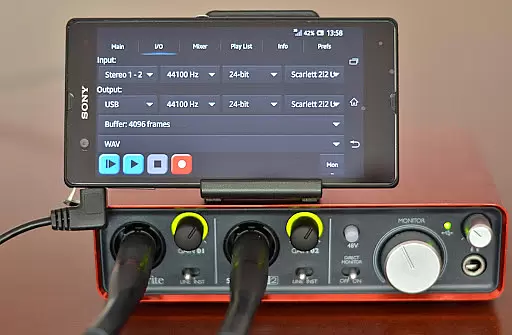
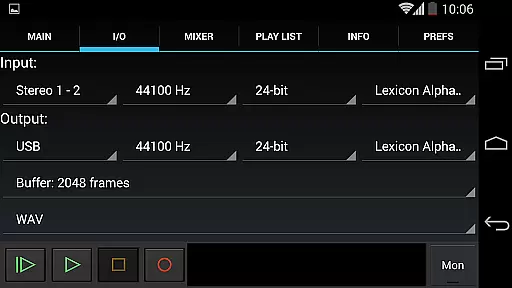
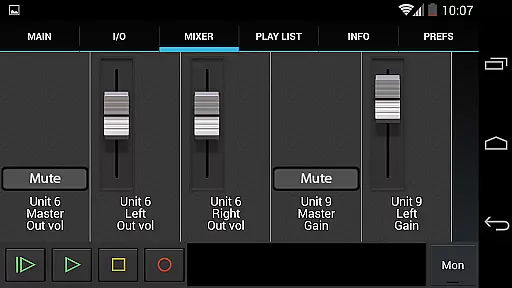
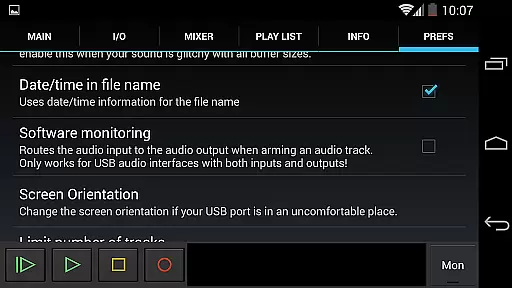
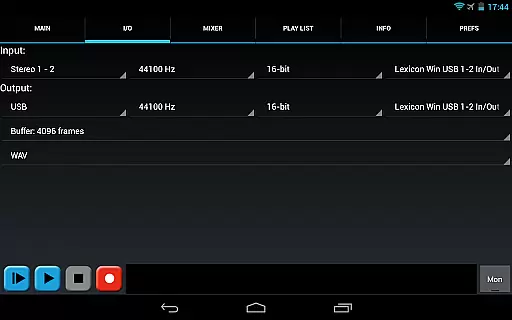
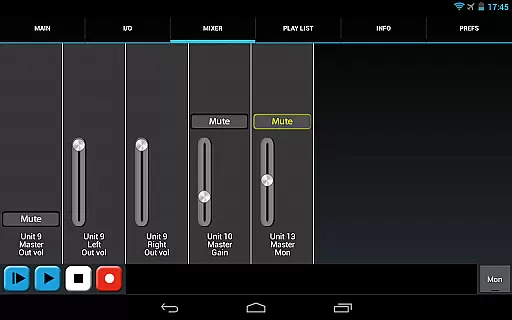
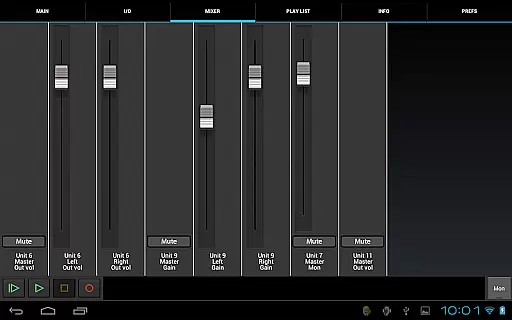
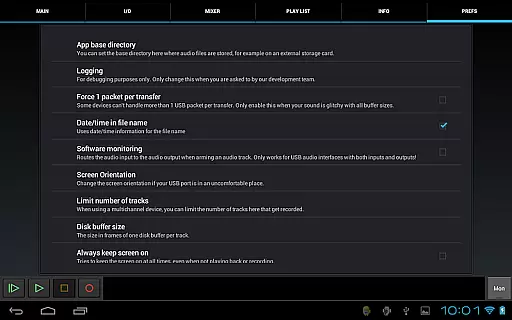
USB Audio Recorder PRO also provides essential tools like input/output selection, buffer size adjustment (from 1024 to 16384 frames), and internal controls such as gain, volume, and mute settings. These features are presented on an intuitive mixer screen, giving users precise control over their audio streams. Furthermore, the app allows playback through Android devices' internal speakers or headsets, which is especially useful when using input-only devices like USB microphones.
Additional functionalities include a basic playlist feature for directory playback, sharing options via GMail or SoundCloud, and the ability to rename or delete recordings. With these comprehensive features, the app delivers a robust solution for anyone needing reliable and high-fidelity audio recording on their Android device.
USB Audio Recorder PRO offers a unique approach to managing audio content by allowing users to record and playback high-quality audio directly from a USB audio interface. While it doesn't provide a traditional music library, the app enables you to build a personal collection of recordings in various formats such as WAV, FLAC, OGG, and AIFF.
The app ensures copyright authenticity by focusing on user-generated content. Since all recordings are created by the user, there's no risk of unauthorized distribution of copyrighted material. This makes every recording completely legal and authentic.
With support for mono, stereo, and multichannel recording, users can create professional-grade audio files. The ability to select recording formats and resolutions up to 384 kHz sample rate provides flexibility and ensures that your audio library maintains the highest quality standards.
Additionally, the app allows sharing recordings through platforms like SoundCloud, enhancing the distribution possibilities while maintaining full control over your original content.
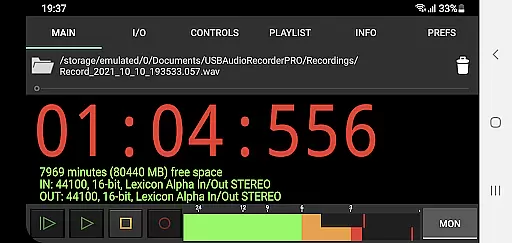
One of the standout features of USB Audio Recorder PRO is its exceptional audio quality options. The app supports bit depths of 16-, 24-, and 32-bit depending on your device, ensuring that recordings capture every nuance with precision.
Sample rates can go as high as 384 kHz, offering unparalleled clarity and detail in your audio files. This level of quality is particularly beneficial for professionals who require accurate sound reproduction for their work.
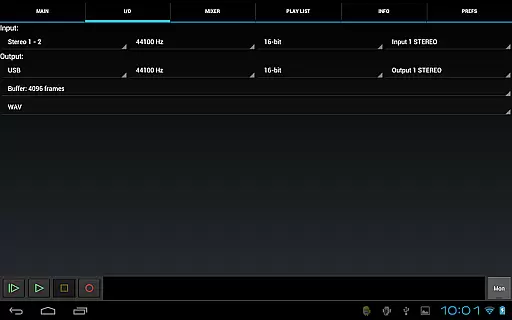
Users can also select buffer sizes ranging from 1024 to 16384 frames, giving them control over latency and performance. This flexibility allows you to optimize settings based on your specific needs and equipment capabilities.
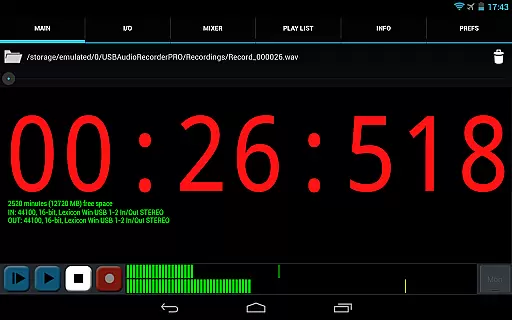
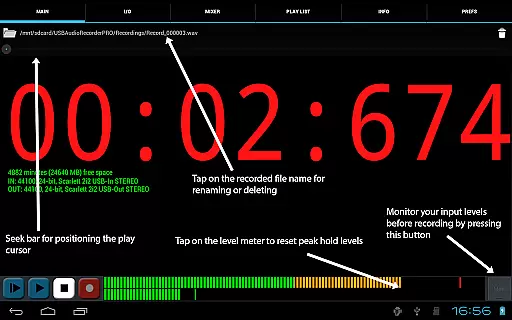
Moreover, the app includes level meters with peak hold functionality, enabling precise monitoring during both playback and recording sessions. These tools help maintain optimal audio levels, preventing distortion and ensuring consistent quality across all recordings.
High-quality audio recording
Wide range of supported formats
Real-time monitoring tools
Multichannel recording capability
No root requirement
Limited device compatibility
No MP3 support
Complex setup process
Requires OTG cable
Basic UI design

Gorgeous UI, Powerful music Search and Equalizer, the great choice for you!
 4.70
4.70
The ultimate media player for Android devices
3.90
The best music and audio player, with beautiful UI, music search and equalizer.
4.60
Enjoy singing any song, no matter how high or low it is
4.30
Let your Android device with the sound effects you want
4.50
Simple mp3 and mp4 player with advanced features.
3.40
Responsive piano with great sounds, graphics, and songs
4.80
Travel To The Music Universe
3.40
One-tap booster for max volume - enjoy powerful sound with this audio booster
4.50
Most Advanced AI Song Generator and Music Creator. Rap, Pop, Rock, Gospel & more
4.70
Save hundreds of dollars for a physical strobe tuner and instead use this app.
4.50
DJ Music Mixer - DJ Remix: remix songs, make beat music & record mix of DJ.
4.40
Play KORG’s revolutionary touch-based instrument on a variety of devices.
4.40
Your HD audio recorder on the go for music, meetings, ambience, animal sounds…
4.30
Time Trainer: accurate metronome w tools to help you develop your internal time!
4.20
A High-Precision Audio Spectrum Analysis App
4.20
The original SP-1200 experience on your iPad
4.20
Sheet music reader, piano & music note player. Play music score & learn to read.
3.90
Control your MIDI USB or Bluetooth devices in app and avoid some trampling
3.30

User Reviews